




The BetterFX search, inside Premiere Pro



BetterFX
Любой эффект. Одно сочетание клавиш.
Применяй любой эффект за секунды, не покидая таймлайн. Нажми одно сочетание клавиш, введи пару букв и нажми Enter. BetterFX находит встроенные эффекты, твои пресеты и установленные плагины и ставит первыми те, которыми ты пользуешься чаще всего.
 Premiere Pro 2021–2027
- Windows и Mac
- Бесплатные обновления

Гарантия возврата денег Не работает в твоем Premiere Pro? Напиши нам в течение 14 дней.
BetterFX
Создано теми, кто учит Premiere Pro.
700+ уроков и тысячи комментариев показали нам, что замедляет монтажеров. Поэтому мы создали инструменты, которых хотели сами как монтажеры: простые и без лишних хлопот.
Смотреть уроки- 200K+монтажеров пользуются нашими инструментами
- 30M+просмотров наших уроков на YouTube
- 90K+подписчиков в соцсетях
- 37K+монтажеров в нашем сообществе Discord
Меньше поиска. Больше монтажа.

Одно сочетание клавиш. Любой эффект.
Введи пару букв
Встроенные эффекты, свои пресеты и сторонние плагины.
Скрывай ненужные эффекты
Убери устаревшие эффекты из результатов.
Свои сочетания клавиш
Темная, светлая или стеклянная
С девятью акцентными цветами.

Premiere Pro 2021–2027
Главное.
-
Поиск и применение
Введи две буквы. Нажми Enter.
Найди любой эффект, пресет или плагин по паре букв. Он применится к выбранным клипам.
-
Умное ранжирование
Самые используемые эффекты — первыми.
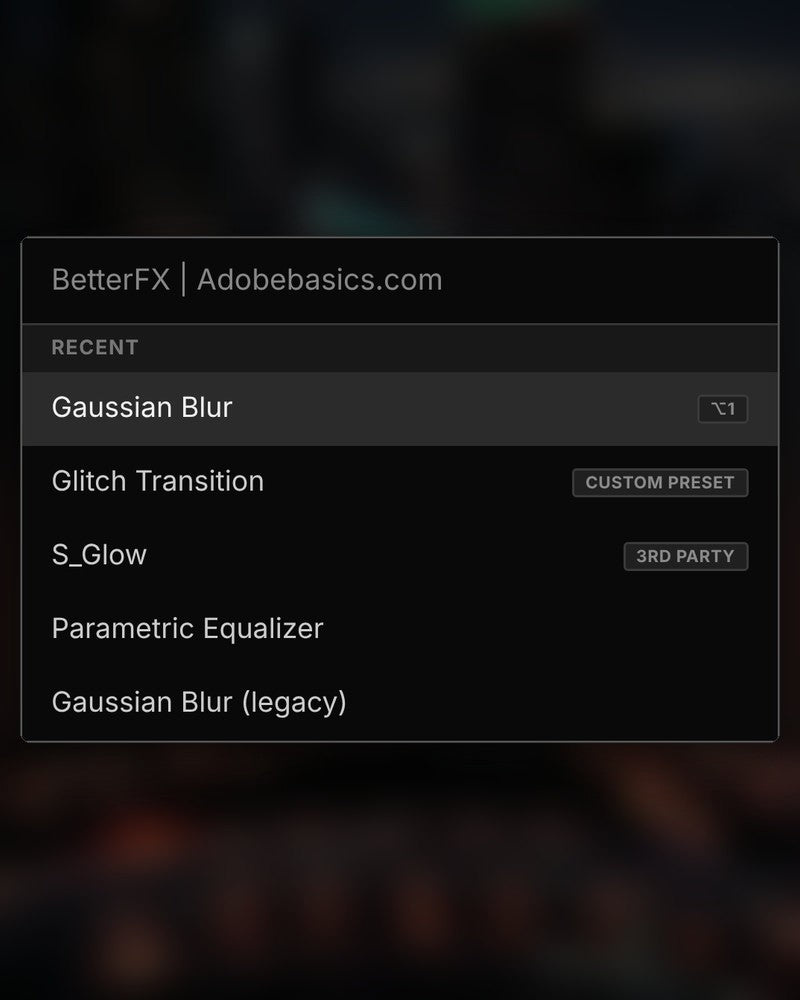
Недавние эффекты — наверху. Твои пресеты тоже отображаются — с тегом Custom Preset.
-
Сочетания клавиш
Свои клавиши для любого эффекта.
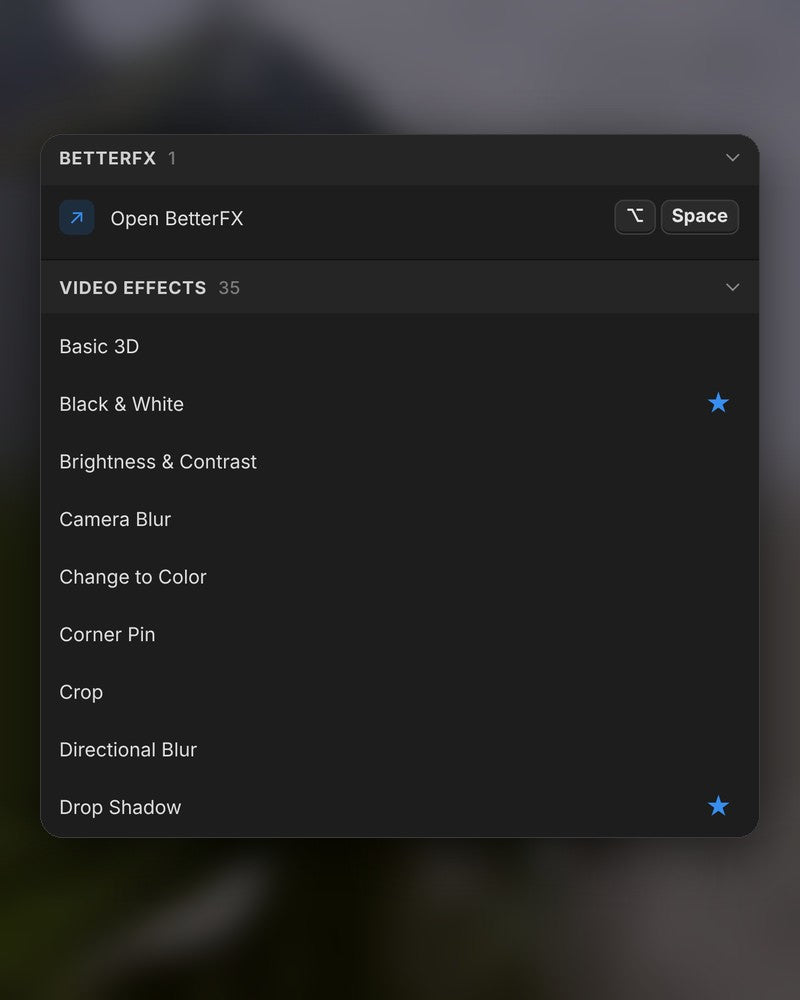
Назначь эффекту сочетание клавиш. Выбери клипы, нажми клавиши — готово.
-
Оформление
Темная, светлая или стеклянная.
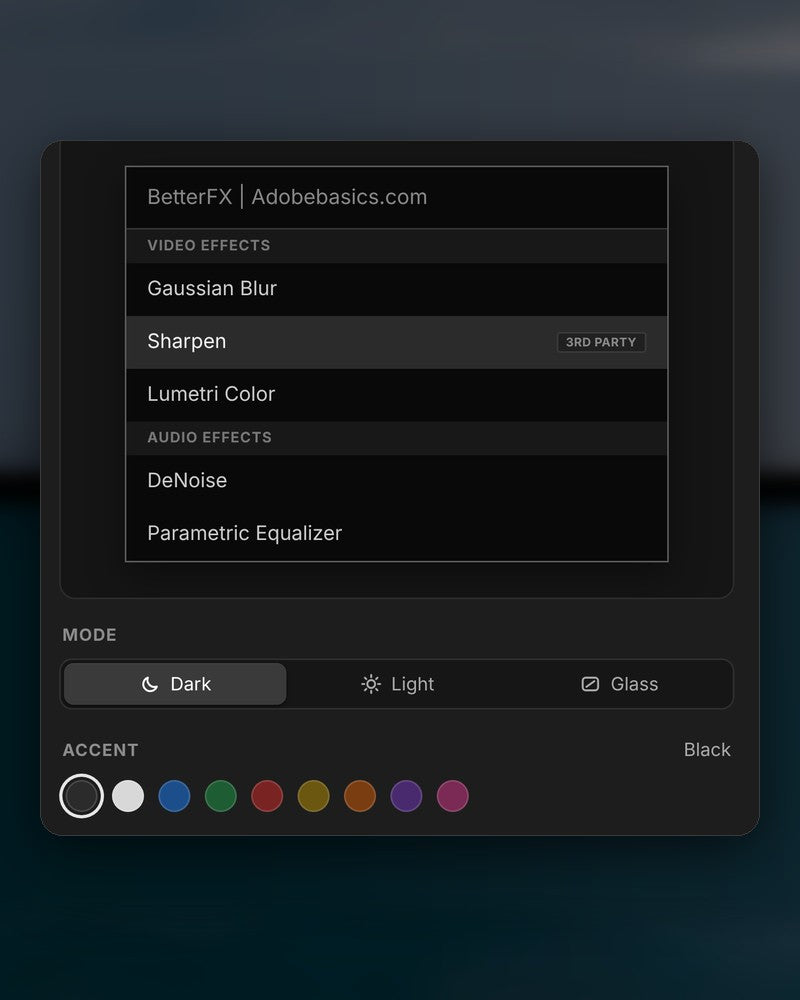
Выбери вид и один из девяти акцентных цветов, чтобы все гармонировало с твоим Premiere Pro.
В загрузке
-
Приложение BetterFX
-
Лицензионный ключ
-
Плагин Premiere Pro
Приложение и лицензионный ключ. И то и другое ты получишь при оформлении заказа, а установщик добавит плагин Premiere Pro.
-

Intelligent search
Type a few letters. The right effect is on top.
Short forms, half-remembered names and typos all work. Press Enter and it lands on your selected clips.
- Short formsgb finds Gaussian Blur. cs finds Camera Shake.
- Every selected clipOne Enter applies the effect to all of them.
- Opens at your cursorYour pointer stays on the timeline.
All-in-one search
Every effect you own. One search bar.
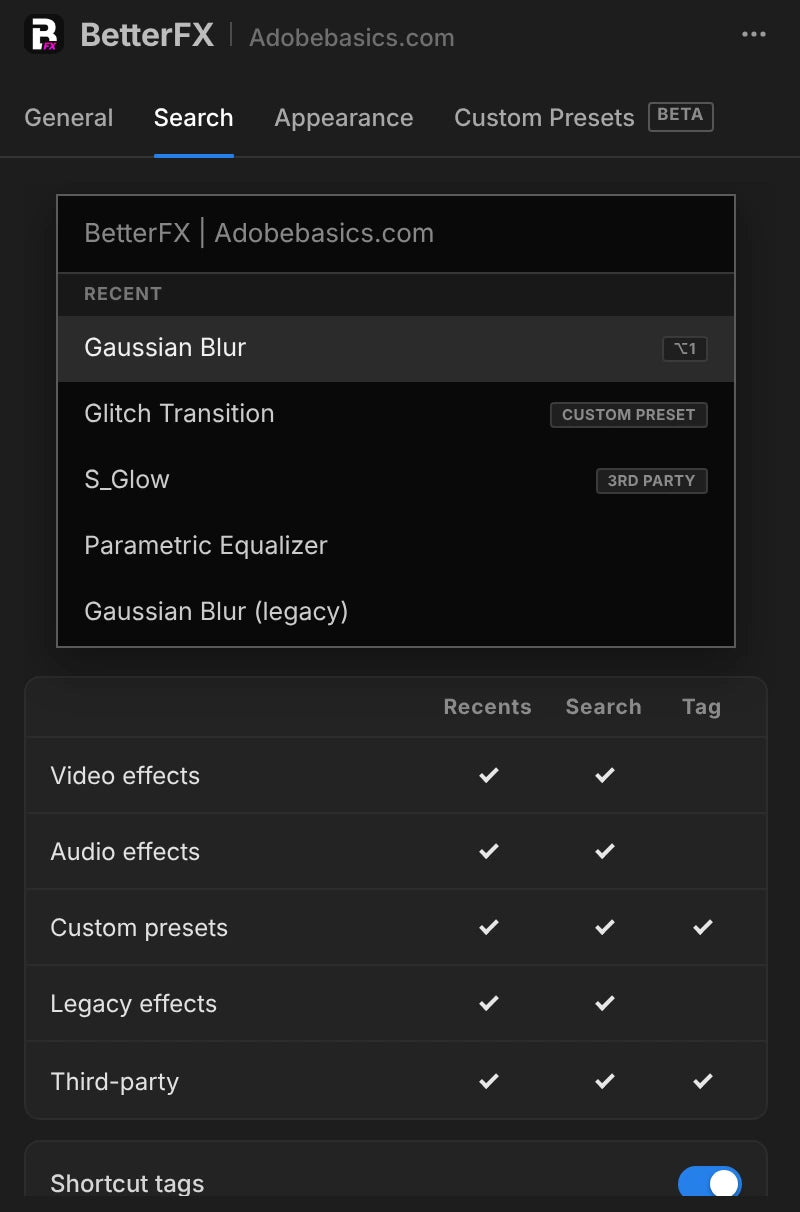
Premiere Pro’s own effects, your third-party plugins and your custom presets, in one list.

- Third-party pluginsTagged, so you know where an effect comes from.
- Legacy copiesMarked as Legacy, or hidden if you never use them.
- Custom presetsYour own presets show up next to the effects.
Recent effects
Your go-to effects. Before you type.
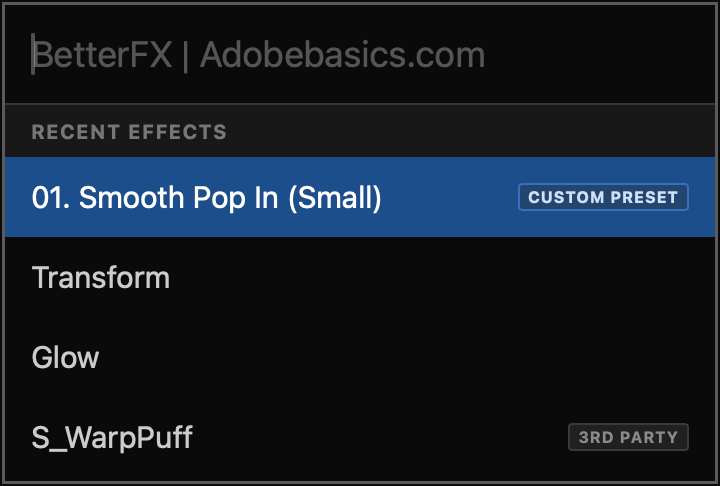
Open the bar and your recent effects are already there, with your custom presets and their shortcuts.

- Recent effectsYour last effects, the moment the bar opens.
- Custom presetsTagged Custom Preset and one Enter away.
- Shortcuts shownEach effect shows the keys you gave it.
Custom shortcuts
Any effect. Its own shortcut.
Pick an effect and press your keys. Then apply it straight from the timeline.
- Effects and presetsGive any effect or custom preset its own keys.
- Clash warningsBetterFX tells you when Premiere Pro already uses those keys.
- In your profileYour shortcuts move with your profile.
Favorites
Star an effect. Find it first.
Click the star next to any effect. Your favorites rank higher every time you search.
- Ranked higherStarred effects come first in your searches.
- Favorites filterThe button next to the search shows only your stars.
- In your profileYour favorites move with you to another computer.
Hide effects
Never use it? Hide it.
Click the eye next to an effect. It stays out of your searches until you bring it back.
- Cleaner resultsHidden effects never show up in the search bar.
- Legacy copiesHide the old versions of effects you never pick.
- UnhideThe Hidden filter lists them. One click brings each back.
Custom presetsBeta
Your presets. Searchable.
Import the .prfpset files you saved in Premiere Pro. Each preset then works like an effect, with its own search and shortcut.
- Search and shortcutsFind a preset by name, or give it its own keys.
- One ⌘ZUndoes the whole preset at once. Ctrl+Z on Windows.
- Any languagePresets work whatever language Premiere Pro is set to.
Your search bar
Your search bar. Your colors.
Pick Dark, Light or Glass and an accent color. A preview shows the search bar as you change it.
- Three modesDark, Light or Glass, on Mac and Windows 11.
- Nine accent colorsThe highlight on the effect you are about to apply.
- Live previewSee the search bar before you open it.
Profiles
Your setup. On every computer.
Save your shortcuts, favorites, hidden effects and look as a profile. Export it and import it on another computer.
- Everything in oneShortcuts, favorites, hidden effects, search settings and look.
- Switch in a clickKeep one profile per kind of edit.
- Import and exportTake your setup to another computer as a file.
Три шага. Одно сочетание клавиш.
Один пошаговый установщик настроит приложение и плагин Premiere Pro за тебя.
1Скачай BetterFX
Загрузка и лицензионный ключ появятся сразу после оплаты. Мы также пришлем их по e-mail.
2Запусти установщик
Открой установщик и следуй шагам. Он настроит приложение и плагин, затем ты вставишь ключ.
3Нажми свое сочетание клавиш
Выбери клип в Premiere и нажми Alt+Space.
Что добавляет BetterFX.
BetterFX в сравнении с другими плагинами поиска эффектов для Premiere Pro.

Купи набором и сэкономь 15%
Получи весь набор для Premiere.
- Asteria ProSmooth text animations
- EaseFlow ProПлавный easing
- BetterFXЛюбой эффект — одно сочетание клавиш
- SuperGlowПремиальное свечение
- QuickPasteВставка изображений и файлов
- Number Counter ProAnimated numbers
Specifications
- Version
- 2.1.9 · 21 ноября 2026 г. What's new
- Premiere Pro
- 2021–2027 and Premiere Pro (Beta)
- Operating system
- Mac macOS 11 or later, Apple silicon and IntelWindows 10 and 11, 64-bit
- Languages
- English, Deutsch, Français, Español, Português (Brasil), 日本語, 한국어
- Searches
- Every effect, preset and transition, third-party effects too
- Keyboard shortcuts
- Undo
- A whole preset in one step
- Works offline
- Up to 7 days at a time
- License
- 2 computers, one-time payment
- Updates
- Free and automatic
- Download
- Mac 9.5 MB · Windows 4.1 MB
Твои эффекты — на расстоянии одного сочетания клавиш.
Плати один раз — пользуйся всегда.
- Premiere Pro 2021–2027
- Windows и Mac
- Два компьютера на лицензию
Гарантия возврата денег если не работает
- Напиши нам в течение 14 дней после покупки.
- Поможем все исправить в течение 24 часов.
- Если не сможем исправить, вернем деньги.