Drag & Drop

Add text animations instantly with one click.

No Plugins

No extra downloads needed.

Easy to use

Perfect for beginners and advanced editors.

What's included

250+ text presets

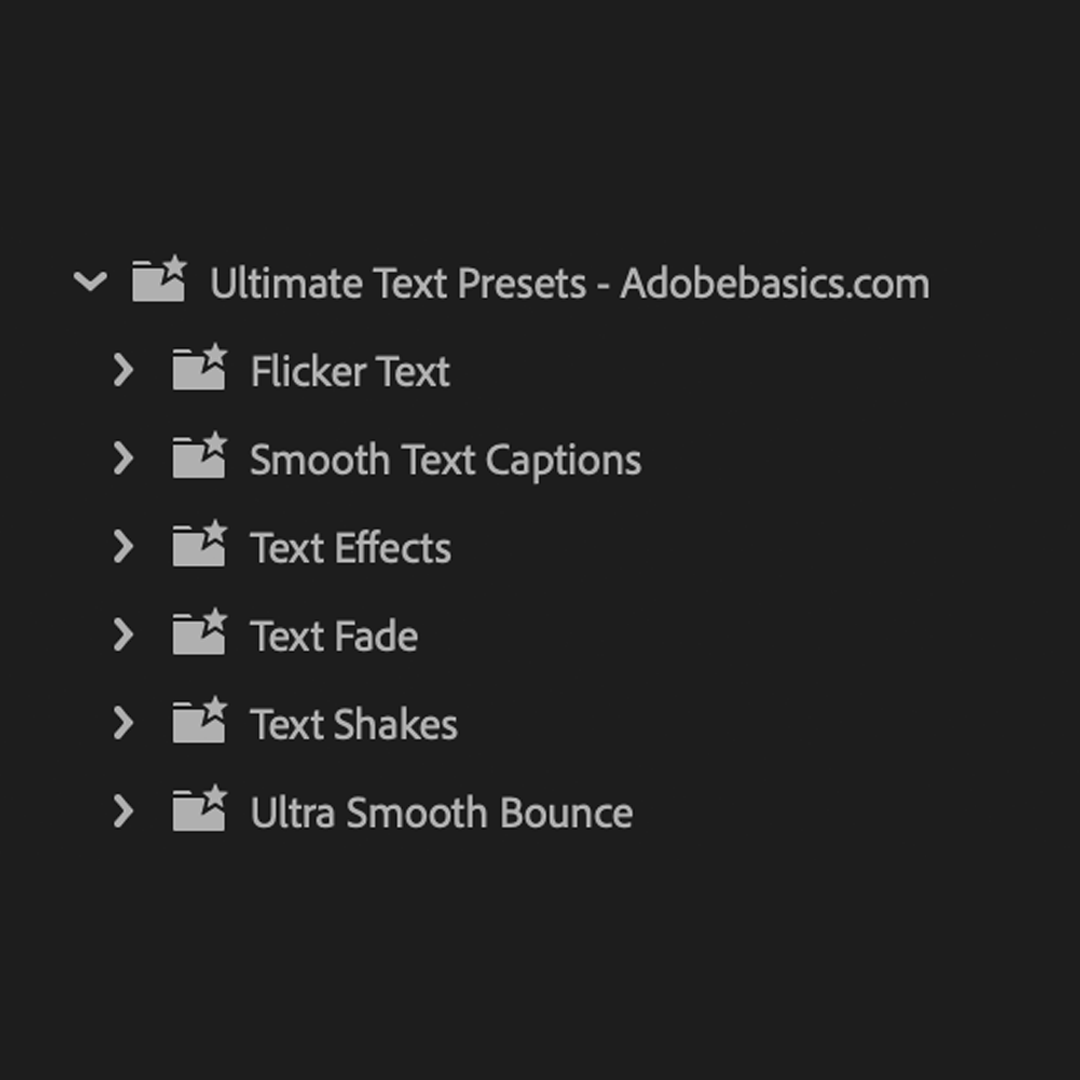
8 focused animation categories. One complete text toolkit.

  1. Smooth text captions

    Smooth captions for characters, words, and lines in every direction.

  2. Super smooth small bounce

    Soft single bounces for clean, minimal motion.

  3. Text effects

    Floating, hover, and typewriter effects for expressive text.

  4. Text fade

    Clean fades for characters, words, and lines.

  5. Text shake

    Subtle, cinematic, and high-energy text shakes.

  6. Double bounce

    Small, medium, and large double-bounce animations.

  7. Flicker text

    Sharp and smooth flickers for characters, words, and lines.

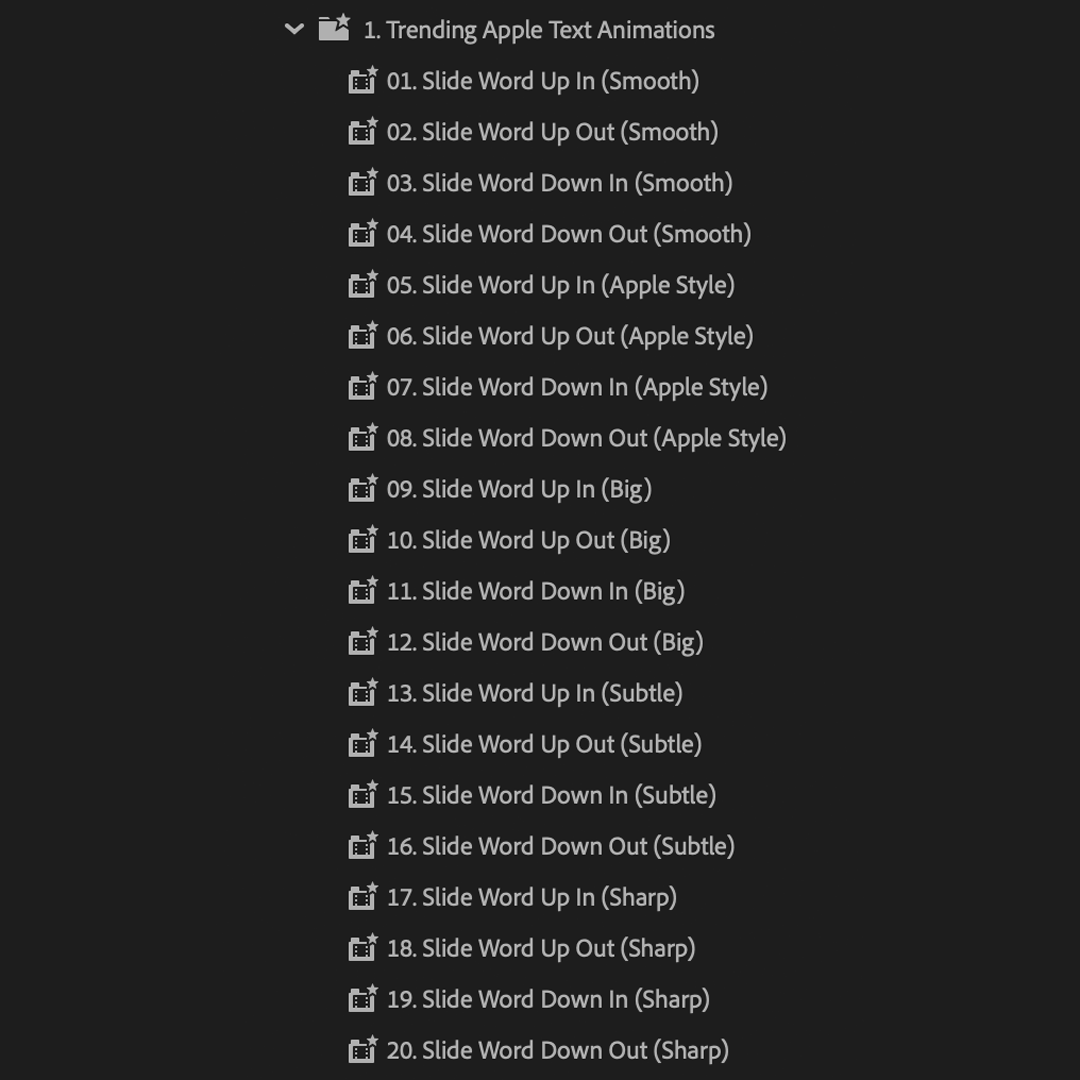
  8. Apple text animations

    Minimal Apple-inspired slide-ins with varied intensity.

Built for motion typography

Everything your text needs to move.

A focused toolkit for professional captions, titles, and text animation—built to speed up every edit.

The complete text toolkit

One pack. Every text style covered.

Captions, flickers, fades, shakes, bounces, typewriter effects, and Apple-inspired motion in one organized pack.

Work smarter

Edit up to 7× faster.

Skip repetitive keyframing, finish text animations sooner, and spend more time on the creative decisions.

Edit up to 7× faster.

Built to be useful

Premium presets. Zero filler.

Every preset is designed for real editing workflows, with polished motion you will actually use.

Premium presets. Zero filler.

Yours for good

Pay once. Create forever.

Lifetime access and future updates are included. No subscription, hidden fee, or recurring cost.

Pay once. Create forever.

Included at no extra cost

A little more. Included free.

Five extra text presets give you more ways to animate titles and captions without adding another purchase.

Bonus preset pack

Bonus preset pack

Five additional text effects created to expand your toolkit with more useful motion.

5 presets
Ready for your workflow

Ready for your workflow

Import them with the rest of the pack and use them immediately in Premiere Pro.

Included

See the difference

More range. Better motion.

A purpose-built collection with more control and variety than a small bundle of generic text presets.

Features
Recommended
Advanced Text Pack
Advanced Text Pack
Typical text packs
Typical text packs
Text animations
250+
Limited
Character, word, and line motion
Commercial license
Lifetime access
Future updates
No plugins
Number of Presets
250+
Limited
All-In-One Pack
One time purchase
Easy to Use
Preset Quality
High
Low
No Adjustments needed

Editor approved

Built for real editing workflows.

4.9

Verified customer reviews

★★★★★

Honestly I am really surprised by the quality and amount of presets. These presets are actually useful and I love them.

Dylan Johnson
Verified customer
★★★★★

I do YouTube and some freelance work on the side, and this text pack honestly helped me save time. It is really drag and drop since I barely have to adjust anything.

Emma Johansson
Verified customer
★★★★★

I was hesitant at first, but the pack delivers. So many actually good presets

René D
Verified customer
★★★★★

You can tell that effort has been put into this pack. It's not like many other packs where presets just feel cheap!

Connor K.
Verified customer
What is included?

You receive more than 250 text animations across smooth captions, flickers, fades, shakes, bounces, typewriters, Apple-inspired motion, and other useful styles, plus five bonus presets.

Who is this pack for?

It is made for creators and editors who want polished titles and captions without rebuilding text animation manually.

Why choose this pack?

It combines a broad range of high-quality text motion in one organized pack, so you can work faster while keeping every edit intentional and consistent.

What versions of Premiere Pro are supported?

These animations require Adobe Premiere Pro 25.5 or newer on Windows or macOS. No third-party plugins are required.

How do I receive my download?

Your download is available immediately on the order confirmation page. We also email the download link to you, and it remains available from your order page.

How do I import the presets?

Open Window > Effects, open the Effects panel menu, and choose Import Presets. Select the downloaded .prfpset file. The presets will appear inside the Presets folder, ready to drag onto your clips.

For a visual walkthrough, see our step-by-step import guide.

Do I need any other plugins?

No. Everything works natively in the supported versions of Premiere Pro, with no additional plugins required.

Are there any known limitations?

Premiere Pro can currently render some text animations incorrectly when a native shadow or stroke is applied. If that happens, remove the native shadow or stroke and use the included styling controls or a separate layer instead.

Are future updates included?

Yes. Lifetime access and future updates are included. When a new version is released, you can use the updated link from your email or order page.

What is the refund policy?

Because this is a digital product, purchases are not refundable after the files have been delivered. If something is not working as expected, contact us and we will help you get set up. Read the full Refund Policy.