Here's what a good one does, and the plugin we made for it.
What to look for
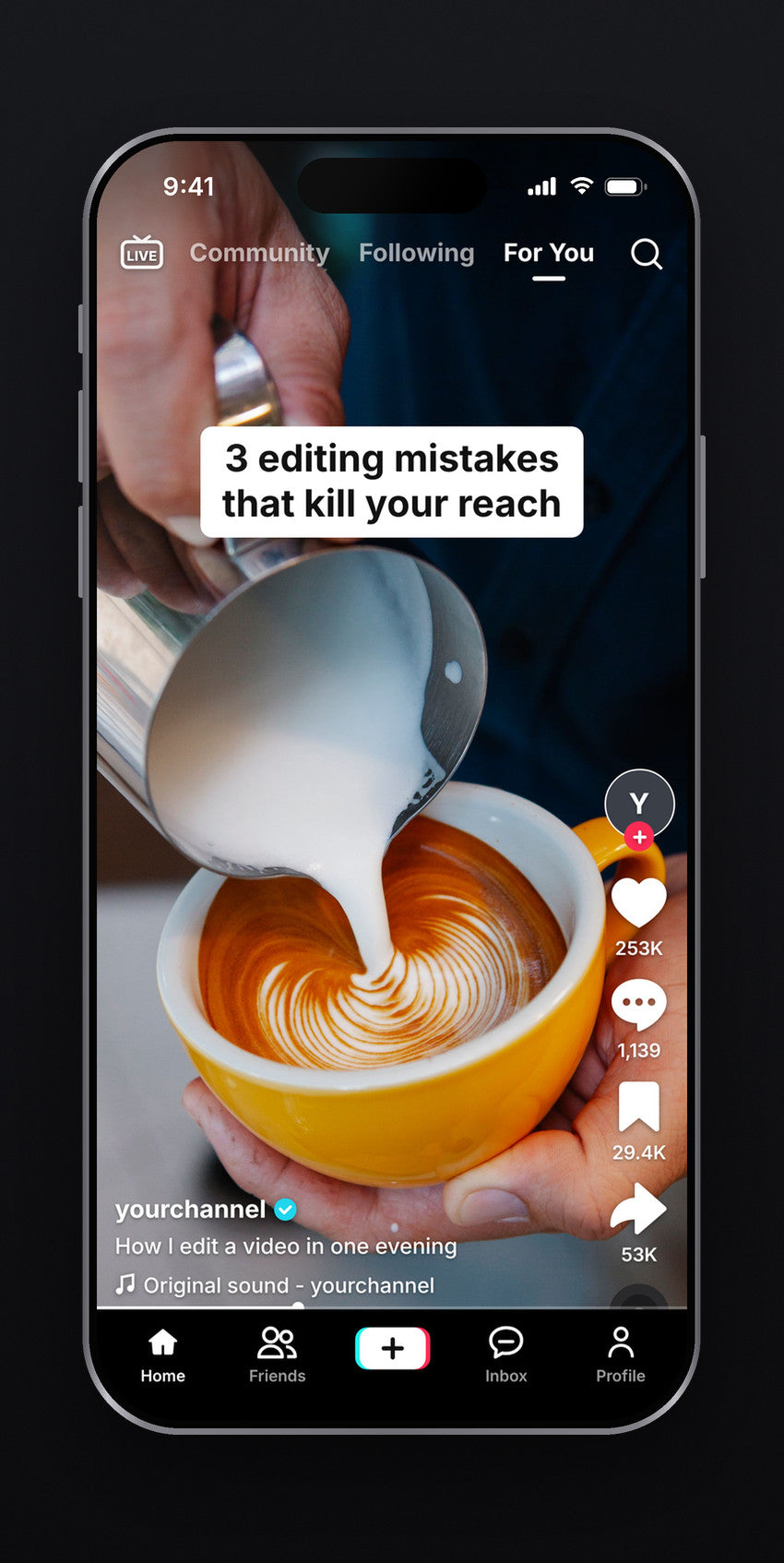
- Real app layouts. A grey box isn't enough. You want the actual buttons, the username and the caption where each app puts them.
- Every app you post to. TikTok, Instagram Reels, YouTube Shorts, Stories, Facebook Reels and Snapchat all cover different parts of the frame.
- A shared clear area. If one edit goes to three apps, you need the space that's free on all of them at once.
- It lives in Premiere. No PNG to download, import and stretch for every sequence.
- Easy to switch off. The guide has to stay out of your export.
- A way to check the whole video. Looking at one frame is fine. Checking two minutes of captions by eye isn't.
Our pick: ClearFrame
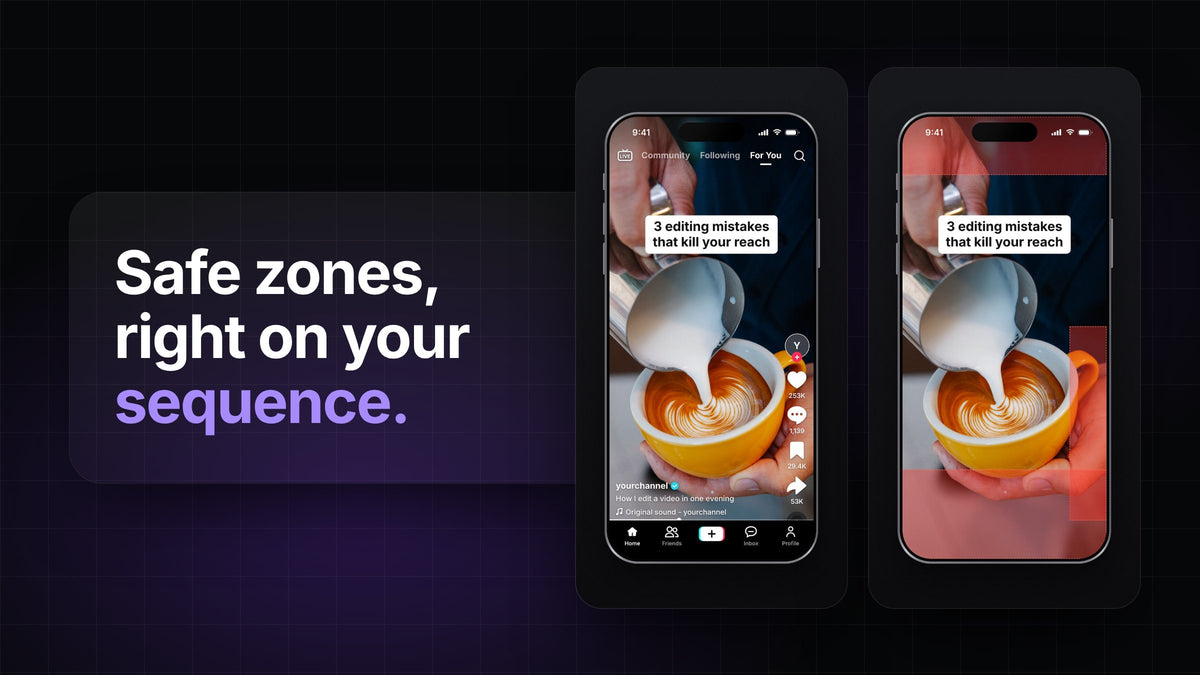
ClearFrame is a panel for Premiere Pro that draws each app's interface on top of your sequence. Pick a platform, press Apply Guide and the guide lands on a track above your video. Hide it with one click before you export, or remove it.
Three ways to see it
- Interface shows the app the way it looks on a phone.
- Zones shades everything the app covers in red.
- Clear Area shows only the box that's free on every app you picked.
Zones and Clear Area can compare several apps side by side, which is the quickest way to make one video that works everywhere.
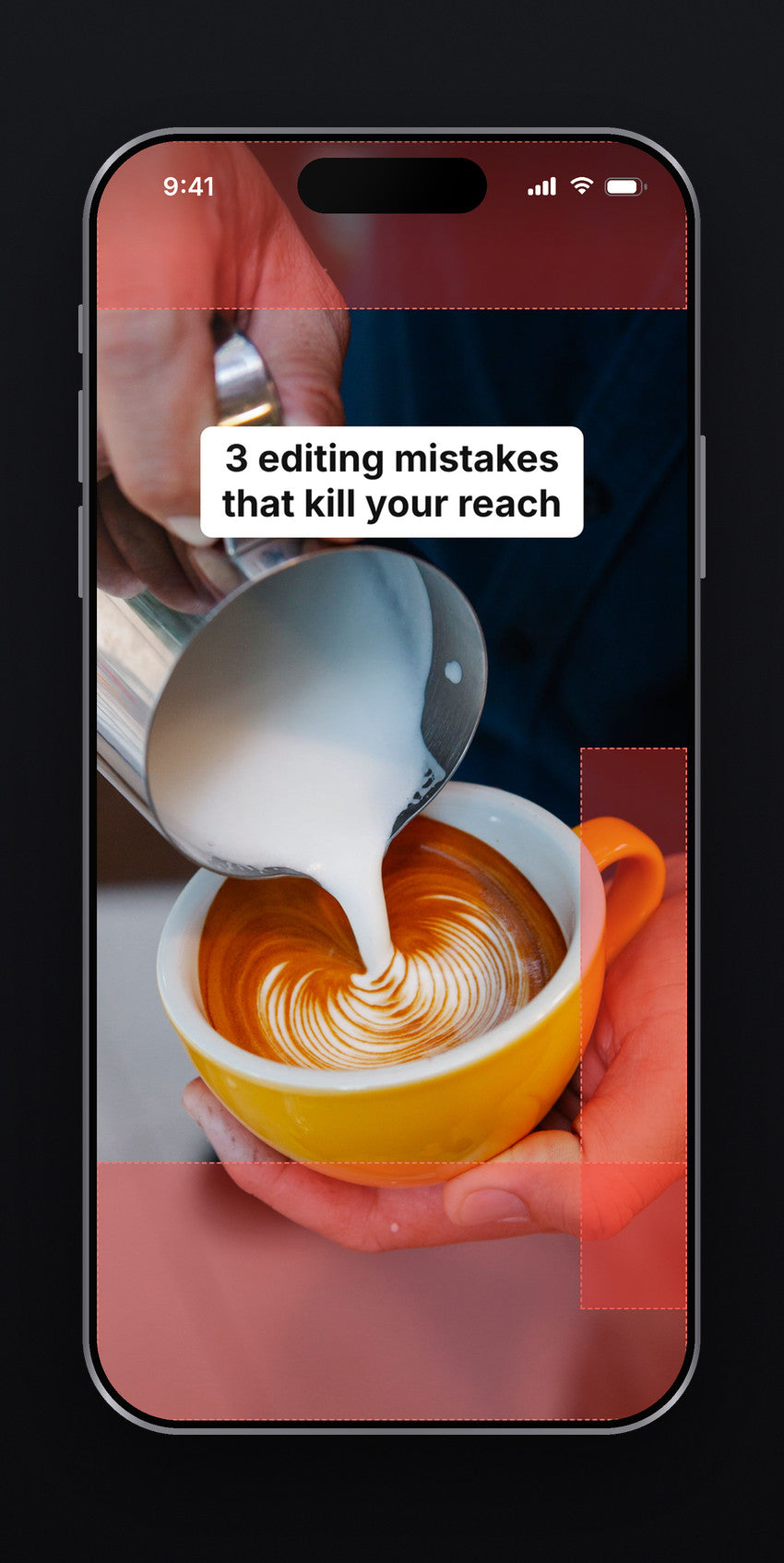
Blind Spot Scan
In Pro, Blind Spot Scan goes through the whole video and finds text and graphics the app would cover. It outlines each one and tells you the time, the frame and what covers it, so you can fix a caption at 1:42 without scrubbing for it.
More than vertical
Pro also has YouTube 16:9 with the full player on top, Instagram Feed 4:5 with the profile grid crop, rule of thirds, title and action safe, your own lines and a live preview of your own video under the guide.
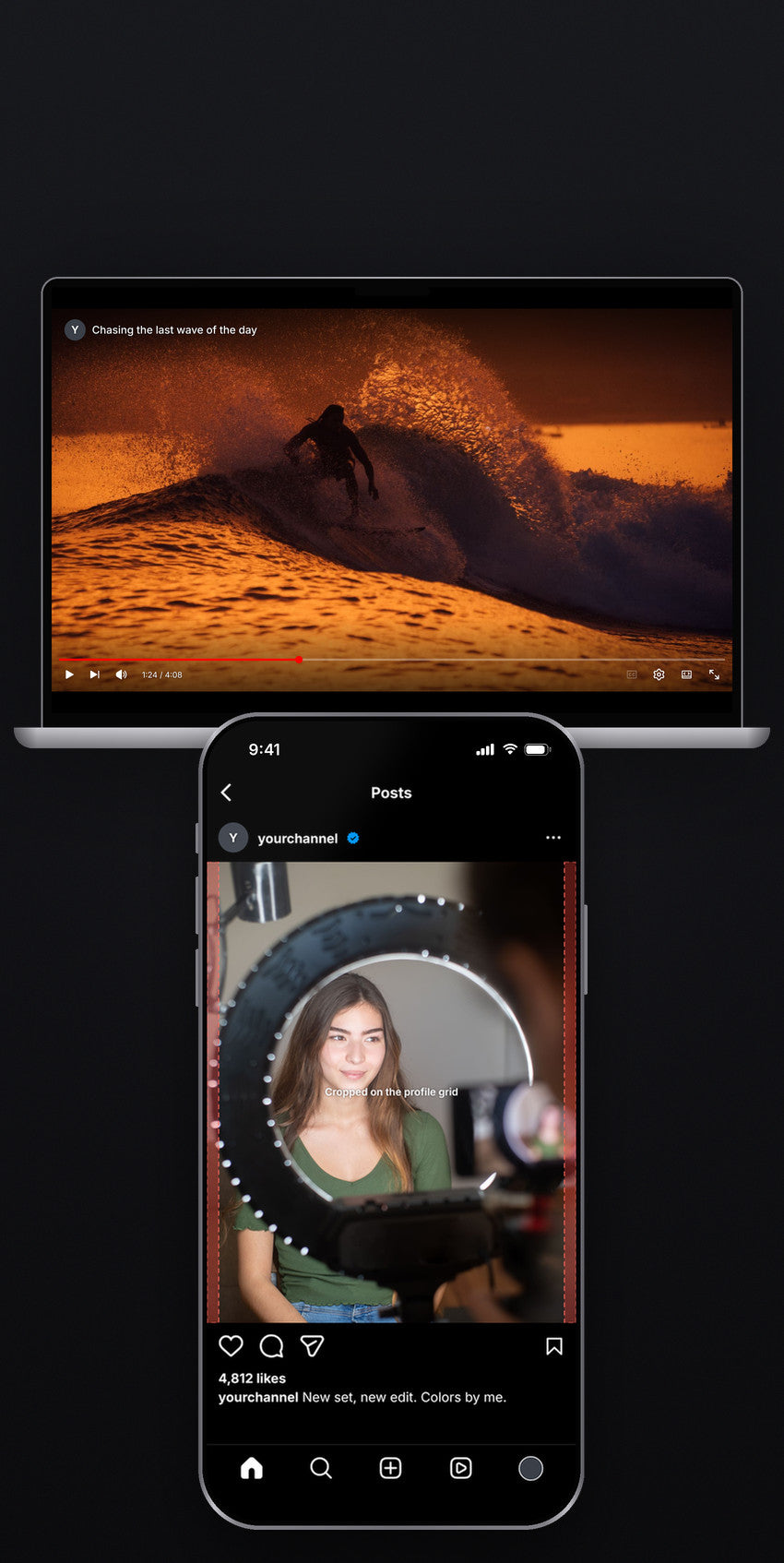
Price
ClearFrame Standard is $19.99 and has all six vertical apps and the three views. ClearFrame Pro is $29.99 and adds Blind Spot Scan, the live preview, YouTube 16:9 and Instagram Feed 4:5, every guide and your own lines. You pay once, and you can move from Standard to Pro later for $12.99.
ClearFrame runs in Premiere Pro 2021 to 2027 on Mac and Windows.
FAQ
Does Premiere Pro have safe zones for TikTok built in?
No. Premiere has title safe and action safe margins for TV, but nothing that knows where TikTok, Reels or Shorts put their buttons. That's the gap ClearFrame fills.
Will the guide show up in my export?
Not if you hide it. Click the eye in ClearFrame and the guide track stays in the sequence but doesn't render.
Can I use it on Windows?
Yes. ClearFrame works on Mac and Windows, in Premiere Pro 2021 to 2027.
Want your hooks to land in the clear? Get ClearFrame for Premiere Pro.