





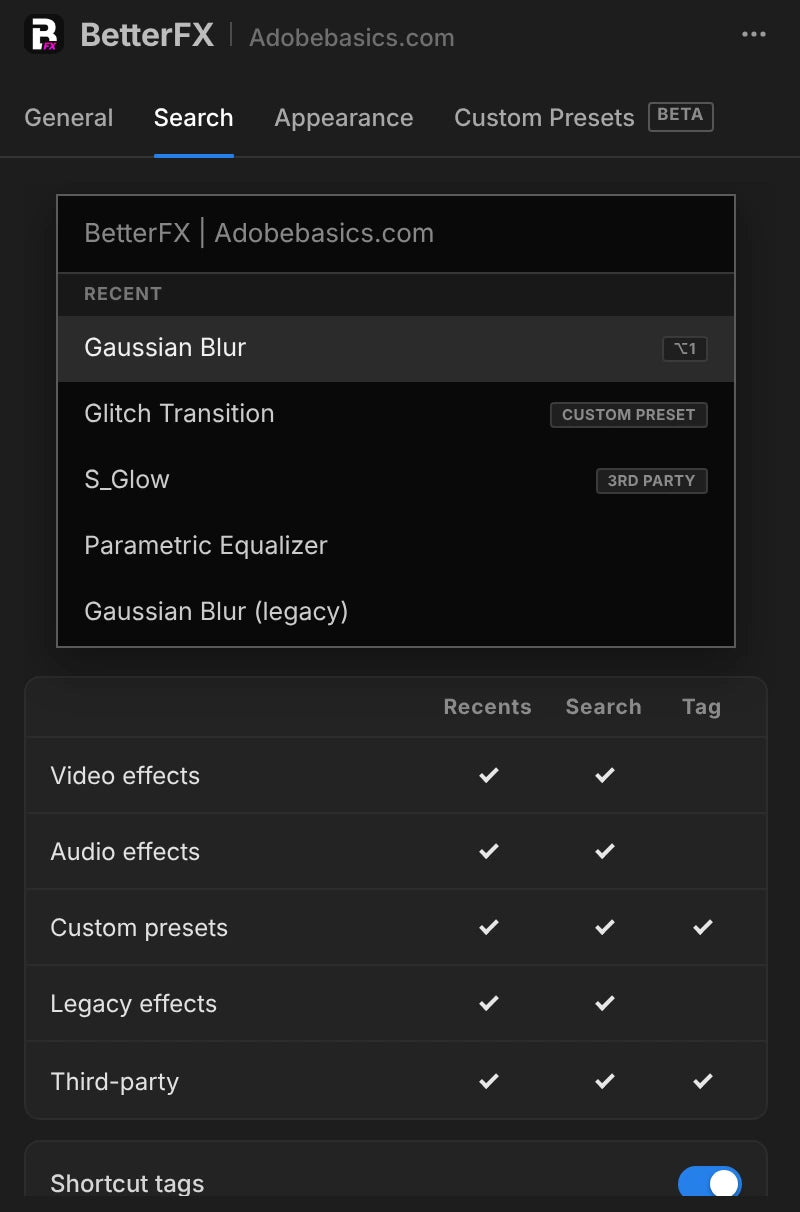
The BetterFX search, inside Premiere Pro



BetterFX
Setiap efek. Satu shortcut.
Terapkan efek apa pun dalam hitungan detik, tanpa meninggalkan timeline. Tekan satu pintasan, ketik beberapa huruf, lalu tekan Enter. BetterFX menemukan efek bawaan, preset Anda sendiri, dan plugin yang terpasang, serta menampilkan yang paling sering Anda pakai lebih dulu.
 Premiere Pro 2021–2027
- Windows dan Mac
- Pembaruan gratis

On your phone? Get the link on your computer.
Garansi uang kembali Tidak berfungsi di Premiere Pro milikmu? Hubungi kami dalam 14 hari.
BetterFX
Dibuat oleh orang-orang yang mengajarkan Premiere Pro.
700+ tutorial dan ribuan komentar menunjukkan apa yang memperlambat editor. Jadi kami membuat tools yang kami inginkan sebagai editor: simpel dan tanpa ribet.
Tonton tutorialnya- 200K+editor memakai tools kami
- 30M+tayangan tutorial YouTube kami
- 90K+pengikut di media sosial
- 37K+editor di komunitas Discord kami
Lebih sedikit mencari. Lebih banyak mengedit.

Satu shortcut. Semua efek.
Ketik beberapa huruf
Efek bawaan, preset kustom, dan plugin pihak ketiga.
Sembunyikan efek yang tidak dipakai
Jauhkan efek legacy dari hasil pencarianmu.
Shortcut milikmu sendiri
Dark, light, atau glass
Dengan sembilan warna aksen.

Premiere Pro 2021–2027
Lihat sorotannya.
-
Cari dan terapkan
Ketik dua huruf. Tekan Enter.
Temukan efek, preset, atau plugin apa pun dengan beberapa huruf. Langsung diterapkan ke klip yang dipilih.
-
Urutan cerdas
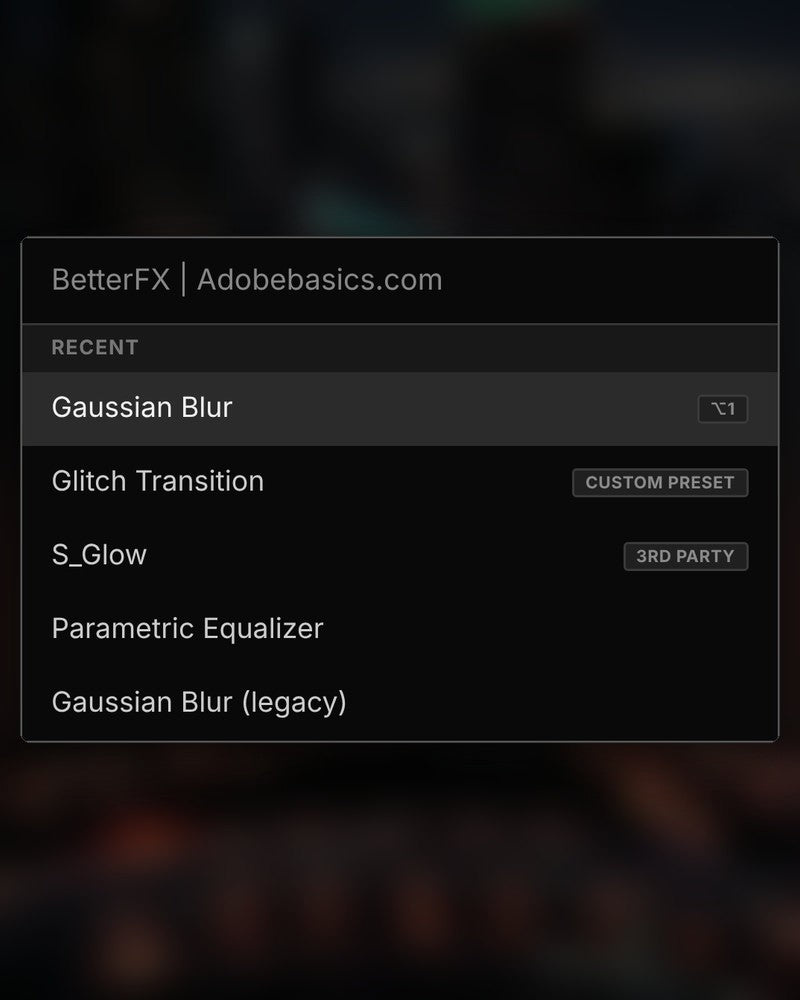
Efek yang paling sering kamu pakai tampil paling atas.
Efek terbaru ada di urutan teratas. Preset buatanmu juga tampil, dengan tag Custom Preset.
-
Shortcut
Tombolmu sendiri untuk efek apa pun.
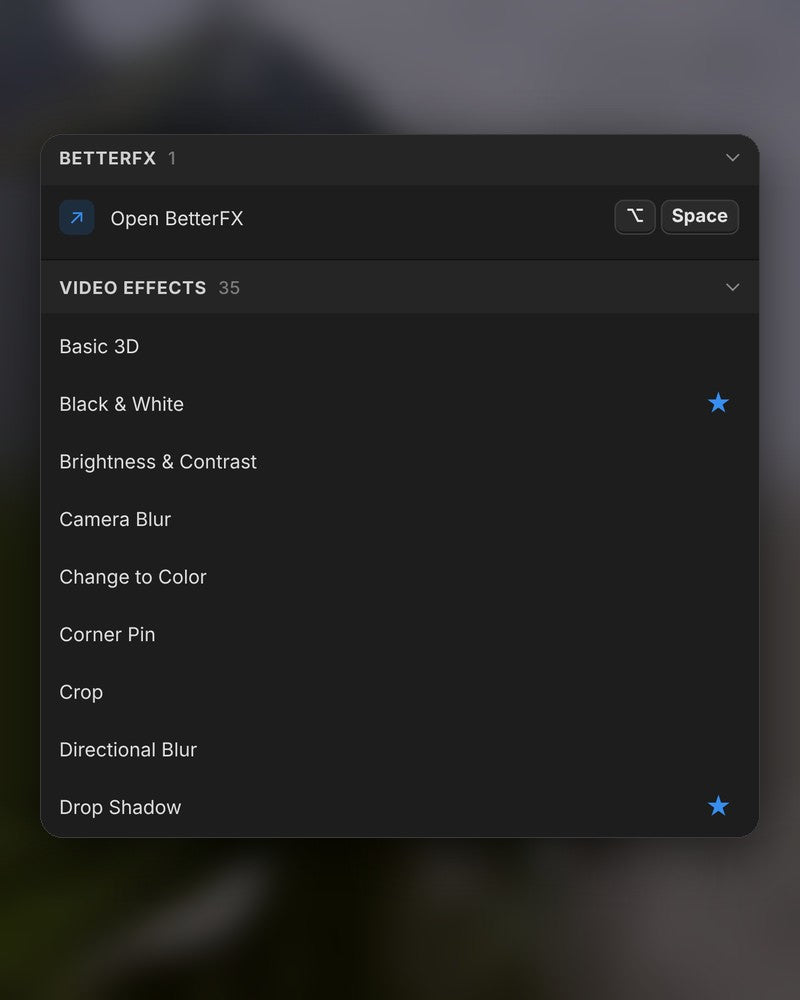
Beri efek sebuah shortcut. Pilih klip, tekan tombolnya, selesai.
-
Tampilan
Dark, Light, atau Glass.
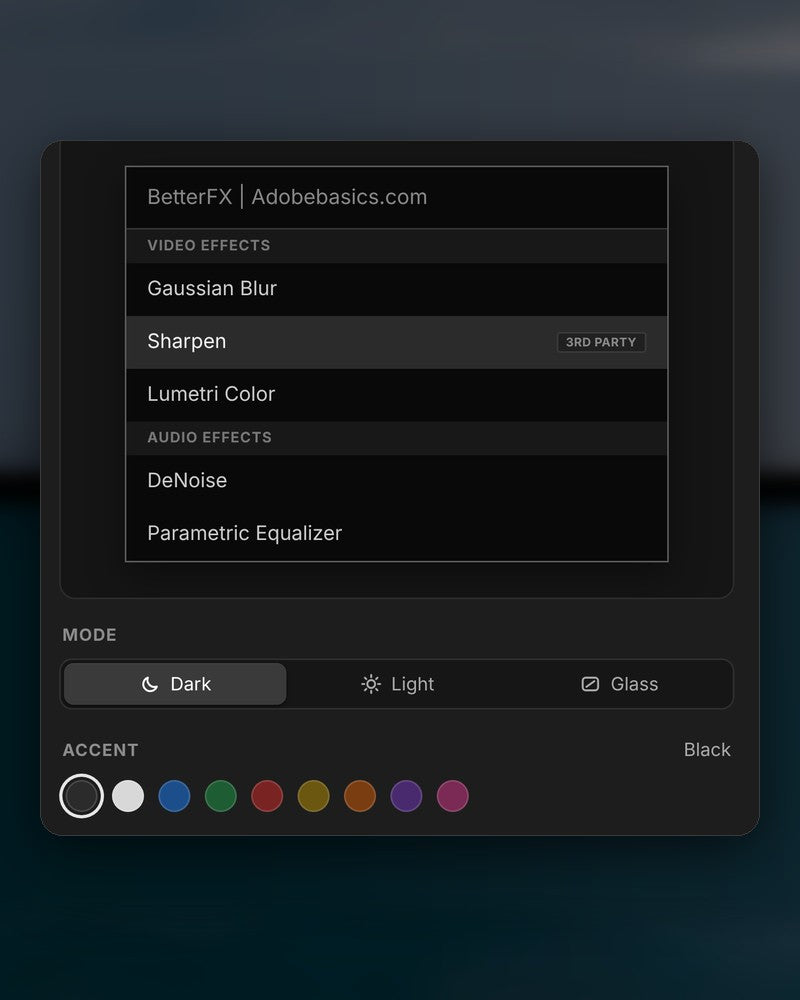
Pilih tampilan dan salah satu dari sembilan warna aksen, agar serasi dengan Premiere Pro kamu.
Dalam unduhan
-
Aplikasi BetterFX
-
License key
-
Plugin Premiere Pro
Aplikasi dan license key-mu. Keduanya kamu terima saat checkout, dan installer menambahkan plugin Premiere Pro.
-

Intelligent search
Type a few letters. The right effect is on top.
Short forms, half-remembered names and typos all work. Press Enter and it lands on your selected clips.
- Short formsgb finds Gaussian Blur. cs finds Camera Shake.
- Every selected clipOne Enter applies the effect to all of them.
- Opens at your cursorYour pointer stays on the timeline.
All-in-one search
Every effect you own. One search bar.
Premiere Pro’s own effects, your third-party plugins and your custom presets, in one list.

- Third-party pluginsTagged, so you know where an effect comes from.
- Legacy copiesMarked as Legacy, or hidden if you never use them.
- Custom presetsYour own presets show up next to the effects.
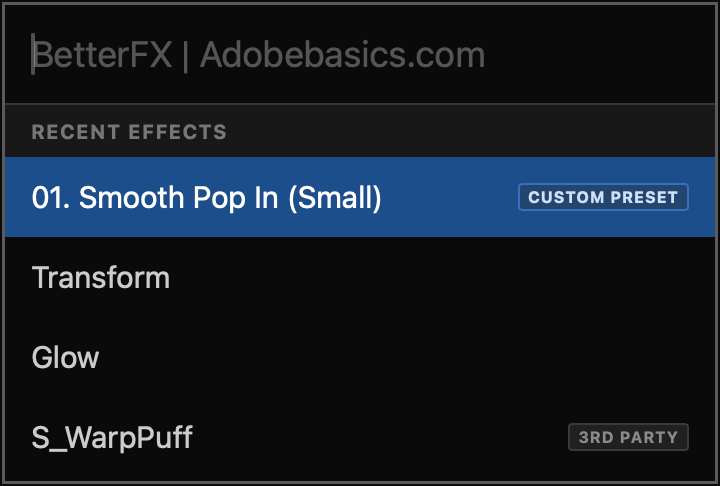
Recent effects
Your go-to effects. Before you type.
Open the bar and your recent effects are already there, with your custom presets and their shortcuts.

- Recent effectsYour last effects, the moment the bar opens.
- Custom presetsTagged Custom Preset and one Enter away.
- Shortcuts shownEach effect shows the keys you gave it.
Custom shortcuts
Any effect. Its own shortcut.
Pick an effect and press your keys. Then apply it straight from the timeline.
- Effects and presetsGive any effect or custom preset its own keys.
- Clash warningsBetterFX tells you when Premiere Pro already uses those keys.
- In your profileYour shortcuts move with your profile.
Favorites
Star an effect. Find it first.
Click the star next to any effect. Your favorites rank higher every time you search.
- Ranked higherStarred effects come first in your searches.
- Favorites filterThe button next to the search shows only your stars.
- In your profileYour favorites move with you to another computer.
Hide effects
Never use it? Hide it.
Click the eye next to an effect. It stays out of your searches until you bring it back.
- Cleaner resultsHidden effects never show up in the search bar.
- Legacy copiesHide the old versions of effects you never pick.
- UnhideThe Hidden filter lists them. One click brings each back.
Custom presetsBeta
Your presets. Searchable.
Import the .prfpset files you saved in Premiere Pro. Each preset then works like an effect, with its own search and shortcut.
- Search and shortcutsFind a preset by name, or give it its own keys.
- One ⌘ZUndoes the whole preset at once. Ctrl+Z on Windows.
- Any languagePresets work whatever language Premiere Pro is set to.
Your search bar
Your search bar. Your colors.
Pick Dark, Light or Glass and an accent color. A preview shows the search bar as you change it.
- Three modesDark, Light or Glass, on Mac and Windows 11.
- Nine accent colorsThe highlight on the effect you are about to apply.
- Live previewSee the search bar before you open it.
Profiles
Your setup. On every computer.
Save your shortcuts, favorites, hidden effects and look as a profile. Export it and import it on another computer.
- Everything in oneShortcuts, favorites, hidden effects, search settings and look.
- Switch in a clickKeep one profile per kind of edit.
- Import and exportTake your setup to another computer as a file.
Tiga langkah. Satu shortcut.
Satu installer terpandu menyiapkan aplikasi dan plugin Premiere Pro untukmu.
1Unduh BetterFX
Unduhan dan kunci lisensimu muncul langsung setelah checkout. Kami juga mengirimkannya lewat email.
2Jalankan installer
Buka installer dan ikuti langkahnya. Installer memasang aplikasi dan plugin, lalu kamu tempel kuncimu.
3Tekan shortcut-mu
Pilih klip di Premiere dan tekan Alt+Space.
Yang ditambahkan BetterFX.
BetterFX dibandingkan plugin pencarian efek lain untuk Premiere Pro.

Beli bundle, hemat 15%
Kit Premiere lengkap.
- Number Counter Pro Angka beranimasi
- SuperGlow Glow premium
- EaseFlow Pro Easing mulus
- Asteria Pro Animasi teks yang halus
- BetterFX Semua efek, satu shortcut
- QuickPaste Tempel gambar dan file
- ClearFrame Pro Safe zones for every app



- Asteria ProAnimasi teks yang halus
- EaseFlow ProEasing mulus
- BetterFXSemua efek, satu shortcut
- SuperGlowGlow premium
- QuickPasteTempel gambar dan file
- Number Counter ProAngka beranimasi
- ClearFrame ProSafe zones for every app
Specifications
- Version
- 2.2.2 · November 23, 2026 What's new
- Premiere Pro
- 2021–2027 and Premiere Pro (Beta)
- Operating system
- Mac macOS 11 or later, Apple silicon and IntelWindows 10 and 11, 64-bit
- Languages
- English, Deutsch, Français, Español, Português (Brasil), 日本語, 한국어
- Searches
- Every effect, preset and transition, third-party effects too
- Keyboard shortcuts
- Undo
- A whole preset in one step
- Works offline
- Up to 7 days at a time
- License
- 2 computers, one-time payment
- Updates
- Free and automatic
- Download
- Mac 9.5 MB · Windows 4.1 MB
Efekmu. Cukup satu shortcut.
Bayar sekali, milikmu selamanya.
- Premiere Pro 2021–2027
- Windows dan Mac
- Dua komputer per lisensi
Garansi uang kembali jika tidak berfungsi
- Hubungi kami dalam 14 hari setelah membeli.
- Bantuan dalam 24 jam untuk memperbaikinya.
- Jika tidak bisa kami perbaiki, uangmu kembali.