

EaseFlow – Smooth Easing for Premiere Pro

Works with Premiere Pro 2021-2026
Supports Windows & Mac
Instant Download
Lifetime license + free updates
Commercial license
The most seamless way to ease keyframes in Premiere Pro.
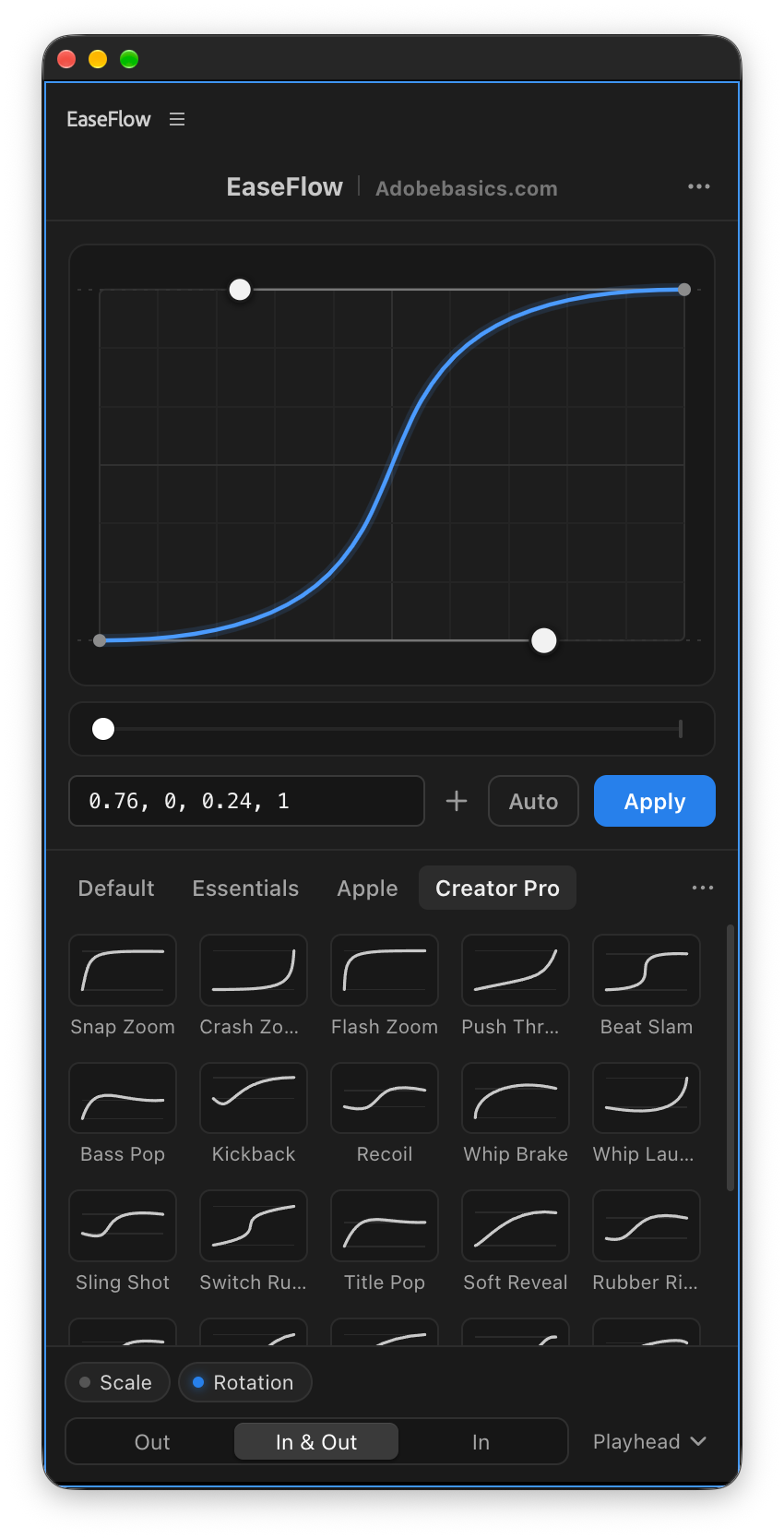
EaseFlow brings real easing curves to Premiere Pro. Pick a curve, press Apply, and every frame between your two keyframes follows it. No speed graphs, no fiddly handles, no guesswork. Just smooth, professional motion in one click.
It lives in a panel that feels like part of Premiere: it finds the keyframes under your playhead, eases them, and gets out of your way so you can keep editing.
Built around how you edit:
- One click. Apply at the playhead, or give your favourite curves their own keyboard shortcuts.
- Auto Mode. Create two keyframes and they're eased automatically.
- A real graph editor. Shape any curve by hand, with snapping.
- Undo without worry. One press of Cmd/Ctrl+Z takes EaseFlow's easing back off.
- Clean timelines. EaseFlow adds only the keyframes a curve needs and never touches yours.
Standard: every core feature, with the Default easing pack.
Pro: everything in Standard, plus 12 super smooth bouncy curves, 10 Essentials easings, 25 creator easings including speed ramps, and every easing pack added in the future.
Upgrade to Pro: already own Standard? Unlock everything in Pro.
Works on Mac and Windows. Your license key and download link arrive by email right after checkout.
EaseFlow – Smooth Easing for Premiere Pro
Real easing curves
Smooth keyframes. In one click.
Premiere Pro moves every keyframe at one flat speed, then stops dead. EaseFlow shapes the move with a real easing curve, so titles glide in, zooms settle and logos land softly.
Premiere Pro keyframesRobotic
Same speed on every frame, then a hard stop.
With EaseFlowNatural
Builds up, glides, and settles into place.
Try it right here
This is EaseFlow. Go ahead, play.
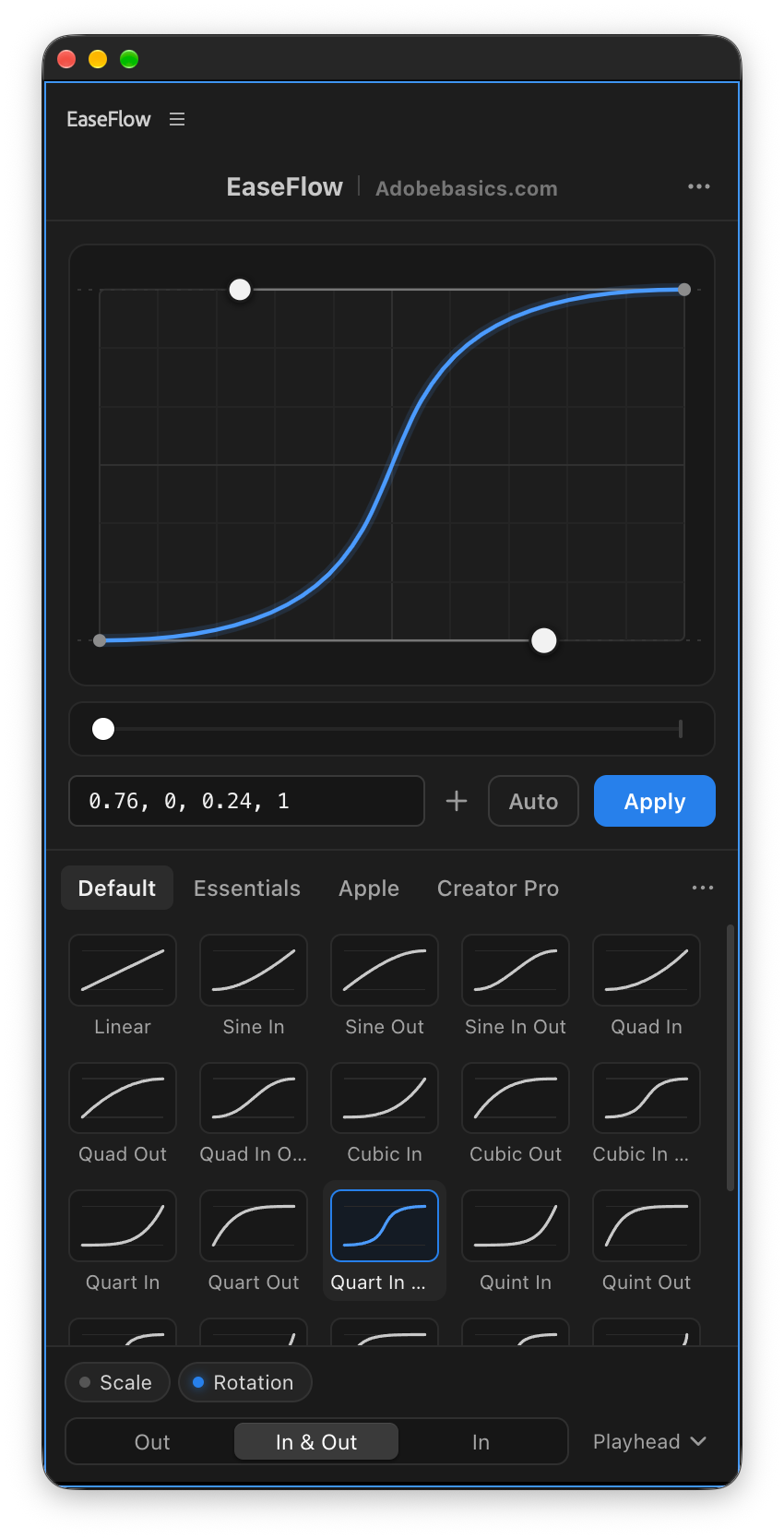
The real panel, working in your browser. Drag the curve, pick a preset, switch on Auto, then press Apply and watch the clip move.
EaseFlow Adobebasics.com

A live demo of the panel. In Premiere Pro, EaseFlow eases your real keyframes.
Auto Mode
Set two keyframes. EaseFlow does the rest.
With Auto Mode on, easing stops being a step. Add a keyframe, add the second one, and EaseFlow eases the keyframes with your curve right away. No button, no menu, no graph to drag.
-
Add a keyframe
On anything you animate, the way you always do.
-
Add the second one
Wherever the playhead is. EaseFlow eases the keyframes right away.
-
That's it. It's eased.
With the curve you picked. Changed your mind? Undo is right there.
Easing in Premiere Pro
- Right-click a keyframe
- Temporal Interpolation
- Bezier
- Open the graph
- Drag the handles
Then again for the next keyframe. And the next.
EaseFlow with Auto Mode
- Add two keyframes
Already eased. Every keyframe, every clip.
- Uses the curve you picked
- Leaves your old keyframes alone
- Add one in between, both sides stay smooth
- One click to undo
Preset libraries
Every curve you need. Built in.
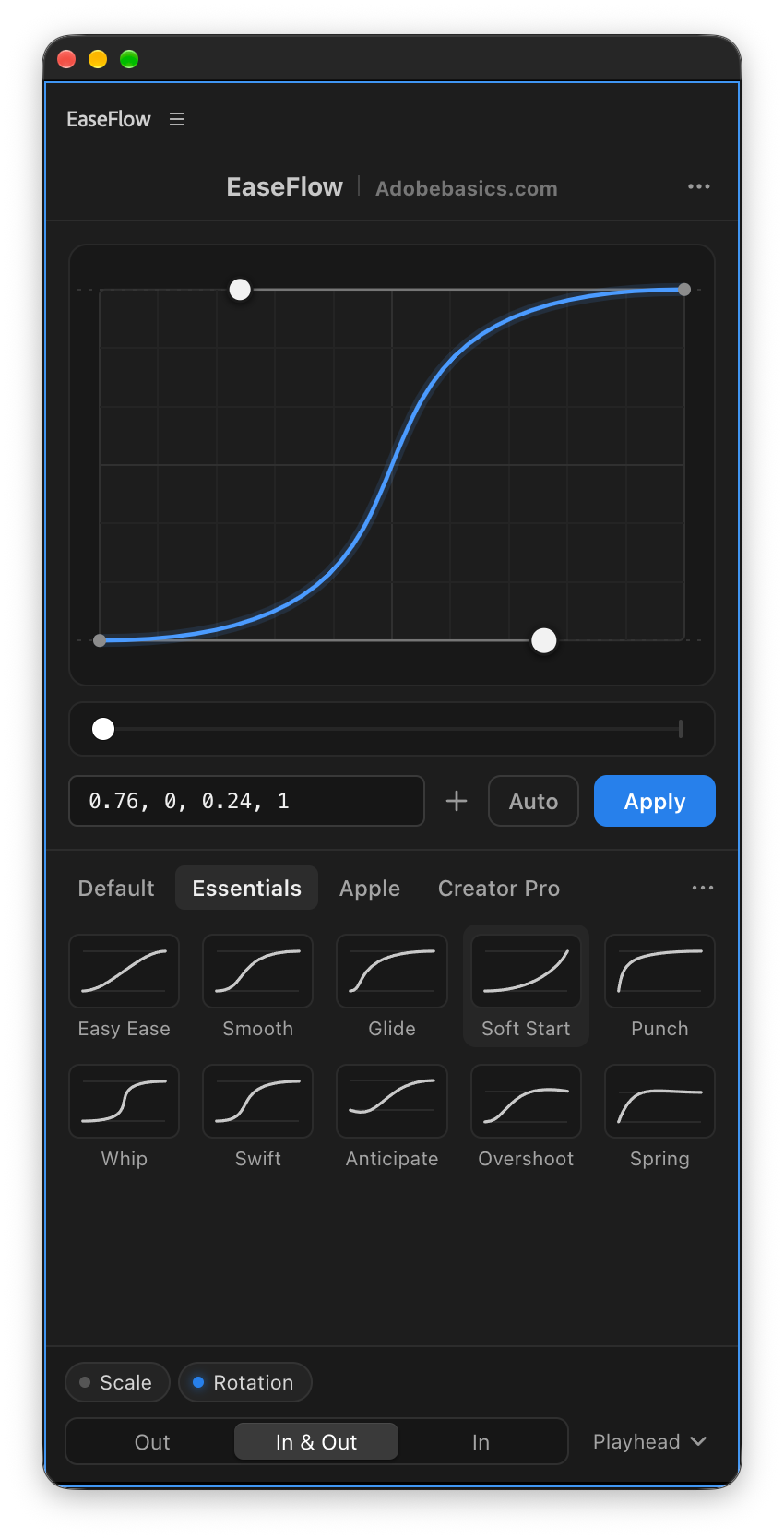
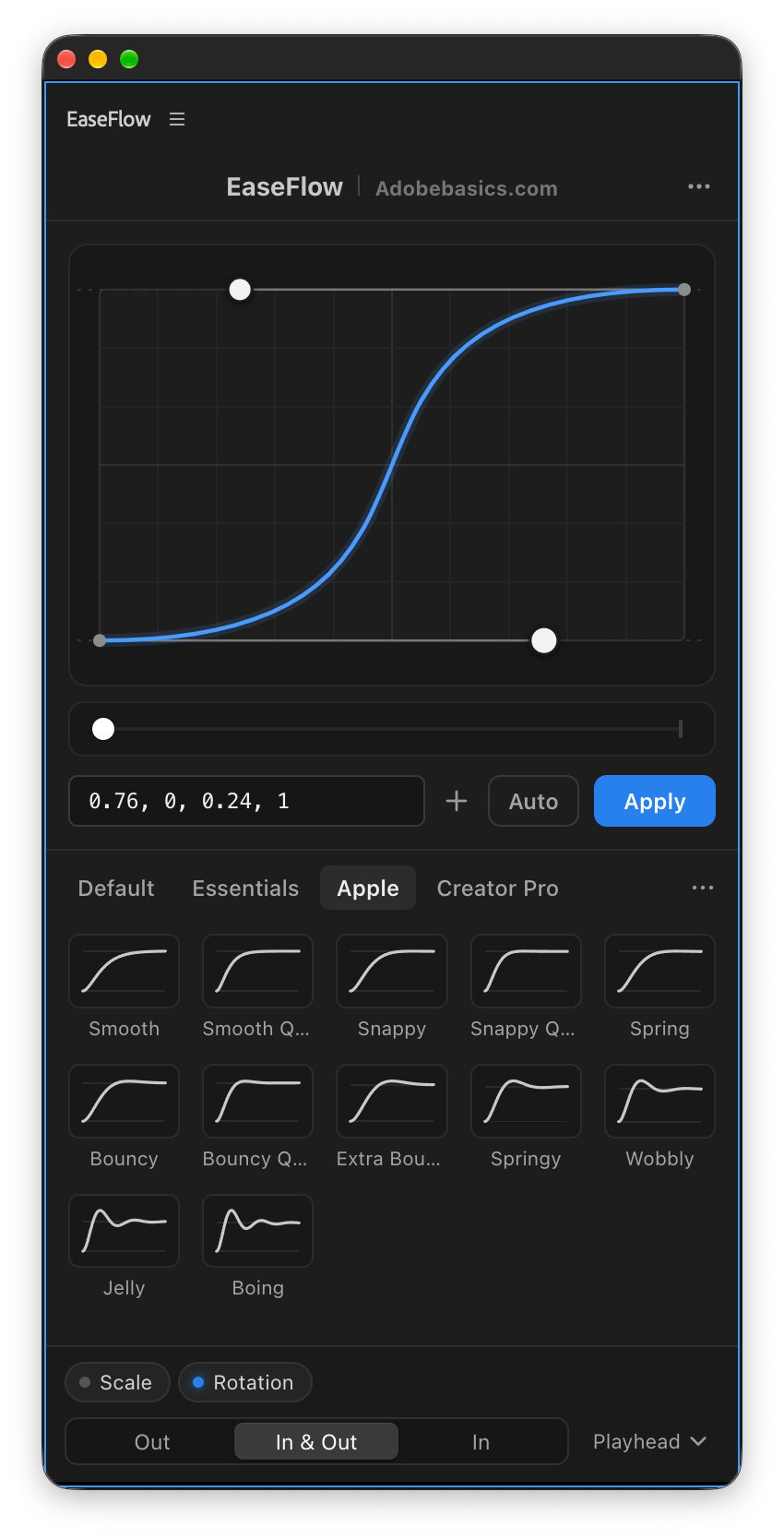
Four libraries of easing presets, each one click away in the panel.
-
Default
25 curves
The classics: Sine, Quad, Cubic, Expo, Circ, Back and more, each In, Out and In Out.
-
Essentials
Pro10 curves
The curves editors reach for on zooms, whip pans, titles and lower thirds.
-
Apple
Pro12 bouncy curves
Bouncy, natural motion from Smooth to Boing. Perfect for pop-ins, titles and stickers.
-
Creator Pro
Pro25 curves
Creator easings for punchy edits, speed ramps included.
Save your own curves, star your favorites and import or export whole libraries.
Keyboard shortcuts
Press a key. It's eased.
Give your favorite presets a shortcut of your own. Press it in Premiere Pro and the keyframes at the playhead are eased right away. No panel to open, no preset to find.
-
Right-click a preset
Choose Set Shortcut… on any preset, yours included.
-
Press the keys you want
Ctrl, Alt/Option or ⌘ with a key, or an F key on its own.
-
Press them in Premiere
The keyframes at the playhead are eased, just like clicking the preset.
- Works whenever Premiere is in front
- A shortcut for Apply too
- In Standard and Pro
Built to be trusted
Your keyframes. Untouched.
EaseFlow makes the curve by adding its own keyframes between yours. Yours never move.
-
Your keyframes stay put
EaseFlow only adds keyframes between the two you set. Yours never move or change, and trying another curve replaces only EaseFlow’s.
-
Only as many as needed
A two-second Easy Ease takes about 20 keyframes instead of one on every frame. Every frame still follows the curve.
-
Nothing gets overwritten
Before every change, EaseFlow checks your keyframes haven’t moved. If they have, it stops instead of guessing.
Everything included
Small panel. Hours back.
EaseFlow lives in a Premiere Pro panel and works from your keyboard. Here is everything that comes with it.
-
Auto Mode
Create two keyframes and they're eased automatically.
-
Apply at the playhead
Eases the keyframes around the playhead, or the nearest ones, on every selected clip at once.
-
Graph editor
Drag the handles, hold Shift to snap and Alt to mirror. Pull past the edge for overshoot.
-
Bouncy curves
Moves that overshoot and settle right on your second keyframe. Pull the handle up for more bounce.
-
Preset shortcuts
Give any preset its own key and ease without touching the panel.
-
One ⌘Z undoes it
The first press in Premiere Pro takes EaseFlow's easing back out. Redo puts it back.
-
Every property
Position, Scale, Rotation, Opacity, Anchor Point and effect parameters, on video and audio.
-
See what's already there
A faint second curve in the graph shows the easing already on your keyframes, before you change it.
-
Curved paths stay curved
Position follows the motion path Premiere draws between your keyframes, not a straight line.
-
Paste a curve
cubic-bezier(), a cubic-bezier.com link, four numbers or a spring(damping, frequency).
-
Your own library
Save your own curves, star favorites, and import or export whole libraries.
-
Mac and Windows
The same EaseFlow on macOS and Windows, kept up to date by its menu bar app.
Choose your EaseFlow
Two versions. Pay once.
Every version has the full graph editor, Auto Mode, smart undo and shortcuts. Pro adds bouncy curves and every easing pack.
EaseFlow Standard
Everything you need to ease like a pro.
$24.99 one-time
- One click eases any pair of keyframes
- Auto Mode eases keyframes as you add them
- Shape any curve in a visual graph
- Ease a whole clip at once, or just the playhead
- Clean timelines: just the keyframes needed
- Your keyframes and paths stay as you set them
- One ⌘Z undoes all the easing (Ctrl+Z on Windows)
- Shortcuts and favorites for the curves you love
- Default pack: 25 smooth curves
- Mac and Windows, always up to date
EaseFlow Pro
Every curve we make, now and later.
$34.99 one-time
- Everything in Standard
- Bouncy curves that make motion feel alive
- 47 extra presets, ready in one click
- Shape every bounce with two handles
- Every bounce lands right on your keyframe
- Apple pack: 12 bouncy curves, Smooth to Boing
- Essentials pack: 10 go-to curves for zooms and titles
- Creator Pro pack: 25 easings with speed ramps
- Every new pack we add in the future
Already own Standard? Upgrade to Pro for $15.00
Your license key and download links arrive by email right after checkout.
Bundle and save 10%
Get the whole Premiere kit.
EaseFlow Pro, QuickPaste and BetterFX together. Smoother keyframes, smarter pasting and every effect one shortcut away.
-
EaseFlow Pro
Smooth easing
$34.99
-
QuickPaste
Smart clipboard
$24.99
-
BetterFX
Every effect, one shortcut
$29.99

See the difference
More feel. Fewer clicks.
EaseFlow next to other easing plugins for Premiere Pro.
Start easing. In one click.
Pick a version, and your next keyframes are smooth.
- Mac and Windows
- License key by email right after checkout
- Support within 24 hours