av

The old way, and why it takes so long
Without a plugin, you would duplicate your title once per letter, mask or crop each copy to a single character, then keyframe and offset every one. A ten-letter word means ten layers. Change one letter later and you start again.
Step 1: Type your title
Use the Type tool and set your font, size and color. Letter animations look best on short words, between one and three words, in a bold font with clear spacing.
Step 2: Choose Letter
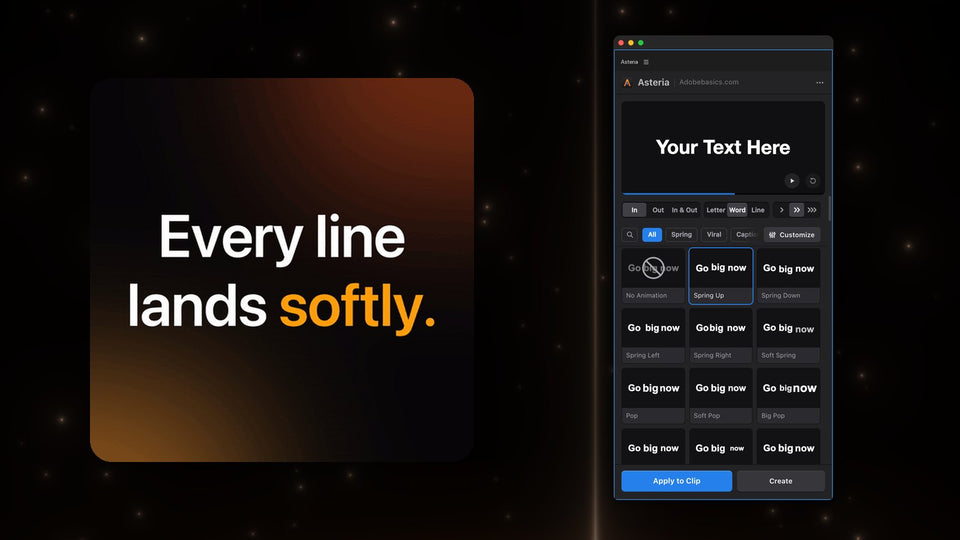
Select the clip, open Window › Extensions › Asteria and pick Letter at the top of the panel. Every tile now plays letter by letter on your own text.

Step 3: Pick the motion
- Typewriter: letters appear one by one. Great for dates, places and notes.
- Spring Up: each letter rises and settles with a small bounce.
- Drop: letters fall in from above and bounce on the baseline.
- Pop: letters grow in one after another.
- Decode: random characters settle into your word, letter by letter.
Click a tile and press Apply to Clip. Asteria keeps your words, font, size and position. Typewriter is in both versions; Spring Up, Drop, Pop and Decode are part of Pro.
Step 4: Set the wave
In Pro, Stagger sets the delay between letters and Order decides where the wave starts: first, last, center, edges or random. Center makes a word open from the middle, and random gives a lively, scattered entrance.

Timing tips
- Shorter words can take a longer stagger; long words need a short one.
- Let the whole word finish within about one second, so it never slows the edit.
- Use In & Out so the letters leave the same way they arrived.
Prefer whole words? Read how to make text animations in Premiere Pro for word and line animations too.
Asteria Standard ($69.99) has 40 essentials such as Typewriter, Fade Up and Tracking Open. Asteria Pro ($79.99) has all 206, with the settings. Both work in Premiere Pro 2021 to 2027 on Windows and Mac.
Want every letter to move in one click? Get Asteria for Premiere Pro.