





The BetterFX search, inside Premiere Pro




BetterFX
Varje effekt. Ett kortkommando.
Lägg på vilken effekt som helst på några sekunder, utan att lämna tidslinjen. Tryck på ett kortkommando, skriv några bokstäver och tryck på Enter. BetterFX hittar inbyggda effekter, dina egna presets och dina installerade plugins, och visar dem du använder mest först.
 Premiere Pro 2021–2027
- Windows och Mac
- Gratis uppdateringar

Pengarna tillbaka-garanti Fungerar det inte i din Premiere Pro? Kontakta oss inom 14 dagar.
BetterFX
Gjort av dem som lär ut Premiere Pro.
700+ tutorials och tusentals kommentarer visade oss vad som saktar ner redigerare. Så vi byggde verktygen vi själva ville ha som redigerare: enkla och utan krångel.
Se tutorials- 200K+redigerare använder våra verktyg
- 30M+visningar på våra YouTube-tutorials
- 90K+följare i sociala medier
- 37K+redigerare i vår Discord-community
Mindre letande. Mer redigering.

Ett kortkommando. Alla effekter.
Skriv några bokstäver
Inbyggda effekter, egna presets och tredjepartsplugins.
Dölj oanvända effekter
Håll gamla Legacy-effekter borta från resultaten.
Egna kortkommandon
Mörkt, ljust eller glas
Med nio accentfärger.

Premiere Pro 2021–2027
Det viktigaste i korthet.
-
Sök och använd
Skriv två bokstäver. Tryck Enter.
Hitta vilken effekt, preset eller plugin som helst med några bokstäver. Den hamnar på dina markerade klipp.
-
Smart rangordning
Dina mest använda effekter kommer först.
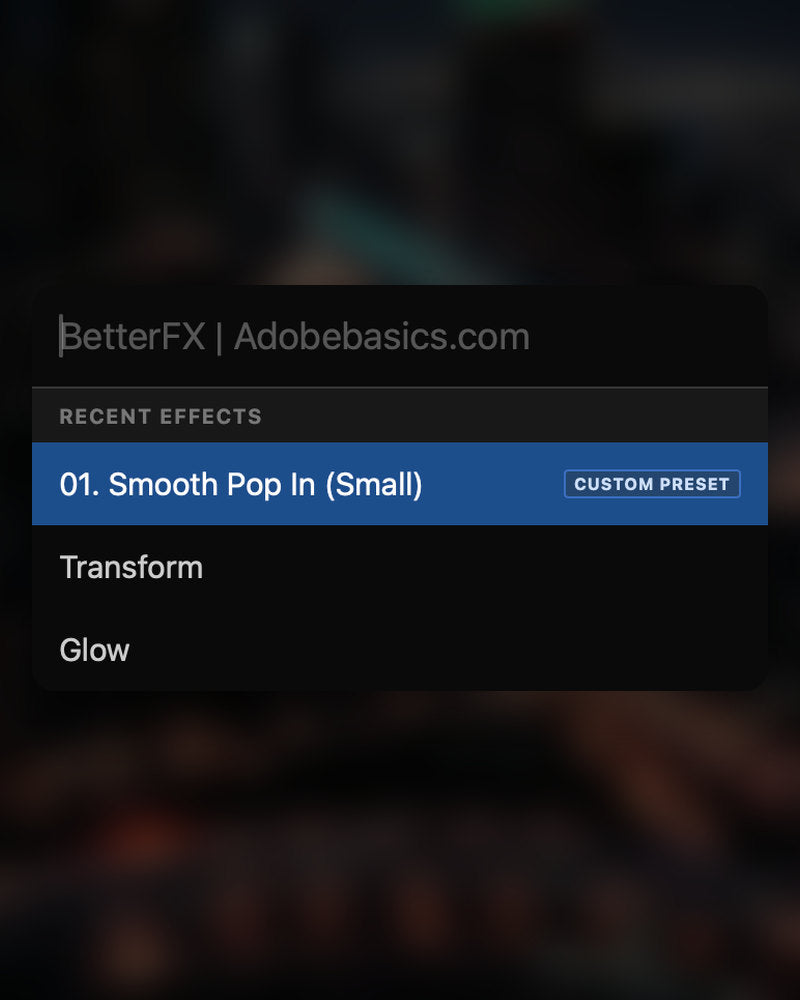
De senaste effekterna ligger överst. Dina egna presets visas också, med en Custom Preset-tagg.
-
Kortkommandon
Egna tangenter för vilken effekt som helst.
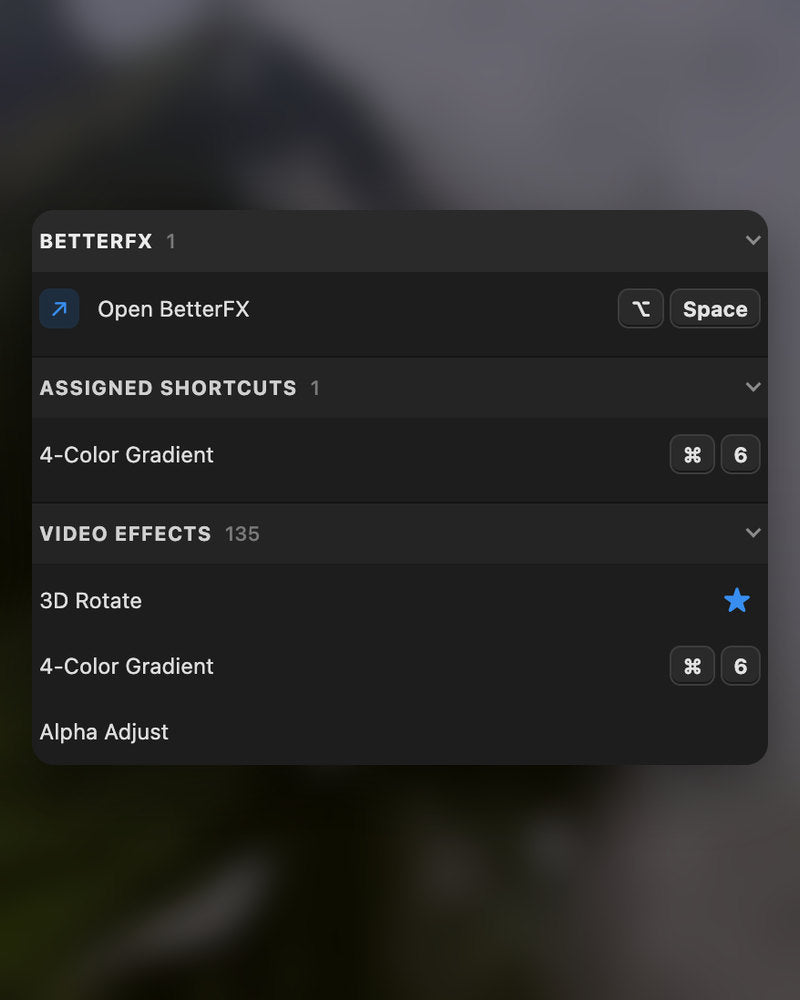
Ge en effekt ett kortkommando. Markera klipp, tryck på tangenterna, klart.
-
Utseende
Dark, Light eller Glass.
Välj ett utseende och en av nio accentfärger, så att det passar in i ditt Premiere Pro.
I nedladdningen
-
BetterFX-appen
-
Licensnyckel
-
Premiere Pro-plugin
Appen och din licensnyckel. Båda kommer direkt vid köpet, och installationsprogrammet lägger till pluginet i Premiere Pro.
-

Intelligent search
Type a few letters. The right effect is on top.
Short forms, half-remembered names and typos all work. Press Enter and it lands on your selected clips.
- Short formsgb finds Gaussian Blur. cs finds Camera Shake.
- Every selected clipOne Enter applies the effect to all of them.
- Opens at your cursorYour pointer stays on the timeline.
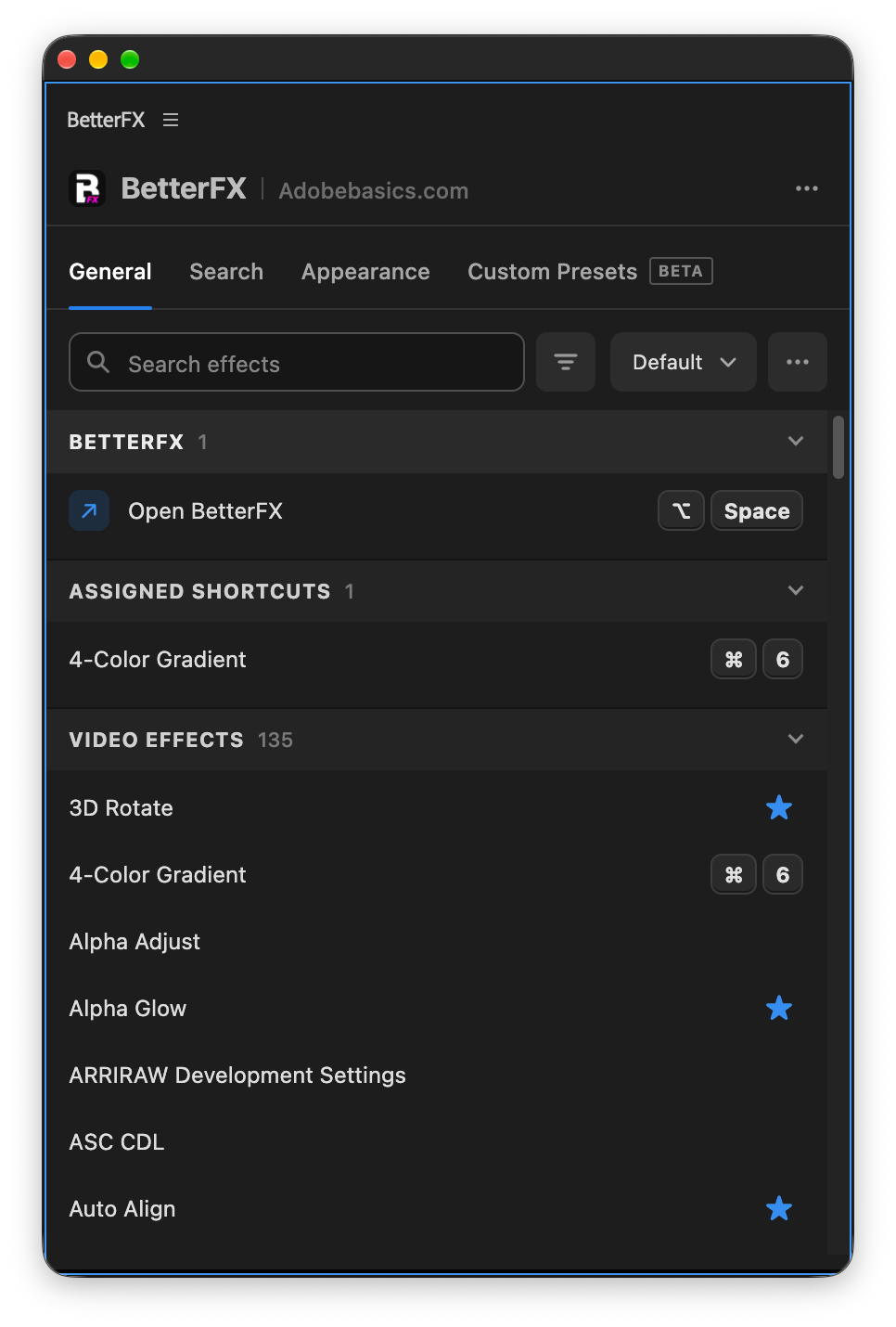
All-in-one search
Every effect you own. One search bar.
Premiere Pro’s own effects, your third-party plugins and your custom presets, in one list.

- Third-party pluginsTagged, so you know where an effect comes from.
- Legacy copiesMarked as Legacy, or hidden if you never use them.
- Custom presetsYour own presets show up next to the effects.
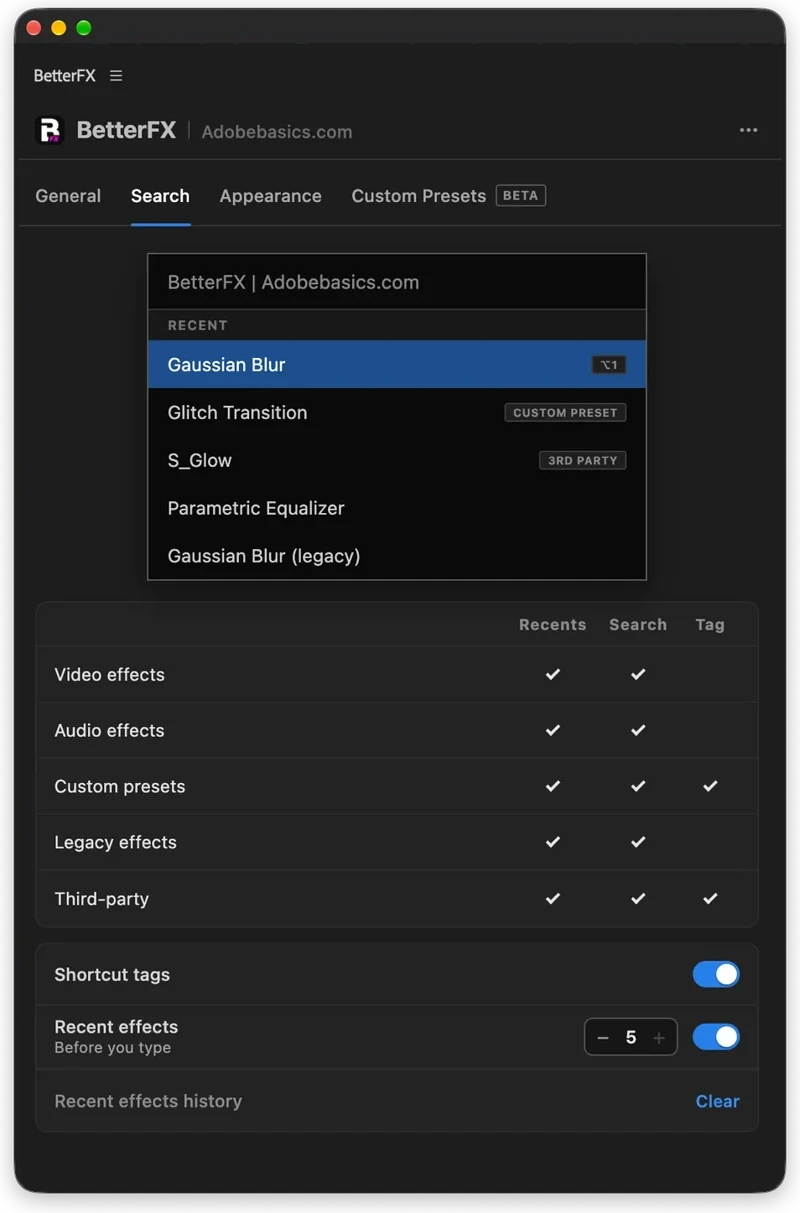
Recent effects
Your go-to effects. Before you type.
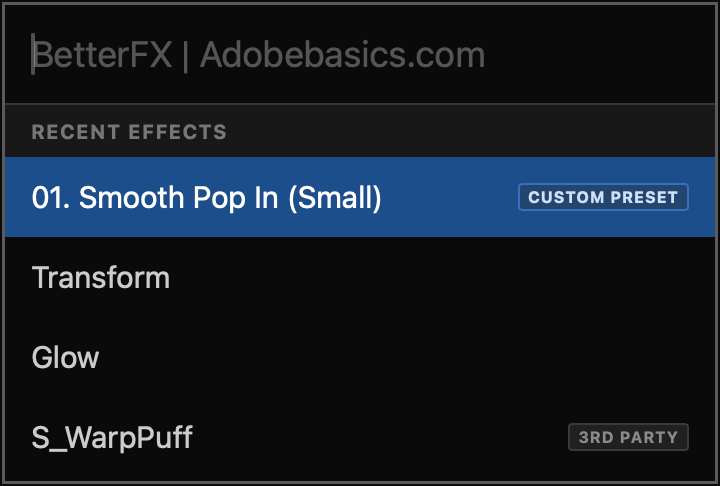
Open the bar and your recent effects are already there, with your custom presets and their shortcuts.

- Recent effectsYour last effects, the moment the bar opens.
- Custom presetsTagged Custom Preset and one Enter away.
- Shortcuts shownEach effect shows the keys you gave it.
Custom shortcuts
Any effect. Its own shortcut.
Pick an effect and press your keys. Then apply it straight from the timeline.
- Effects and presetsGive any effect or custom preset its own keys.
- Clash warningsBetterFX tells you when Premiere Pro already uses those keys.
- In your profileYour shortcuts move with your profile.
Favorites
Star an effect. Find it first.
Click the star next to any effect. Your favorites rank higher every time you search.
- Ranked higherStarred effects come first in your searches.
- Favorites filterThe button next to the search shows only your stars.
- In your profileYour favorites move with you to another computer.
Hide effects
Never use it? Hide it.
Click the eye next to an effect. It stays out of your searches until you bring it back.
- Cleaner resultsHidden effects never show up in the search bar.
- Legacy copiesHide the old versions of effects you never pick.
- UnhideThe Hidden filter lists them. One click brings each back.
Custom presetsBeta
Your presets. Searchable.
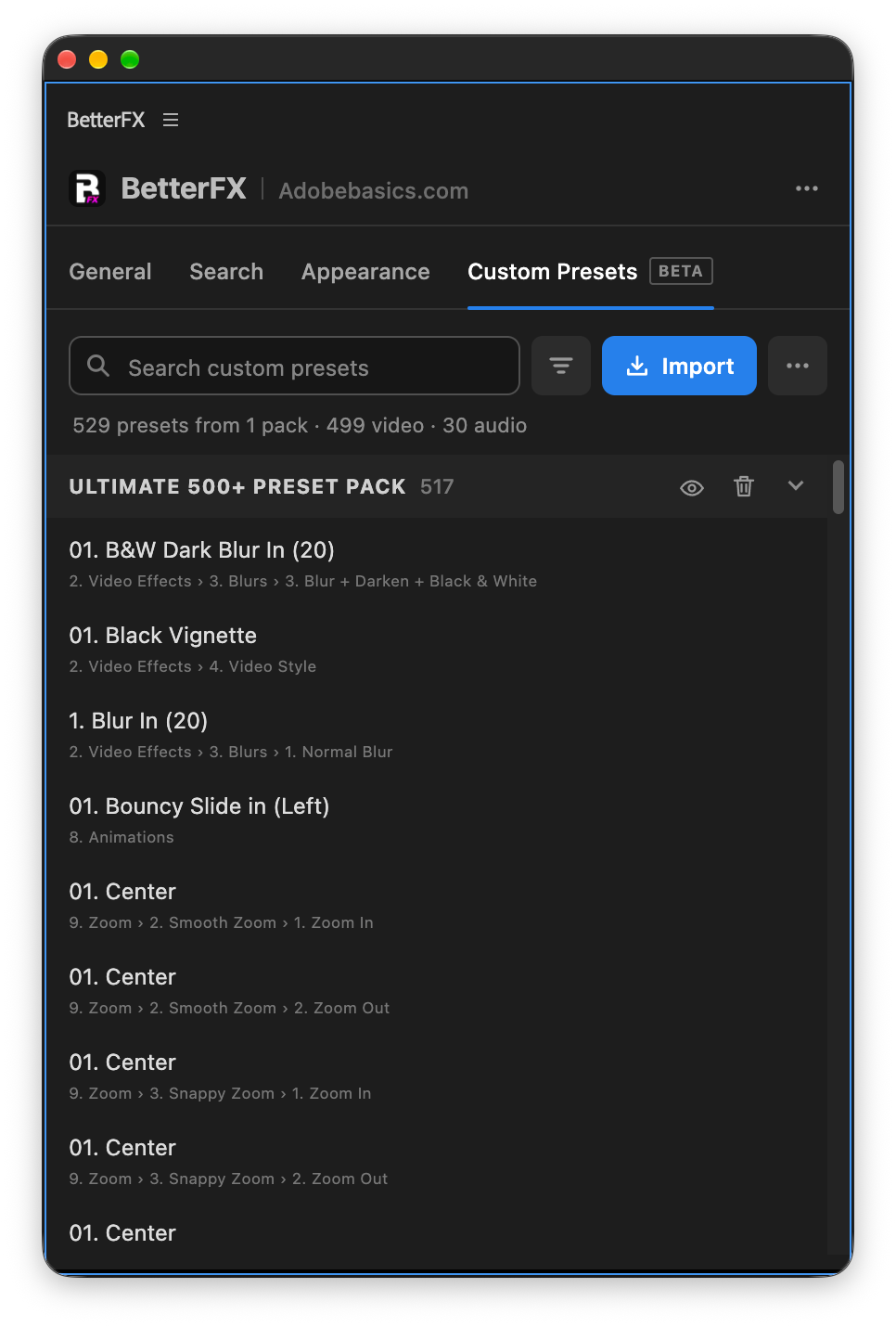
Import the .prfpset files you saved in Premiere Pro. Each preset then works like an effect, with its own search and shortcut.
- Search and shortcutsFind a preset by name, or give it its own keys.
- One ⌘ZUndoes the whole preset at once. Ctrl+Z on Windows.
- Any languagePresets work whatever language Premiere Pro is set to.
Your search bar
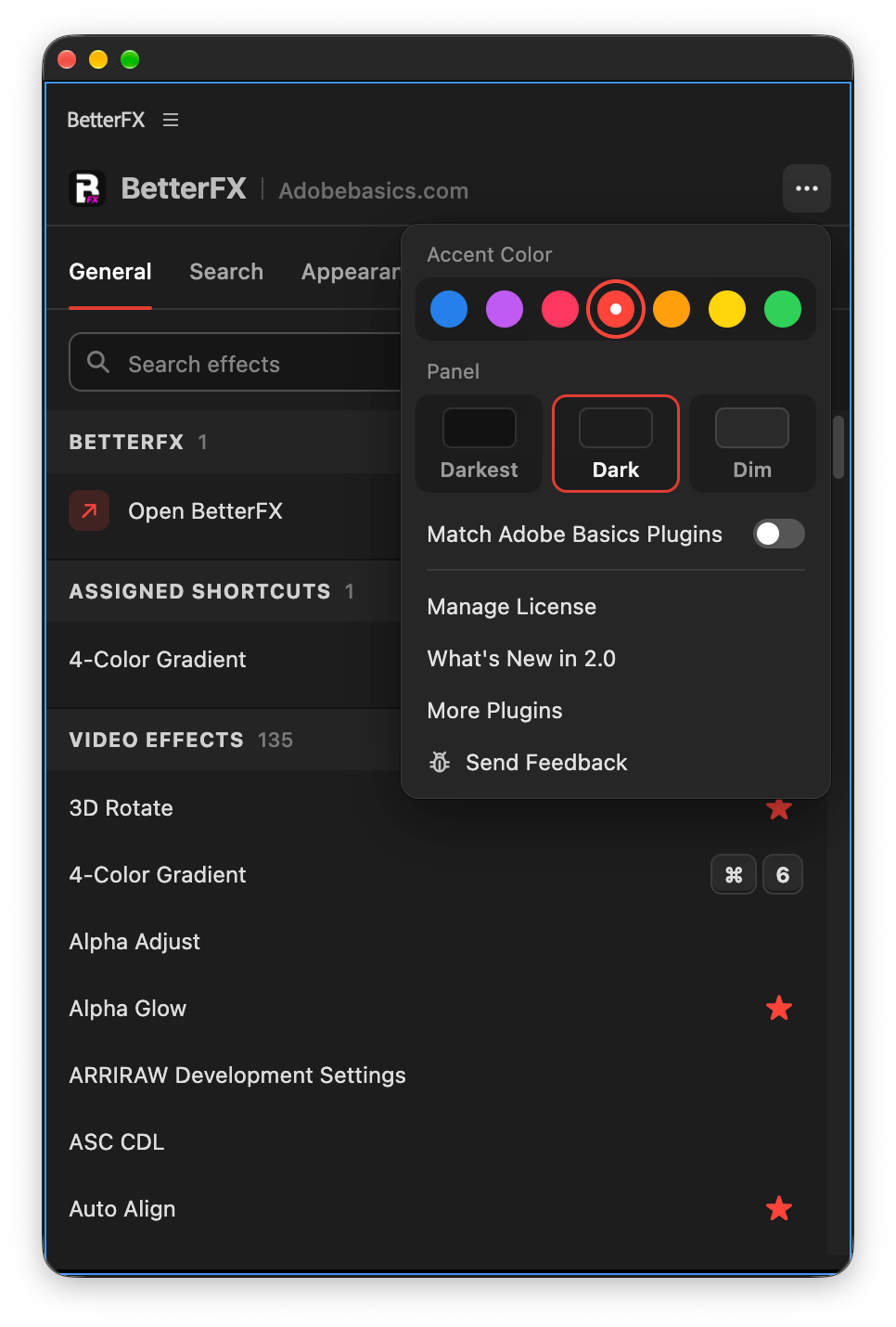
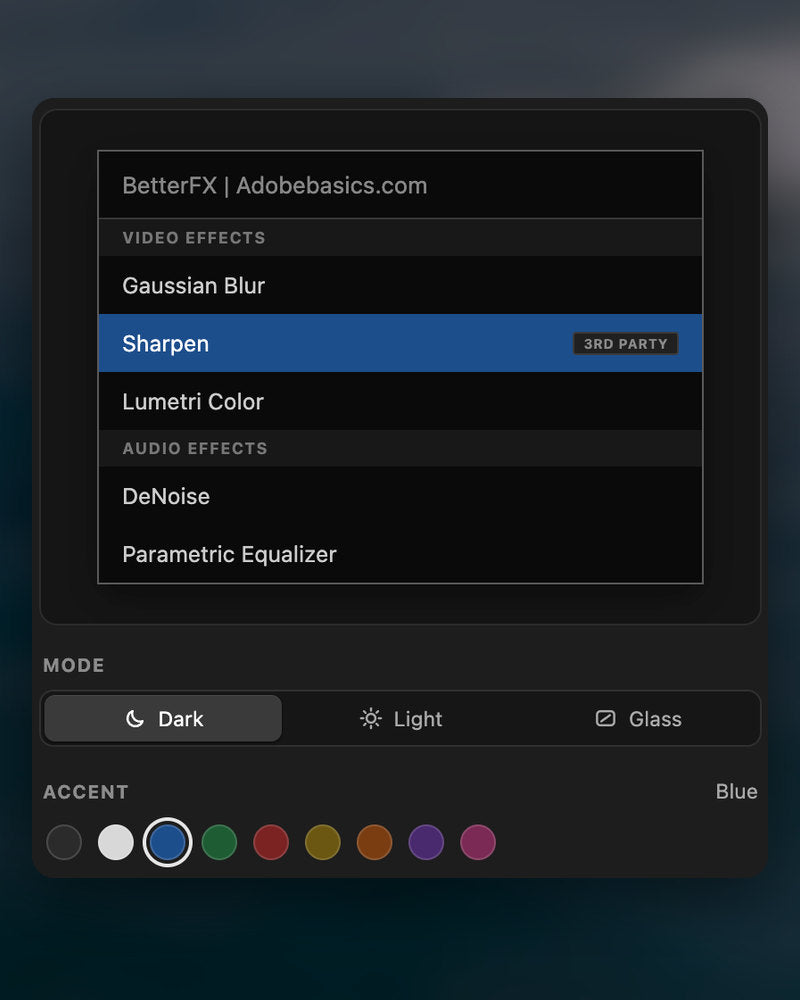
Your search bar. Your colors.
Pick Dark, Light or Glass and an accent color. A preview shows the search bar as you change it.
- Three modesDark, Light or Glass, on Mac and Windows 11.
- Nine accent colorsThe highlight on the effect you are about to apply.
- Live previewSee the search bar before you open it.
Profiles
Your setup. On every computer.
Save your shortcuts, favorites, hidden effects and look as a profile. Export it and import it on another computer.
- Everything in oneShortcuts, favorites, hidden effects, search settings and look.
- Switch in a clickKeep one profile per kind of edit.
- Import and exportTake your setup to another computer as a file.
In Premiere Pro
The real thing. On your timeline.


Tre steg. Ett kortkommando.
Ett guidat installationsprogram installerar appen och pluginet för Premiere Pro åt dig.
1Ladda ner BetterFX
Din nedladdning och licensnyckel visas direkt efter köpet. Vi mejlar dem också till dig.
2Kör installationsprogrammet
Öppna installationsprogrammet och följ stegen. Det installerar appen och pluginet, sedan klistrar du in din nyckel.
3Tryck på ditt kortkommando
Markera ett klipp i Premiere och tryck Alt+Space.
Det här tillför BetterFX.
BetterFX jämfört med andra plugins för effektsökning i Premiere Pro.

Köp som paket och spara 15%
Skaffa hela Premiere-kitet.
- EaseFlow ProMjuk easing
- BetterFXAlla effekter, ett kortkommando
- SuperGlowGlöd i toppklass
- QuickPasteKlistra in bilder och filer
- Asteria ProSmooth text animations
- Number Counter ProAnimated numbers
Dina effekter. Ett kortkommando bort.
Betala en gång, behåll den för alltid.
- Premiere Pro 2021–2027
- Windows och Mac
- Två datorer per licens
Pengarna tillbaka-garanti om det inte fungerar
- Kontakta oss inom 14 dagar från köpet.
- Hjälp inom 24 timmar att lösa det.
- Kan vi inte lösa det får du pengarna tillbaka.