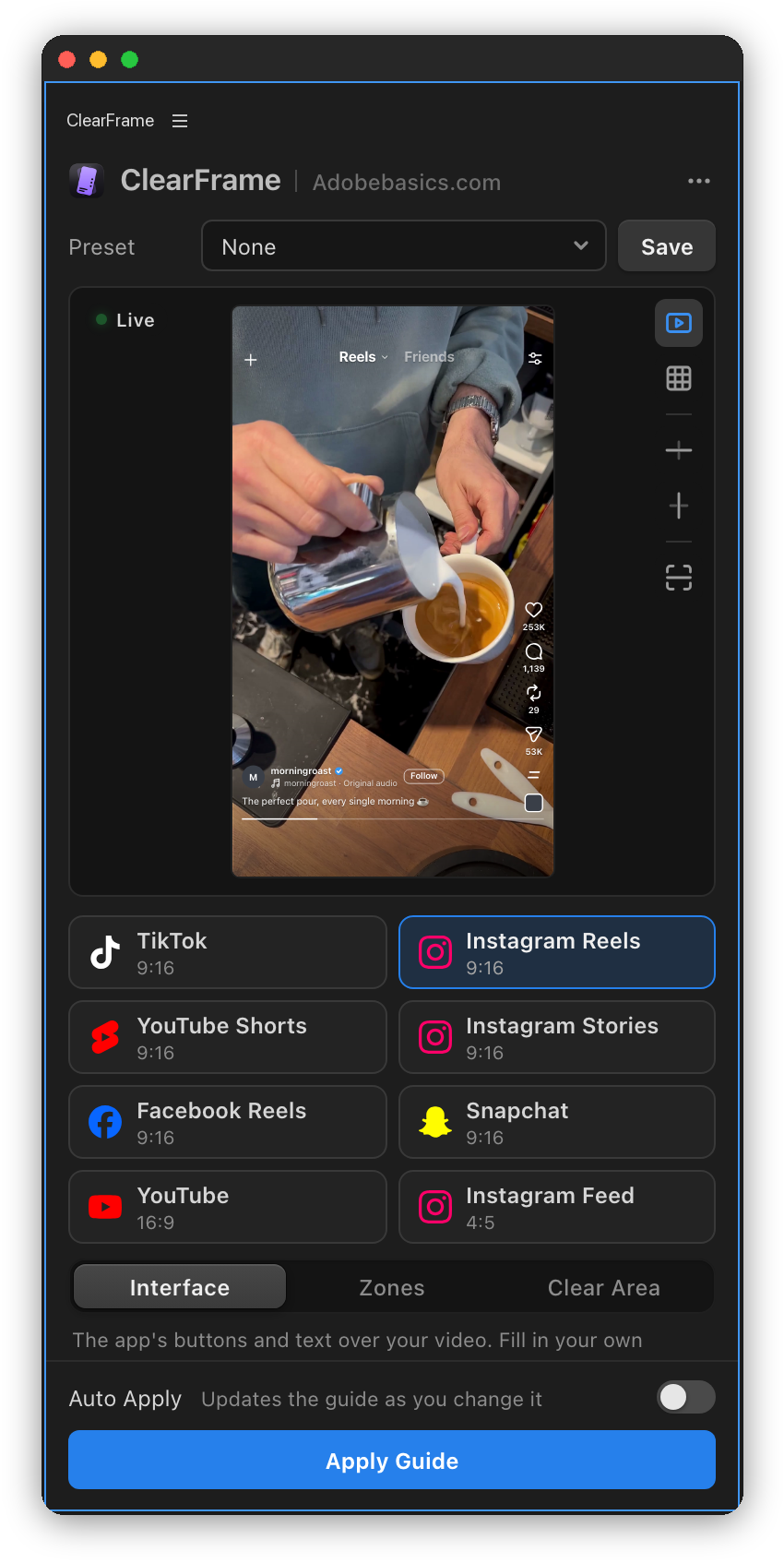
ClearFrame is out today for Premiere Pro, on Mac and Windows. It shows you where TikTok, Reels and Shorts will cover your video. Before you export, not after.
See what the app covers
Every vertical app puts buttons, a caption and a username on top of your clip. ClearFrame draws them right on your sequence for TikTok, Instagram Reels, Instagram Stories, YouTube Shorts, Facebook Reels and Snapchat. One app at a time? Sure. Or a few side by side.


Three views
You can show the app's interface just like it looks on a phone. Or the zones it covers, shaded red. Or only the clear area, the space that's safe on all of them. Apply the guide in one click, then hide it before you export.


Two editions
ClearFrame Standard has every vertical app and all three views. Pro adds Blind Spot Scan, which finds every caption the app would cover, plus a live preview over your own video, guides for YouTube 16:9 and Instagram Feed 4:5, rule of thirds, title safe and your own lines.


It works in Premiere Pro 2021 to 2027. Every change from here on goes in the ClearFrame changelog.