




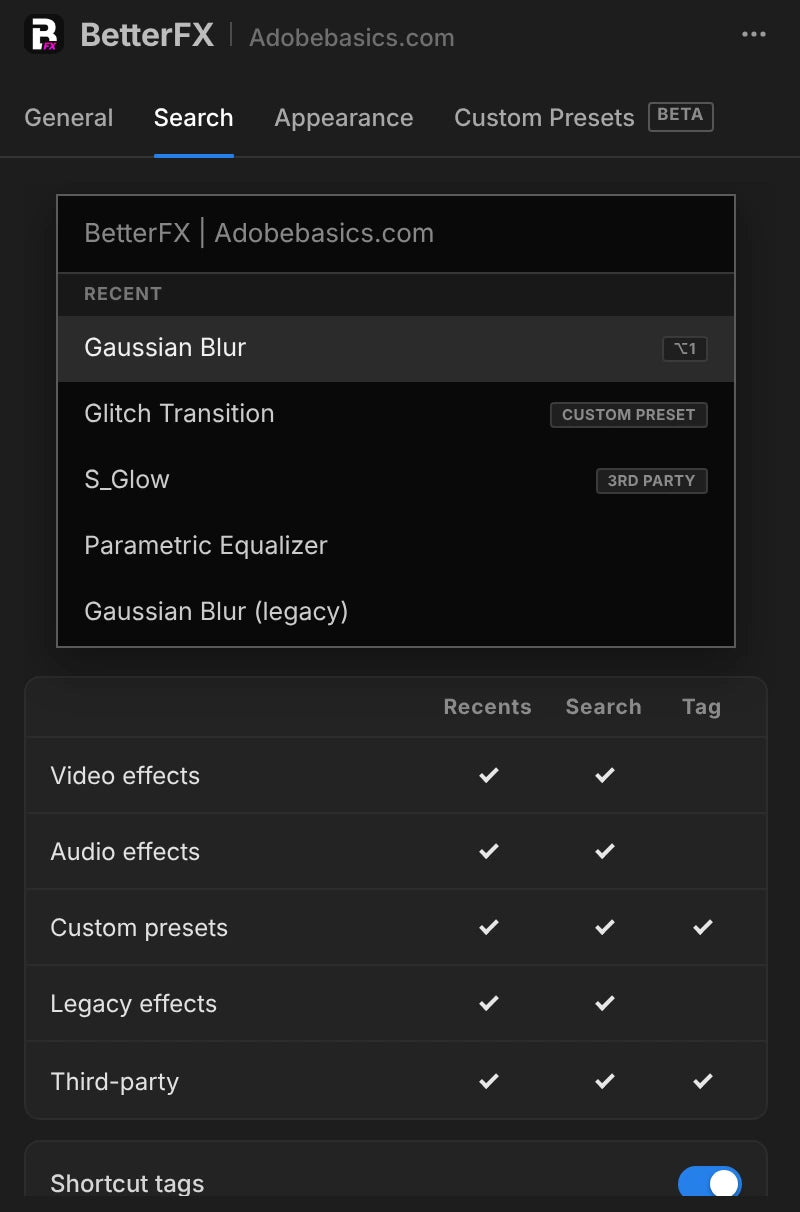
The BetterFX search, inside Premiere Pro



BetterFX
ทุกเอฟเฟกต์ ช็อตคัตเดียว
ใช้เอฟเฟกต์ใดก็ได้ในไม่กี่วินาที โดยไม่ต้องออกจากไทม์ไลน์ กดช็อตคัตเดียว พิมพ์ไม่กี่ตัวอักษรแล้วกด Enter BetterFX ค้นหาเอฟเฟกต์ในตัว พรีเซ็ตของคุณเอง และปลั๊กอินที่ติดตั้งไว้ แล้วแสดงตัวที่คุณใช้บ่อยที่สุดก่อน
 Premiere Pro 2021–2027
- Windows และ Mac
- อัปเดตฟรี

รับประกันคืนเงิน ใช้งานใน Premiere Pro ของคุณไม่ได้ใช่ไหม? ติดต่อเราภายใน 14 วัน
BetterFX
สร้างโดยคนที่ สอน Premiere Pro
บทเรียนกว่า 700 ตอนและความคิดเห็นนับพันทำให้เรารู้ว่าอะไรทำให้นักตัดต่อทำงานช้าลง เราจึงสร้างเครื่องมือที่เราอยากได้ในฐานะนักตัดต่อ: เรียบง่ายและไม่ยุ่งยาก
ดูบทเรียน- 200K+นักตัดต่อใช้เครื่องมือของเรา
- 30M+ยอดวิวบนบทเรียน YouTube ของเรา
- 90K+ผู้ติดตามบนโซเชียลมีเดีย
- 37K+นักตัดต่อในชุมชน Discord ของเรา
ค้นหาน้อยลง ตัดต่อมากขึ้น

ช็อตคัตเดียว ทุกเอฟเฟกต์
พิมพ์ไม่กี่ตัวอักษร
เอฟเฟกต์ในตัว พรีเซ็ตที่กำหนดเอง และปลั๊กอินของบุคคลที่สาม
ซ่อนเอฟเฟกต์ที่ไม่ได้ใช้
ไม่ให้เอฟเฟกต์ legacy อยู่ในผลการค้นหา
ช็อตคัตของคุณเอง
มืด สว่าง หรือกระจก
พร้อมสีเน้นเก้าสี

Premiere Pro 2021–2027
ดูไฮไลต์
-
ค้นหาและใช้
พิมพ์สองตัวอักษร กด Enter
ค้นหาเอฟเฟกต์ พรีเซ็ต หรือปลั๊กอินใดก็ได้ด้วยไม่กี่ตัวอักษร แล้วจะไปอยู่บนคลิปที่คุณเลือก
-
การจัดอันดับอัจฉริยะ
เอฟเฟกต์ที่คุณใช้บ่อยที่สุดมาก่อน
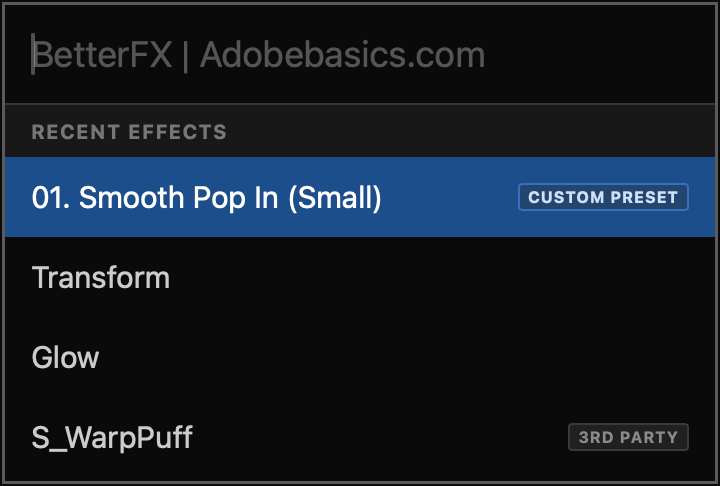
เอฟเฟกต์ล่าสุดอยู่ด้านบน พรีเซ็ตของคุณเองก็แสดงด้วย พร้อมแท็ก Custom Preset
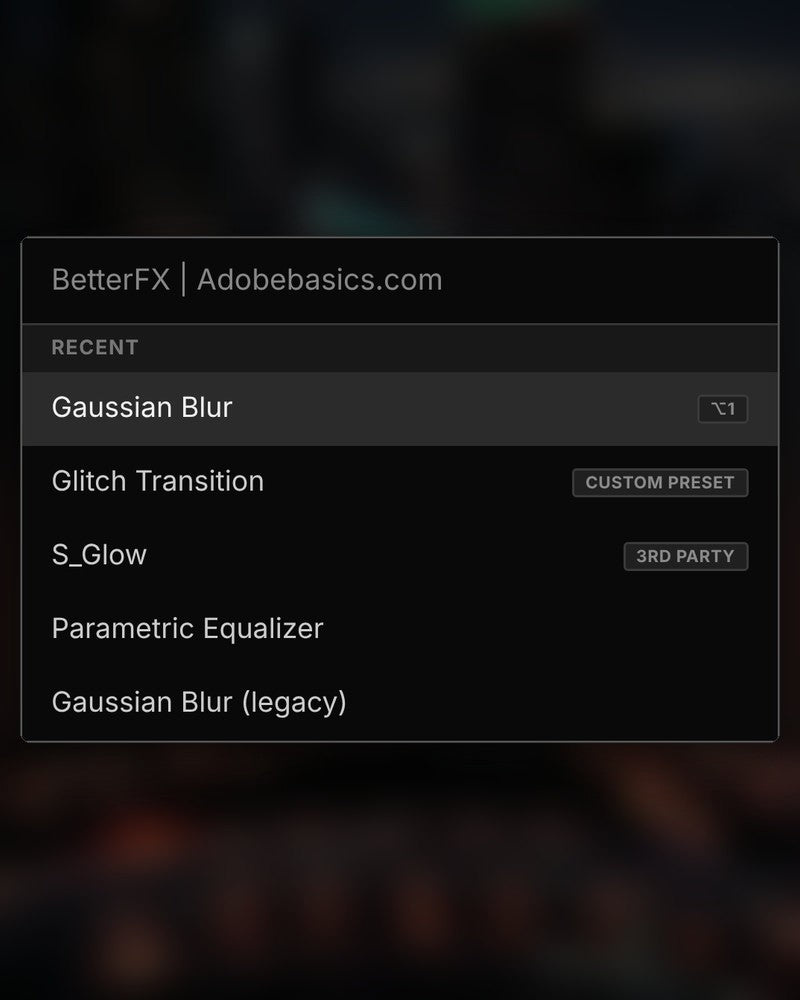
-
ช็อตคัต
ปุ่มของคุณเองสำหรับเอฟเฟกต์ใดก็ได้
กำหนดช็อตคัตให้เอฟเฟกต์ เลือกคลิป กดปุ่ม เสร็จ
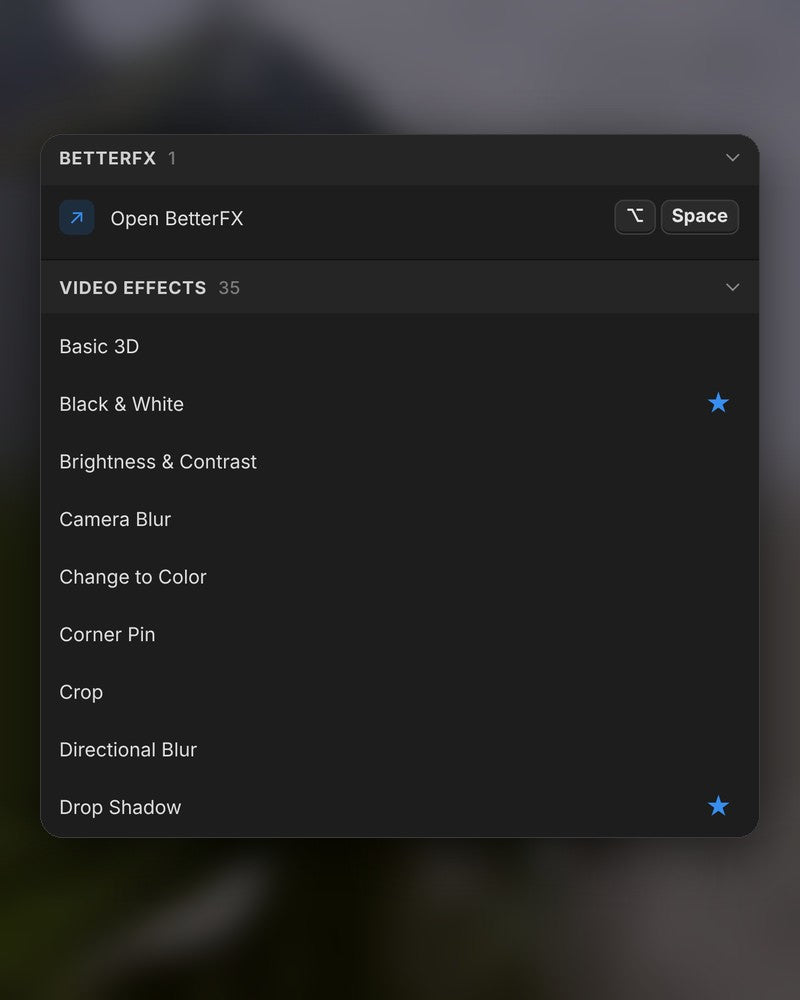
-
รูปลักษณ์
มืด สว่าง หรือกระจก
เลือกลุคและหนึ่งในเก้าสีเน้น ให้เข้ากับ Premiere Pro ของคุณ
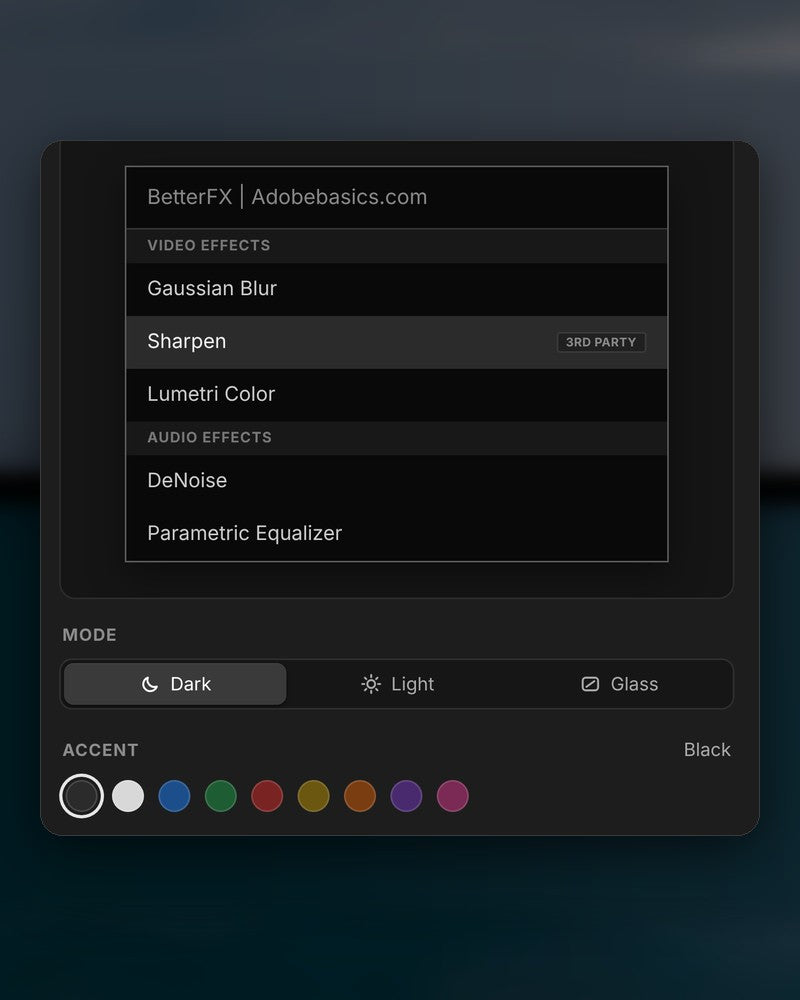
ในไฟล์ดาวน์โหลด
-
แอป BetterFX
-
คีย์ไลเซนส์
-
ปลั๊กอิน Premiere Pro
แอปและคีย์ไลเซนส์ของคุณ ทั้งสองมาถึงตอนชำระเงิน และตัวติดตั้งจะเพิ่มปลั๊กอิน Premiere Pro ให้
-

Intelligent search
Type a few letters. The right effect is on top.
Short forms, half-remembered names and typos all work. Press Enter and it lands on your selected clips.
- Short formsgb finds Gaussian Blur. cs finds Camera Shake.
- Every selected clipOne Enter applies the effect to all of them.
- Opens at your cursorYour pointer stays on the timeline.
All-in-one search
Every effect you own. One search bar.
Premiere Pro’s own effects, your third-party plugins and your custom presets, in one list.

- Third-party pluginsTagged, so you know where an effect comes from.
- Legacy copiesMarked as Legacy, or hidden if you never use them.
- Custom presetsYour own presets show up next to the effects.
Recent effects
Your go-to effects. Before you type.
Open the bar and your recent effects are already there, with your custom presets and their shortcuts.

- Recent effectsYour last effects, the moment the bar opens.
- Custom presetsTagged Custom Preset and one Enter away.
- Shortcuts shownEach effect shows the keys you gave it.
Custom shortcuts
Any effect. Its own shortcut.
Pick an effect and press your keys. Then apply it straight from the timeline.
- Effects and presetsGive any effect or custom preset its own keys.
- Clash warningsBetterFX tells you when Premiere Pro already uses those keys.
- In your profileYour shortcuts move with your profile.
Favorites
Star an effect. Find it first.
Click the star next to any effect. Your favorites rank higher every time you search.
- Ranked higherStarred effects come first in your searches.
- Favorites filterThe button next to the search shows only your stars.
- In your profileYour favorites move with you to another computer.
Hide effects
Never use it? Hide it.
Click the eye next to an effect. It stays out of your searches until you bring it back.
- Cleaner resultsHidden effects never show up in the search bar.
- Legacy copiesHide the old versions of effects you never pick.
- UnhideThe Hidden filter lists them. One click brings each back.
Custom presetsBeta
Your presets. Searchable.
Import the .prfpset files you saved in Premiere Pro. Each preset then works like an effect, with its own search and shortcut.
- Search and shortcutsFind a preset by name, or give it its own keys.
- One ⌘ZUndoes the whole preset at once. Ctrl+Z on Windows.
- Any languagePresets work whatever language Premiere Pro is set to.
Your search bar
Your search bar. Your colors.
Pick Dark, Light or Glass and an accent color. A preview shows the search bar as you change it.
- Three modesDark, Light or Glass, on Mac and Windows 11.
- Nine accent colorsThe highlight on the effect you are about to apply.
- Live previewSee the search bar before you open it.
Profiles
Your setup. On every computer.
Save your shortcuts, favorites, hidden effects and look as a profile. Export it and import it on another computer.
- Everything in oneShortcuts, favorites, hidden effects, search settings and look.
- Switch in a clickKeep one profile per kind of edit.
- Import and exportTake your setup to another computer as a file.
สามขั้นตอน ช็อตคัตเดียว
ตัวติดตั้งแบบมีคำแนะนำตัวเดียวจะตั้งค่าแอปและปลั๊กอิน Premiere Pro ให้คุณ
1ดาวน์โหลด BetterFX
ไฟล์ดาวน์โหลดและคีย์ไลเซนส์จะแสดงทันทีหลังชำระเงิน เราส่งอีเมลให้คุณด้วย
2เรียกใช้ตัวติดตั้ง
เปิดตัวติดตั้งแล้วทำตามขั้นตอน ตัวติดตั้งจะตั้งค่าแอปและปลั๊กอิน จากนั้นคุณวางคีย์
3กดช็อตคัตของคุณ
เลือกคลิปใน Premiere แล้วกด Alt+Space
สิ่งที่ BetterFX เพิ่มให้
BetterFX เทียบกับปลั๊กอินค้นหาเอฟเฟกต์อื่นๆ สำหรับ Premiere Pro

ซื้อเป็นชุดประหยัด 15%
รับชุด Premiere ครบเซ็ต
- Asteria ProSmooth text animations
- EaseFlow Proeasing ที่ลื่นไหล
- BetterFXทุกเอฟเฟกต์ ช็อตคัตเดียว
- SuperGlowแสงเรืองระดับพรีเมียม
- QuickPasteวางรูปภาพและไฟล์
- Number Counter ProAnimated numbers
Specifications
- Version
- 2.1.9 · 21 พฤศจิกายน 2026 What's new
- Premiere Pro
- 2021–2027 and Premiere Pro (Beta)
- Operating system
- Mac macOS 11 or later, Apple silicon and IntelWindows 10 and 11, 64-bit
- Languages
- English, Deutsch, Français, Español, Português (Brasil), 日本語, 한국어
- Searches
- Every effect, preset and transition, third-party effects too
- Keyboard shortcuts
- Undo
- A whole preset in one step
- Works offline
- Up to 7 days at a time
- License
- 2 computers, one-time payment
- Updates
- Free and automatic
- Download
- Mac 9.5 MB · Windows 4.1 MB
เอฟเฟกต์ของคุณ ห่างแค่ช็อตคัตเดียว
จ่ายครั้งเดียว ใช้ได้ตลอดไป
- Premiere Pro 2021–2027
- Windows และ Mac
- สองเครื่องต่อหนึ่งไลเซนส์
รับประกันคืนเงิน หากใช้งานไม่ได้
- ติดต่อเราภายใน 14 วันหลังจากซื้อ
- เราช่วยแก้ไขภายใน 24 ชั่วโมง
- หากเราแก้ไขไม่ได้ คุณจะได้รับเงินคืน