





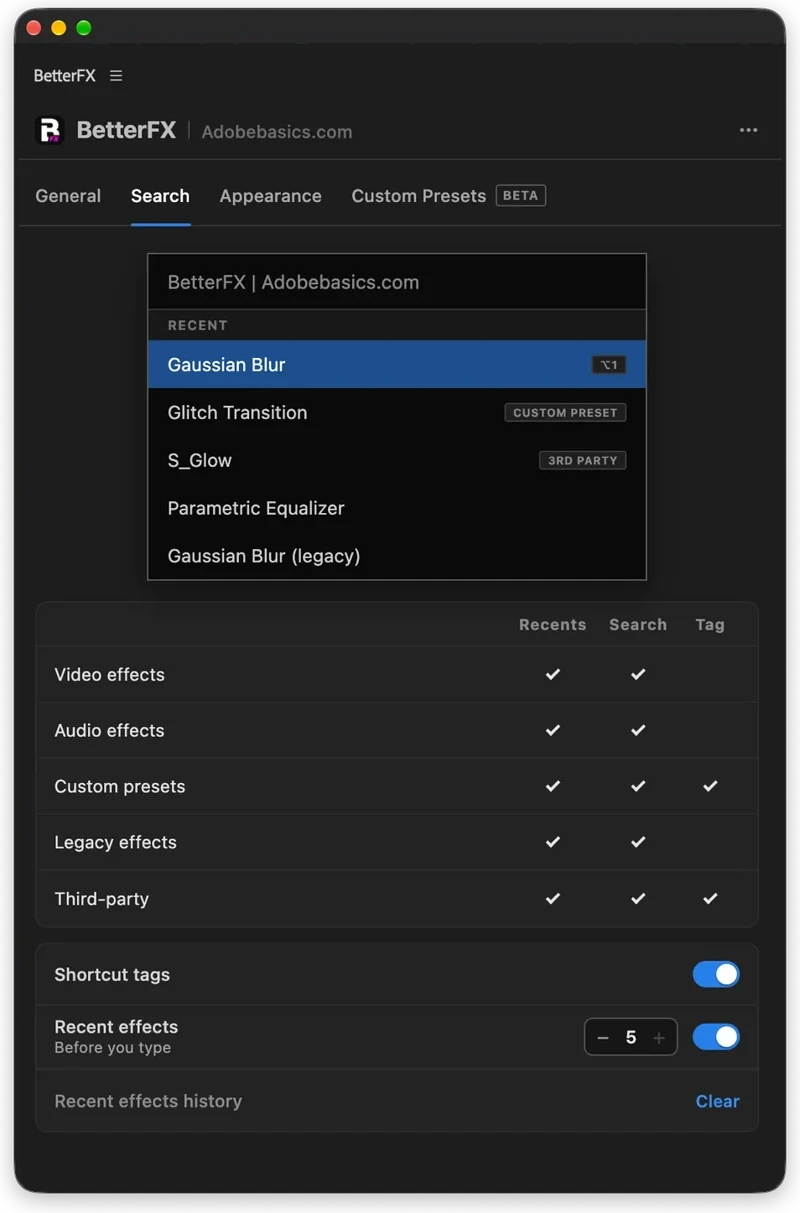
The BetterFX search, inside Premiere Pro




BetterFX
Elk effect. Eén sneltoets.
Pas elk effect in seconden toe, zonder je tijdlijn te verlaten. Druk op één sneltoets, typ een paar letters en druk op Enter. BetterFX vindt ingebouwde effecten, je eigen presets en je geïnstalleerde plug-ins, en zet de effecten die je het meest gebruikt bovenaan.
 Premiere Pro 2021–2027
- Windows en Mac
- Gratis updates

Geld-teruggarantie Werkt het niet in je Premiere Pro? Neem binnen 14 dagen contact met ons op.
BetterFX
Gemaakt door de mensen die Premiere Pro uitleggen.
700+ tutorials en duizenden reacties lieten ons zien wat editors ophoudt. Dus bouwden we de tools die we zelf als editors wilden: simpel en zonder gedoe.
Bekijk de tutorials- 200K+editors gebruiken onze tools
- 30M+weergaven op onze YouTube-tutorials
- 90K+volgers op socials
- 37K+editors in onze Discord-community
Minder zoeken. Meer monteren.

Eén sneltoets. Elk effect.
Typ een paar letters
Ingebouwde effecten, eigen presets en plugins van derden.
Verberg ongebruikte effecten
Houd verouderde Legacy-effecten uit je resultaten.
Je eigen sneltoetsen
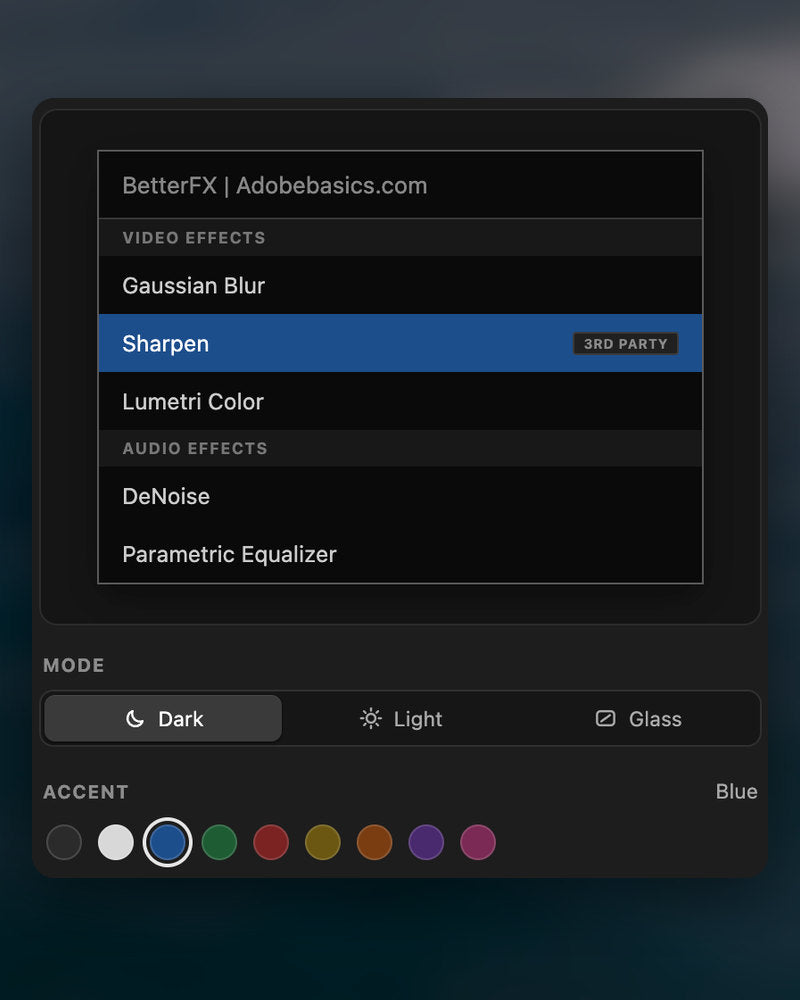
Donker, licht of glas
Met negen accentkleuren.

Premiere Pro 2021–2027
De hoogtepunten.
-
Zoeken en toepassen
Typ twee letters. Druk op Enter.
Vind elk effect, elke preset of plugin met een paar letters. Het komt op je geselecteerde clips.
-
Slimme volgorde
Je meest gebruikte effecten eerst.
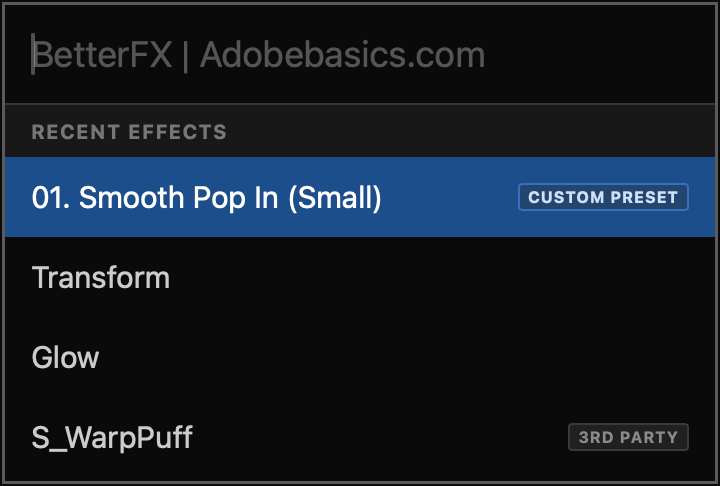
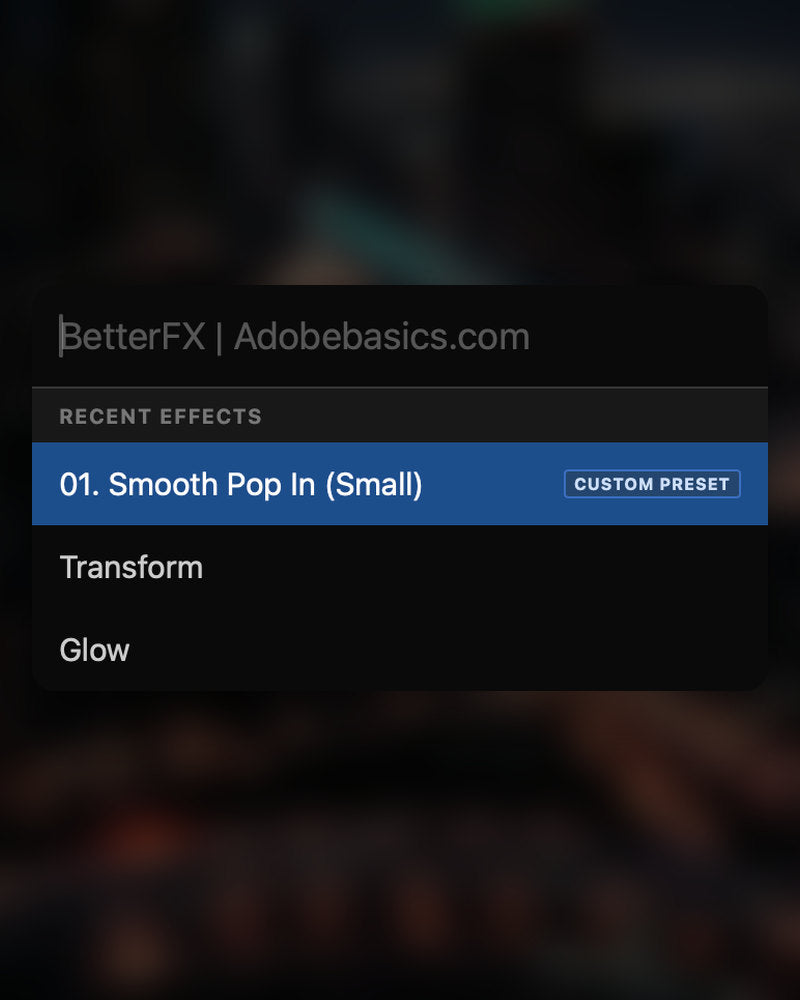
Recente effecten staan bovenaan. Ook je eigen presets verschijnen, met een Custom Preset-label.
-
Sneltoetsen
Je eigen toetsen voor elk effect.
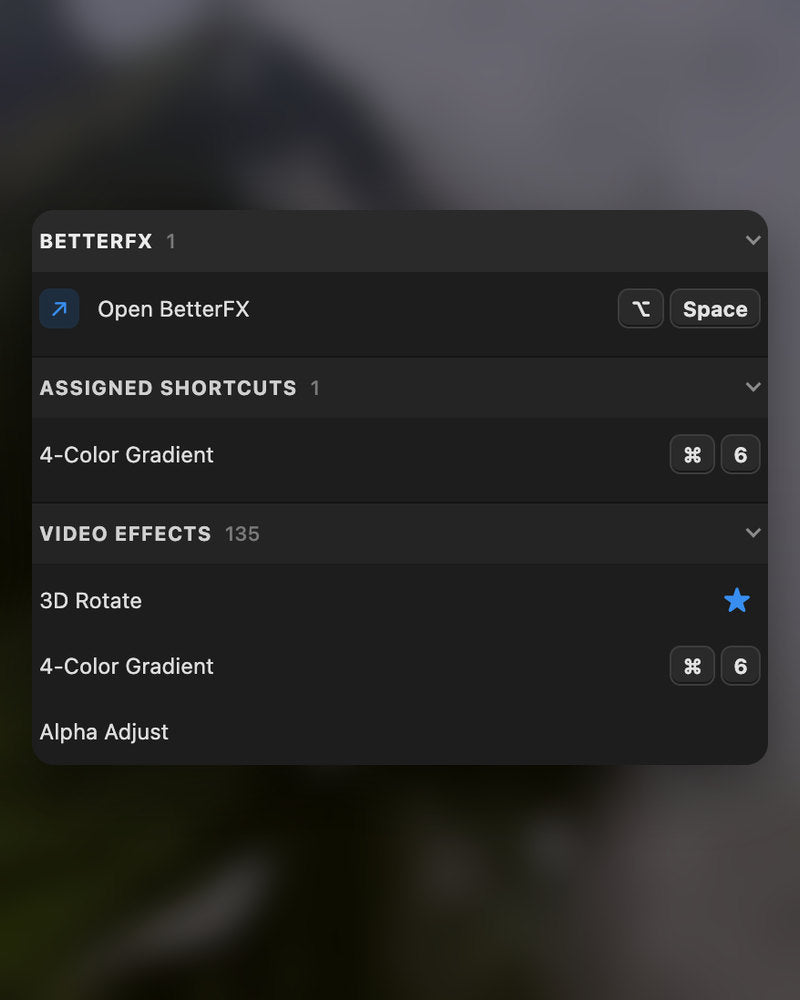
Geef een effect een sneltoets. Clips selecteren, toetsen indrukken, klaar.
-
Weergave
Dark, Light of Glass.
Kies een stijl en een van negen accentkleuren, zodat het past bij je Premiere Pro.
In de download
-
BetterFX-app
-
Licentiesleutel
-
Premiere Pro-plugin
De app en je licentiesleutel. Allebei bij het afrekenen, en het installatieprogramma voegt de Premiere Pro-plugin toe.
-

Intelligent search
Type a few letters. The right effect is on top.
Short forms, half-remembered names and typos all work. Press Enter and it lands on your selected clips.
- Short formsgb finds Gaussian Blur. cs finds Camera Shake.
- Every selected clipOne Enter applies the effect to all of them.
- Opens at your cursorYour pointer stays on the timeline.
All-in-one search
Every effect you own. One search bar.
Premiere Pro’s own effects, your third-party plugins and your custom presets, in one list.

- Third-party pluginsTagged, so you know where an effect comes from.
- Legacy copiesMarked as Legacy, or hidden if you never use them.
- Custom presetsYour own presets show up next to the effects.
Recent effects
Your go-to effects. Before you type.
Open the bar and your recent effects are already there, with your custom presets and their shortcuts.

- Recent effectsYour last effects, the moment the bar opens.
- Custom presetsTagged Custom Preset and one Enter away.
- Shortcuts shownEach effect shows the keys you gave it.
Custom shortcuts
Any effect. Its own shortcut.
Pick an effect and press your keys. Then apply it straight from the timeline.
- Effects and presetsGive any effect or custom preset its own keys.
- Clash warningsBetterFX tells you when Premiere Pro already uses those keys.
- In your profileYour shortcuts move with your profile.
Favorites
Star an effect. Find it first.
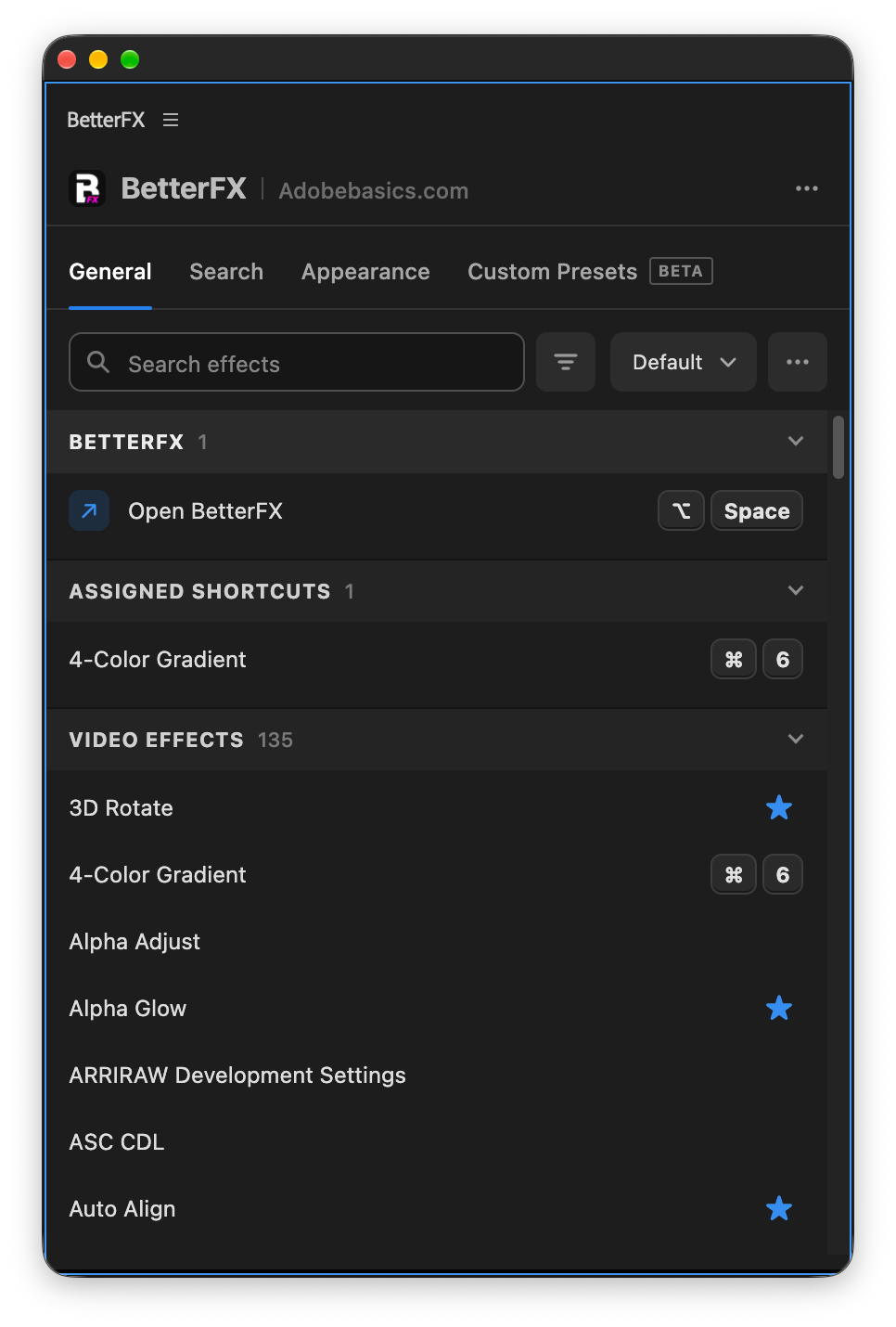
Click the star next to any effect. Your favorites rank higher every time you search.
- Ranked higherStarred effects come first in your searches.
- Favorites filterThe button next to the search shows only your stars.
- In your profileYour favorites move with you to another computer.
Hide effects
Never use it? Hide it.
Click the eye next to an effect. It stays out of your searches until you bring it back.
- Cleaner resultsHidden effects never show up in the search bar.
- Legacy copiesHide the old versions of effects you never pick.
- UnhideThe Hidden filter lists them. One click brings each back.
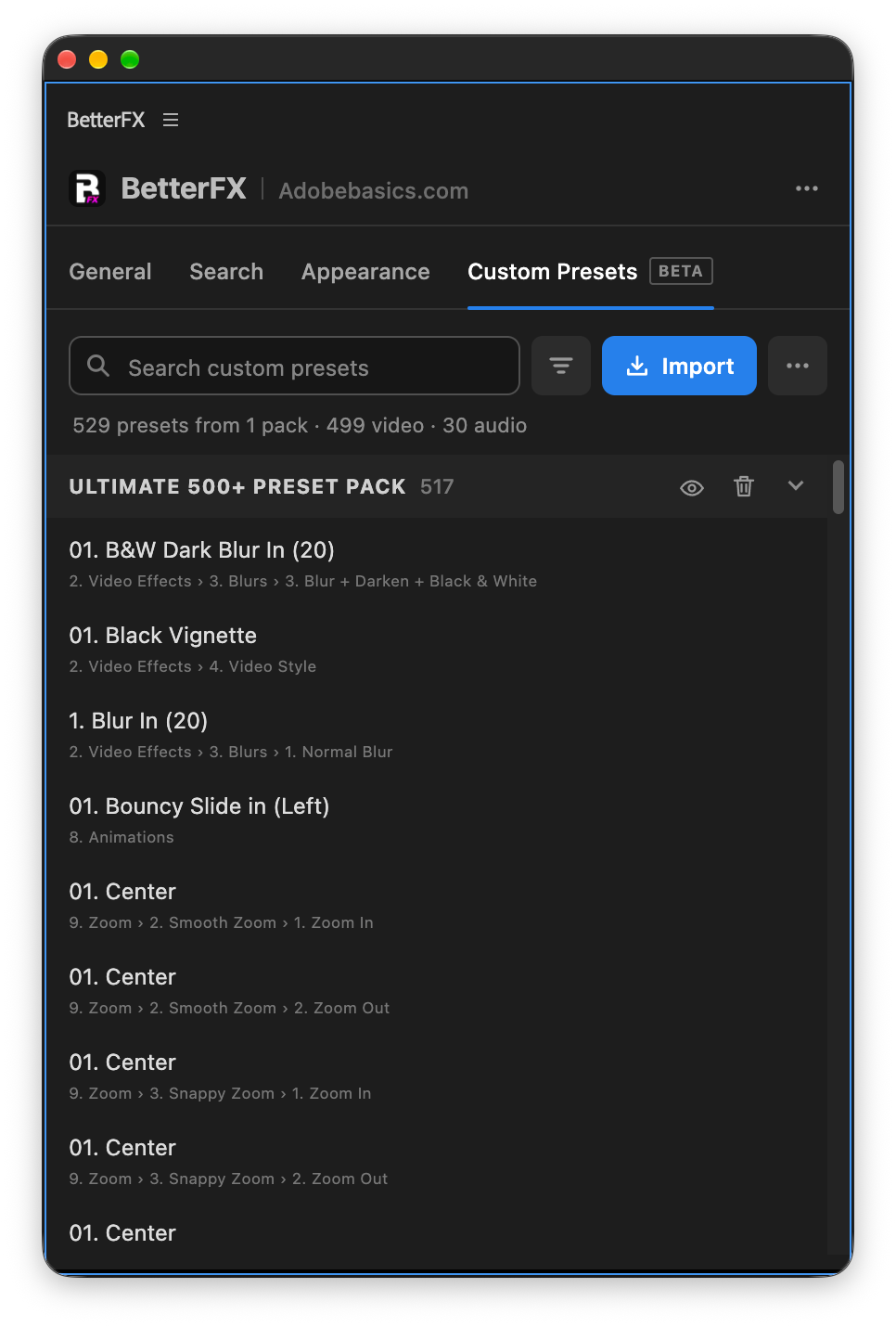
Custom presetsBeta
Your presets. Searchable.
Import the .prfpset files you saved in Premiere Pro. Each preset then works like an effect, with its own search and shortcut.
- Search and shortcutsFind a preset by name, or give it its own keys.
- One ⌘ZUndoes the whole preset at once. Ctrl+Z on Windows.
- Any languagePresets work whatever language Premiere Pro is set to.
Your search bar
Your search bar. Your colors.
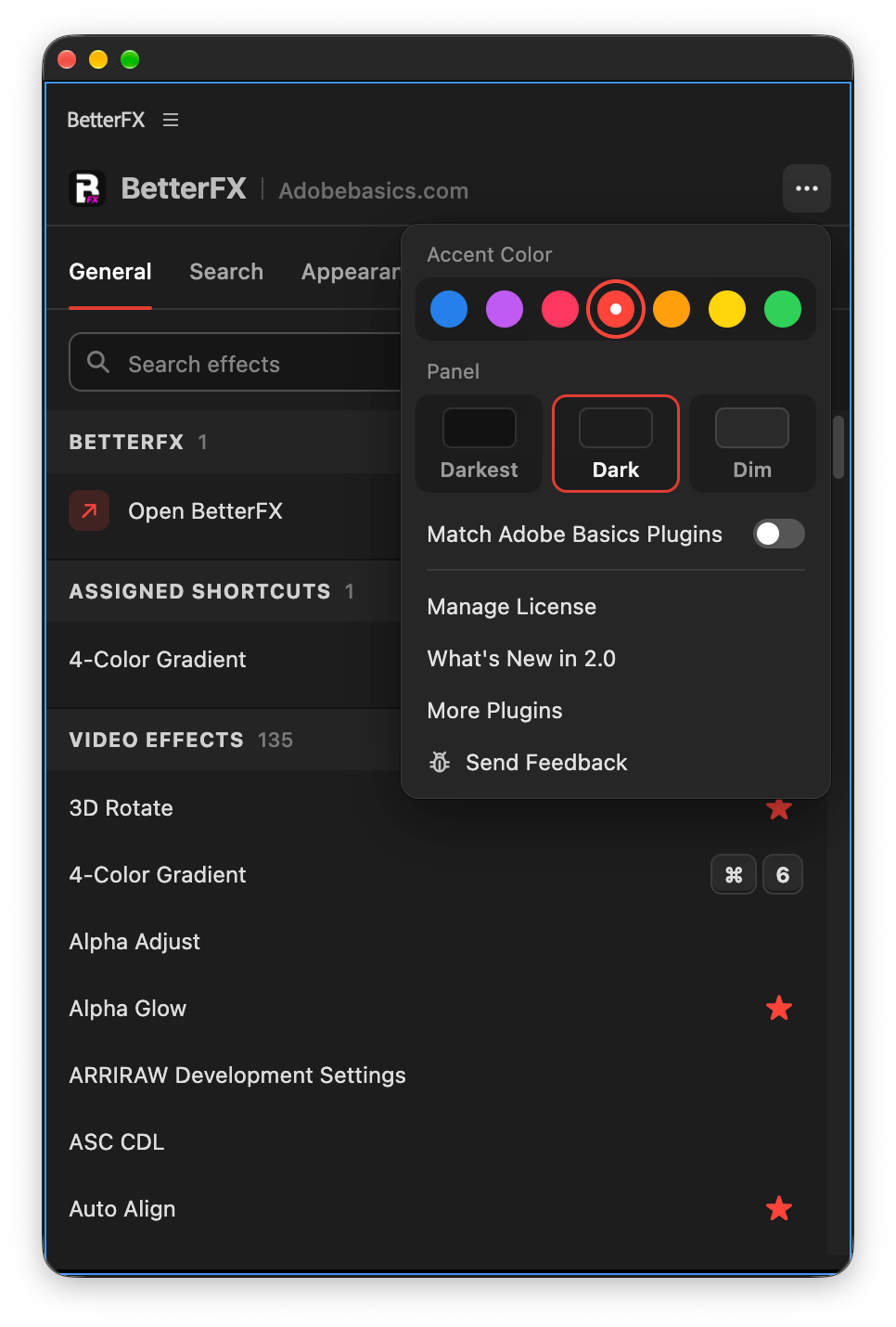
Pick Dark, Light or Glass and an accent color. A preview shows the search bar as you change it.
- Three modesDark, Light or Glass, on Mac and Windows 11.
- Nine accent colorsThe highlight on the effect you are about to apply.
- Live previewSee the search bar before you open it.
Profiles
Your setup. On every computer.
Save your shortcuts, favorites, hidden effects and look as a profile. Export it and import it on another computer.
- Everything in oneShortcuts, favorites, hidden effects, search settings and look.
- Switch in a clickKeep one profile per kind of edit.
- Import and exportTake your setup to another computer as a file.
In Premiere Pro
The real thing. On your timeline.


Drie stappen. Eén sneltoets.
Eén begeleid installatieprogramma installeert de app en de Premiere Pro-plugin voor je.
1BetterFX downloaden
Je download en licentiesleutel verschijnen direct na het afrekenen. We mailen ze je ook.
2Voer het installatieprogramma uit
Open het installatieprogramma en volg de stappen. Het installeert de app en de plugin, daarna plak je je sleutel.
3Druk op je sneltoets
Selecteer een clip in Premiere en druk op Alt+Spatie.
Wat BetterFX toevoegt.
BetterFX naast andere plugins om effecten te zoeken in Premiere Pro.

Koop als bundel en bespaar 15%
Haal de complete Premiere-kit.
- EaseFlow ProVloeiende easing
- BetterFXElk effect, één sneltoets
- SuperGlowPremium gloed
- QuickPasteAfbeeldingen en bestanden plakken
- Asteria ProSmooth text animations
- Number Counter ProAnimated numbers
Je effecten. Eén sneltoets verwijderd.
Eén keer betalen, voor altijd van jou.
- Premiere Pro 2021–2027
- Windows en Mac
- Twee computers per licentie
Geld-teruggarantie als het niet werkt
- Neem binnen 14 dagen na aankoop contact met ons op.
- Hulp binnen 24 uur om het op te lossen.
- Lukt het ons niet, dan krijg je je geld terug.