



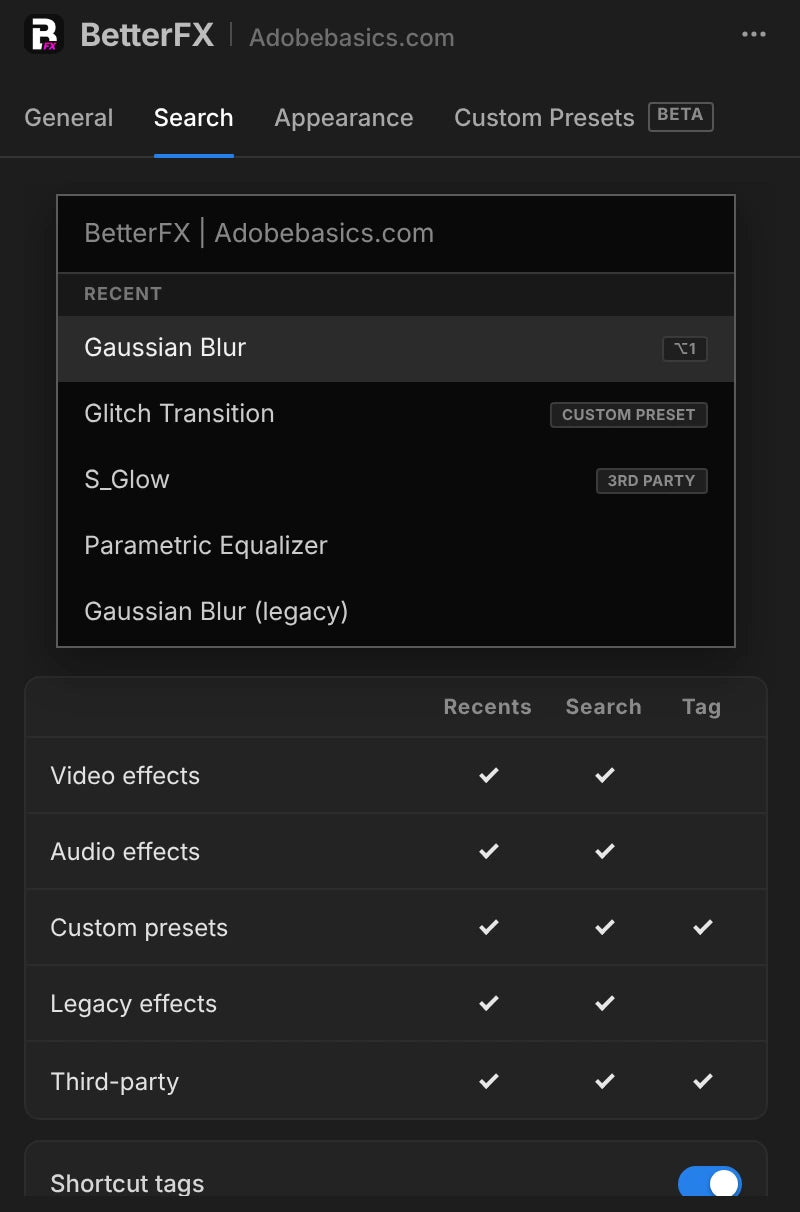
The BetterFX search, inside Premiere Pro



BetterFX
Każdy efekt. Jeden skrót.
Nakładaj dowolny efekt w kilka sekund, nie opuszczając osi czasu. Naciśnij jeden skrót, wpisz kilka liter i naciśnij Enter. BetterFX znajduje wbudowane efekty, Twoje własne presety i zainstalowane wtyczki, a te najczęściej używane pokazuje na początku.
 Premiere Pro 2021–2027
- Windows i Mac
- Darmowe aktualizacje

Gwarancja zwrotu pieniędzy Nie działa w Twoim Premiere Pro? Napisz do nas w ciągu 14 dni.
BetterFX
Stworzone przez ludzi, którzy uczą Premiere Pro.
Ponad 700 tutoriali i tysiące komentarzy pokazały nam, co spowalnia montażystów. Więc zbudowaliśmy narzędzia, jakich sami chcieliśmy jako montażyści: proste i bez kłopotów.
Obejrzyj tutoriale- 200K+montażystów używa naszych narzędzi
- 30M+wyświetleń naszych tutoriali na YouTube
- 90K+obserwujących w social mediach
- 37K+montażystów w naszej społeczności na Discordzie
Mniej szukania. Więcej montażu.

Jeden skrót. Każdy efekt.
Wpisz kilka liter
Wbudowane efekty, własne presety i wtyczki firm trzecich.
Ukryj nieużywane efekty
Nie pokazuj efektów Legacy w wynikach.
Twoje własne skróty
Ciemny, jasny lub szklany
Z dziewięcioma kolorami akcentu.

Premiere Pro 2021–2027
Najważniejsze w skrócie.
-
Szukaj i nakładaj
Wpisz dwie litery. Naciśnij Enter.
Znajdź dowolny efekt, preset lub wtyczkę po kilku literach. Trafia na zaznaczone klipy.
-
Inteligentna kolejność
Najczęściej używane efekty są na górze.
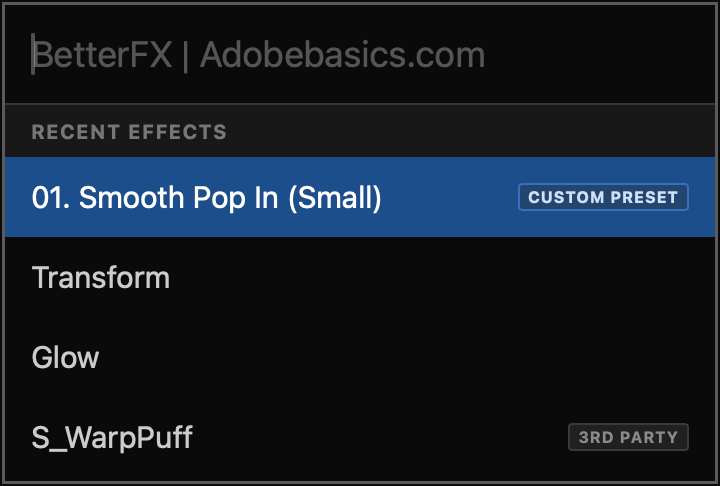
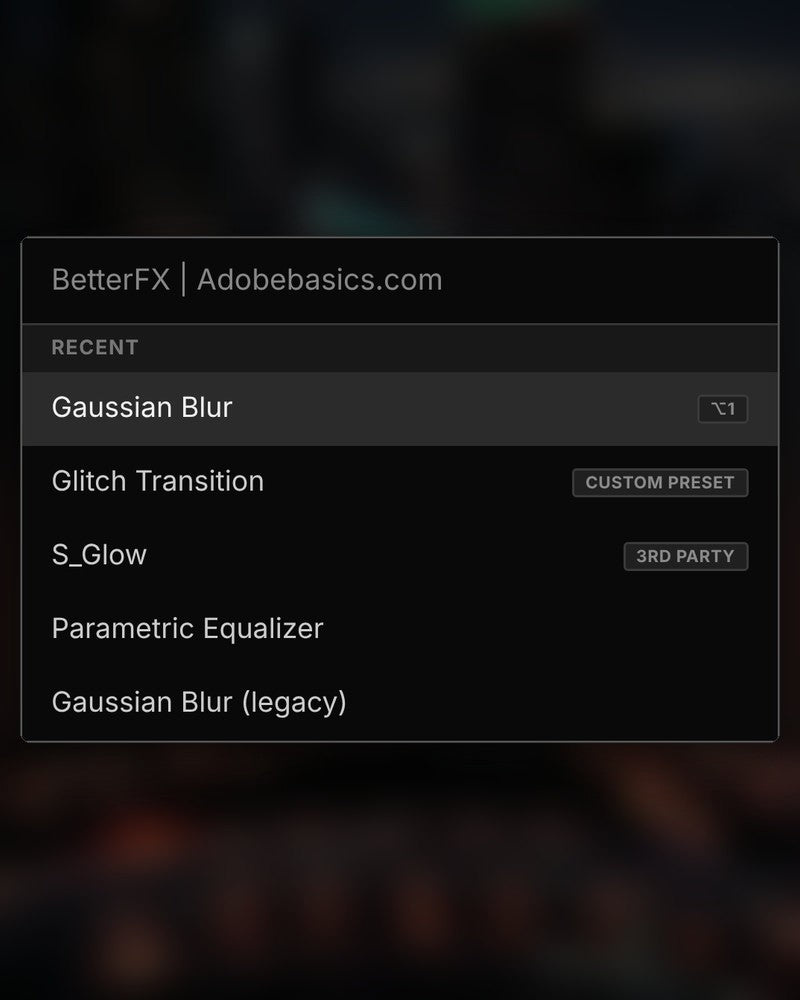
Ostatnie efekty są na samej górze. Twoje własne presety też się pojawiają, z etykietą Custom Preset.
-
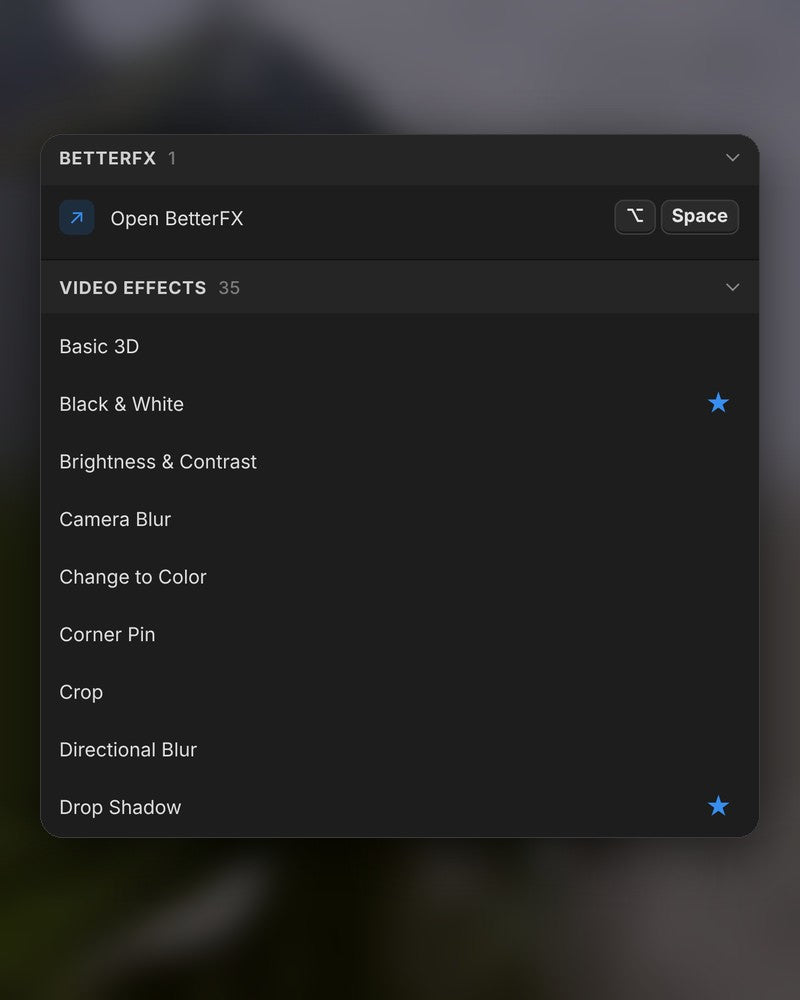
Skróty
Własne klawisze dla dowolnego efektu.
Przypisz efektowi skrót. Zaznacz klipy, naciśnij klawisze, gotowe.
-
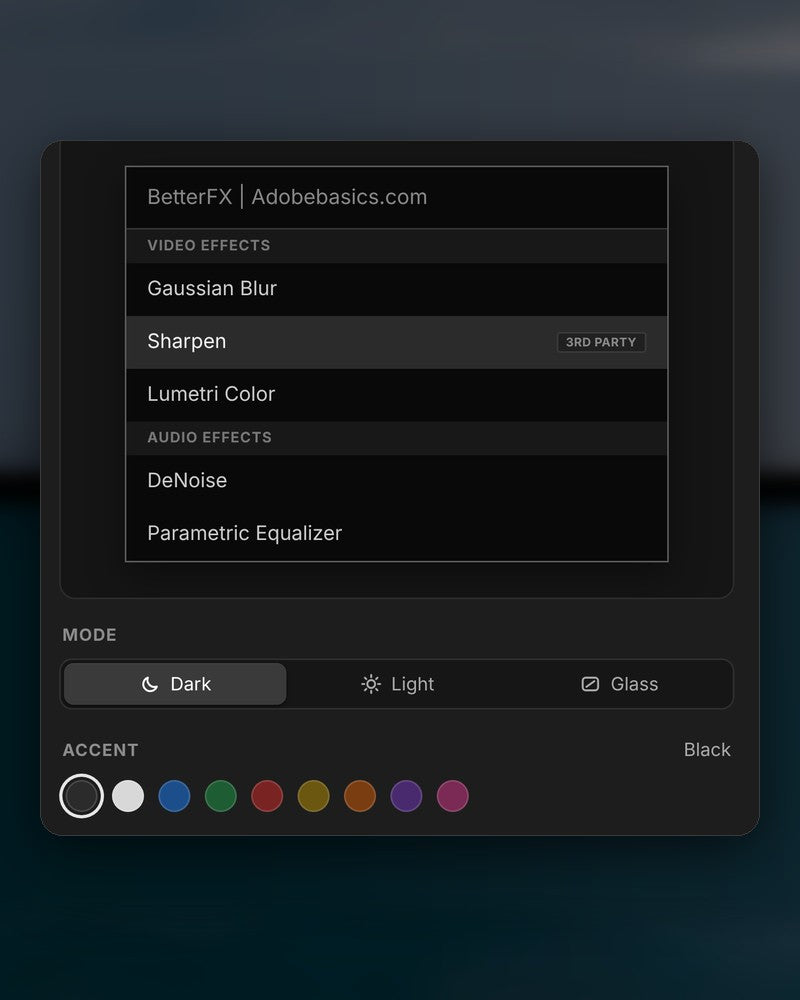
Wygląd
Dark, Light lub Glass.
Wybierz wygląd i jeden z dziewięciu kolorów akcentu, żeby pasował do Twojego Premiere Pro.
W paczce
-
Aplikacja BetterFX
-
Klucz licencyjny
-
Wtyczka do Premiere Pro
Aplikacja i Twój klucz licencyjny. Oba dostajesz przy zakupie, a instalator dodaje wtyczkę do Premiere Pro.
-

Intelligent search
Type a few letters. The right effect is on top.
Short forms, half-remembered names and typos all work. Press Enter and it lands on your selected clips.
- Short formsgb finds Gaussian Blur. cs finds Camera Shake.
- Every selected clipOne Enter applies the effect to all of them.
- Opens at your cursorYour pointer stays on the timeline.
All-in-one search
Every effect you own. One search bar.
Premiere Pro’s own effects, your third-party plugins and your custom presets, in one list.

- Third-party pluginsTagged, so you know where an effect comes from.
- Legacy copiesMarked as Legacy, or hidden if you never use them.
- Custom presetsYour own presets show up next to the effects.
Recent effects
Your go-to effects. Before you type.
Open the bar and your recent effects are already there, with your custom presets and their shortcuts.

- Recent effectsYour last effects, the moment the bar opens.
- Custom presetsTagged Custom Preset and one Enter away.
- Shortcuts shownEach effect shows the keys you gave it.
Custom shortcuts
Any effect. Its own shortcut.
Pick an effect and press your keys. Then apply it straight from the timeline.
- Effects and presetsGive any effect or custom preset its own keys.
- Clash warningsBetterFX tells you when Premiere Pro already uses those keys.
- In your profileYour shortcuts move with your profile.
Favorites
Star an effect. Find it first.
Click the star next to any effect. Your favorites rank higher every time you search.
- Ranked higherStarred effects come first in your searches.
- Favorites filterThe button next to the search shows only your stars.
- In your profileYour favorites move with you to another computer.
Hide effects
Never use it? Hide it.
Click the eye next to an effect. It stays out of your searches until you bring it back.
- Cleaner resultsHidden effects never show up in the search bar.
- Legacy copiesHide the old versions of effects you never pick.
- UnhideThe Hidden filter lists them. One click brings each back.
Custom presetsBeta
Your presets. Searchable.
Import the .prfpset files you saved in Premiere Pro. Each preset then works like an effect, with its own search and shortcut.
- Search and shortcutsFind a preset by name, or give it its own keys.
- One ⌘ZUndoes the whole preset at once. Ctrl+Z on Windows.
- Any languagePresets work whatever language Premiere Pro is set to.
Your search bar
Your search bar. Your colors.
Pick Dark, Light or Glass and an accent color. A preview shows the search bar as you change it.
- Three modesDark, Light or Glass, on Mac and Windows 11.
- Nine accent colorsThe highlight on the effect you are about to apply.
- Live previewSee the search bar before you open it.
Profiles
Your setup. On every computer.
Save your shortcuts, favorites, hidden effects and look as a profile. Export it and import it on another computer.
- Everything in oneShortcuts, favorites, hidden effects, search settings and look.
- Switch in a clickKeep one profile per kind of edit.
- Import and exportTake your setup to another computer as a file.
Trzy kroki. Jeden skrót.
Jeden instalator z kreatorem skonfiguruje za Ciebie aplikację i wtyczkę do Premiere Pro.
1Pobierz BetterFX
Plik do pobrania i klucz licencyjny pojawiają się zaraz po zakupie. Wysyłamy je też e-mailem.
2Uruchom instalator
Otwórz instalator i przejdź przez kroki. Zainstaluje aplikację i plugin, a potem wkleisz swój klucz.
3Naciśnij swój skrót
Zaznacz klip w Premiere i naciśnij Alt+Space.
Co daje BetterFX.
BetterFX w porównaniu z innymi wtyczkami do wyszukiwania efektów w Premiere Pro.

Kup w pakiecie i oszczędź 15%
Cały zestaw do Premiere.
- Asteria ProPłynne animacje tekstu
- EaseFlow ProPłynny easing
- BetterFXKażdy efekt, jeden skrót
- SuperGlowPoświata premium
- QuickPasteWklejaj obrazy i pliki
- Number Counter ProAnimowane liczby
Specifications
- Version
- 2.1.9 · November 21, 2026 What's new
- Premiere Pro
- 2021–2027 and Premiere Pro (Beta)
- Operating system
- Mac macOS 11 or later, Apple silicon and IntelWindows 10 and 11, 64-bit
- Languages
- English, Deutsch, Français, Español, Português (Brasil), 日本語, 한국어
- Searches
- Every effect, preset and transition, third-party effects too
- Keyboard shortcuts
- Undo
- A whole preset in one step
- Works offline
- Up to 7 days at a time
- License
- 2 computers, one-time payment
- Updates
- Free and automatic
- Download
- Mac 9.5 MB · Windows 4.1 MB
Twoje efekty. Jeden skrót dalej.
Płacisz raz, masz na zawsze.
- Premiere Pro 2021–2027
- Windows i Mac
- Dwa komputery na licencję
Gwarancja zwrotu pieniędzy jeśli nie zadziała
- Napisz do nas w ciągu 14 dni od zakupu.
- Pomoc w ciągu 24 godzin, by to naprawić.
- Jeśli nie uda się tego naprawić, oddamy Ci pieniądze.