





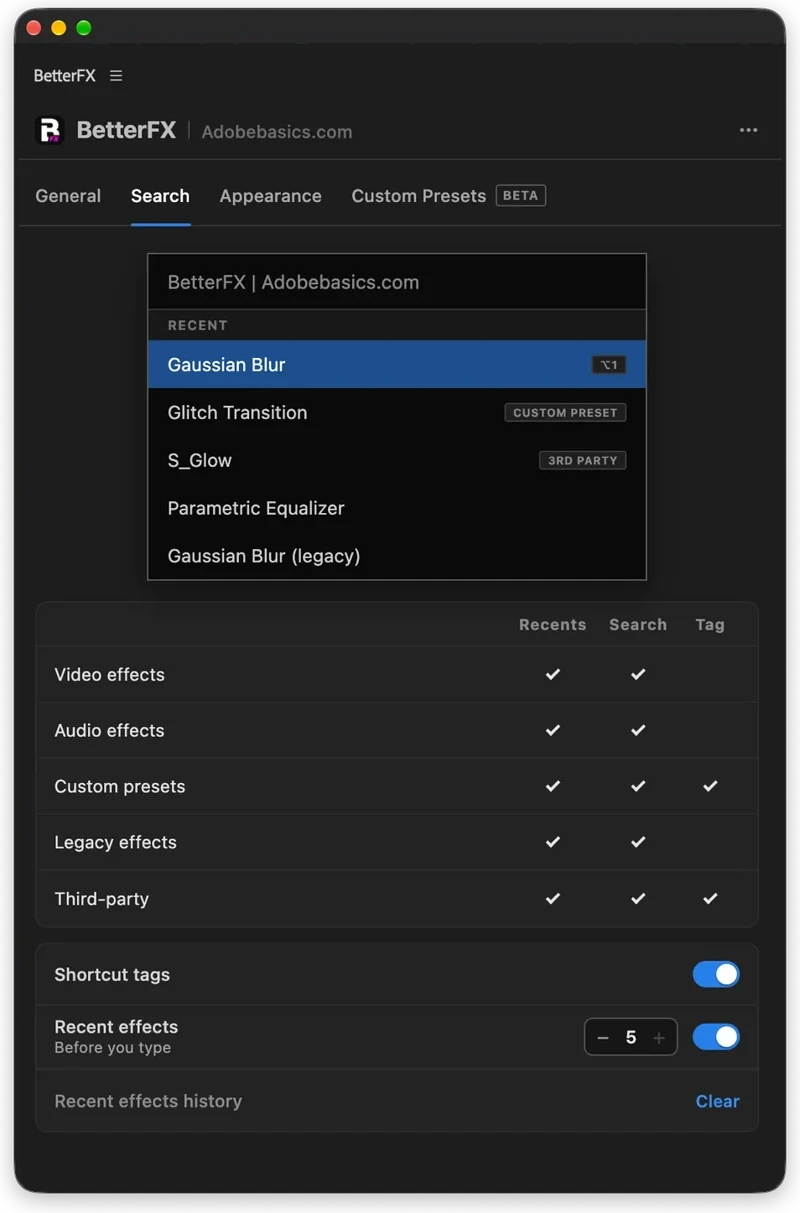
The BetterFX search, inside Premiere Pro




BetterFX
كل تأثير. اختصار واحد.
طبّق أي تأثير في ثوانٍ دون مغادرة المخطط الزمني. اضغط اختصارًا واحدًا، اكتب بضعة أحرف ثم اضغط Enter. يعثر BetterFX على التأثيرات المدمجة وإعداداتك المسبقة والإضافات المثبتة لديك، ويضع الأكثر استخدامًا في المقدمة.
 Premiere Pro 2021–2027
- Windows وMac
- تحديثات مجانية

ضمان استرداد الأموال لا يعمل على Premiere Pro لديك؟ تواصل معنا خلال 14 يومًا.
BetterFX
صنعها الأشخاص الذين يعلّمون Premiere Pro.
أكثر من 700 درس وآلاف التعليقات أرتنا ما يبطئ المحررين. لذلك صنعنا الأدوات التي أردناها كمحررين: بسيطة وبلا متاعب.
شاهد الدروس- 200K+محرر فيديو يستخدمون أدواتنا
- 30M+مشاهدة لدروسنا على YouTube
- 90K+متابع على مواقع التواصل
- 37K+محرر في مجتمعنا على Discord
بحث أقل. مونتاج أكثر.

اختصار واحد. كل التأثيرات.
اكتب بضعة أحرف
تأثيرات مدمجة، وإعدادات مخصصة، وإضافات من جهات خارجية.
إخفاء التأثيرات غير المستخدمة
أبقِ التأثيرات القديمة خارج نتائجك.
اختصاراتك الخاصة
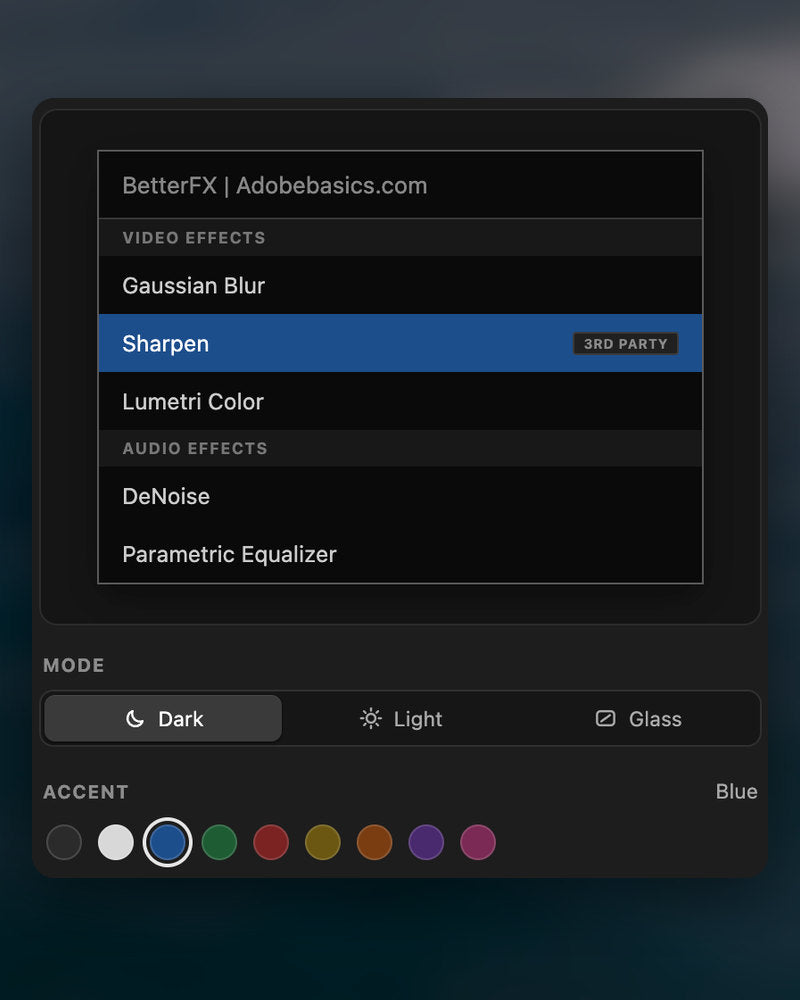
داكن أو فاتح أو زجاجي
مع تسعة ألوان مميزة.

Premiere Pro 2021–2027
أبرز المزايا.
-
ابحث وطبّق
اكتب حرفين. اضغط Enter.
اعثر على أي تأثير أو إعداد أو إضافة ببضعة أحرف. يُطبَّق على المقاطع المحددة.
-
ترتيب ذكي
التأثيرات الأكثر استخدامًا أولًا.
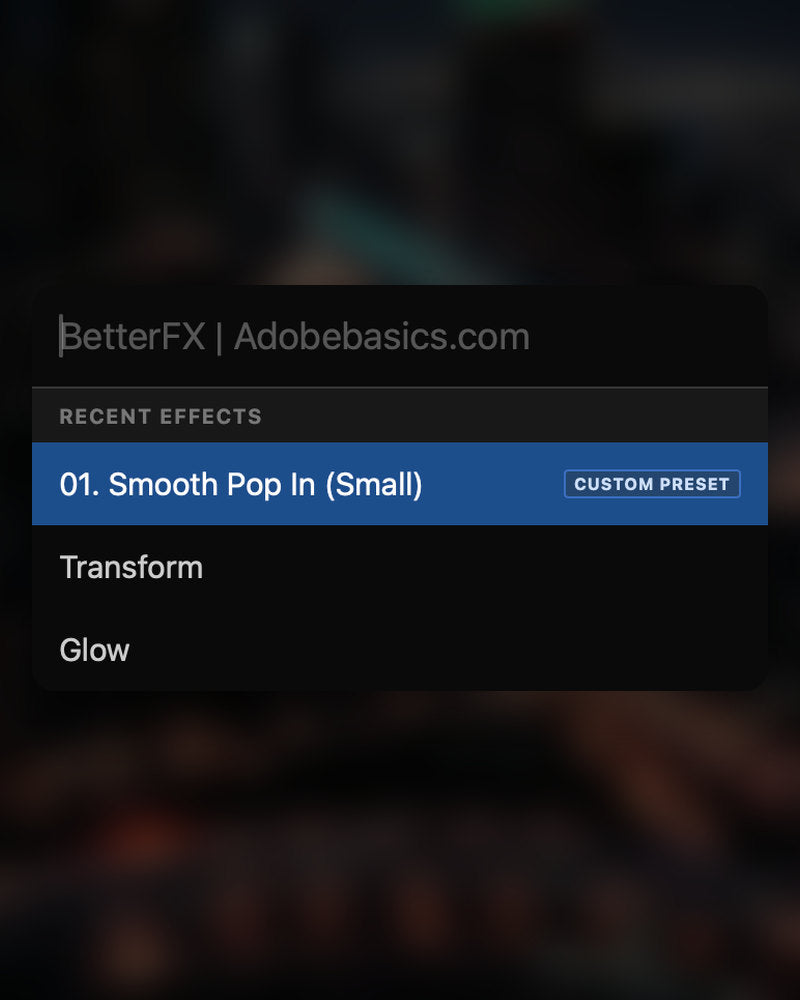
التأثيرات الأخيرة في الأعلى. وإعداداتك الخاصة تظهر أيضًا، بوسم Custom Preset.
-
اختصارات
مفاتيحك الخاصة لأي تأثير.
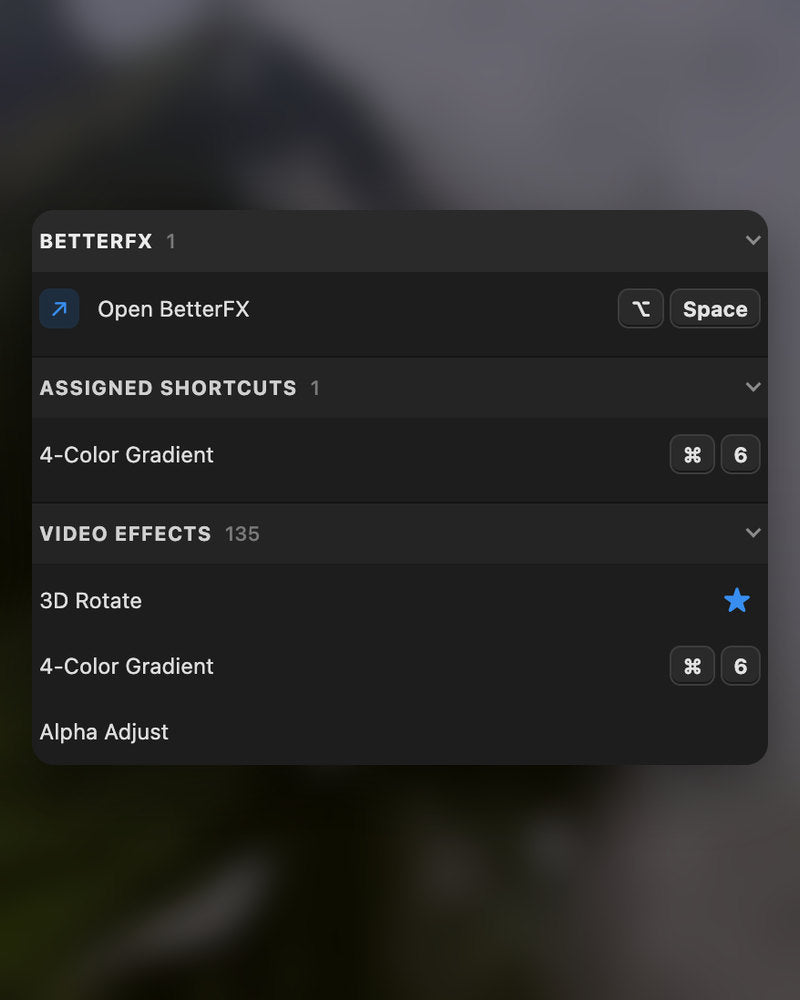
امنح التأثير اختصارًا. حدّد المقاطع، اضغط المفاتيح، وانتهى.
-
المظهر
Dark أو Light أو Glass.
اختر مظهرًا وأحد تسعة ألوان مميزة، ليتناسق مع Premiere Pro لديك.
في التنزيل
-
تطبيق BetterFX
-
مفتاح الترخيص
-
إضافة Premiere Pro
التطبيق ومفتاح الترخيص. يصلانك عند الدفع، ويضيف المثبّت إضافة Premiere Pro.
-

Intelligent search
Type a few letters. The right effect is on top.
Short forms, half-remembered names and typos all work. Press Enter and it lands on your selected clips.
- Short formsgb finds Gaussian Blur. cs finds Camera Shake.
- Every selected clipOne Enter applies the effect to all of them.
- Opens at your cursorYour pointer stays on the timeline.
All-in-one search
Every effect you own. One search bar.
Premiere Pro’s own effects, your third-party plugins and your custom presets, in one list.

- Third-party pluginsTagged, so you know where an effect comes from.
- Legacy copiesMarked as Legacy, or hidden if you never use them.
- Custom presetsYour own presets show up next to the effects.
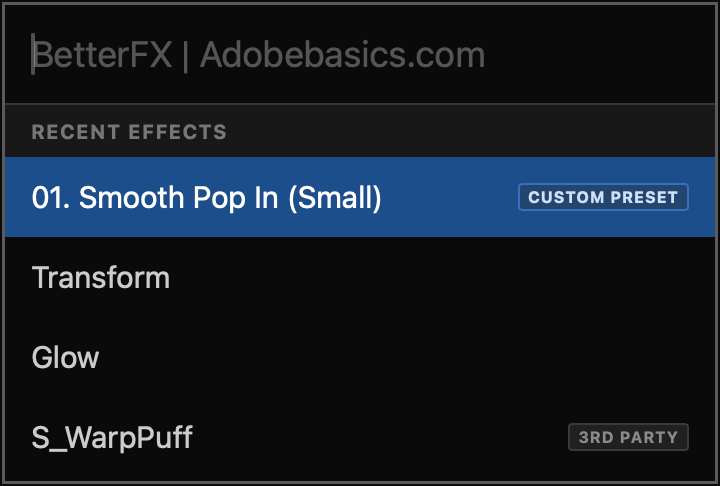
Recent effects
Your go-to effects. Before you type.
Open the bar and your recent effects are already there, with your custom presets and their shortcuts.

- Recent effectsYour last effects, the moment the bar opens.
- Custom presetsTagged Custom Preset and one Enter away.
- Shortcuts shownEach effect shows the keys you gave it.
Custom shortcuts
Any effect. Its own shortcut.
Pick an effect and press your keys. Then apply it straight from the timeline.
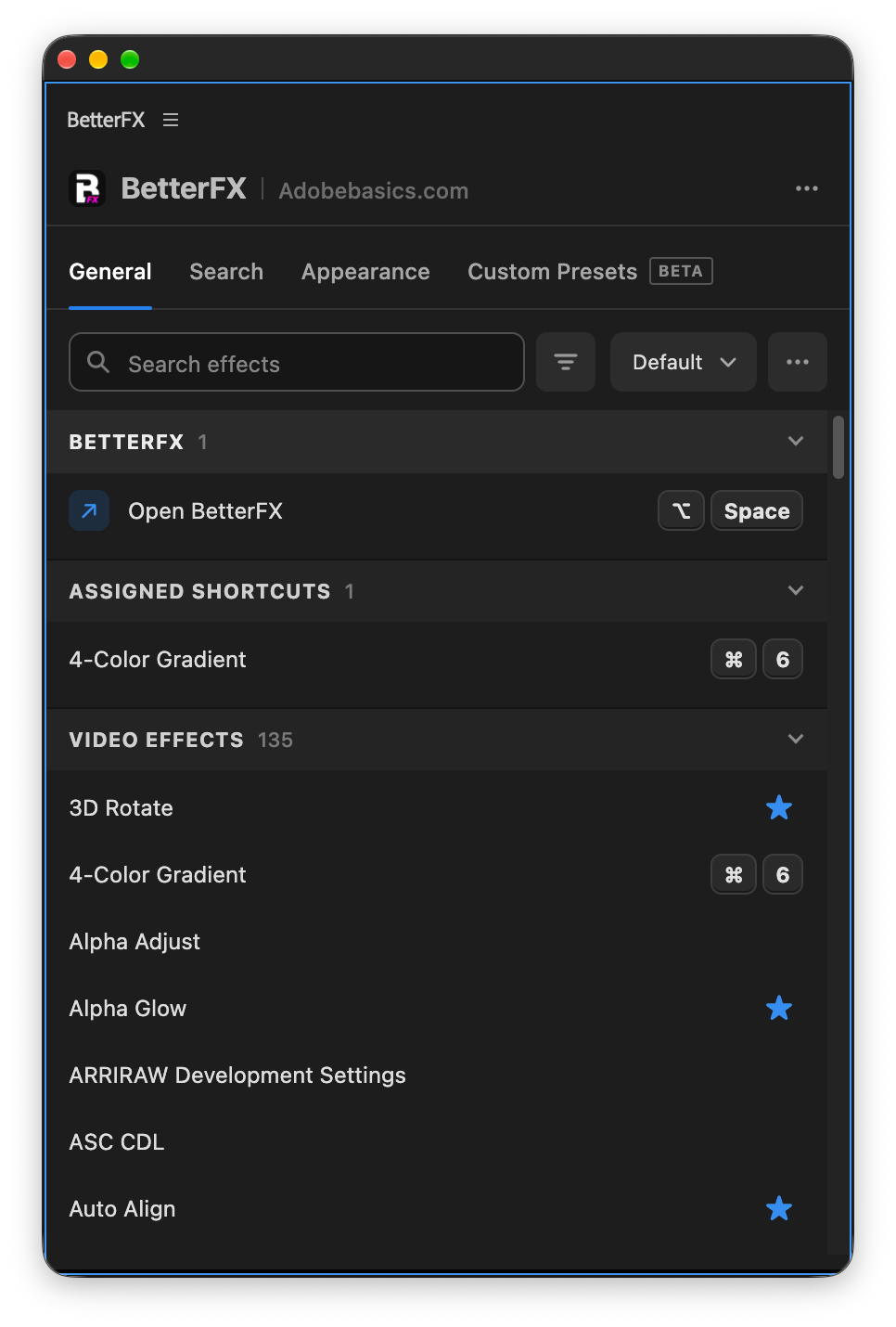
- Effects and presetsGive any effect or custom preset its own keys.
- Clash warningsBetterFX tells you when Premiere Pro already uses those keys.
- In your profileYour shortcuts move with your profile.
Favorites
Star an effect. Find it first.
Click the star next to any effect. Your favorites rank higher every time you search.
- Ranked higherStarred effects come first in your searches.
- Favorites filterThe button next to the search shows only your stars.
- In your profileYour favorites move with you to another computer.
Hide effects
Never use it? Hide it.
Click the eye next to an effect. It stays out of your searches until you bring it back.
- Cleaner resultsHidden effects never show up in the search bar.
- Legacy copiesHide the old versions of effects you never pick.
- UnhideThe Hidden filter lists them. One click brings each back.
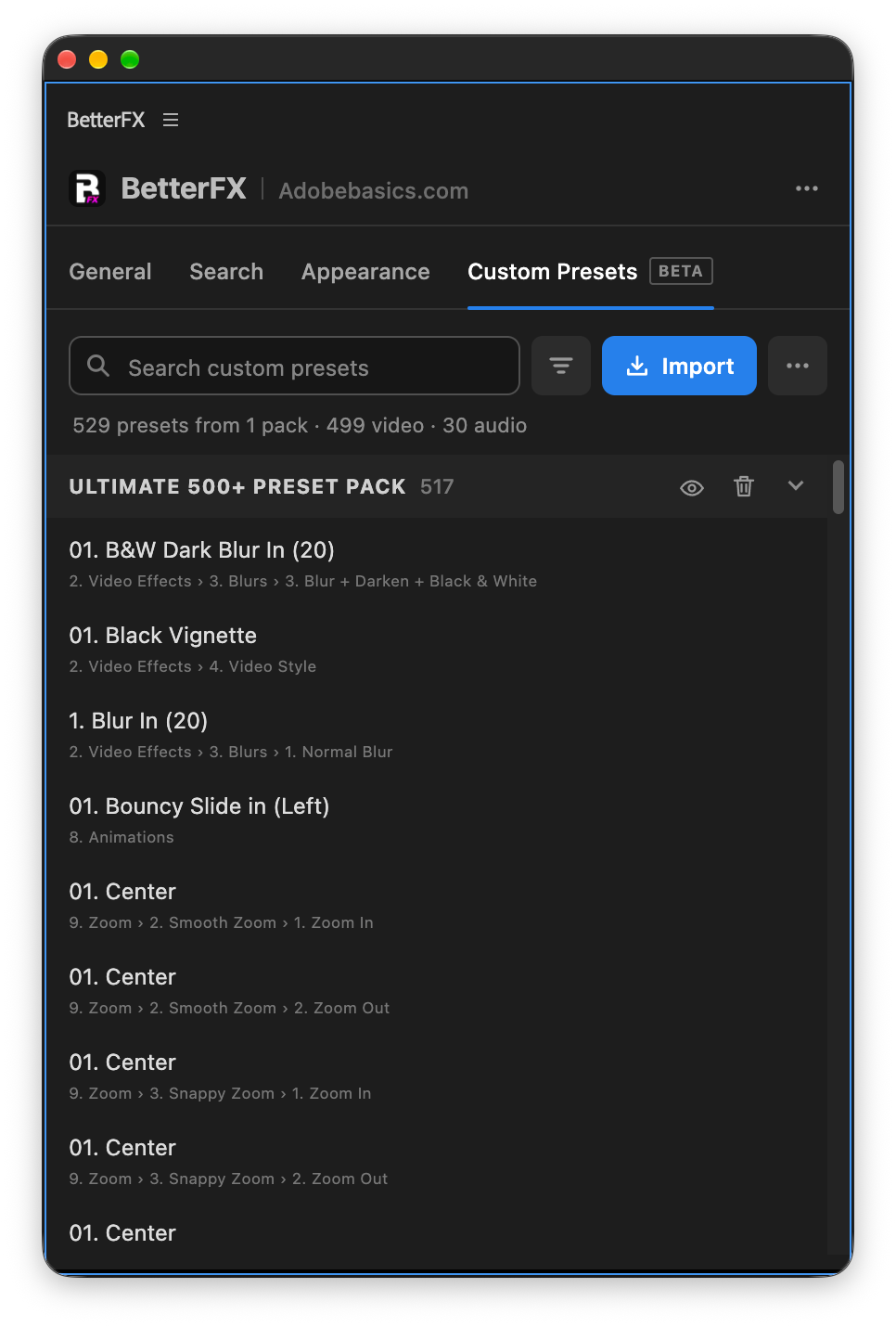
Custom presetsBeta
Your presets. Searchable.
Import the .prfpset files you saved in Premiere Pro. Each preset then works like an effect, with its own search and shortcut.
- Search and shortcutsFind a preset by name, or give it its own keys.
- One ⌘ZUndoes the whole preset at once. Ctrl+Z on Windows.
- Any languagePresets work whatever language Premiere Pro is set to.
Your search bar
Your search bar. Your colors.
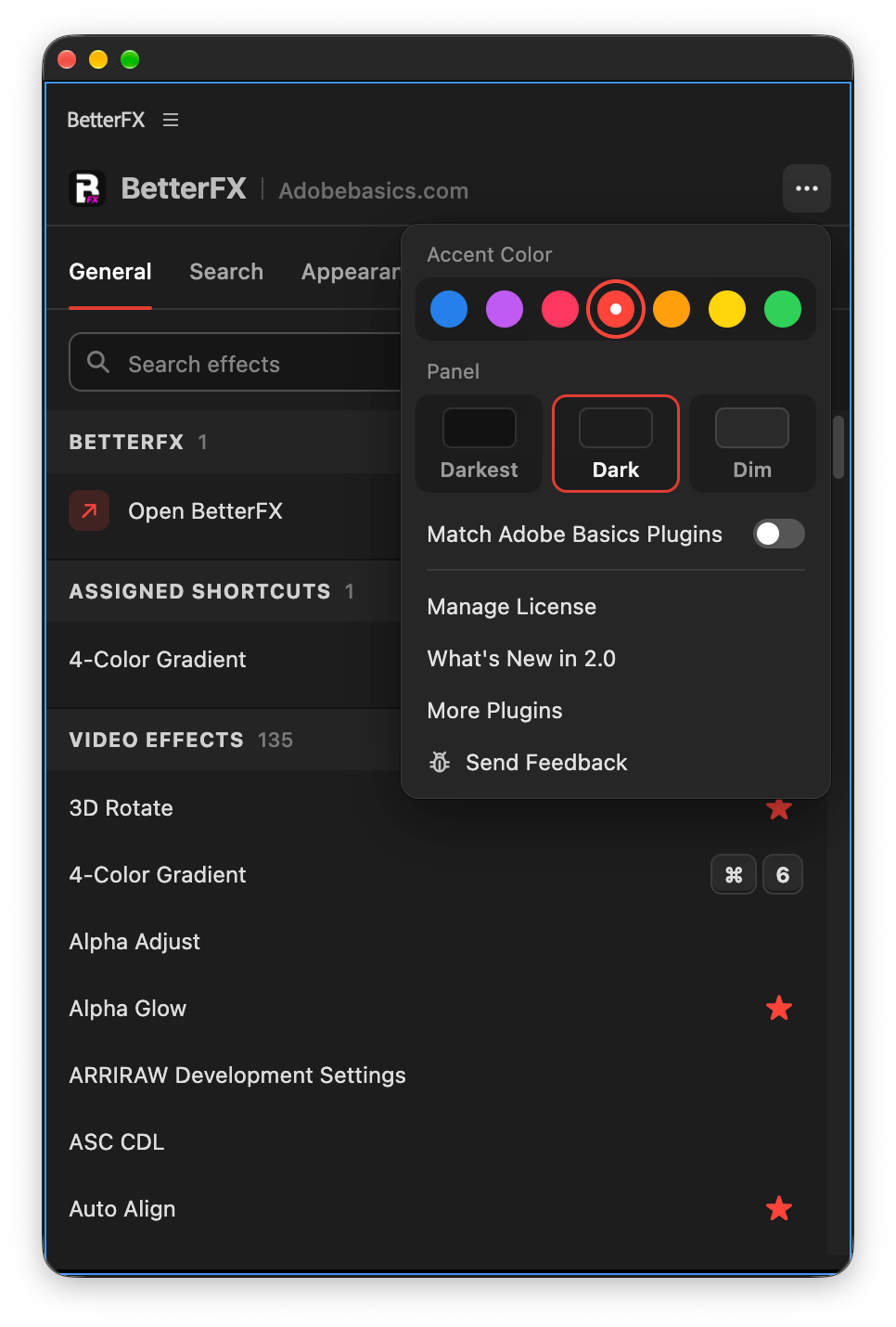
Pick Dark, Light or Glass and an accent color. A preview shows the search bar as you change it.
- Three modesDark, Light or Glass, on Mac and Windows 11.
- Nine accent colorsThe highlight on the effect you are about to apply.
- Live previewSee the search bar before you open it.
Profiles
Your setup. On every computer.
Save your shortcuts, favorites, hidden effects and look as a profile. Export it and import it on another computer.
- Everything in oneShortcuts, favorites, hidden effects, search settings and look.
- Switch in a clickKeep one profile per kind of edit.
- Import and exportTake your setup to another computer as a file.
In Premiere Pro
The real thing. On your timeline.


ثلاث خطوات. اختصار واحد.
مثبّت واحد مع إرشادات يجهّز لك التطبيق وإضافة Premiere Pro.
1نزّل BetterFX
يظهر رابط التنزيل ومفتاح الترخيص مباشرة بعد الدفع. ونرسلهما إليك بالبريد الإلكتروني أيضًا.
2شغّل المثبّت
افتح المثبّت واتبع الخطوات. يثبّت التطبيق والإضافة، ثم تلصق مفتاحك.
3اضغط اختصارك
حدّد مقطعًا في Premiere واضغط Alt+Space.
ما يضيفه BetterFX.
BetterFX مقارنةً بإضافات البحث عن التأثيرات الأخرى لـ Premiere Pro.

اشترِ الباقة ووفّر 15%
احصل على عُدّة Premiere الكاملة.
- EaseFlow Proإيزينج سلس
- BetterFXكل التأثيرات، باختصار واحد
- SuperGlowتوهّج فاخر
- QuickPasteلصق الصور والملفات
- Asteria ProSmooth text animations
- Number Counter ProAnimated numbers
تأثيراتك. على بُعد اختصار واحد.
ادفع مرة واحدة، واحتفظ به للأبد.
- Premiere Pro 2021–2027
- Windows وMac
- جهازان لكل ترخيص
ضمان استرداد الأموال إذا لم يعمل
- تواصل معنا خلال 14 يومًا من الشراء.
- مساعدة خلال 24 ساعة لإصلاح المشكلة.
- إذا لم نتمكن من إصلاحها، تسترد أموالك.