





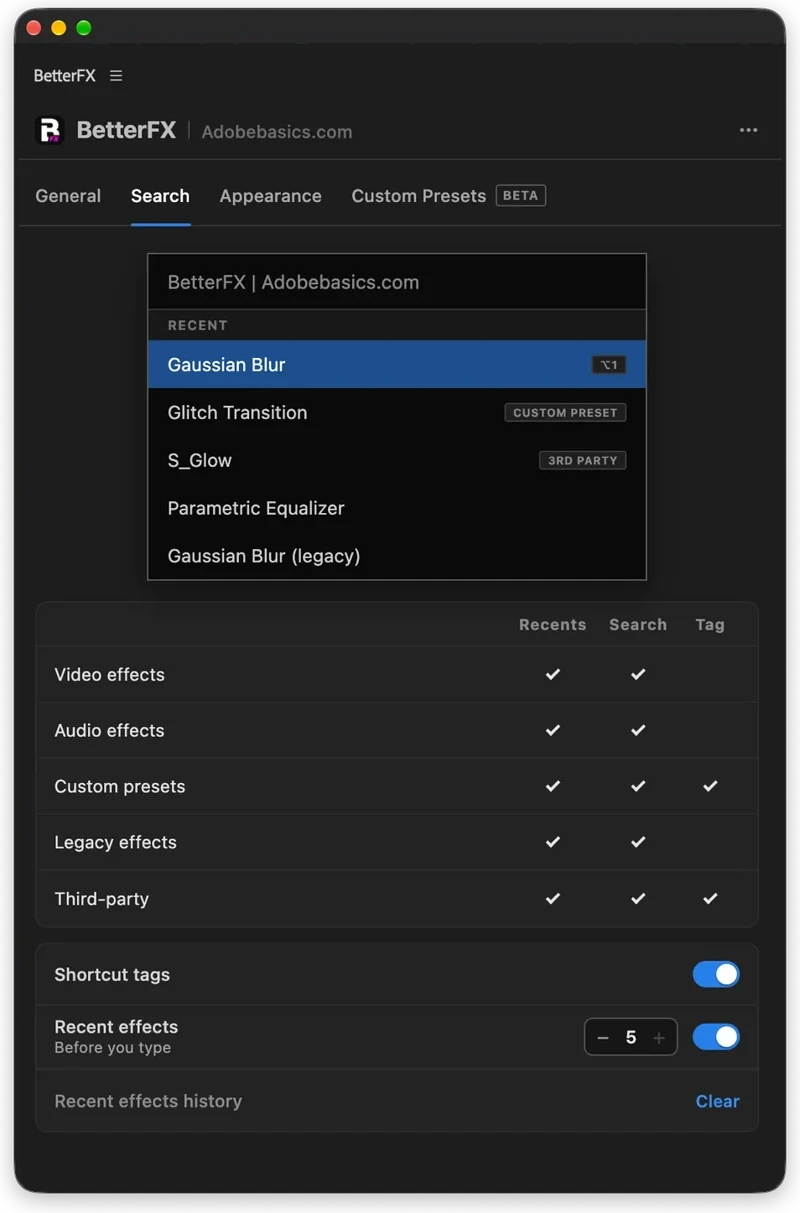
The BetterFX search, inside Premiere Pro




BetterFX
Jeder Effekt. Ein Shortcut.
Wende jeden Effekt in Sekunden an, ohne deine Timeline zu verlassen. Drücke einen Shortcut, tippe ein paar Buchstaben und drücke Enter. BetterFX findet eingebaute Effekte, deine eigenen Presets und deine installierten Plugins und zeigt die meistgenutzten zuerst.
 Premiere Pro 2021–2027
- Windows und Mac
- Kostenlose Updates

Geld-zurück-Garantie Läuft es nicht in deinem Premiere Pro? Schreib uns innerhalb von 14 Tagen.
BetterFX
Gemacht von den Leuten, die Premiere Pro unterrichten.
700+ Tutorials und Tausende Kommentare haben uns gezeigt, was Editoren ausbremst. Also haben wir die Tools gebaut, die wir uns als Editoren gewünscht haben: einfach und ohne Ärger.
Tutorials ansehen- 200K+Editoren nutzen unsere Tools
- 30M+Aufrufe unserer YouTube-Tutorials
- 90K+Follower auf Social Media
- 37K+Editoren in unserer Discord-Community
Weniger suchen. Mehr schneiden.

Ein Shortcut. Jeder Effekt.
Ein paar Buchstaben tippen
Integrierte Effekte, eigene Presets und Plugins von Drittanbietern.
Ungenutzte Effekte ausblenden
Halte Legacy-Effekte aus deinen Ergebnissen raus.
Deine eigenen Shortcuts
Dunkel, hell oder Glas
Mit neun Akzentfarben.

Premiere Pro 2021–2027
Die Highlights.
-
Suchen und anwenden
Zwei Buchstaben tippen. Enter drücken.
Finde jeden Effekt, jedes Preset und jedes Plugin mit ein paar Buchstaben. Er landet auf deinen ausgewählten Clips.
-
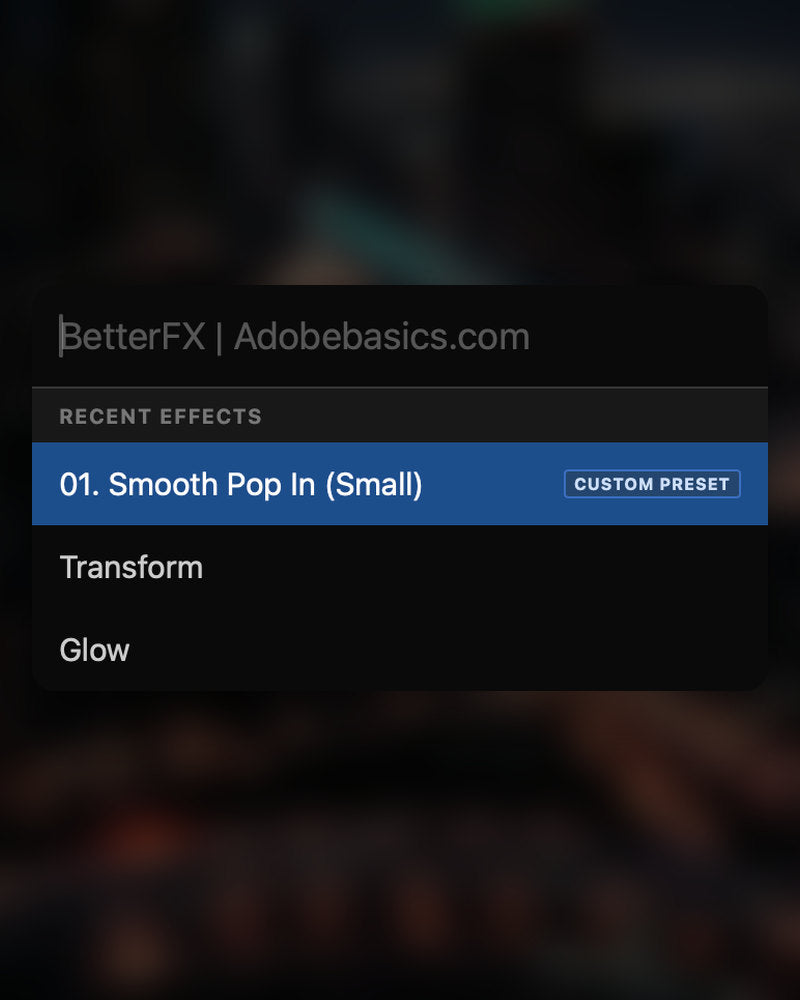
Smartes Ranking
Deine meistgenutzten Effekte zuerst.
Die letzten Effekte stehen oben. Auch deine eigenen Presets erscheinen, mit dem Tag Custom Preset.
-
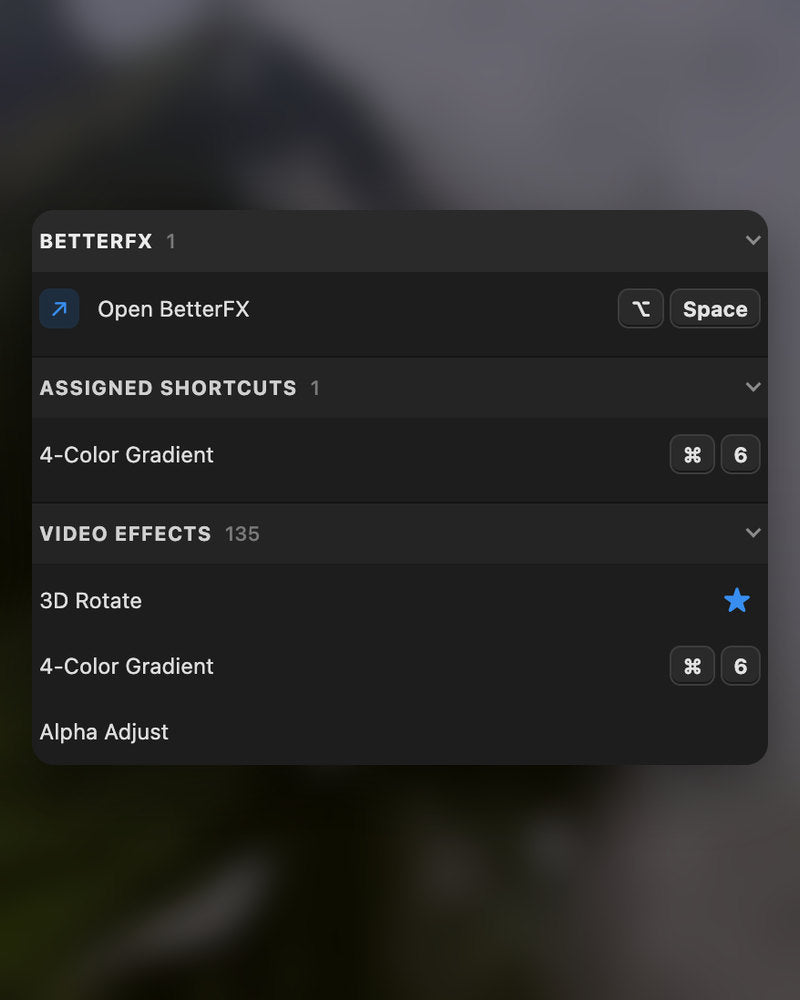
Shortcuts
Eigene Tasten für jeden Effekt.
Gib einem Effekt einen Shortcut. Clips wählen, Tasten drücken, fertig.
-
Aussehen
Dark, Light oder Glass.
Wähl einen Look und eine von neun Akzentfarben, passend zu deinem Premiere Pro.
Im Download
-
BetterFX-App
-
Lizenzschlüssel
-
Premiere-Pro-Plugin
Die App und dein Lizenzschlüssel. Beides kommt beim Kauf, und das Installationsprogramm fügt das Premiere-Pro-Plugin hinzu.
-

Intelligent search
Type a few letters. The right effect is on top.
Short forms, half-remembered names and typos all work. Press Enter and it lands on your selected clips.
- Short formsgb finds Gaussian Blur. cs finds Camera Shake.
- Every selected clipOne Enter applies the effect to all of them.
- Opens at your cursorYour pointer stays on the timeline.
All-in-one search
Every effect you own. One search bar.
Premiere Pro’s own effects, your third-party plugins and your custom presets, in one list.

- Third-party pluginsTagged, so you know where an effect comes from.
- Legacy copiesMarked as Legacy, or hidden if you never use them.
- Custom presetsYour own presets show up next to the effects.
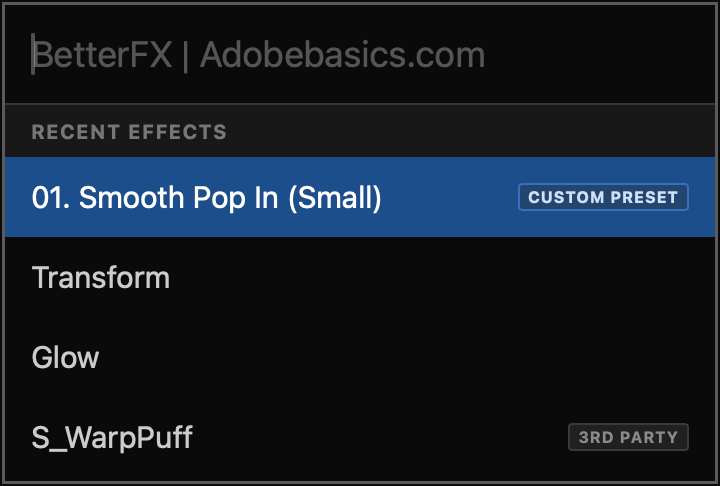
Recent effects
Your go-to effects. Before you type.
Open the bar and your recent effects are already there, with your custom presets and their shortcuts.

- Recent effectsYour last effects, the moment the bar opens.
- Custom presetsTagged Custom Preset and one Enter away.
- Shortcuts shownEach effect shows the keys you gave it.
Custom shortcuts
Any effect. Its own shortcut.
Pick an effect and press your keys. Then apply it straight from the timeline.
- Effects and presetsGive any effect or custom preset its own keys.
- Clash warningsBetterFX tells you when Premiere Pro already uses those keys.
- In your profileYour shortcuts move with your profile.
Favorites
Star an effect. Find it first.
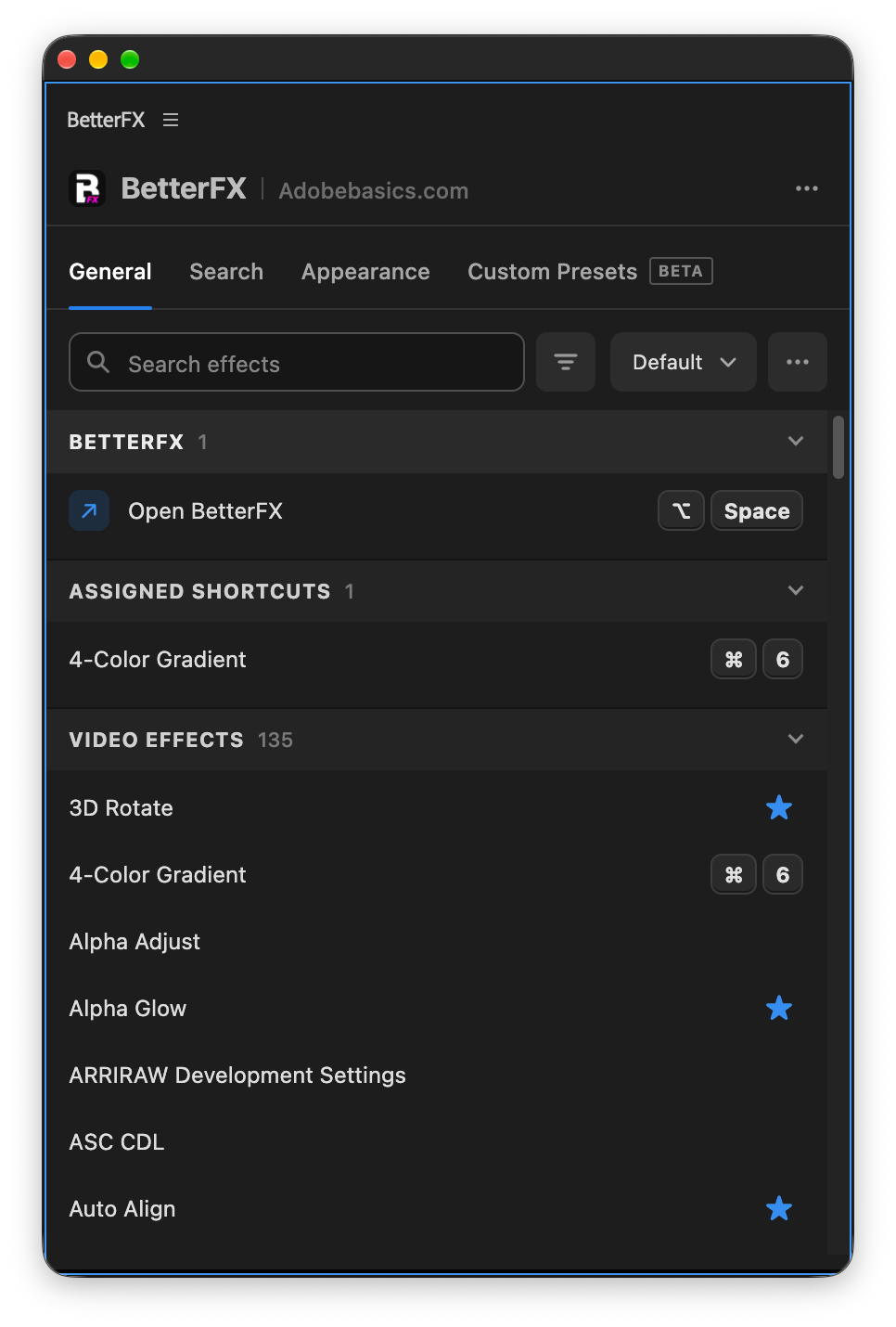
Click the star next to any effect. Your favorites rank higher every time you search.
- Ranked higherStarred effects come first in your searches.
- Favorites filterThe button next to the search shows only your stars.
- In your profileYour favorites move with you to another computer.
Hide effects
Never use it? Hide it.
Click the eye next to an effect. It stays out of your searches until you bring it back.
- Cleaner resultsHidden effects never show up in the search bar.
- Legacy copiesHide the old versions of effects you never pick.
- UnhideThe Hidden filter lists them. One click brings each back.
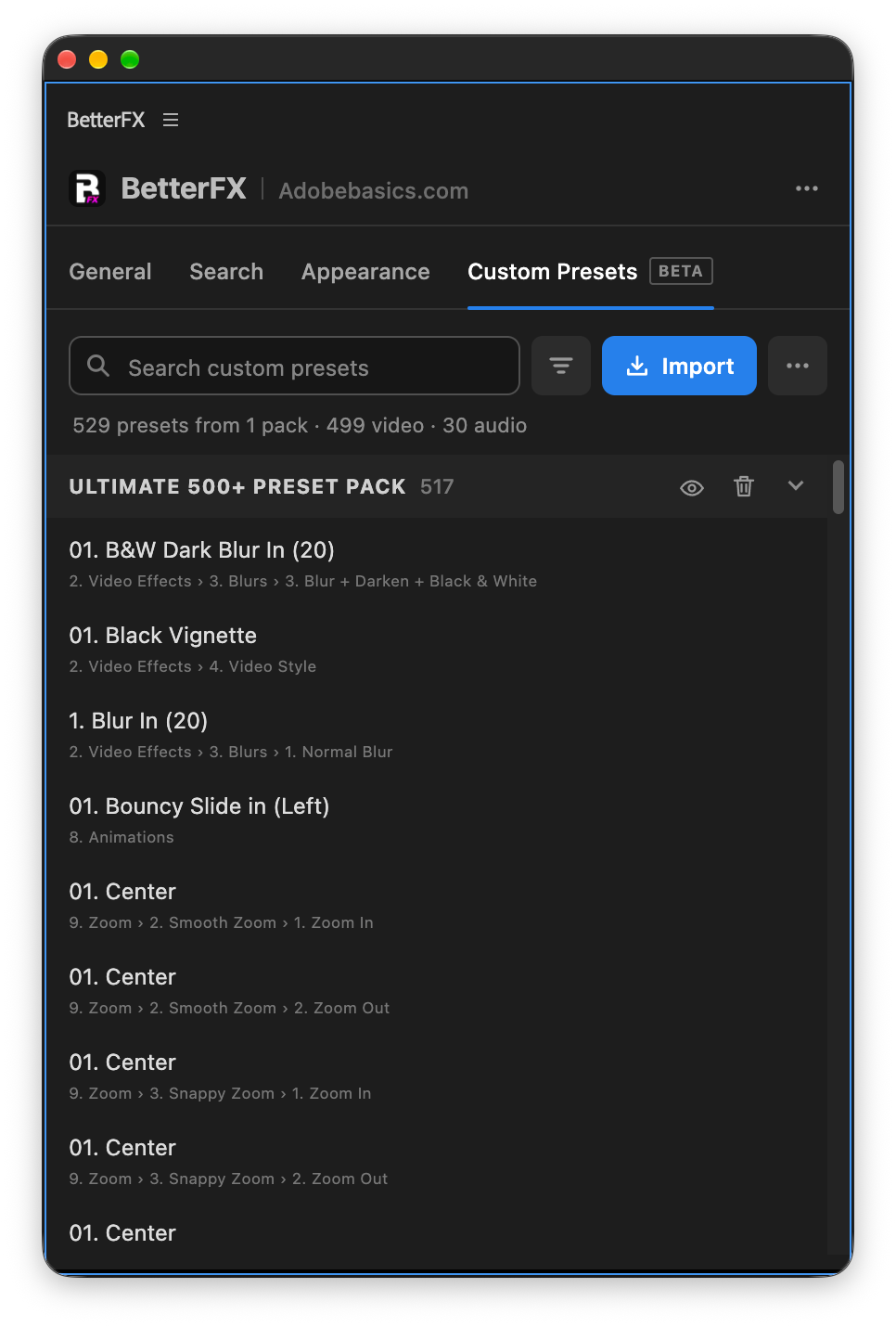
Custom presetsBeta
Your presets. Searchable.
Import the .prfpset files you saved in Premiere Pro. Each preset then works like an effect, with its own search and shortcut.
- Search and shortcutsFind a preset by name, or give it its own keys.
- One ⌘ZUndoes the whole preset at once. Ctrl+Z on Windows.
- Any languagePresets work whatever language Premiere Pro is set to.
Your search bar
Your search bar. Your colors.
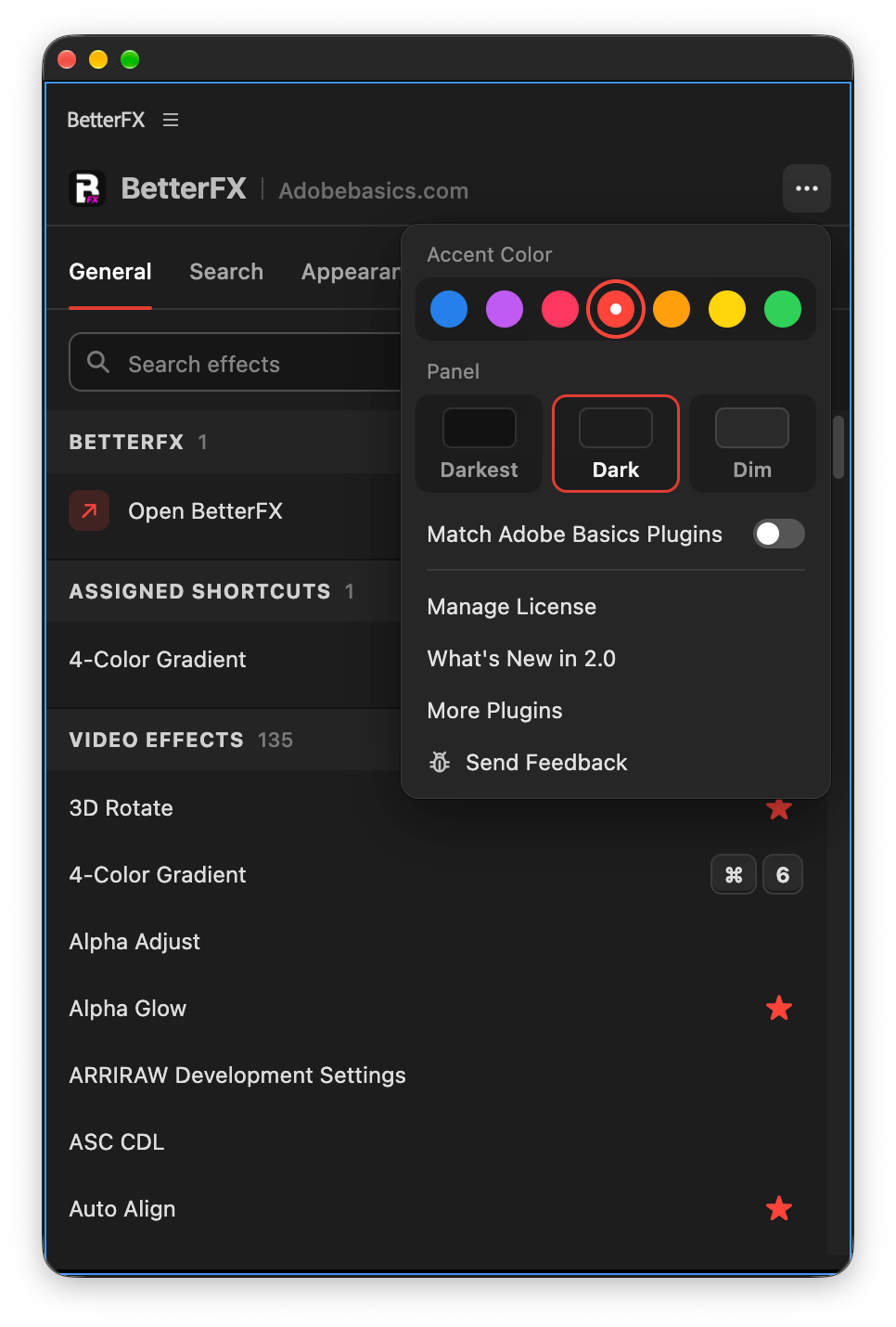
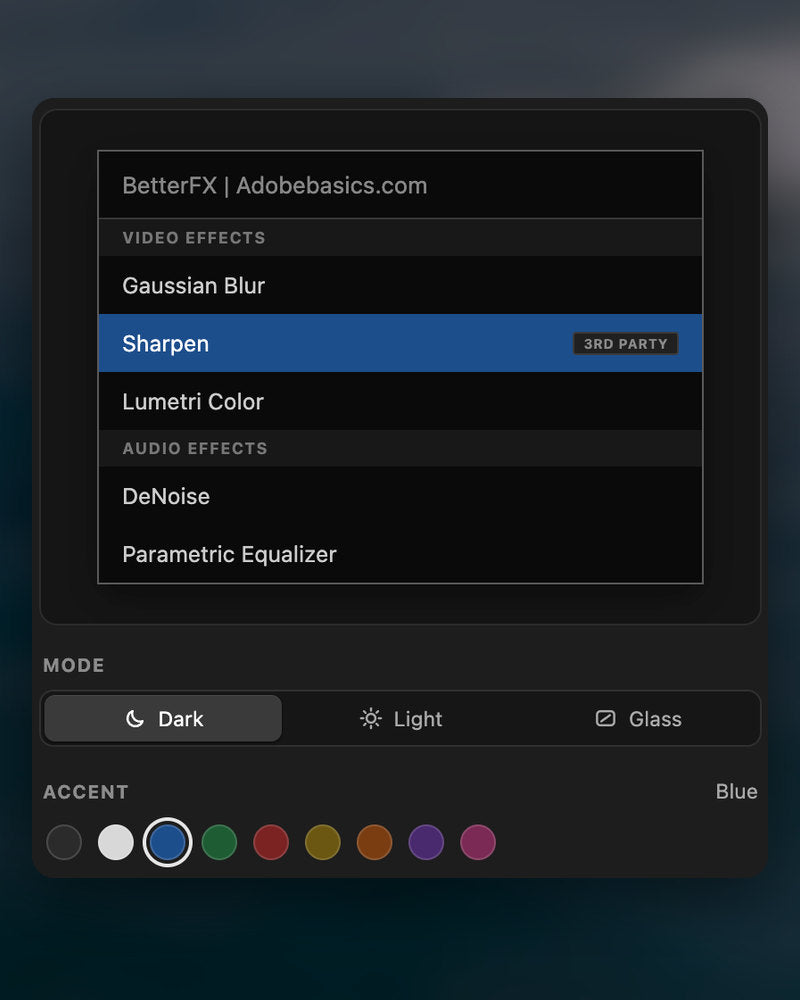
Pick Dark, Light or Glass and an accent color. A preview shows the search bar as you change it.
- Three modesDark, Light or Glass, on Mac and Windows 11.
- Nine accent colorsThe highlight on the effect you are about to apply.
- Live previewSee the search bar before you open it.
Profiles
Your setup. On every computer.
Save your shortcuts, favorites, hidden effects and look as a profile. Export it and import it on another computer.
- Everything in oneShortcuts, favorites, hidden effects, search settings and look.
- Switch in a clickKeep one profile per kind of edit.
- Import and exportTake your setup to another computer as a file.
In Premiere Pro
The real thing. On your timeline.


Drei Schritte. Ein Shortcut.
Ein geführter Installer richtet die App und das Premiere Pro Plugin für dich ein.
1BetterFX herunterladen
Download und Lizenzschlüssel erscheinen direkt nach dem Kauf. Wir schicken sie dir auch per E-Mail.
2Installer ausführen
Öffne den Installer und folge den Schritten. Er richtet App und Plugin ein, dann fügst du deinen Schlüssel ein.
3Shortcut drücken
Wähl in Premiere einen Clip und drück Alt+Space.
Was BetterFX dazugibt.
BetterFX im Vergleich mit anderen Effekt-Such-Plugins für Premiere Pro.

Im Bundle 15% sparen
Hol dir das ganze Premiere-Kit.
- EaseFlow ProFlüssiges Easing
- BetterFXJeder Effekt, ein Shortcut
- SuperGlowPremium-Glow
- QuickPasteBilder und Dateien einfügen
- Asteria ProSmooth text animations
- Number Counter ProAnimated numbers
Deine Effekte. Einen Shortcut entfernt.
Einmal zahlen, für immer behalten.
- Premiere Pro 2021–2027
- Windows und Mac
- Zwei Computer pro Lizenz
Geld-zurück-Garantie falls es nicht läuft
- Schreib uns innerhalb von 14 Tagen nach dem Kauf.
- Hilfe innerhalb von 24 Stunden, damit es läuft.
- Können wir es nicht beheben, bekommst du dein Geld zurück.