





The BetterFX search, inside Premiere Pro




BetterFX
Ogni effetto. Una scorciatoia.
Applica qualsiasi effetto in pochi secondi, senza lasciare la timeline. Premi una scorciatoia, digita qualche lettera e premi Invio. BetterFX trova gli effetti integrati, i tuoi preset e i plugin installati, e mette per primi quelli che usi di più.
 Premiere Pro 2021–2027
- Windows e Mac
- Aggiornamenti gratuiti

Garanzia di rimborso Non funziona nel tuo Premiere Pro? Scrivici entro 14 giorni.
BetterFX
Fatto da chi insegna Premiere Pro.
Oltre 700 tutorial e migliaia di commenti ci hanno mostrato cosa rallenta gli editor. Così abbiamo creato gli strumenti che volevamo da editor: semplici e senza seccature.
Guarda i tutorial- 200K+editor usano i nostri strumenti
- 30M+visualizzazioni dei nostri tutorial su YouTube
- 90K+follower sui social
- 37K+editor nella nostra community Discord
Meno ricerca. Più montaggio.

Una scorciatoia. Ogni effetto.
Digita qualche lettera
Effetti integrati, preset personalizzati e plugin di terze parti.
Nascondi gli effetti che non usi
Tieni gli effetti legacy fuori dai risultati.
Le tue scorciatoie
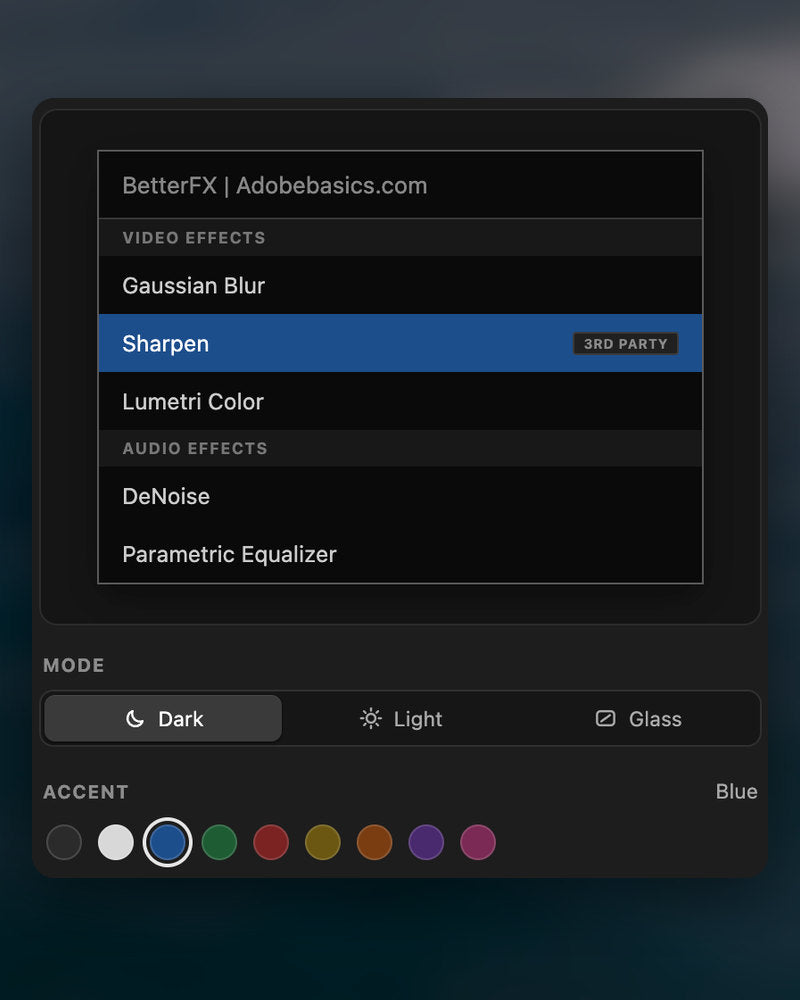
Scuro, chiaro o vetro
Con nove colori di accento.

Premiere Pro 2021–2027
I punti salienti.
-
Cerca e applica
Digita due lettere. Premi Invio.
Trova qualsiasi effetto, preset o plugin con poche lettere. Finisce sulle clip selezionate.
-
Classifica intelligente
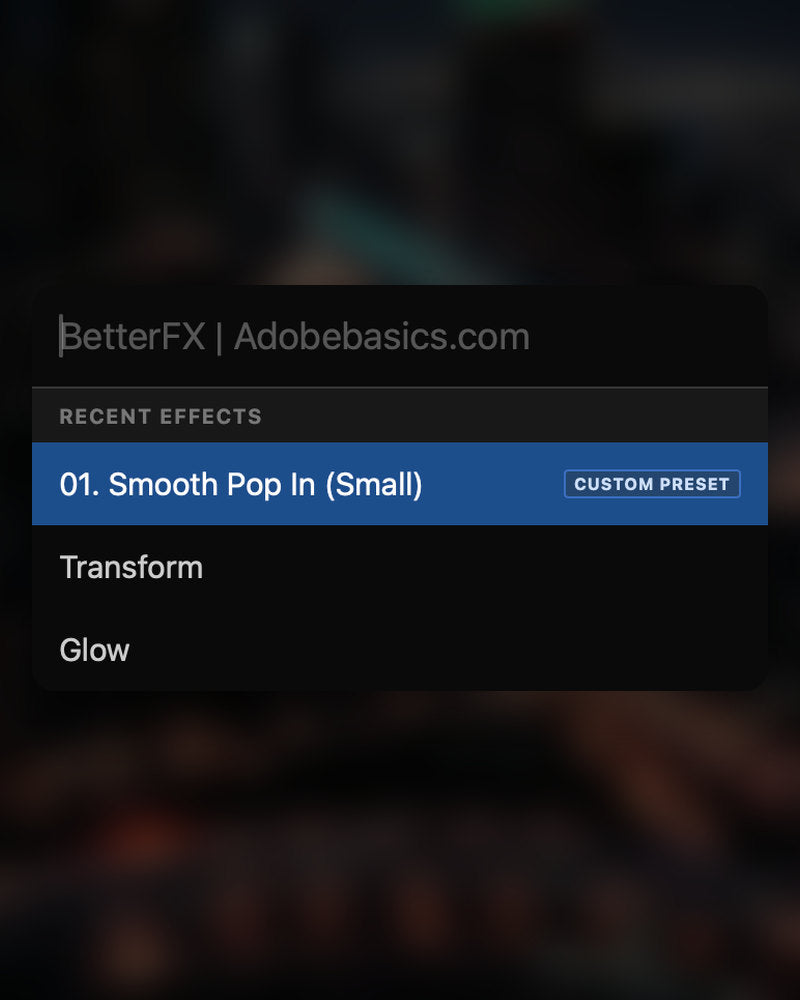
Prima gli effetti che usi di più.
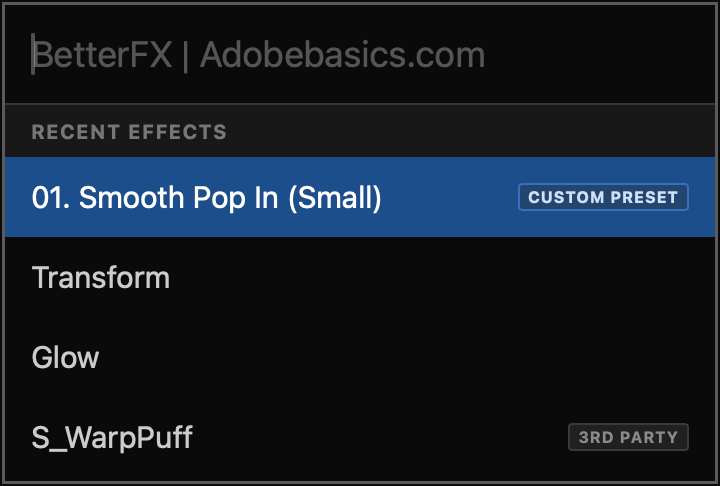
Gli effetti recenti stanno in cima. Compaiono anche i tuoi preset, con un’etichetta Custom Preset.
-
Scorciatoie
I tuoi tasti per qualsiasi effetto.
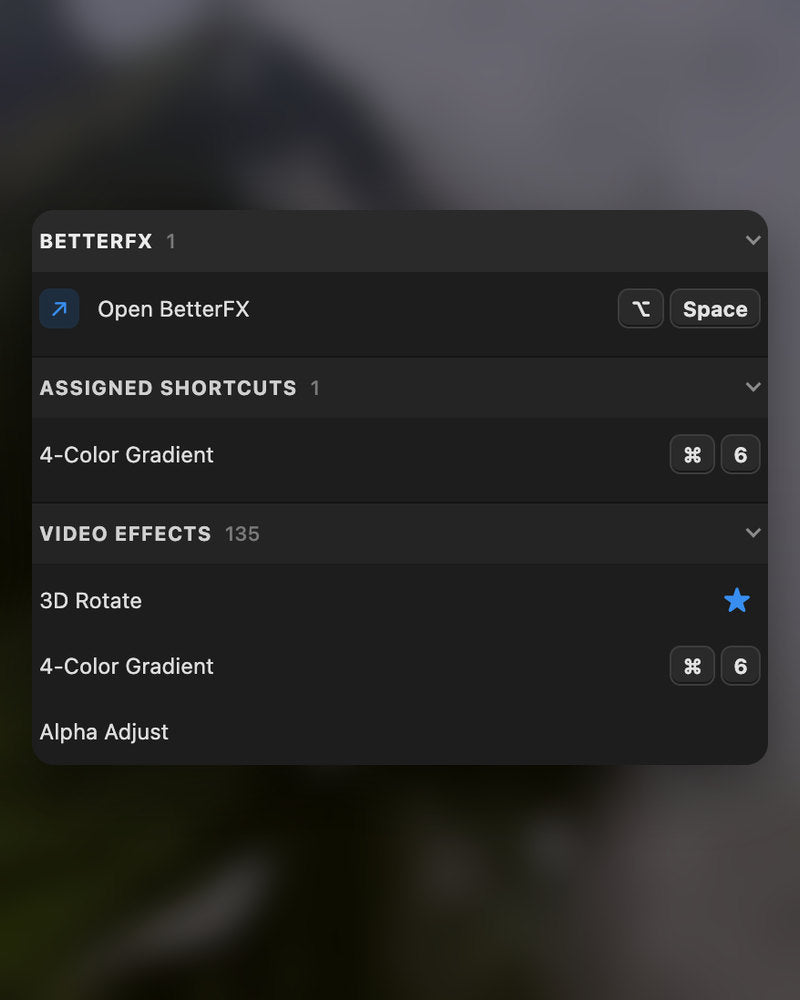
Assegna una scorciatoia a un effetto. Seleziona le clip, premi i tasti, fatto.
-
Aspetto
Dark, Light o Glass.
Scegli uno stile e uno dei nove colori d’accento, per stare bene nel tuo Premiere Pro.
Nel download
-
App BetterFX
-
Chiave di licenza
-
Plugin di Premiere Pro
L’app e la tua chiave di licenza. Arrivano entrambe all’acquisto, e il programma di installazione aggiunge il plugin di Premiere Pro.
-

Intelligent search
Type a few letters. The right effect is on top.
Short forms, half-remembered names and typos all work. Press Enter and it lands on your selected clips.
- Short formsgb finds Gaussian Blur. cs finds Camera Shake.
- Every selected clipOne Enter applies the effect to all of them.
- Opens at your cursorYour pointer stays on the timeline.
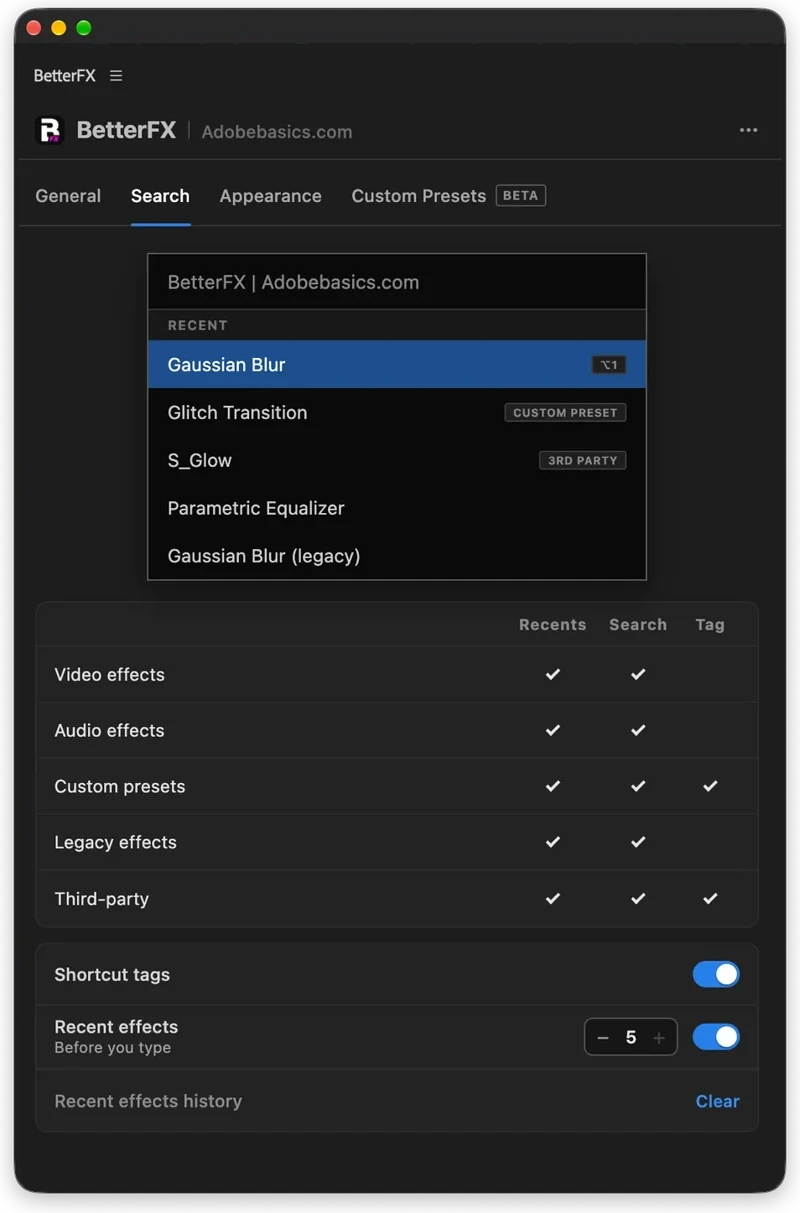
All-in-one search
Every effect you own. One search bar.
Premiere Pro’s own effects, your third-party plugins and your custom presets, in one list.

- Third-party pluginsTagged, so you know where an effect comes from.
- Legacy copiesMarked as Legacy, or hidden if you never use them.
- Custom presetsYour own presets show up next to the effects.
Recent effects
Your go-to effects. Before you type.
Open the bar and your recent effects are already there, with your custom presets and their shortcuts.

- Recent effectsYour last effects, the moment the bar opens.
- Custom presetsTagged Custom Preset and one Enter away.
- Shortcuts shownEach effect shows the keys you gave it.
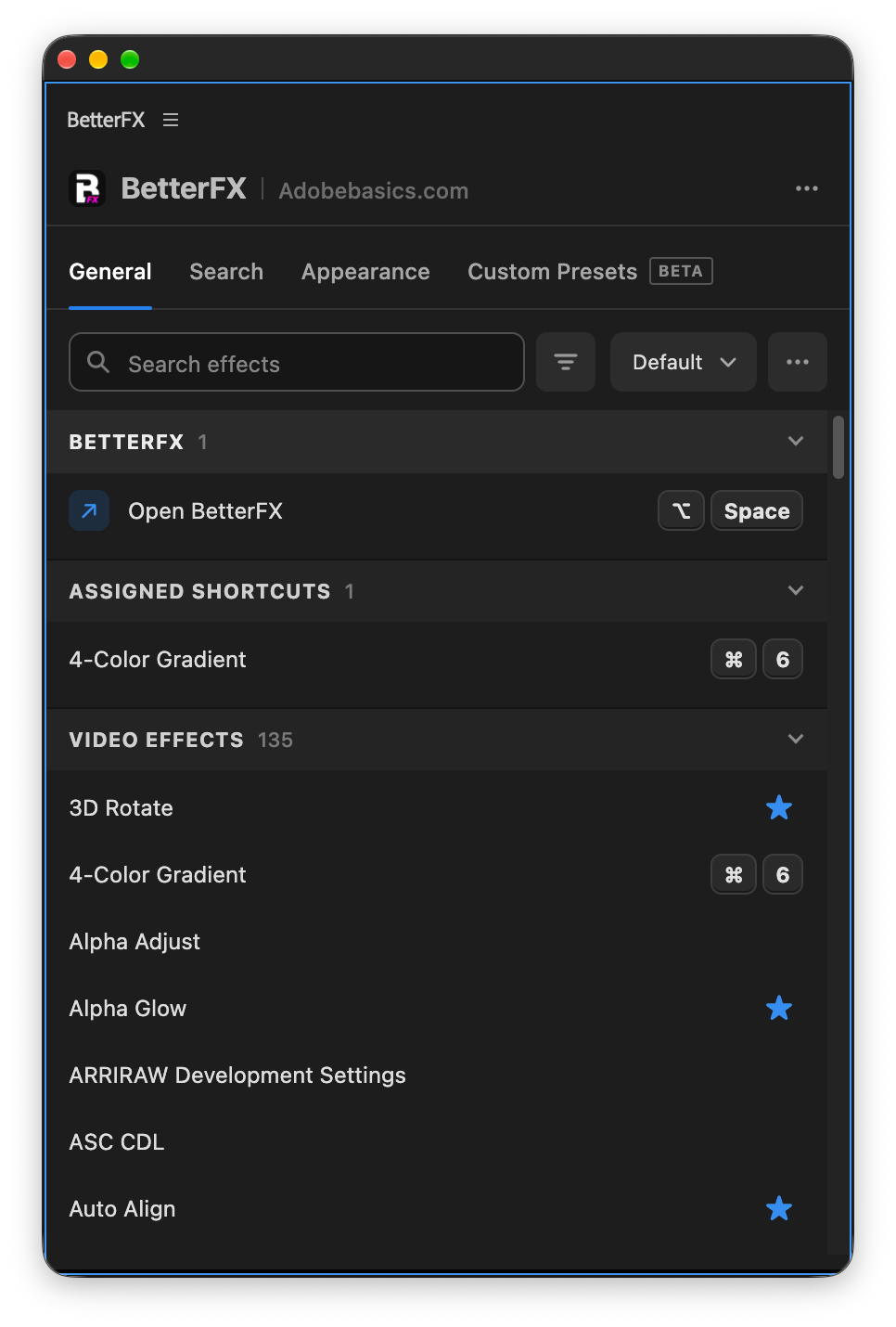
Custom shortcuts
Any effect. Its own shortcut.
Pick an effect and press your keys. Then apply it straight from the timeline.
- Effects and presetsGive any effect or custom preset its own keys.
- Clash warningsBetterFX tells you when Premiere Pro already uses those keys.
- In your profileYour shortcuts move with your profile.
Favorites
Star an effect. Find it first.
Click the star next to any effect. Your favorites rank higher every time you search.
- Ranked higherStarred effects come first in your searches.
- Favorites filterThe button next to the search shows only your stars.
- In your profileYour favorites move with you to another computer.
Hide effects
Never use it? Hide it.
Click the eye next to an effect. It stays out of your searches until you bring it back.
- Cleaner resultsHidden effects never show up in the search bar.
- Legacy copiesHide the old versions of effects you never pick.
- UnhideThe Hidden filter lists them. One click brings each back.
Custom presetsBeta
Your presets. Searchable.
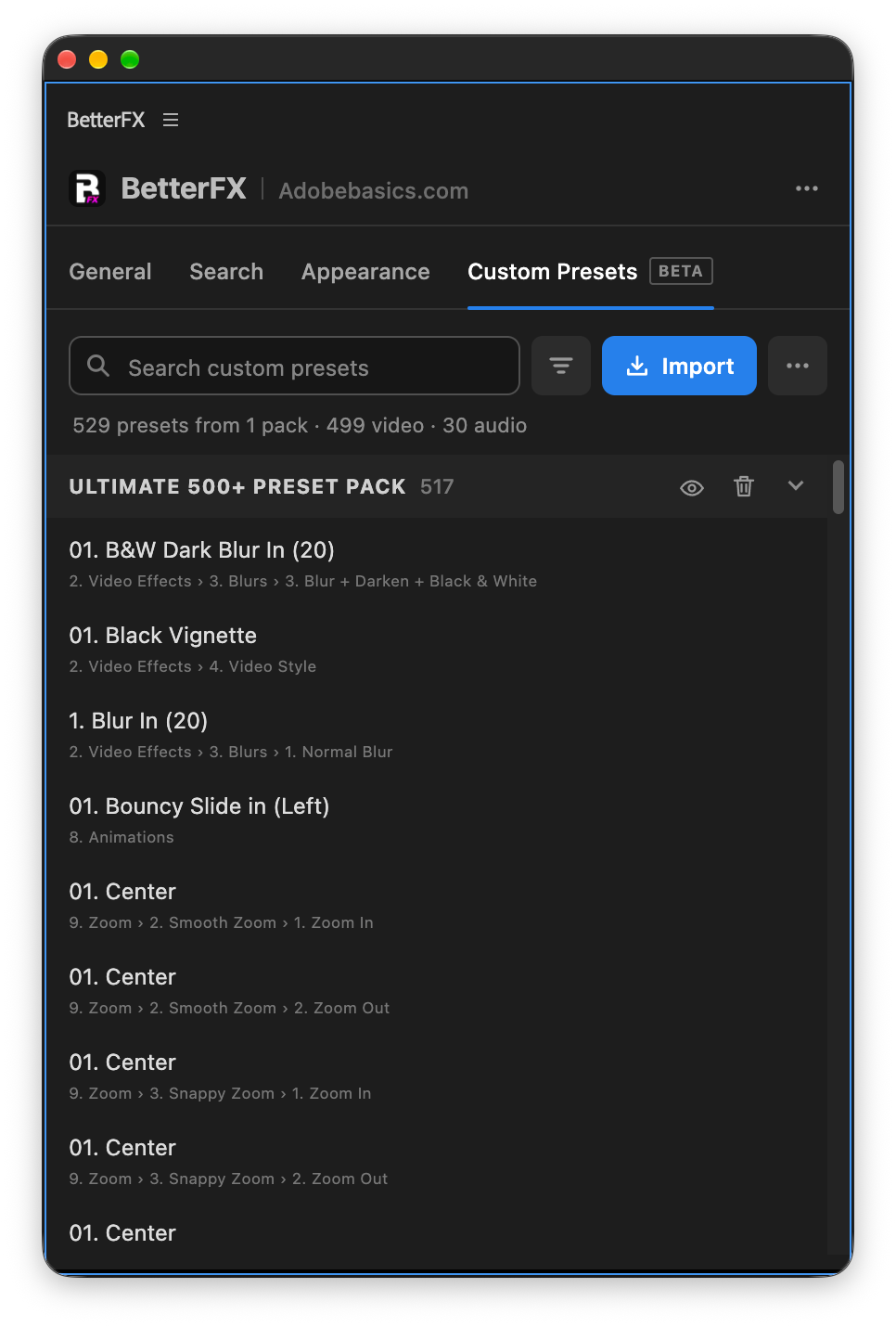
Import the .prfpset files you saved in Premiere Pro. Each preset then works like an effect, with its own search and shortcut.
- Search and shortcutsFind a preset by name, or give it its own keys.
- One ⌘ZUndoes the whole preset at once. Ctrl+Z on Windows.
- Any languagePresets work whatever language Premiere Pro is set to.
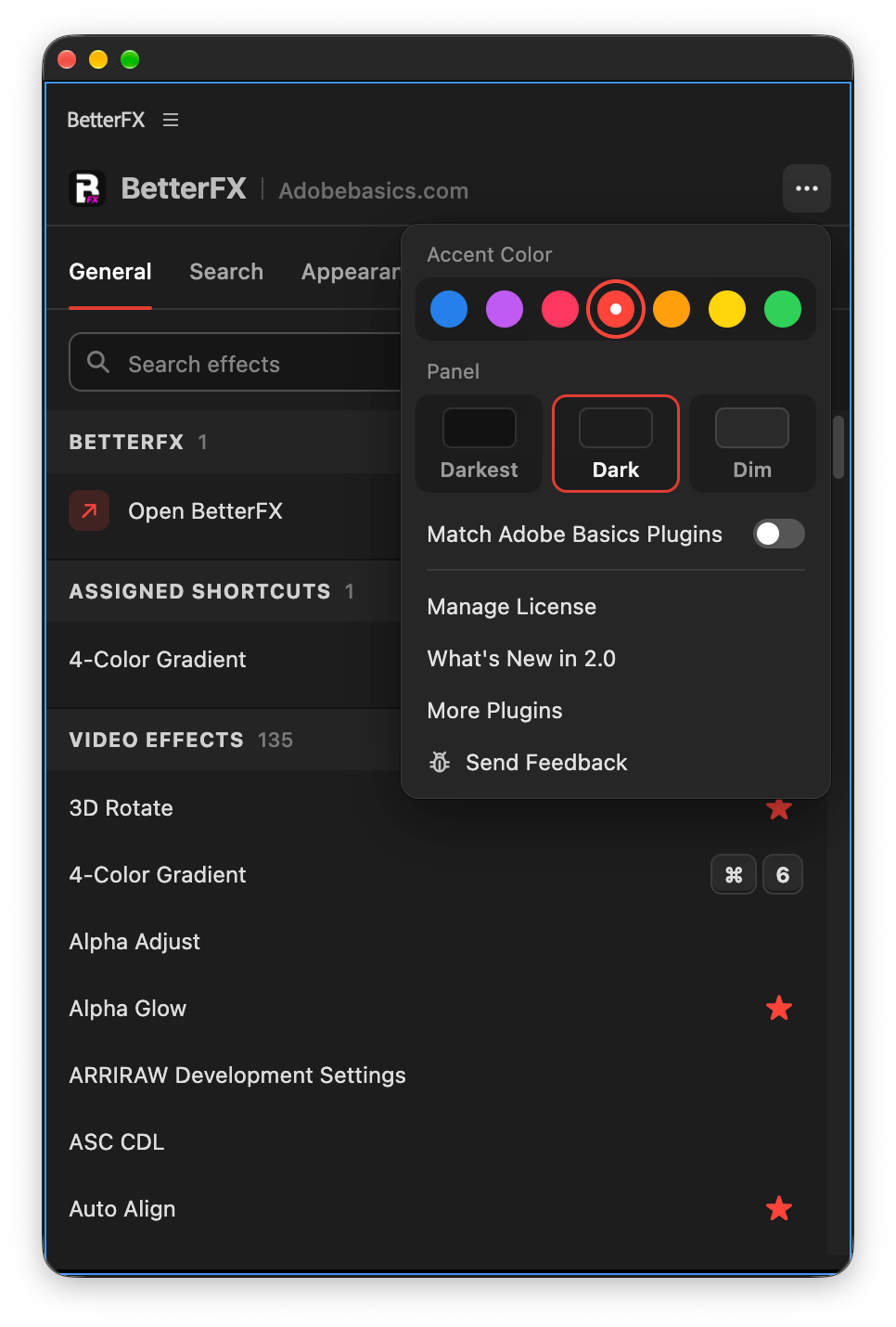
Your search bar
Your search bar. Your colors.
Pick Dark, Light or Glass and an accent color. A preview shows the search bar as you change it.
- Three modesDark, Light or Glass, on Mac and Windows 11.
- Nine accent colorsThe highlight on the effect you are about to apply.
- Live previewSee the search bar before you open it.
Profiles
Your setup. On every computer.
Save your shortcuts, favorites, hidden effects and look as a profile. Export it and import it on another computer.
- Everything in oneShortcuts, favorites, hidden effects, search settings and look.
- Switch in a clickKeep one profile per kind of edit.
- Import and exportTake your setup to another computer as a file.
In Premiere Pro
The real thing. On your timeline.


Tre passaggi. Una scorciatoia.
Un programma di installazione guidato configura per te l'app e il plugin per Premiere Pro.
1Scarica BetterFX
Il download e la chiave di licenza compaiono subito dopo l’acquisto. Te li inviamo anche via email.
2Avvia l'installer
Apri il programma di installazione e segui i passaggi. Installa l’app e il plugin, poi incolli la tua chiave.
3Premi la tua scorciatoia
Seleziona una clip in Premiere e premi Alt+Spazio.
Cosa aggiunge BetterFX.
BetterFX a confronto con altri plugin di ricerca effetti per Premiere Pro.

Acquista il bundle e risparmia il 15%
Tutto il kit per Premiere.
- EaseFlow ProEasing fluido
- BetterFXOgni effetto, una scorciatoia
- SuperGlowBagliore premium
- QuickPasteIncolla immagini e file
- Asteria ProSmooth text animations
- Number Counter ProAnimated numbers
I tuoi effetti. A una scorciatoia di distanza.
Paghi una volta, resta tuo per sempre.
- Premiere Pro 2021–2027
- Windows e Mac
- Due computer per licenza
Garanzia di rimborso se non funziona
- Scrivici entro 14 giorni dall’acquisto.
- Aiuto entro 24 ore per sistemarlo.
- Se non riusciamo a sistemarlo, ti rimborsiamo.