





The BetterFX search, inside Premiere Pro




BetterFX
すべてのエフェクトを、ひとつのショートカットで。
タイムラインから離れずに、どんなエフェクトも数秒で適用。ショートカットを1つ押し、数文字入力してEnterを押すだけ。BetterFXは内蔵エフェクト、自作プリセット、インストール済みプラグインを探し出し、よく使うものを先頭に表示します。
 Premiere Pro 2021–2027
- WindowsとMac
- 無料アップデート

返金保証 お使いのPremiere Proで動作しない場合は、14日以内にご連絡ください。
BetterFX
作ったのは、 Premiere Proを教えている私たち。
700本以上のチュートリアルと数千件のコメントから、編集者の作業を遅くするものが見えてきました。 だから、編集者として欲しかったツールを作りました。シンプルで、手間いらず。
チュートリアルを見る- 200K+人の編集者が使用中
- 30M+回のYouTubeチュートリアル再生
- 90K+人のSNSフォロワー
- 37K+人の編集者がDiscordコミュニティに参加
探す時間を減らして、編集する時間を増やす。

ショートカットひとつで、すべてのエフェクトを。
数文字入力するだけ
標準エフェクト、カスタムプリセット、サードパーティ製プラグイン。
使わないエフェクトを非表示
旧バージョンのエフェクトを検索結果から除外。
自分だけのショートカット
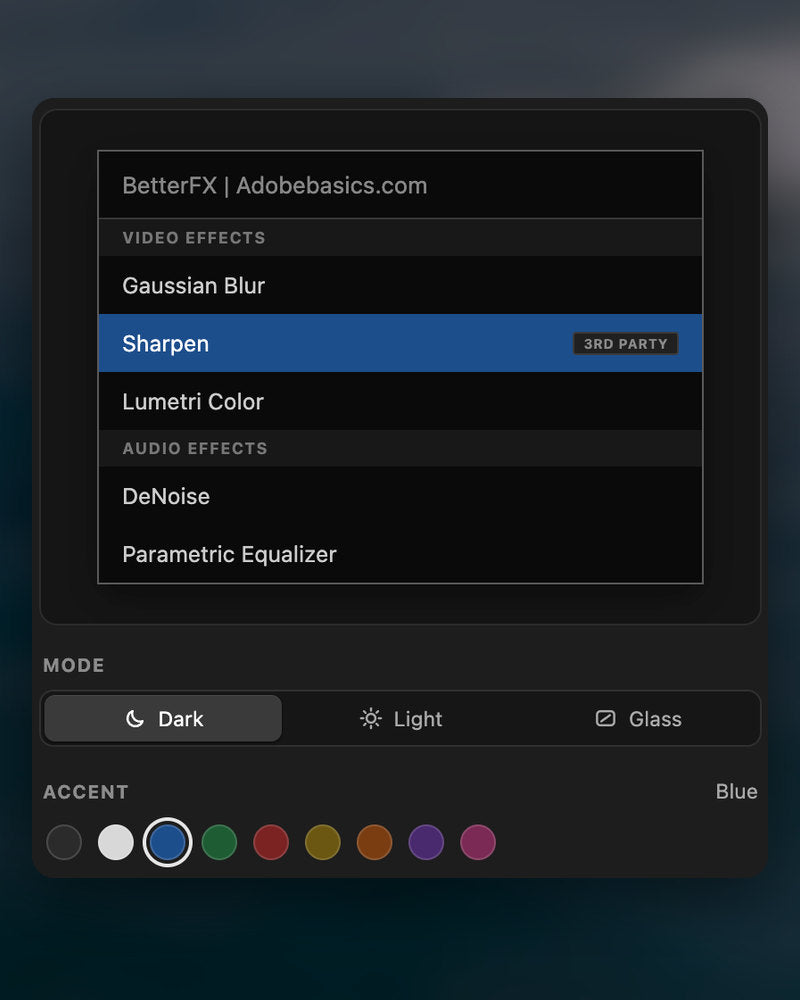
ダーク、ライト、グラス
9色のアクセントカラーから選べます。

Premiere Pro 2021–2027
主な特長。
-
検索して適用
2文字入力。Enterを押す。
エフェクト、プリセット、プラグインを数文字で検索。選択中のクリップに適用されます。
-
スマートな並び順
よく使うエフェクトが上に。
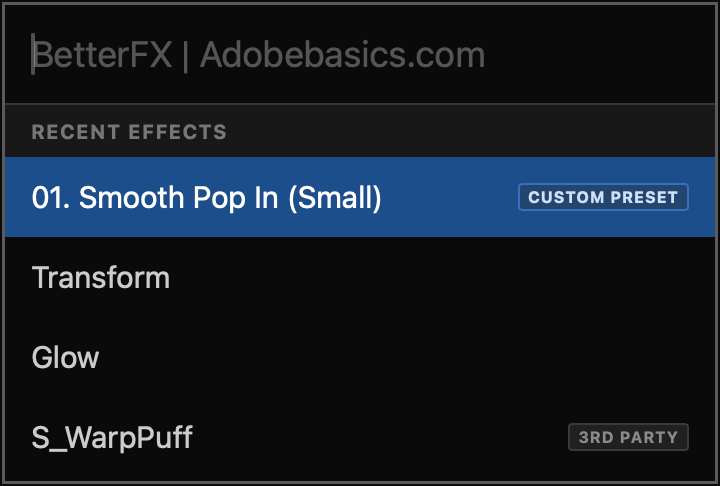
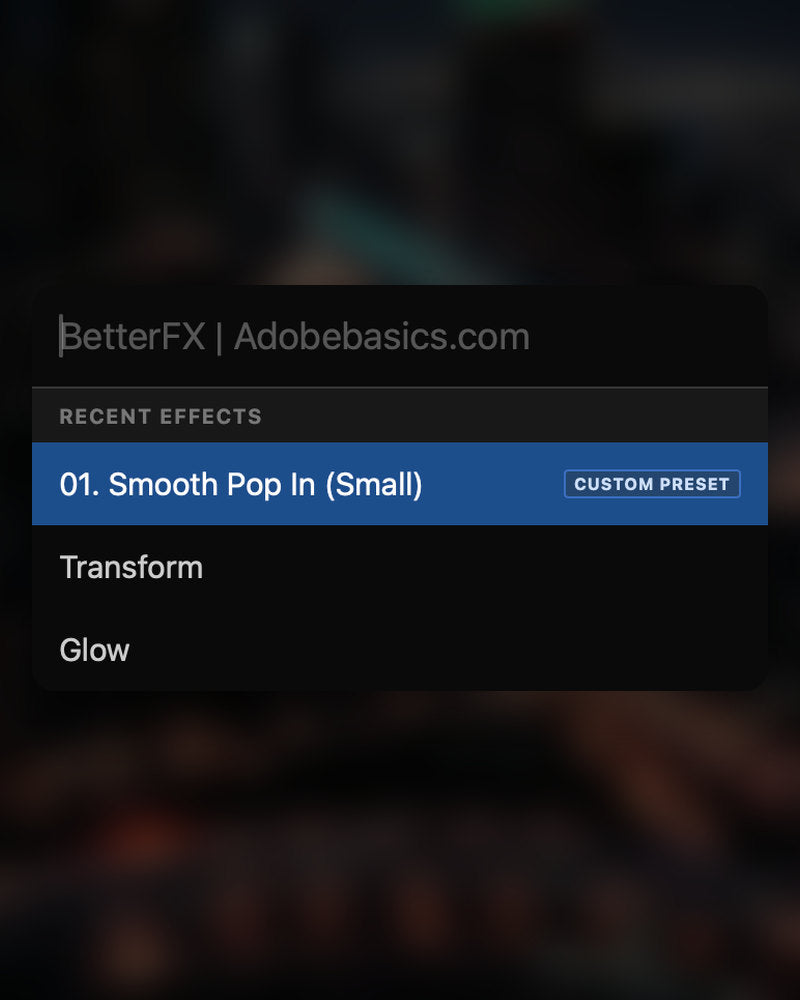
最近使ったエフェクトが一番上に。自作プリセットもCustom Presetタグ付きで表示されます。
-
ショートカット
どのエフェクトにも自分のキーを。
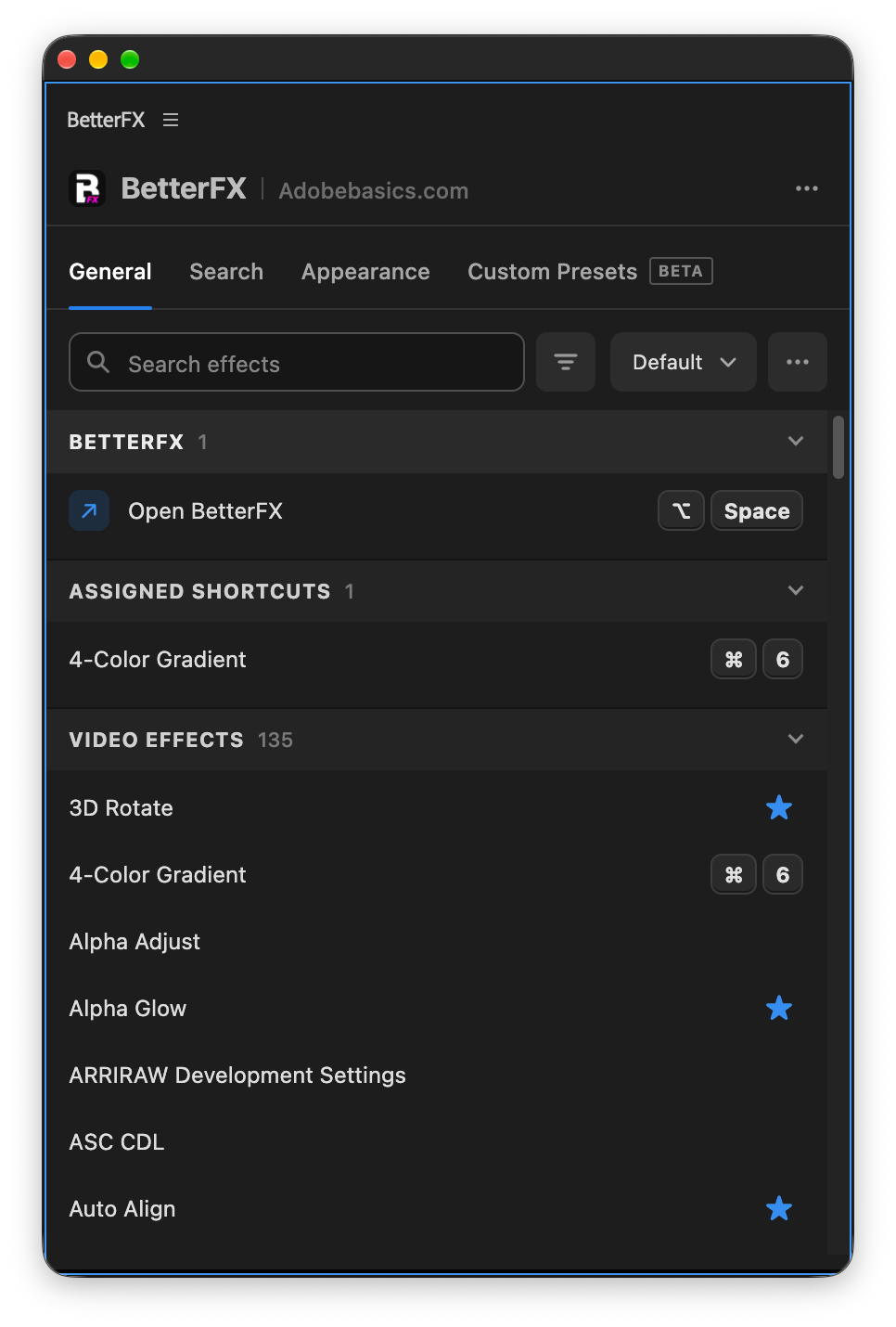
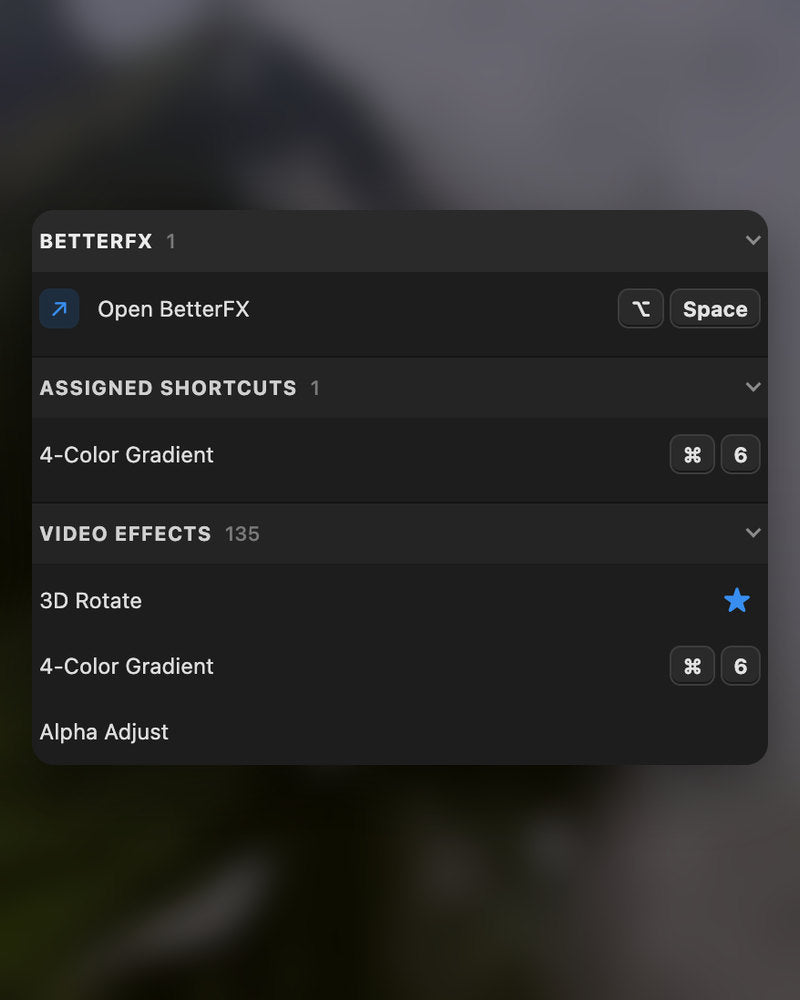
エフェクトにショートカットを割り当て。クリップを選んでキーを押せば完了。
-
外観
Dark、Light、Glass。
見た目と9色のアクセントカラーを選んで、Premiere Proになじませましょう。
ダウンロード内容
-
BetterFXアプリ
-
ライセンスキー
-
Premiere Proプラグイン
アプリとライセンスキー。どちらも購入時に届き、インストーラーがPremiere Proプラグインを追加します。
-

Intelligent search
Type a few letters. The right effect is on top.
Short forms, half-remembered names and typos all work. Press Enter and it lands on your selected clips.
- Short formsgb finds Gaussian Blur. cs finds Camera Shake.
- Every selected clipOne Enter applies the effect to all of them.
- Opens at your cursorYour pointer stays on the timeline.
All-in-one search
Every effect you own. One search bar.
Premiere Pro’s own effects, your third-party plugins and your custom presets, in one list.

- Third-party pluginsTagged, so you know where an effect comes from.
- Legacy copiesMarked as Legacy, or hidden if you never use them.
- Custom presetsYour own presets show up next to the effects.
Recent effects
Your go-to effects. Before you type.
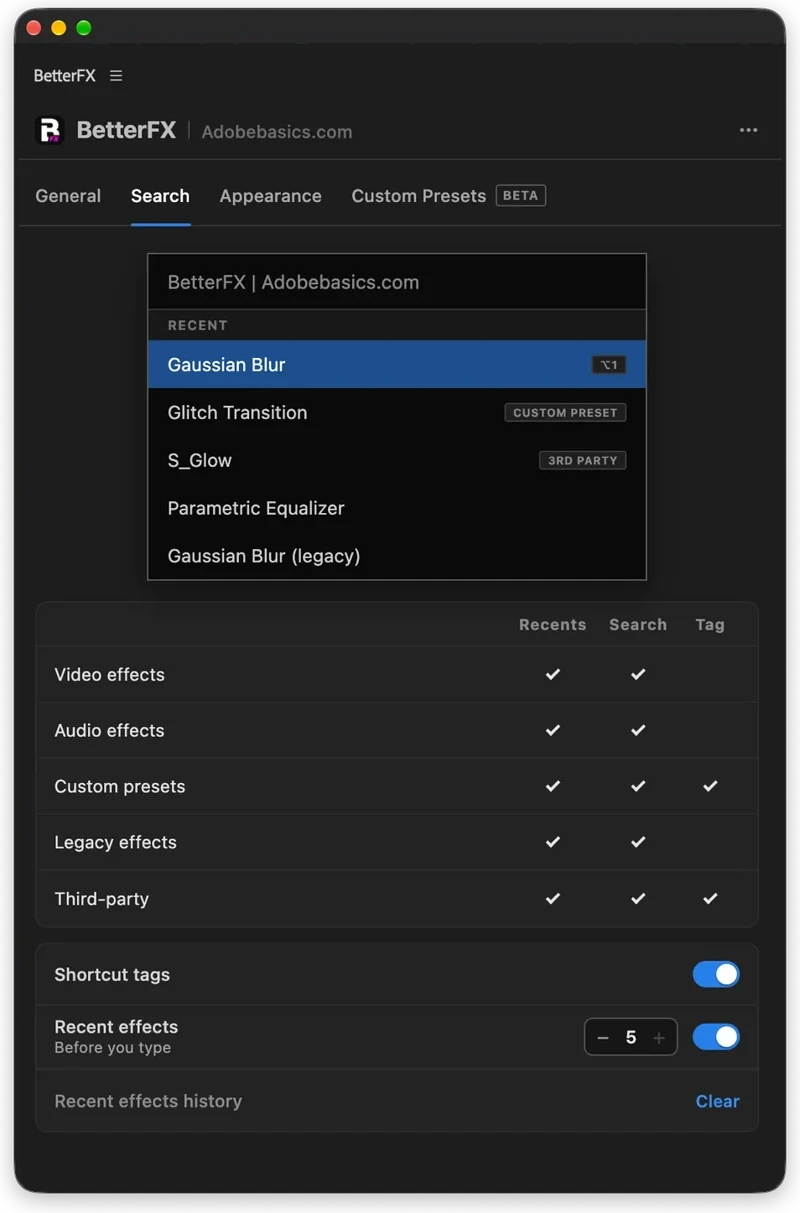
Open the bar and your recent effects are already there, with your custom presets and their shortcuts.

- Recent effectsYour last effects, the moment the bar opens.
- Custom presetsTagged Custom Preset and one Enter away.
- Shortcuts shownEach effect shows the keys you gave it.
Custom shortcuts
Any effect. Its own shortcut.
Pick an effect and press your keys. Then apply it straight from the timeline.
- Effects and presetsGive any effect or custom preset its own keys.
- Clash warningsBetterFX tells you when Premiere Pro already uses those keys.
- In your profileYour shortcuts move with your profile.
Favorites
Star an effect. Find it first.
Click the star next to any effect. Your favorites rank higher every time you search.
- Ranked higherStarred effects come first in your searches.
- Favorites filterThe button next to the search shows only your stars.
- In your profileYour favorites move with you to another computer.
Hide effects
Never use it? Hide it.
Click the eye next to an effect. It stays out of your searches until you bring it back.
- Cleaner resultsHidden effects never show up in the search bar.
- Legacy copiesHide the old versions of effects you never pick.
- UnhideThe Hidden filter lists them. One click brings each back.
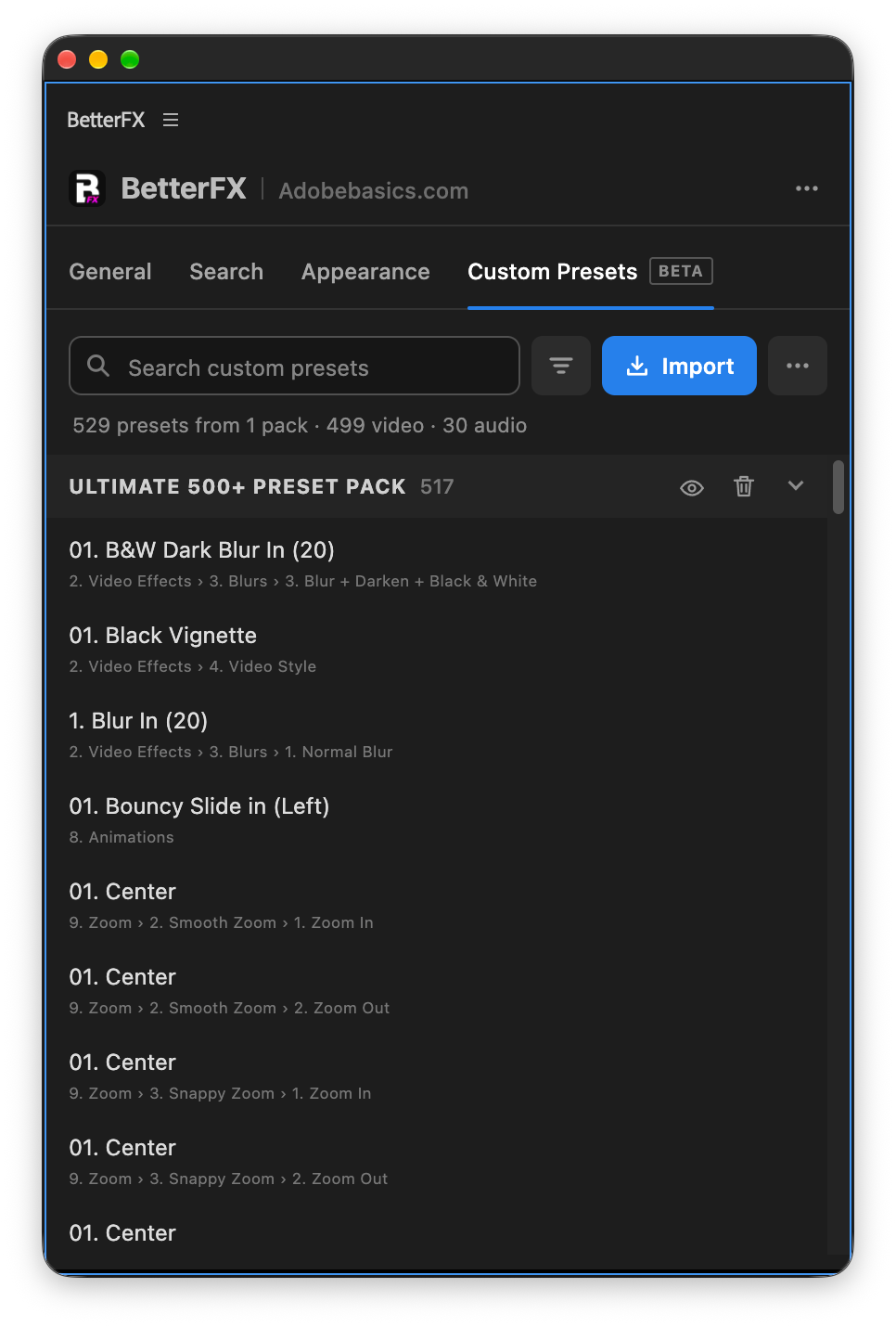
Custom presetsBeta
Your presets. Searchable.
Import the .prfpset files you saved in Premiere Pro. Each preset then works like an effect, with its own search and shortcut.
- Search and shortcutsFind a preset by name, or give it its own keys.
- One ⌘ZUndoes the whole preset at once. Ctrl+Z on Windows.
- Any languagePresets work whatever language Premiere Pro is set to.
Your search bar
Your search bar. Your colors.
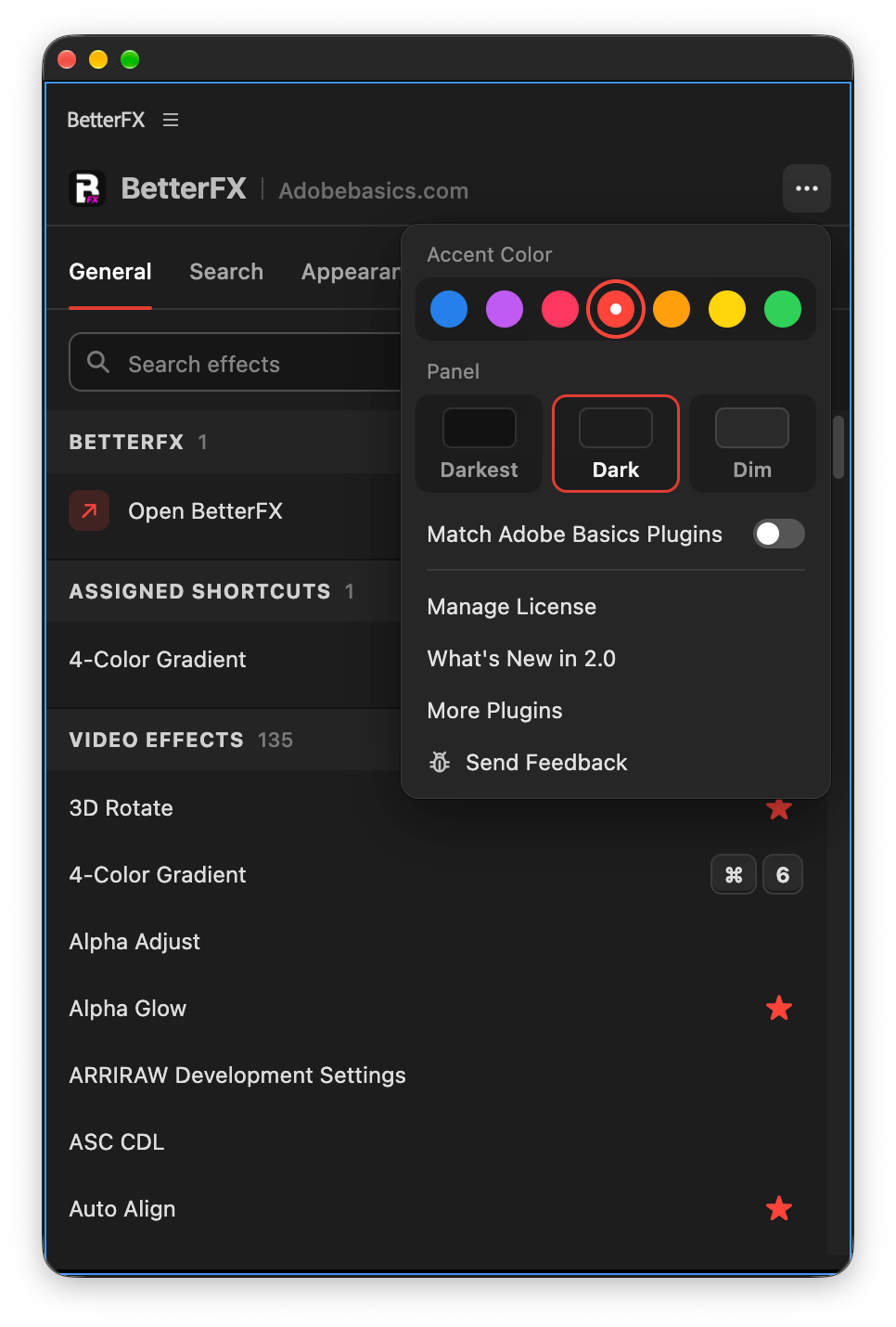
Pick Dark, Light or Glass and an accent color. A preview shows the search bar as you change it.
- Three modesDark, Light or Glass, on Mac and Windows 11.
- Nine accent colorsThe highlight on the effect you are about to apply.
- Live previewSee the search bar before you open it.
Profiles
Your setup. On every computer.
Save your shortcuts, favorites, hidden effects and look as a profile. Export it and import it on another computer.
- Everything in oneShortcuts, favorites, hidden effects, search settings and look.
- Switch in a clickKeep one profile per kind of edit.
- Import and exportTake your setup to another computer as a file.
In Premiere Pro
The real thing. On your timeline.


3ステップ、あとはキーだけ。
ガイド付きのインストーラーひとつで、アプリとPremiere Proプラグインをまとめてセットアップします。
1BetterFXをダウンロード
ダウンロードとライセンスキーは購入後すぐに表示されます。メールでもお送りします。
2インストーラーを実行
インストーラーを開いて手順に従います。アプリとプラグインが入ったら、キーを貼り付けます。
3ショートカットを押す
Premiereでクリップを選んでAlt+Spaceを押す。
BetterFXで変わること。
Premiere Pro用の他のエフェクト検索プラグインとBetterFXの比較。

セットで15%オフ
Premiere一式を、まるごと。
- Asteria Proなめらかなテキストアニメーション
- EaseFlow Proなめらかなイージング
- BetterFXすべてのエフェクトを、ショートカットひとつで
- SuperGlowプレミアムなグロー
- QuickPaste画像やファイルを貼り付け
- Number Counter Pro動く数字
エフェクトは、ショートカットひとつで。
一度の購入で、ずっと使える。
- Premiere Pro 2021–2027
- WindowsとMac
- 1ライセンスで2台
返金保証 動作しない場合
- 購入から14日以内にご連絡ください。
- 24時間以内に解決をサポートします。
- 解決できない場合は返金します。