Intelligent search
Find effects the way you think
Type a name, abbreviation, or a few remembered letters. BetterFX brings the most useful match forward.
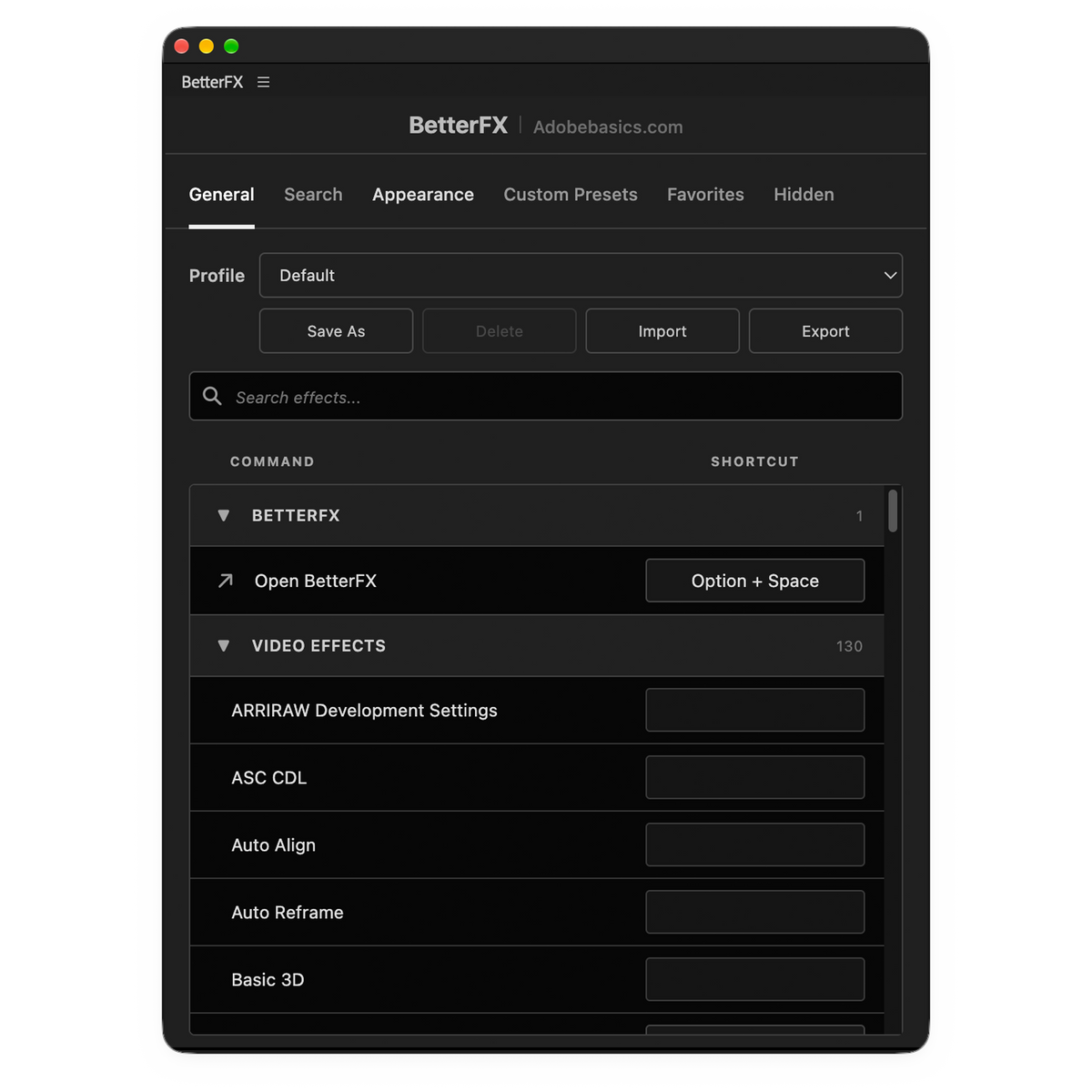
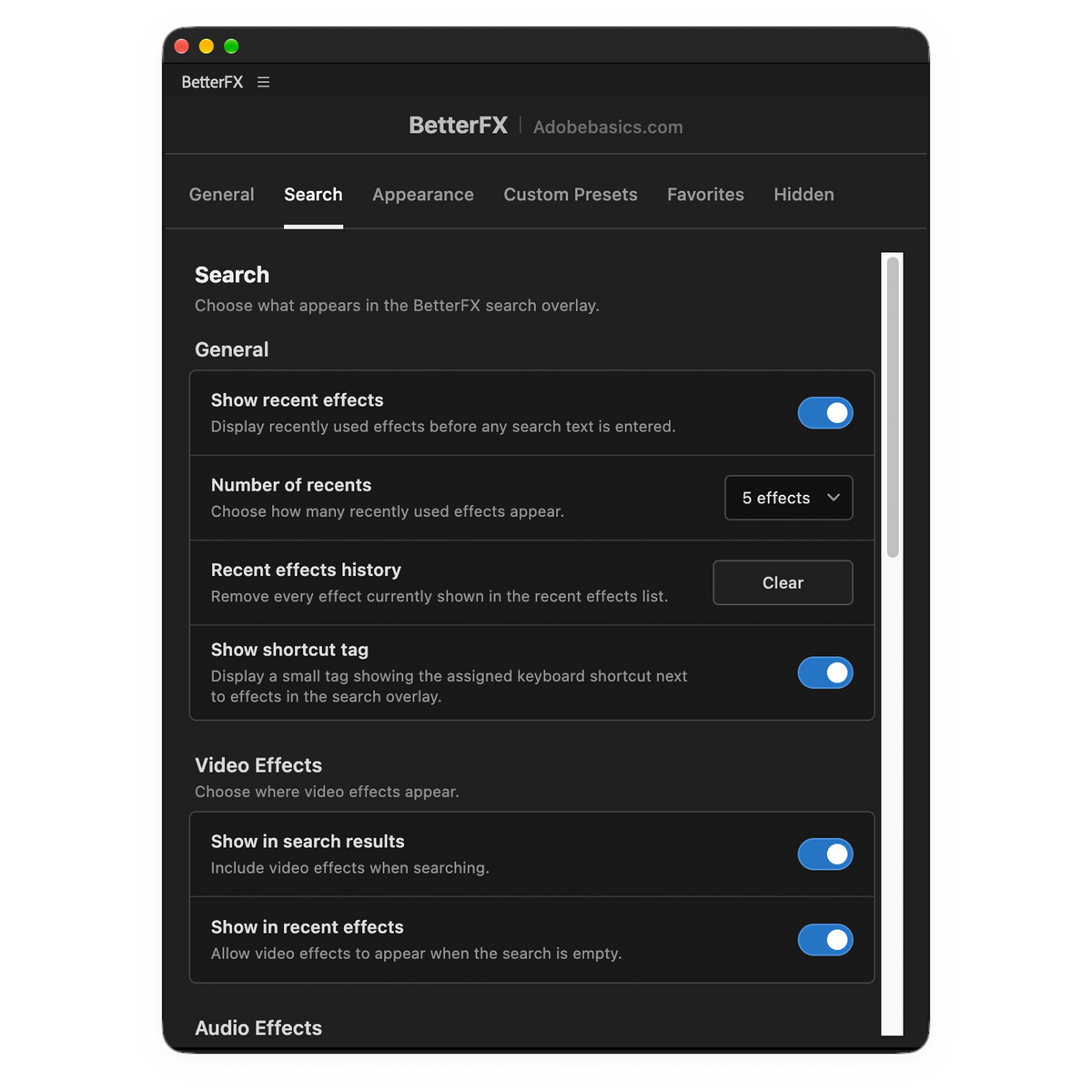
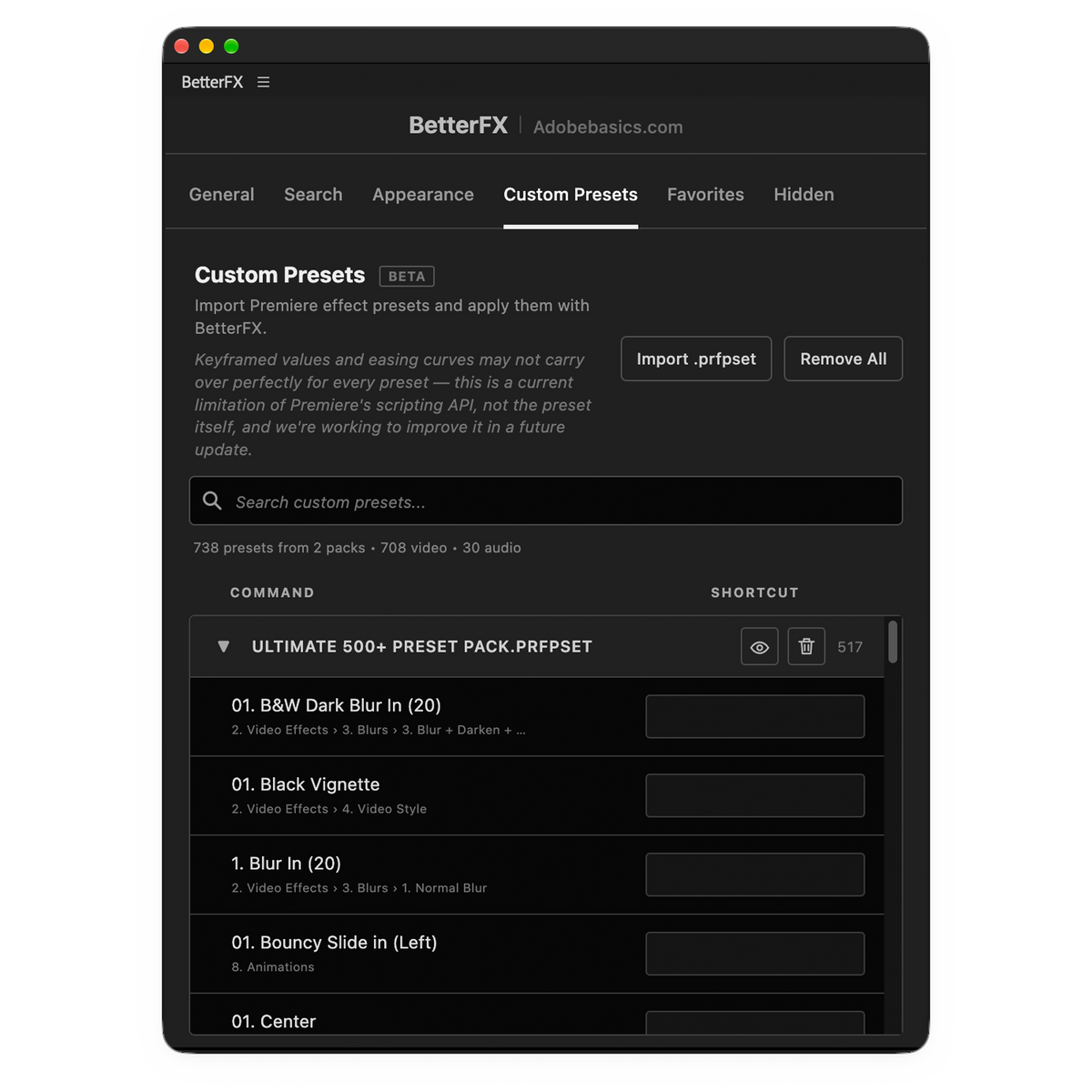
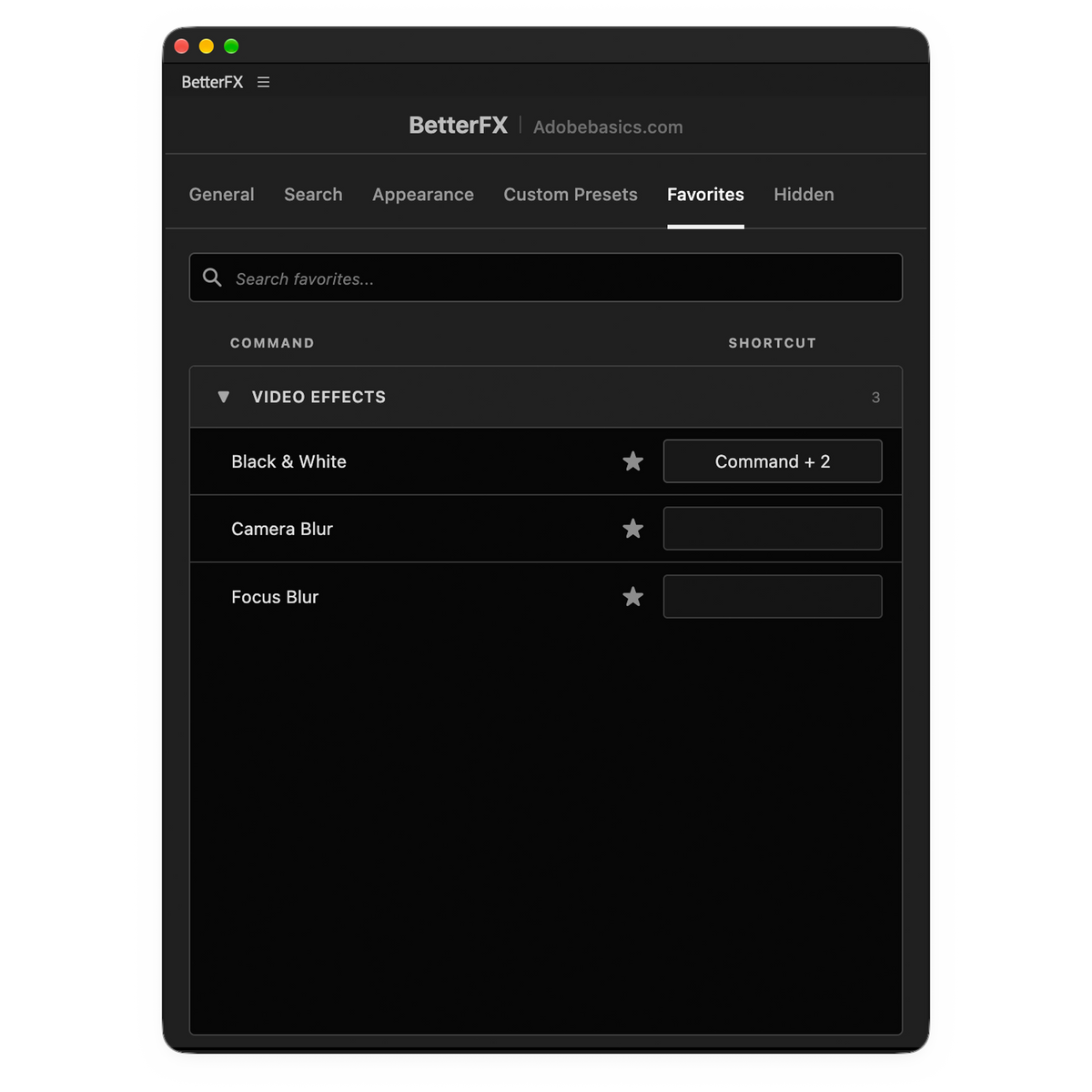

Unlock a faster way to edit in Premiere Pro. BetterFX is a faster, more powerful way to work with effects in Premiere Pro, letting you instantly search and apply built-in effects, custom Premiere Pro presets, and third-party effects from plugins like Sapphire and Boris FX—all with a simple keyboard shortcut.
No more opening the Effects panel, digging through folders, or dragging effects onto your clips. Just search, apply, and keep editing.
Built for speed and performance, BetterFX helps you stay in flow, reduce repetitive clicks, and spend less time searching for effects. Whether you're a beginner or a professional editor, BetterFX makes working with effects in Premiere Pro faster and more efficient.
Works with Premiere Pro 2021-2026
Supports Windows & Mac
Instant Download
Lifetime Access + Free updates
Commercial license
BetterFX – All Your Effects. One Shortcut.

One shortcut. Every effect.
Type a few letters
Built-in effects, your presets and third-party plugins.
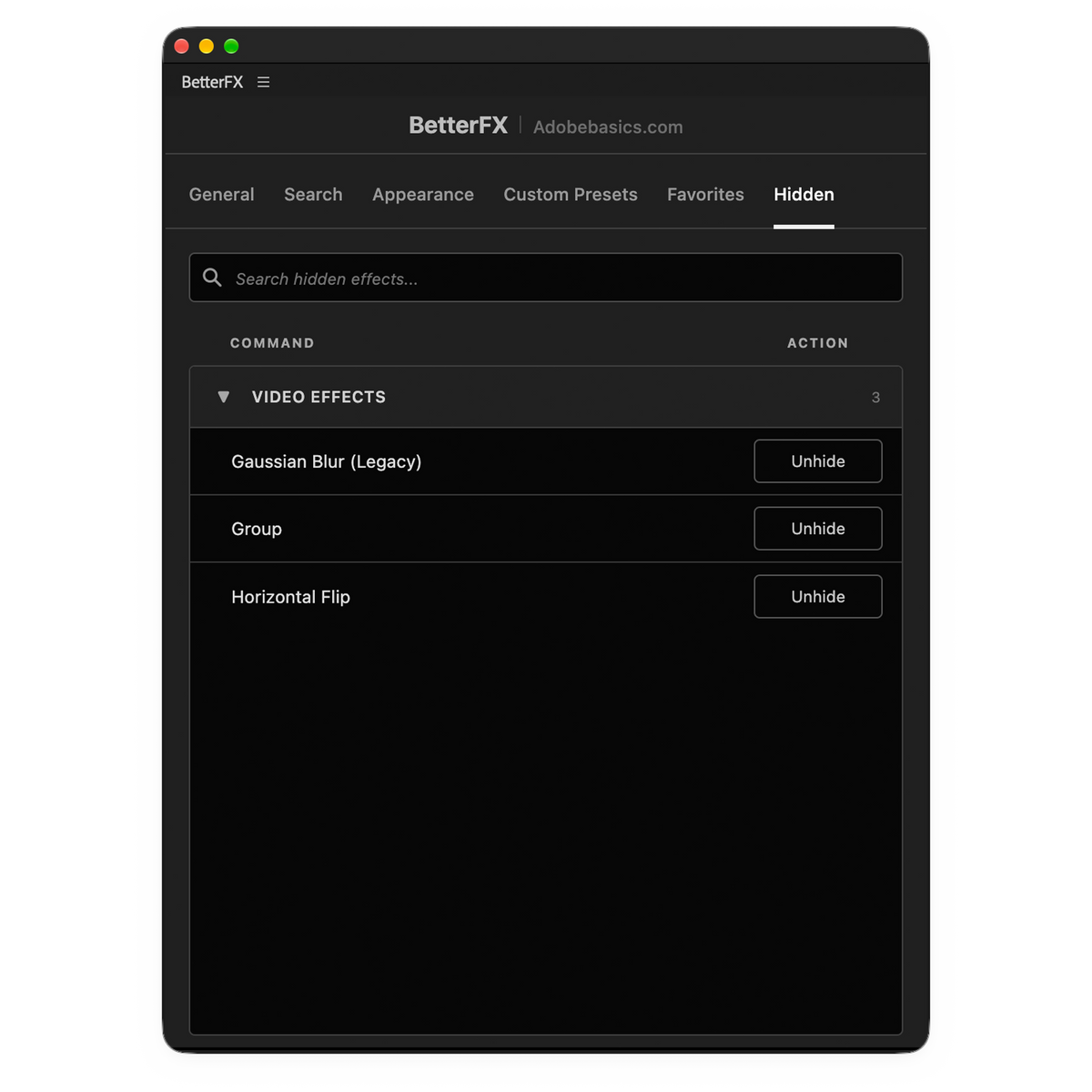
Hide unused effects
Keep legacy effects out of your results.
Your own shortcuts
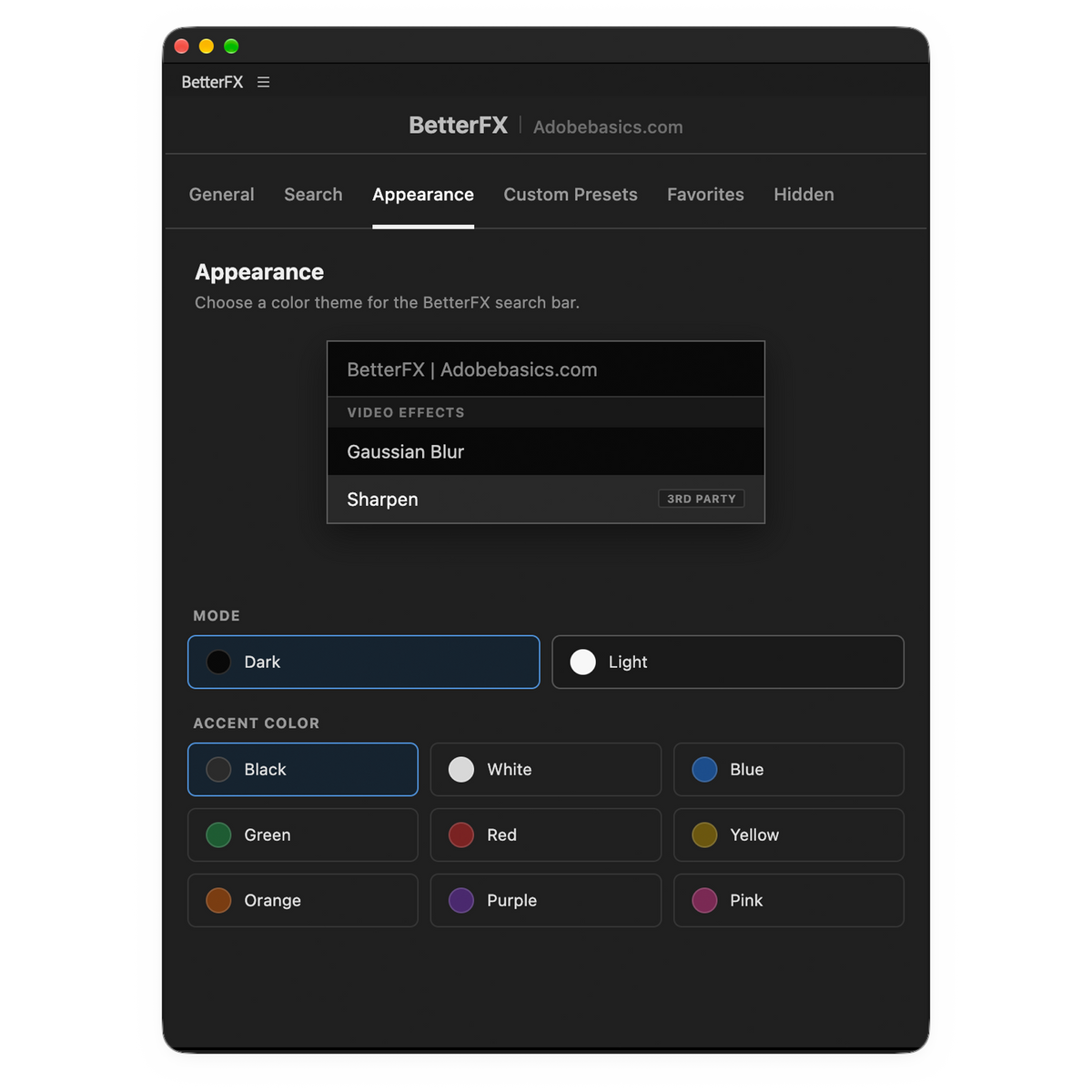
Dark, light or glass
With nine accent colors.

Premiere Pro 2021–2026
Smart ranking
Your recent, favorite and most‑used effects rise to the top.
Open BetterFX: your last five effects, newest first.
Try it right here
Pick a clip, open BetterFX, type a few letters and watch the effect land.
The old way vs BetterFX
No more digging through the Effects panel. Shortcut, a few letters, Enter. Done.
The Effects panel
0 steps
Open the panel, dig through folders, drag it on.
BetterFX
0 steps
Shortcut, a few letters, Enter. Your pointer never leaves the timeline.
Custom shortcuts
Give any effect or preset its own shortcut. Select your clips, press the keys, done.
Pick an effect
Click the shortcut field next to any effect or preset.
Press your keys
Like ⌥⇧B. BetterFX warns you about clashes.
Apply it from the timeline
Select clips, press the keys. Done.
Shortcuts show as tags in search and travel with your profile.
Appearance
Dark, Light or see-through Glass, with nine accent colors. Try them here.
Change it any time in the BetterFX panel in Premiere Pro.
Profiles
Save your setup as a profile and bring it to any computer in seconds.
Save As keeps your setup as a profile.Export puts it in one small file.Import it on your other computer.Same shortcuts, favorites and look.
Save As
Shortcuts, favorites, hidden effects and look, in one profile.
Export
One small .betterfx.json file in Downloads.
Import
Import it on your other computer. Done.
Keep a profile per client or type of edit and switch anytime.
Built for speed
Intelligent search
Type a name, abbreviation, or a few remembered letters. BetterFX brings the most useful match forward.

One shortcut
Open BetterFX, search, and press Enter. The effect is applied to your selected clips without hunting through panels.

Usage-based ranking
BetterFX learns which effects, presets, and plugins you reach for most and surfaces them first, so search gets faster the more you edit.
Everything included
A full toolkit in one plugin, gone the moment you don't need it.
Type a few letters, get the exact effect - no scrolling required.
Press one key to open BetterFX, search, and apply - without touching your mouse.
Learns what you use most and keeps your recent and favorite effects one search away.
Jump straight back to the effects you just used, without searching again.
Built-in effects, your custom presets, and third-party effects - all in one search bar.
Save your own presets, keyframes included, and apply them as fast as any built-in effect.
Pin the effects you reach for constantly.
Hide legacy Adobe effects, or anything else you never touch, to keep results clean.
Assign any shortcut to any preset, effect, or third-party plugin - entirely up to you.
Choose your own accent colors and theme to match how you work.
A focused overlay that never interrupts your edit.
Built and optimized to run fast, even on large, effect-heavy projects.
Simple from the start
One guided installer sets up the app and the Premiere Pro plugin for you.
Premiere Pro 2021–2026 · Windows & macOS · Free updates, installed automatically
See the difference
BetterFX next to other effect-search plugins.
Bundle and save 10%
EaseFlow Pro, QuickPaste and BetterFX: smoother keyframes, smarter pasting, faster effects.
Smooth easing
$34.99
Smart clipboard
$24.99
Every effect, one shortcut
$29.99