Made by the people who teach Premiere Pro.

700+ tutorials and thousands of comments showed us what slows editors down. So we built the tools we wanted as editors: simple and hassle-free.

Watch the tutorials
Number Counting Animation Template

Count anything

35+

Controls

1,250

Separators

No After Effects

Build it and change it in Premiere Pro.

Everything in Essential Graphics

Glow

$99.99

Prices, percentages and follower counts

Motion blur

Typography

Alignment

Prices. Followers. Stats.

Made for every edit.

Premiere Pro 2021–2026

Pay once. Keep it forever.

macOS Windows

No plugins needed.

Get the highlights.

  1. Counting

    Type two numbers. It counts.

    Set a start and an end value. Easing and motion blur keep the count smooth.

  2. Symbols and words

    Add $, % or any word.

    Put a symbol or a word like Earned in front of the number or after it.

  3. Decimals and separators

    Prices, percentages, big numbers.

    Up to five decimals, with a comma, a dot or nothing between the thousands.

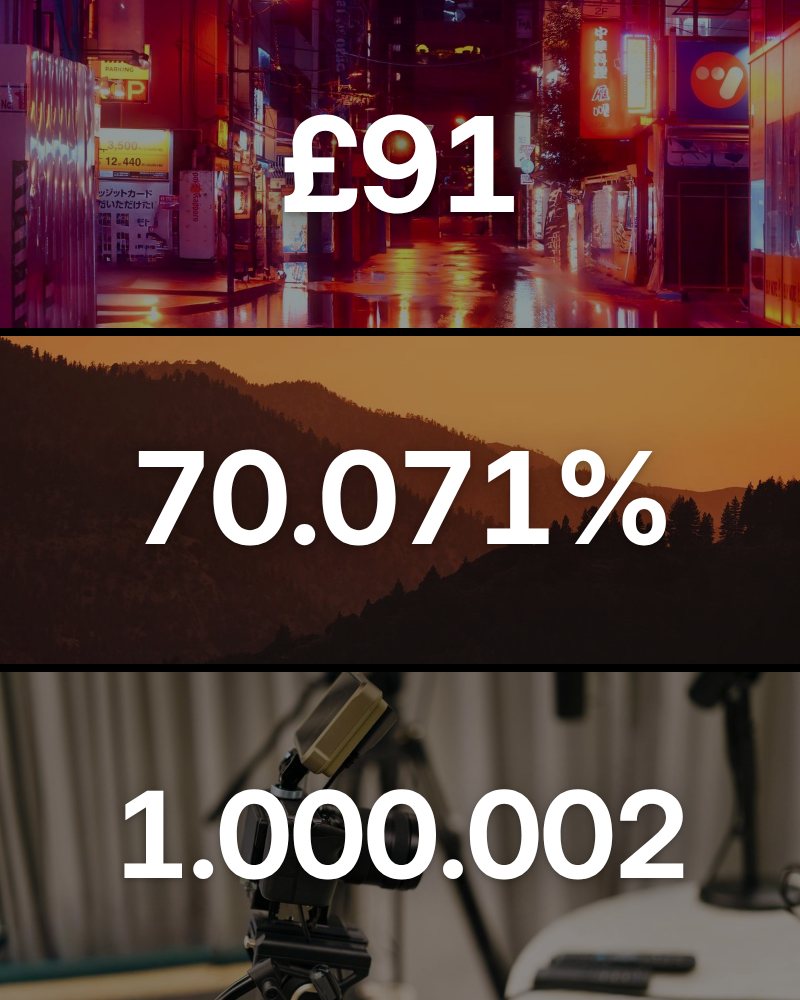
    Three counters over footage: £91, 70.071% and 1.000.002.
  4. No keyframing

    No keyframes to set.

    Type the two values in the Essential Graphics panel. The template does the rest.

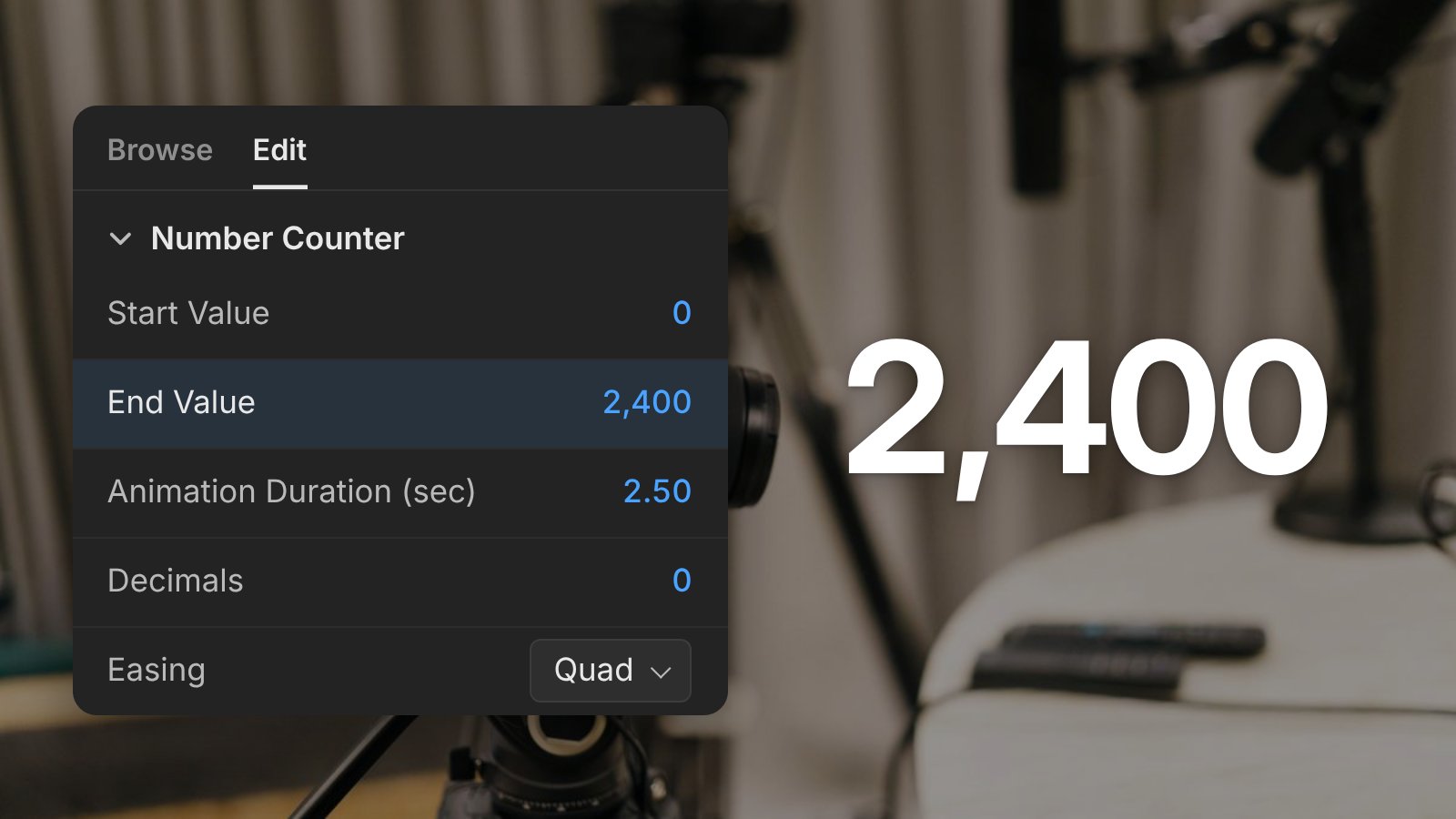
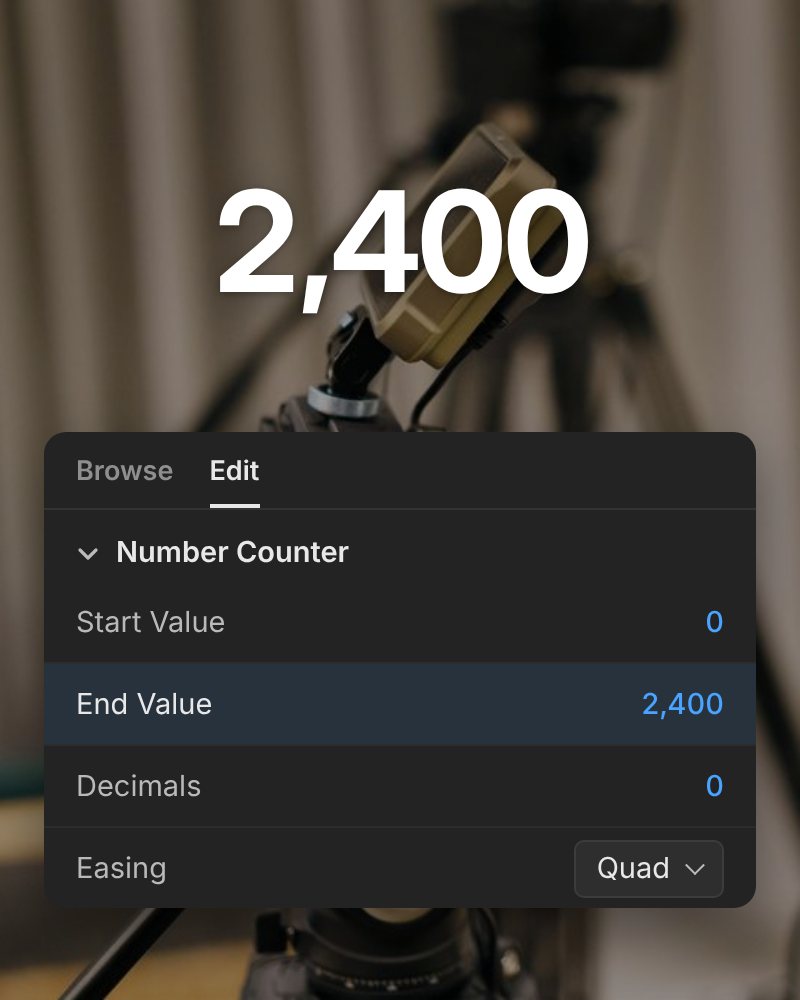
    The template's controls in Premiere Pro, Start Value 0, End Value 2,400, Decimals 0 and Easing Quad, under the number 2,400.
  5. In the download

    • Template file

    One template file (.mogrt). Import it once, then drag it onto any timeline.

    Premiere Pro 2021–2026 · Windows and Mac

Take a closer look.

Smooth counting

25 easing curves. Motion blur built in.

Pick how the count speeds up and settles, from Linear to Expo.

  • 25 easing curvesFrom Linear to Expo and Circ.
  • Motion blurBuilt in, so fast digits stay smooth.
  • DurationSet how many seconds the count takes.
Your numbers

Any number. Any format.

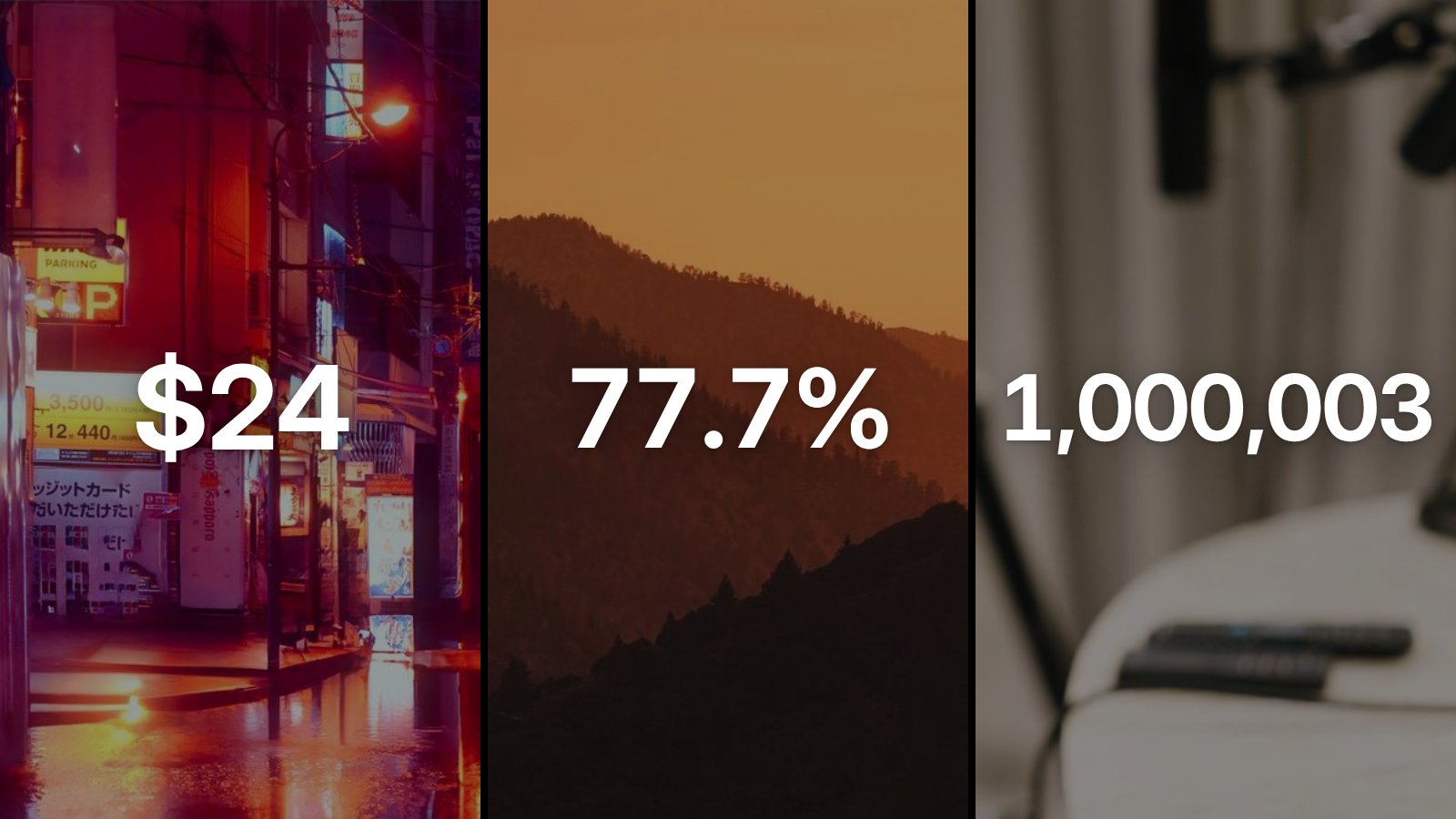
Money, percentages or a million views, in the format your video needs.

Three counts made with Number Counter: $24, 77.7% and 1,000,003.
  • DecimalsFrom none to five places.
  • SeparatorsA comma, a dot or none.
  • Text before and afterA symbol like $ or a word like Earned.

Essential Graphics

One panel. 35+ controls.

Type a start and an end value in Premiere Pro. The count does the rest.

Number Counter in the Essential Graphics panel: Start Value 0, End Value 2,400, Animation Duration 2.50, Decimals 0, Easing Quad, next to the finished 2,400.
  • Any fontAny installed font, in any style and size.
  • Color and strokePick the text color and an outline.
  • Shadow and glowBoth built in, each with its own settings.

35+ controls. One panel.

Numbers

  • Any two numbers. Count from any start value to any end value.
  • Decimals. From none to five places.
  • Separators. A comma, a dot or none.
  • Text before and after. A symbol like $ or a word like Earned.

Timing

  • Duration. Set how many seconds the count takes.
  • 25 easing curves. From Linear to Expo and Circ.
  • Motion blur. Built in, so fast digits stay smooth.

Look

  • Any font. Any installed font, in any style and size.
  • Color and stroke. Pick the text color and an outline.
  • Shadow and glow. Both built in, each with its own settings.
  • Position and scale. Move, scale, rotate or fade it.

Tech specs

Works with
Premiere Pro 2021–2026, Windows and Mac
You get
1 template (.mogrt) with 35+ controls
No need for
After Effects or plugins
Updates
Free, from your order page
Payment
One-time, no subscription
License
Unlimited personal and commercial videos, one user
Download
Instant, after checkout

Three steps. No keyframing needed.

Import the template into Premiere Pro once. No plugins or extra setup.

  1. 1Import the template

    Open Graphics Templates (Essential Graphics in older versions) and import the .mogrt file.

  2. 2Drag it onto your timeline

    Drop it above your footage like any other clip.

  3. 3Type your numbers

    Set the start and end values, style and timing in the Properties panel. It counts on its own.

Premiere Pro 2021–2026 · Windows and Mac · No plugins needed · Instant download

Stop rebuilding counters.

By hand, a smooth 2-second count is 60 text clips at 30 fps. With the template, you type two numbers.

Features Number Counter (recommended) By hand in Premiere
Counts on its own, in any font
Commas, decimals and $ set once
Easing and motion blur built in
Controls in one panel 35+
Stays in Premiere Pro

See how it works.

Load video:

Questions? Answered.

Another question? Send us a message on the Contact us page. We reply within 24 hours.

Visit the full FAQ

Or ask 37K editors in our Discord

Questions

8 items
  • Do I need After Effects?

    No. You import the template and change everything inside Premiere Pro 2021–2026, on Windows and Mac. No plugins either.

  • Can it count down too?

    Yes. Type a start value higher than the end value, like 2,400 to 0. For a clock that counts down, see the Countdown Timer.

  • What versions of Premiere Pro are supported?

    The template works with Adobe Premiere Pro 2021–2026 on Windows and Mac. No third-party plugins are required.

  • How do I receive my download?

    Your download is available immediately on the order confirmation page. We also email the download link to you, and it remains available from your order page.

  • How do I import the template?

    In Premiere Pro 2025 or newer, open Window > Graphics Templates. In earlier supported versions, open Window > Essential Graphics. Import the included .mogrt file, then drag it from the panel into your timeline.

  • Are future updates included?

    Yes. Future updates are included. When a new version is released, you can use the updated link from your email or order page.

  • Can I use it in client and monetized videos?

    Yes. Use it in unlimited personal and commercial videos, including client work, monetized channels and ads. One purchase is for one user.

  • Is there a money-back guarantee?

    Yes. If it doesn’t work in a Premiere Pro version listed on this page, contact us within 14 days of buying. We reply within 24 hours and help you fix it, and if we can’t, you get your money back. Older Premiere Pro versions aren’t covered, so check yours first. Problems caused by Premiere Pro, your computer or your setup aren’t covered either. This doesn’t affect your rights under consumer law. Read the full Refund Policy.

Time saved, in their words.

4.92 out of 5

Based on 198 reviews

See all reviews
  • saves me time and I don't have to open after effects anymore

    GregVerified Buyer
  • I edit educational videos which contain a lot of numbers and animations, and this template really helps me save time and create good looking animations

    AdamVerified Buyer
  • Honestly if you are even thinking of getting it, then get it, its 100% worth the time you save doing it manually

    Alice HillVerified Buyer
  • this saves so much time compared to doing it manually in after fx every time

    Simon B.Verified Buyer
Number Counting Animation Template

Make your numbers move.

Every counter, price and stat, right inside Premiere Pro. Pay once, use it in every video.

$29.99 one-time

4.92 · 198 reviews

  • Premiere Pro 2021–2026
  • Windows and Mac

Money-back guarantee if it doesn’t work

  1. Contact us within 14 days of buying.
  2. Help within 24 hours to fix it.
  3. If we can’t fix it, you get your money back.
Not ready? Get the free Typewriter template