






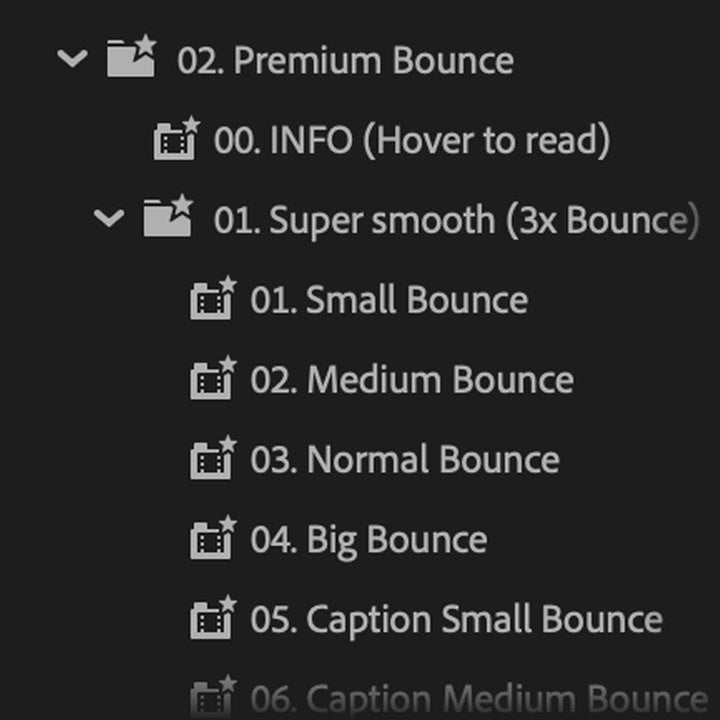
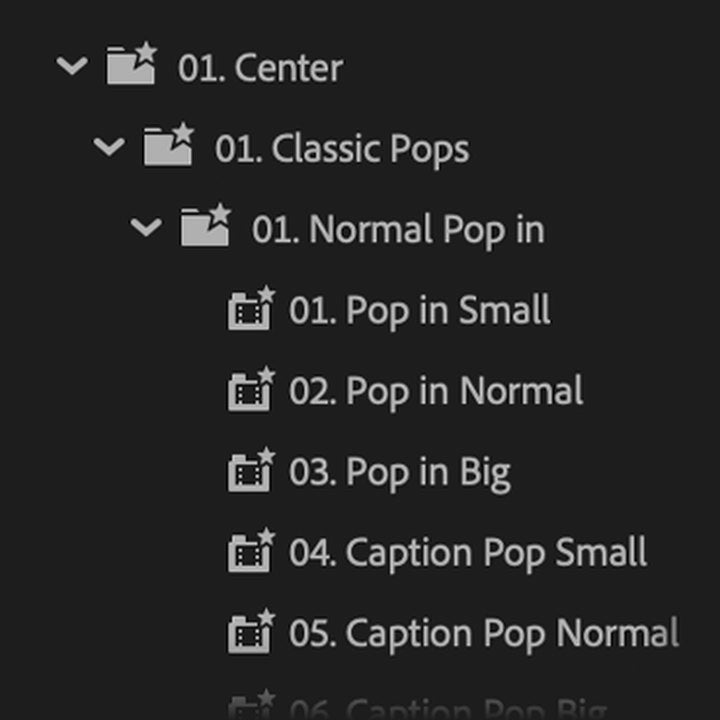
The preset folders in your Effects panel


Ultimate Text Pack
Titles that bounce. Captions that pop.
Make your titles and captions move like a motion designer animated them. Pops, double bounces and smooth rotations, every one already eased, so your text overshoots and settles like real motion. Drop one on any text layer, in any font.
 Premiere Pro 2019–2027
- Windows and Mac
- No After Effects or plugins needed

Each preset animates the whole text layer. For word by word, put each word on its own layer.
Trusted by 200,000+ editors
Ultimate Text Pack
Made by the people who teach Premiere Pro.
700+ tutorials and thousands of comments showed us what slows editors down. So we built the tools we wanted as editors: simple and hassle-free.
Watch the tutorials- 200K+editors use our tools
- 30M+views on our YouTube tutorials
- 90K+followers across social media
- 37K+editors in our Discord community
Made to bounce.
Caption styles
Made to bounce.

Bouncy titles
Every bounce, already eased.
Drag, drop, done.
Drop a preset on your text and it bounces in.

Premiere Pro 2019–2027
No plugins needed.
What you get.
-
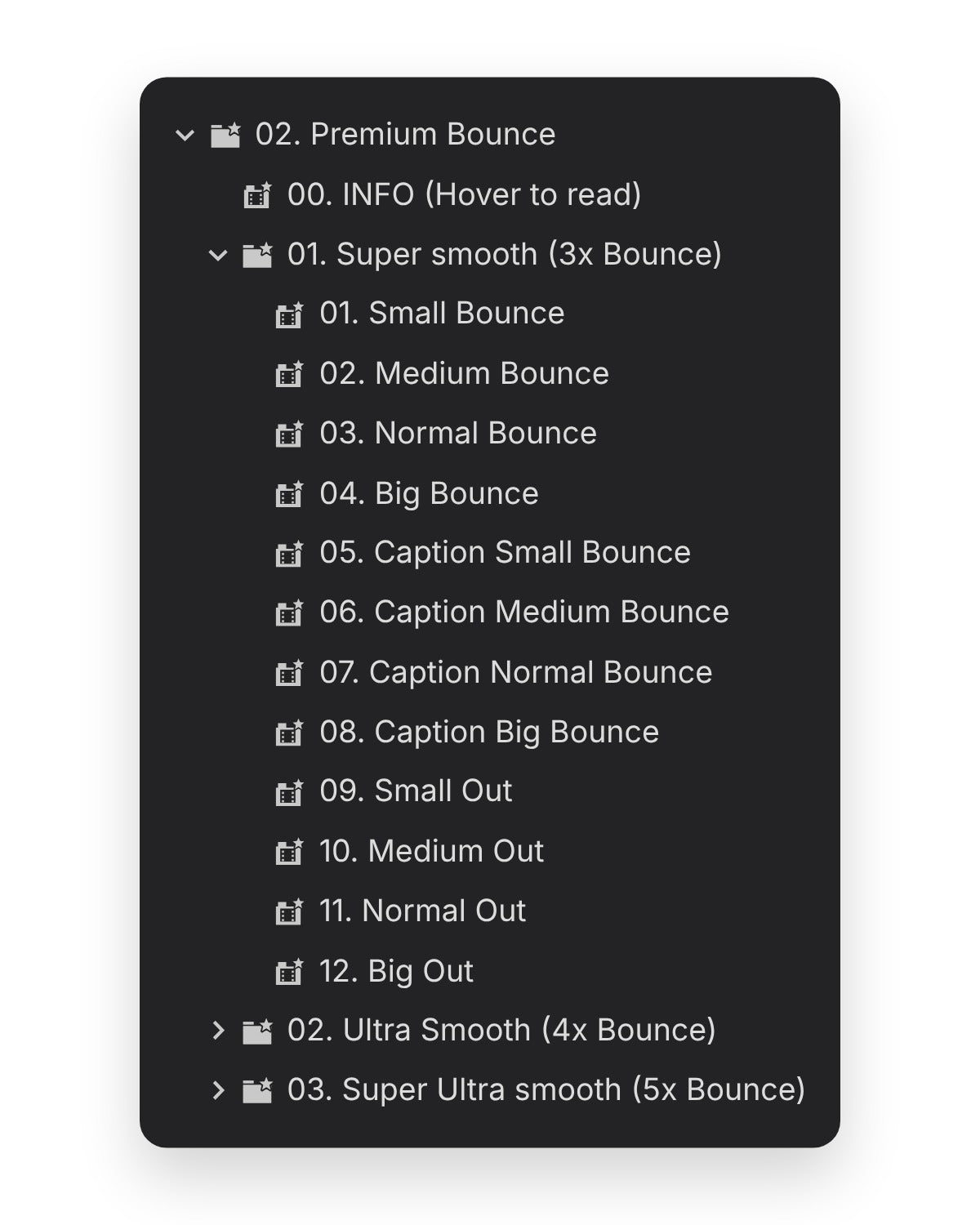
Bounces that overshoot and settle. Pick 3, 4 or 5 bounces in the Premium Bounce folder. -
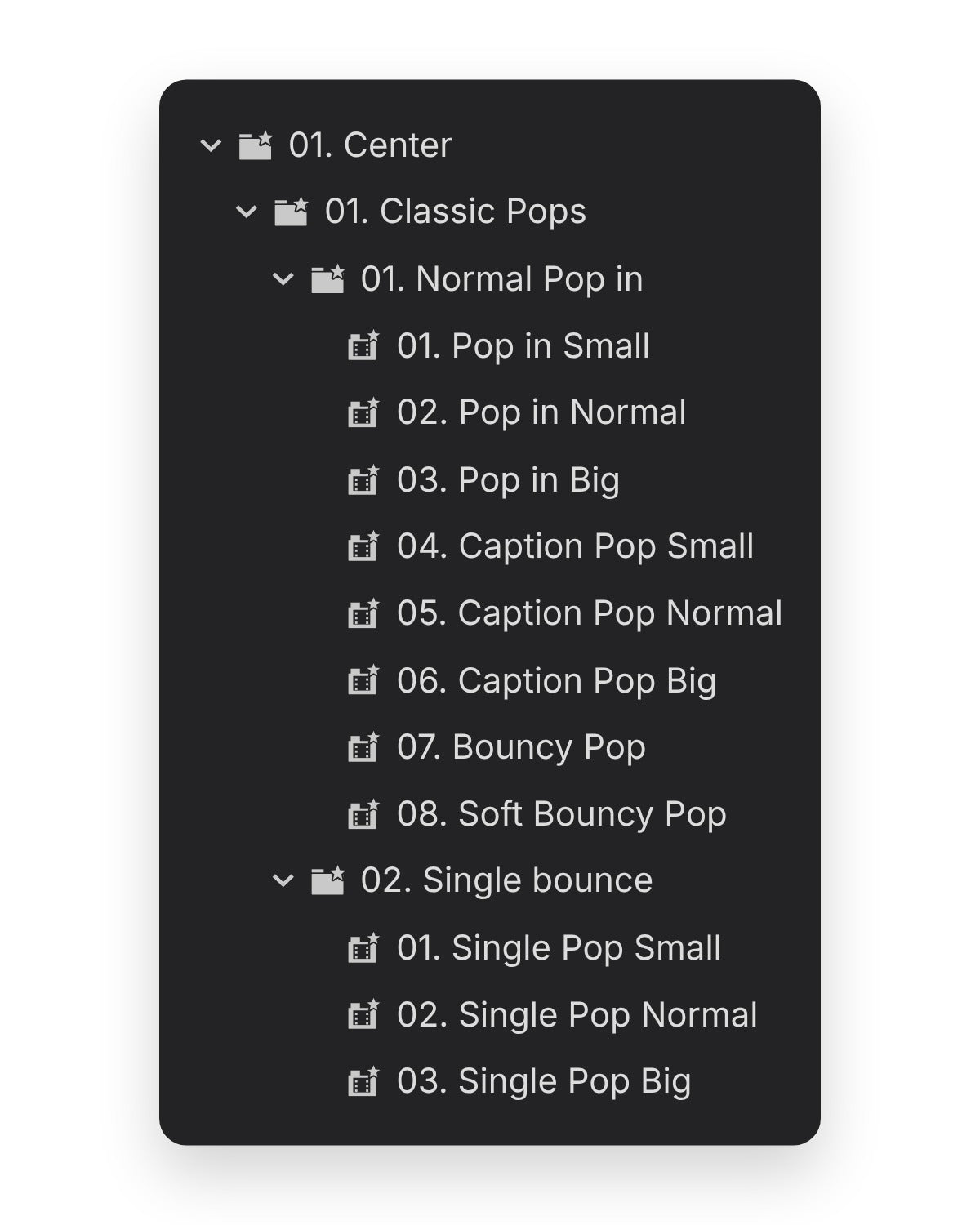
Caption pops for your subtitles. Pop in small, normal and big, each with a caption version. -
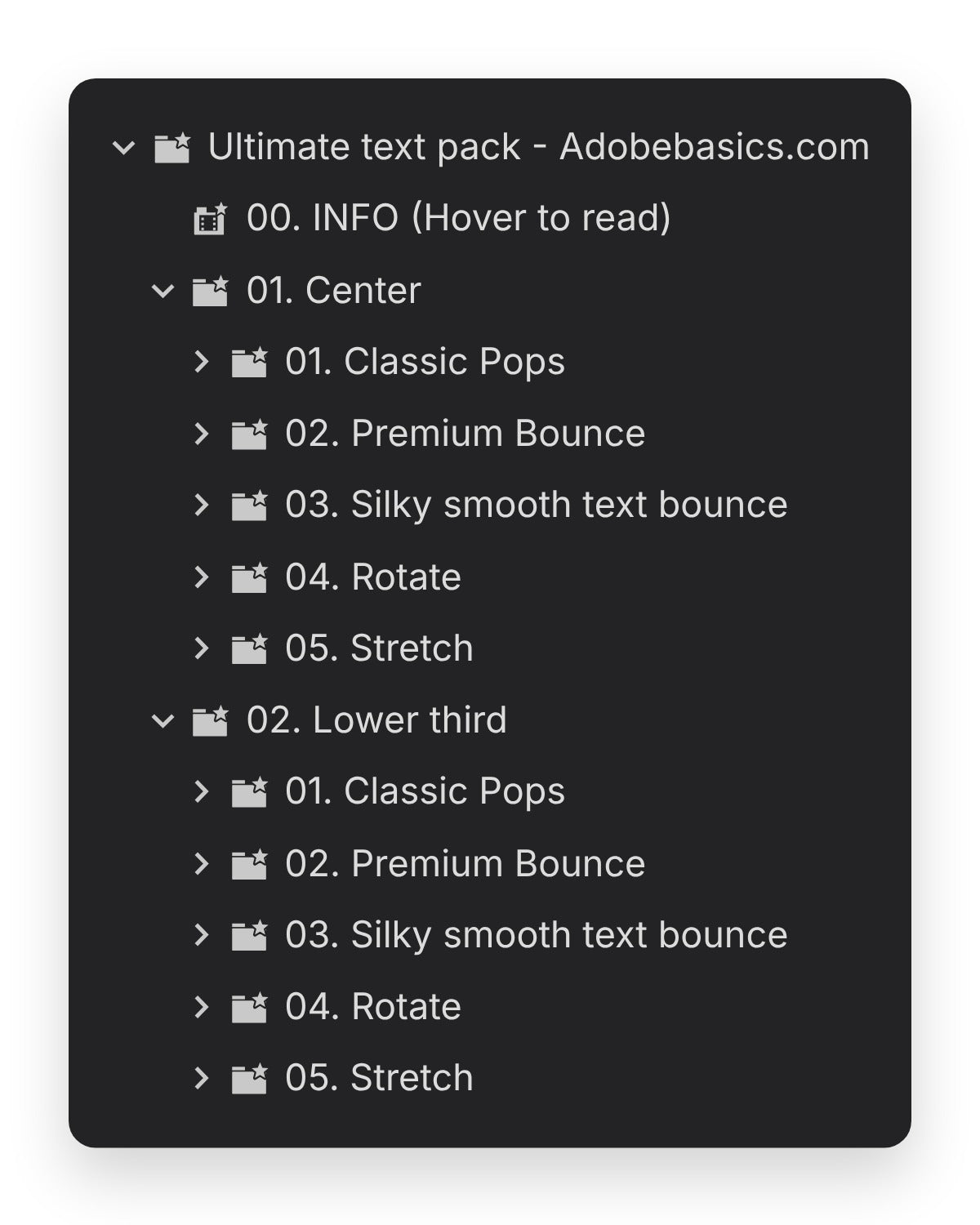
Center titles or lower thirds. Five kinds of bounce for each: pops, premium, silky, rotate and stretch. In the download
-
Preset file
200+ presets in one .prfpset file. They sit in your Effects panel, sorted into folders.
-

Premium Bounce
Pick 3, 4 or 5 bounces. Every one settles.
Drop it on a title and it bounces in. It overshoots, swings back 3, 4 or 5 times and settles, already eased.

- 3, 4 or 5 bouncesEvery bounce overshoots and settles.
- Small to bigSmall, medium, normal and big.
- EditableChange the timing in Effect Controls.
Classic pops
Pop in. Bounce once. Or twice.
Titles pop in from nothing and land at full size, in three sizes: small, normal and big.

- Normal pop inSmall, normal and big.
- Caption popsA subtitle version of every size.
- Double bounceFor characters, words and lines.
Rotate and stretch
Rotate it. Stretch it.
Rotations and squishy stretches for titles and lower thirds.

- RotateClassic rotate and bouncy rotate.
- StretchClassic and bouncy, from small to extreme.
- Any fontThe whole layer moves, so any font works.
In Premiere Pro
Every preset. In your Effects panel.

Titles, lower thirds, captions. One pack.
Workflow
- Any font. The whole layer moves, so any font works.
- Already eased. Every bounce overshoots and settles.
- Editable. Change the timing in Effect Controls.
- Caption versions. For subtitles and other short lines.
Tech specs
- Works with
- Premiere Pro 2019–2027, Windows and Mac
- You get
- 200+ text presets (.prfpset)
- Animates
- The whole text layer at once
- No need for
- After Effects, plugins or extra setup
- Updates
- Free, from your order page
- Payment
- One-time, no subscription
- Download
- Instant, after checkout
Three steps. No installer.
Import the pack into Premiere Pro once. No plugins or extra setup.
1Download the pack
Download it right after checkout, or later from the email we send you. Then unzip the folder.
2Import Presets
In Premiere Pro, open the Effects panel menu (≡) and choose Import Presets. Then pick the .prfpset file.
3Drag onto a title
Open the Ultimate Text Presets folder under Presets in the Effects panel and drag any preset onto your text clip.

What the pack adds.
You can keyframe a bounce by hand in Premiere Pro. The pack has 200+ of them built, eased and ready to drop.


Your titles. Ready to bounce.
200+ text presets. Pay once, keep them forever.
- Premiere Pro 2019–2027
- Windows and Mac