





The BetterFX search, inside Premiere Pro




BetterFX
Every effect. One shortcut.
Apply any effect in seconds, without leaving your timeline. Press one shortcut, type a few letters and press Enter. BetterFX finds built-in effects, your own presets and your installed plugins, and puts the ones you use most first.
 Premiere Pro 2021–2027
- Windows and Mac
- Free updates

Money-back guarantee Doesn’t work in your Premiere Pro? Contact us within 14 days.
BetterFX
Made by the people who teach Premiere Pro.
700+ tutorials and thousands of comments showed us what slows editors down. So we built the tools we wanted as editors: simple and hassle-free.
Watch the tutorials- 200K+editors use our tools
- 30M+views on our YouTube tutorials
- 90K+followers across social media
- 37K+editors in our Discord community
Less searching. More editing.

One shortcut. Every effect.
Type a few letters
Built-in effects, custom presets and third-party plugins.
Hide unused effects
Keep legacy effects out of your results.
Your own shortcuts
Dark, light or glass
With nine accent colors.

Premiere Pro 2021–2027
Get the highlights.
-
Search and apply
Type two letters. Press Enter.
Find any effect, preset or plugin in a few letters. It lands on your selected clips.
-
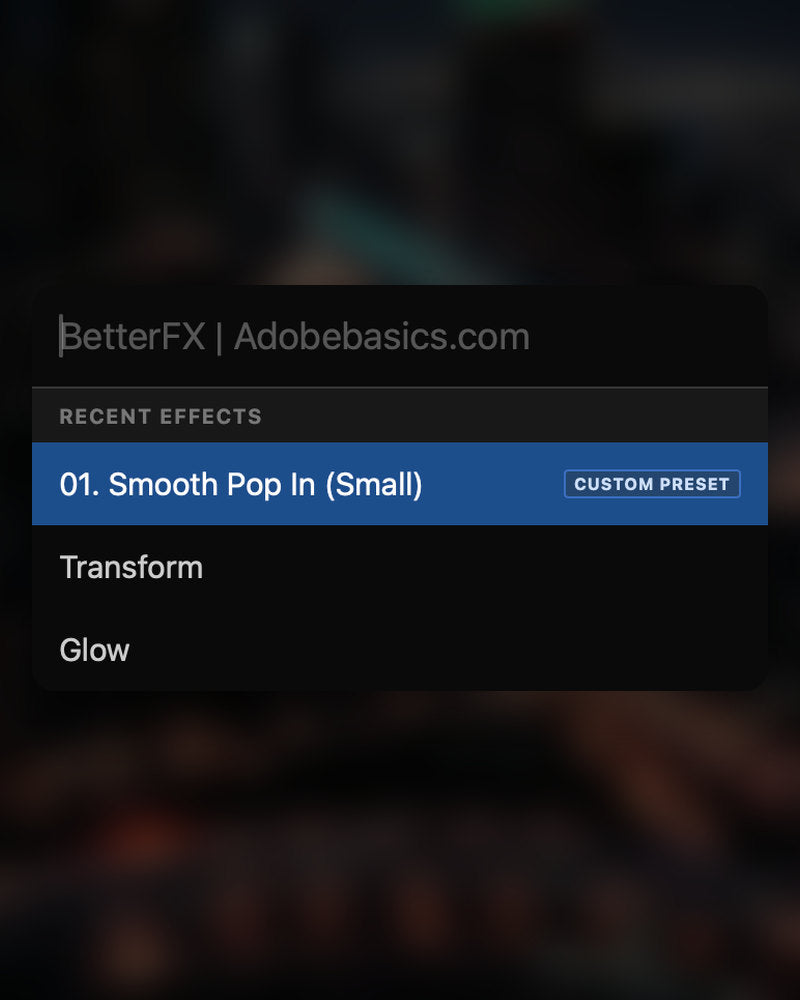
Smart ranking
Your most-used effects come first.
Recent effects sit at the top. Your own presets show up too, with a Custom Preset tag.
-
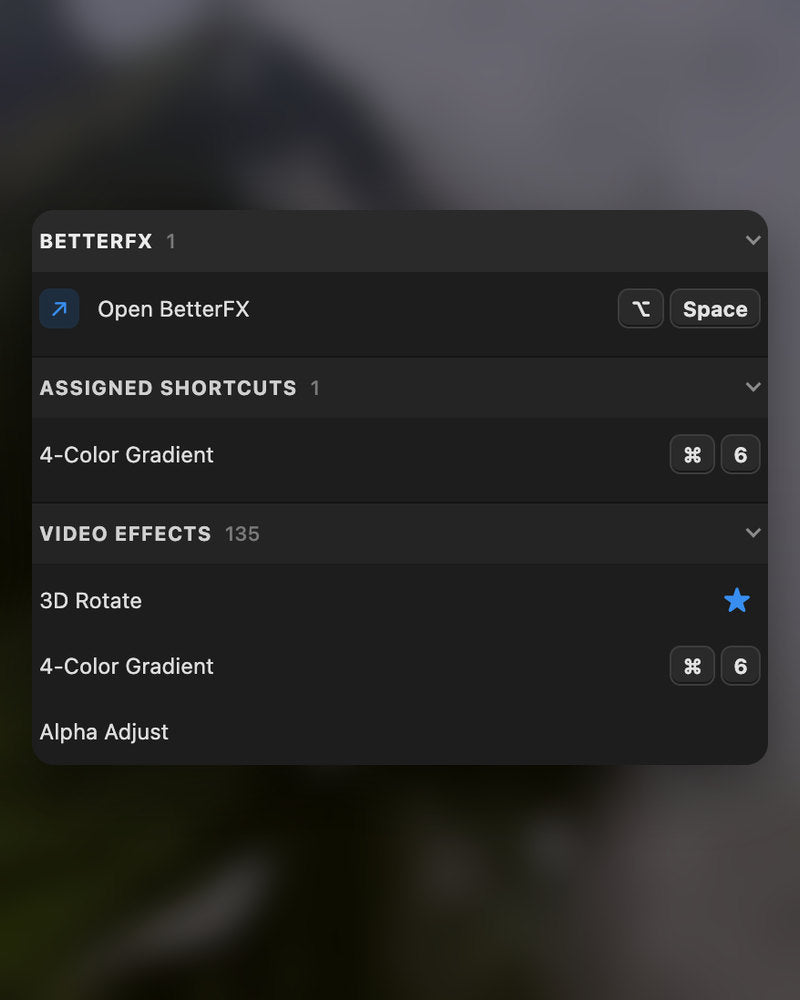
Shortcuts
Your own keys for any effect.
Give an effect a shortcut. Select clips, press the keys, done.
-
Appearance
Dark, Light or Glass.
Pick a look and one of nine accent colors, to sit well in your Premiere Pro.
In the download
-
BetterFX app
-
License key
-
Premiere Pro plugin
The app and your license key. Both arrive at checkout, and the installer adds the Premiere Pro plugin.
-

Intelligent search
Type a few letters. The right effect is on top.
Short forms, half-remembered names and typos all work. Press Enter and it lands on your selected clips.
- Short formsgb finds Gaussian Blur. cs finds Camera Shake.
- Every selected clipOne Enter applies the effect to all of them.
- Opens at your cursorYour pointer stays on the timeline.
All-in-one search
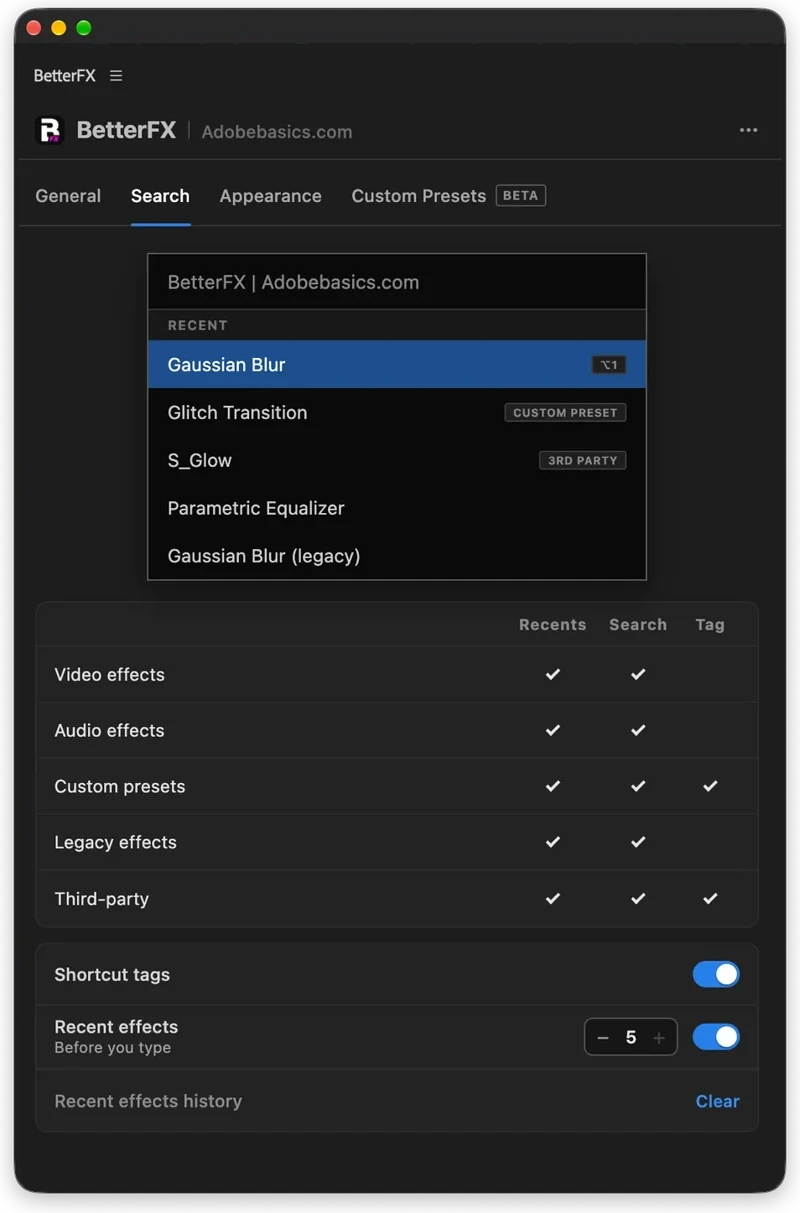
Every effect you own. One search bar.
Premiere Pro’s own effects, your third-party plugins and your custom presets, in one list.

- Third-party pluginsTagged, so you know where an effect comes from.
- Legacy copiesMarked as Legacy, or hidden if you never use them.
- Custom presetsYour own presets show up next to the effects.
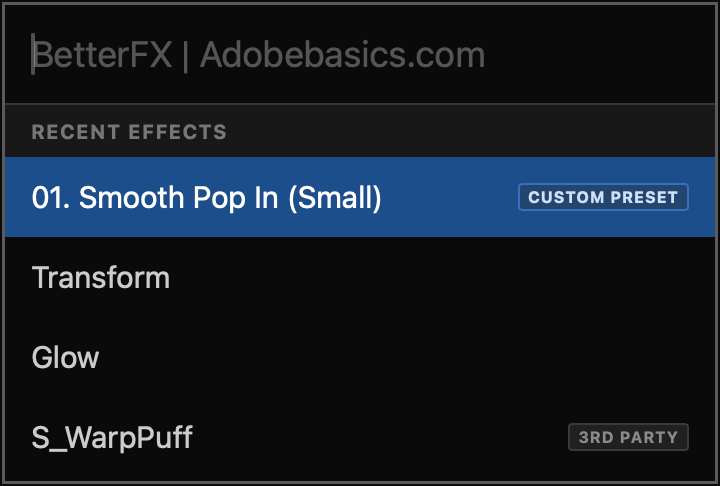
Recent effects
Your go-to effects. Before you type.
Open the bar and your recent effects are already there, with your custom presets and their shortcuts.

- Recent effectsYour last effects, the moment the bar opens.
- Custom presetsTagged Custom Preset and one Enter away.
- Shortcuts shownEach effect shows the keys you gave it.
Custom shortcuts
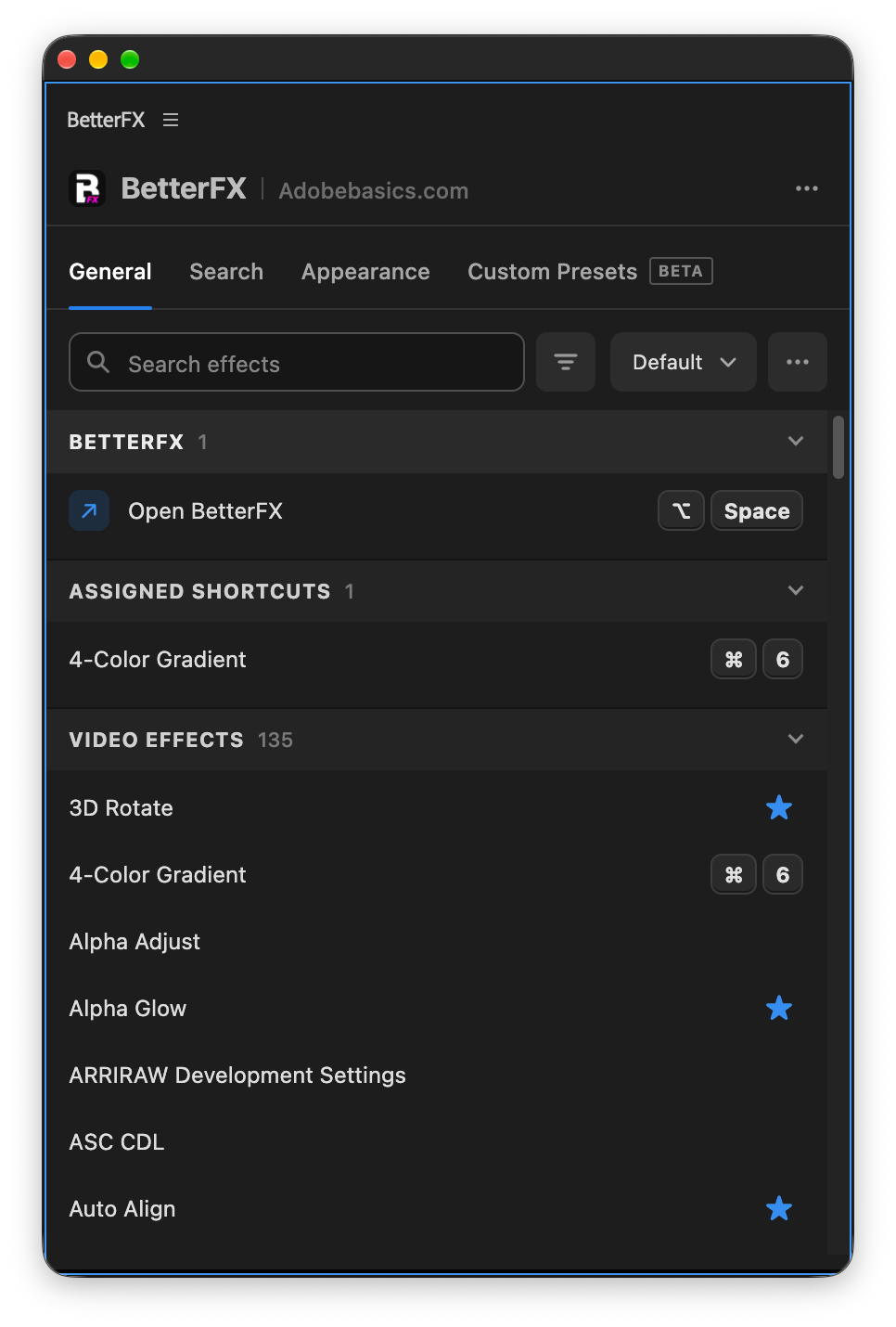
Any effect. Its own shortcut.
Pick an effect and press your keys. Then apply it straight from the timeline.
- Effects and presetsGive any effect or custom preset its own keys.
- Clash warningsBetterFX tells you when Premiere Pro already uses those keys.
- In your profileYour shortcuts move with your profile.
Favorites
Star an effect. Find it first.
Click the star next to any effect. Your favorites rank higher every time you search.
- Ranked higherStarred effects come first in your searches.
- Favorites filterThe button next to the search shows only your stars.
- In your profileYour favorites move with you to another computer.
Hide effects
Never use it? Hide it.
Click the eye next to an effect. It stays out of your searches until you bring it back.
- Cleaner resultsHidden effects never show up in the search bar.
- Legacy copiesHide the old versions of effects you never pick.
- UnhideThe Hidden filter lists them. One click brings each back.
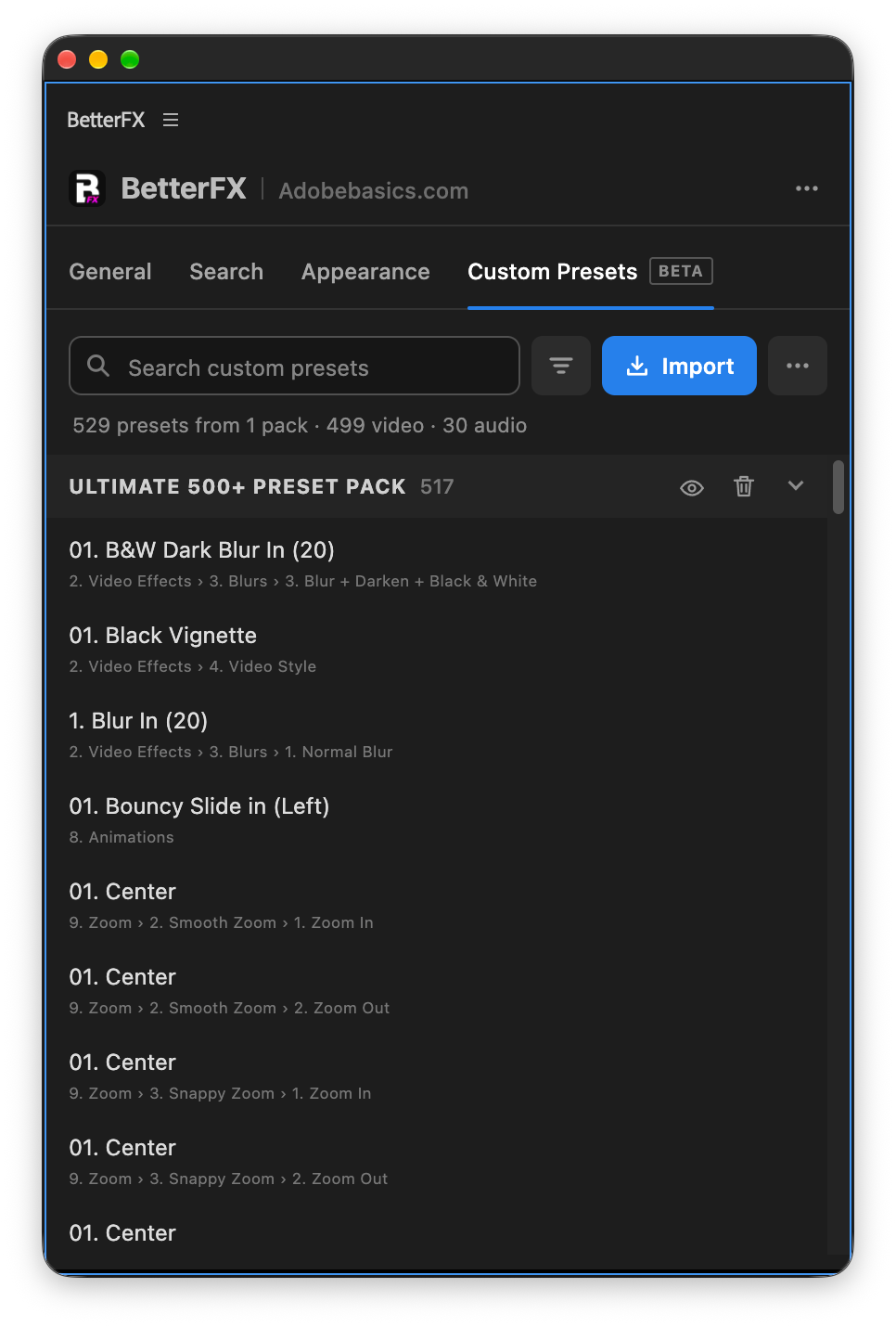
Custom presetsBeta
Your presets. Searchable.
Import the .prfpset files you saved in Premiere Pro. Each preset then works like an effect, with its own search and shortcut.
- Search and shortcutsFind a preset by name, or give it its own keys.
- One ⌘ZUndoes the whole preset at once. Ctrl+Z on Windows.
- Any languagePresets work whatever language Premiere Pro is set to.
Your search bar
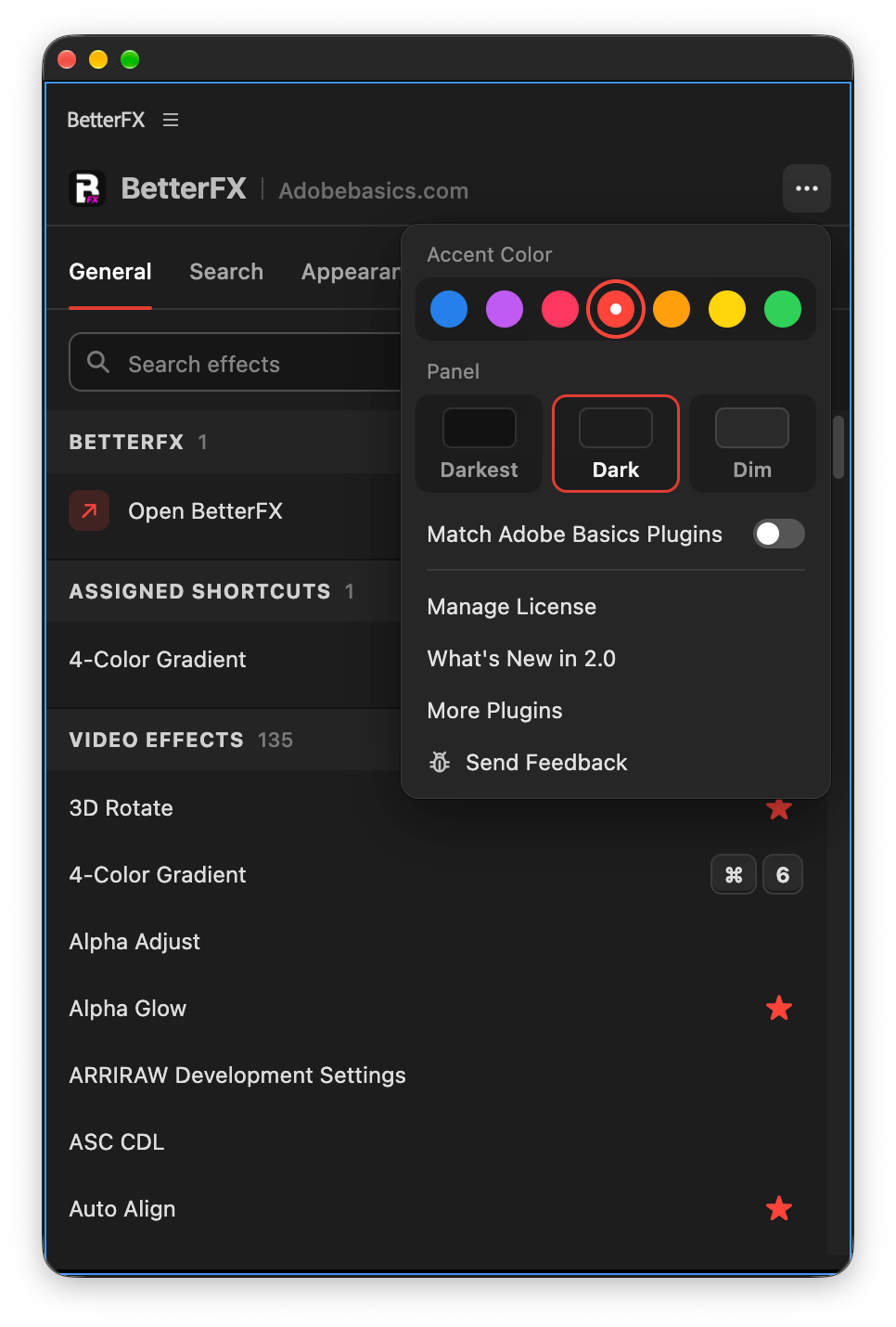
Your search bar. Your colors.
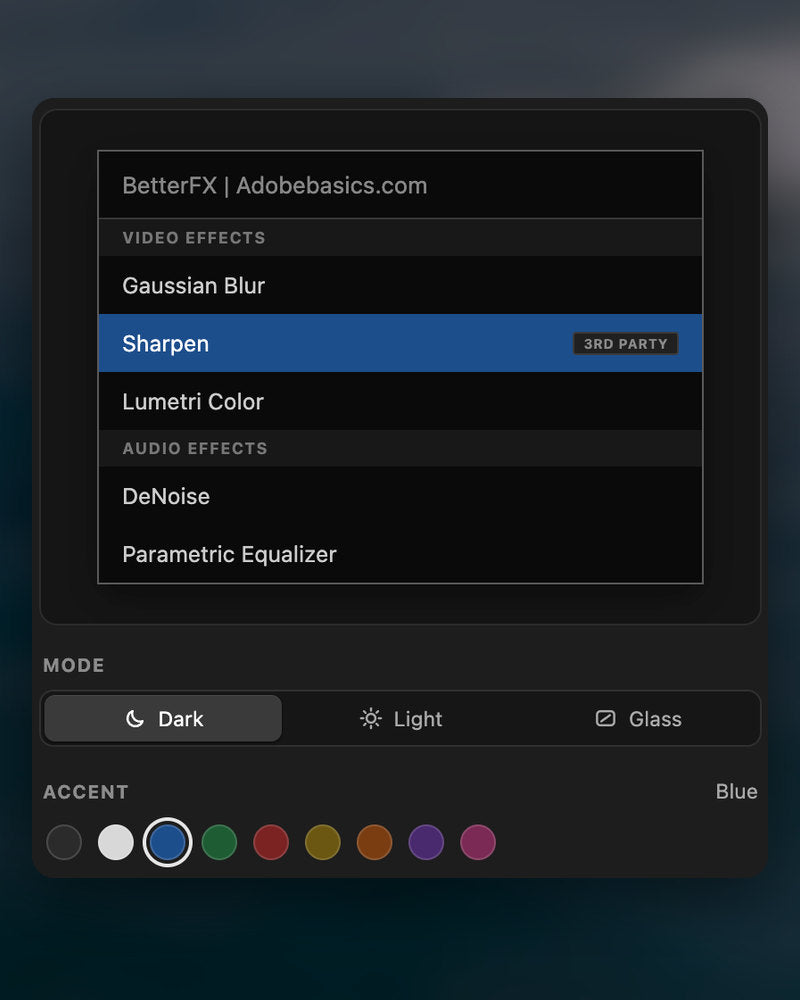
Pick Dark, Light or Glass and an accent color. A preview shows the search bar as you change it.
- Three modesDark, Light or Glass, on Mac and Windows 11.
- Nine accent colorsThe highlight on the effect you are about to apply.
- Live previewSee the search bar before you open it.
Profiles
Your setup. On every computer.
Save your shortcuts, favorites, hidden effects and look as a profile. Export it and import it on another computer.
- Everything in oneShortcuts, favorites, hidden effects, search settings and look.
- Switch in a clickKeep one profile per kind of edit.
- Import and exportTake your setup to another computer as a file.
In Premiere Pro
The real thing. On your timeline.


Three steps. One shortcut.
One guided installer sets up the app and the Premiere Pro plugin for you.
1Download BetterFX
Your download and license key show up right after checkout. We also email them to you.
2Run the installer
Open the installer and follow the steps. It sets up the app and plugin, then you paste your key.
3Press your shortcut
Select a clip in Premiere and press Alt+Space.
What BetterFX adds.
BetterFX next to other effect search plugins for Premiere Pro.

Bundle and save 15%
Get the whole Premiere kit.
- EaseFlow ProSmooth easing
- BetterFXEvery effect, one shortcut
- SuperGlowPremium glow
- QuickPastePaste images and files
- Asteria ProSmooth text animations
- Number Counter ProAnimated numbers
Your effects. One shortcut away.
Pay once, keep it forever.
- Premiere Pro 2021–2027
- Windows and Mac
- Two computers per license
Money-back guarantee if it doesn’t work
- Contact us within 14 days of buying.
- Help within 24 hours to fix it.
- If we can’t fix it, you get your money back.