







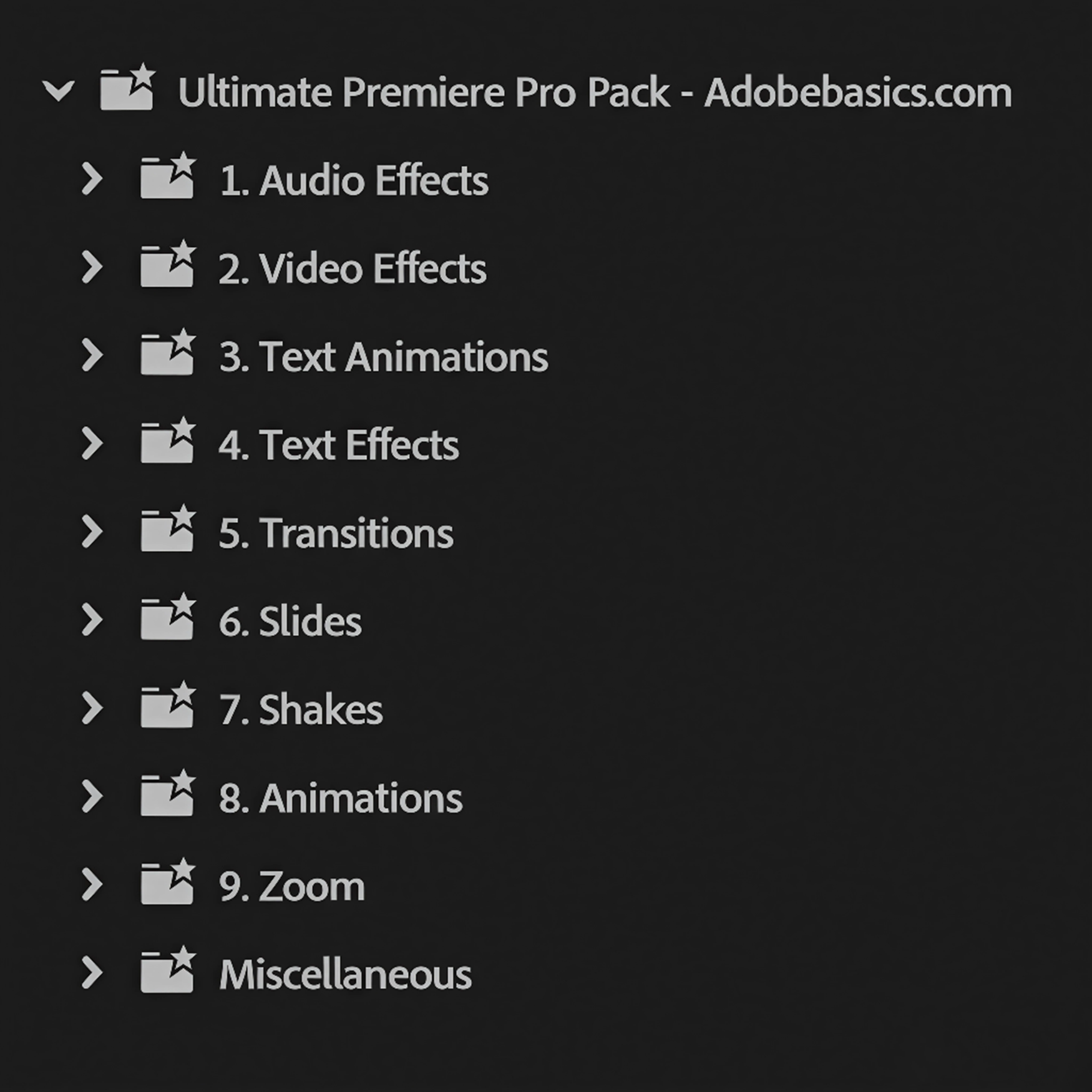
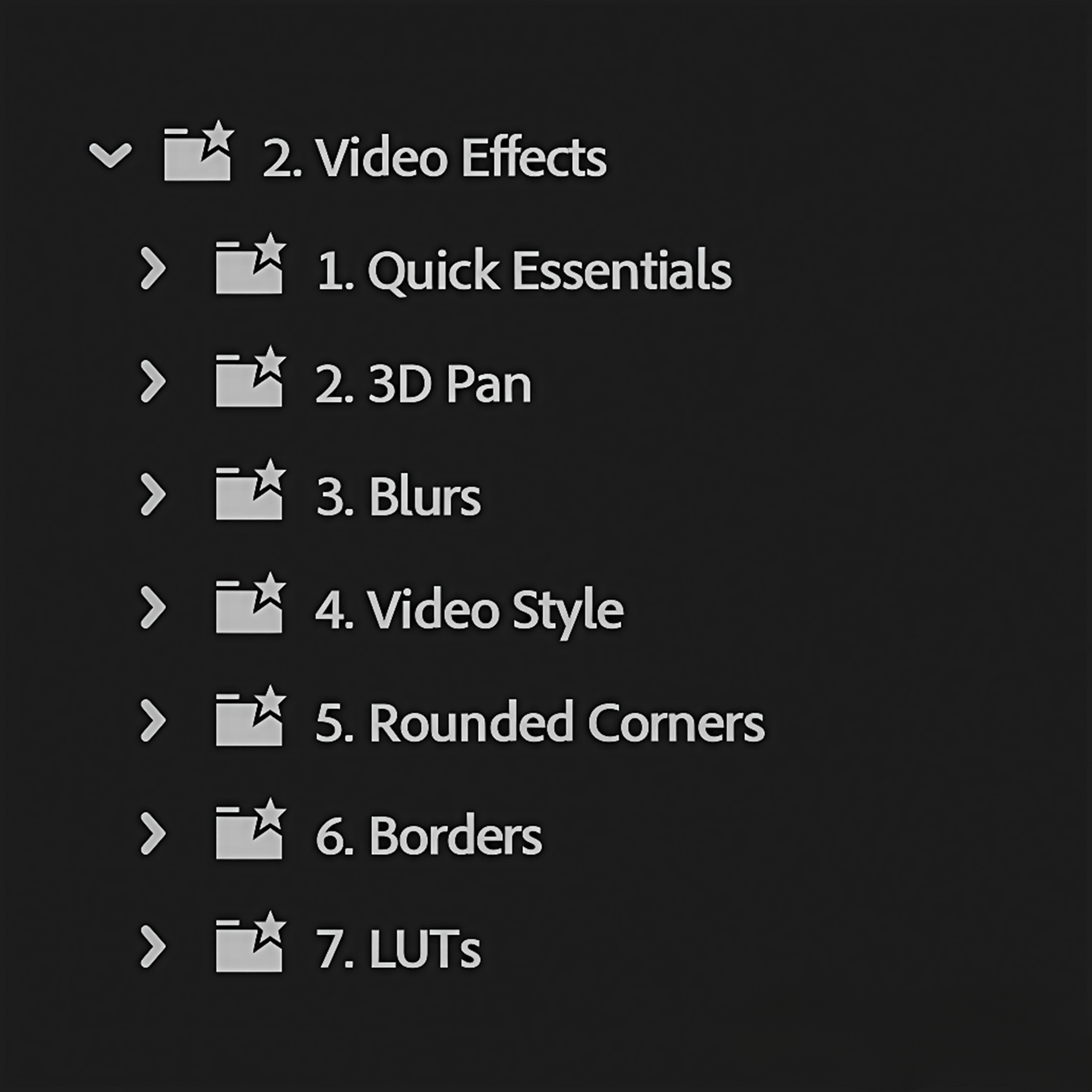
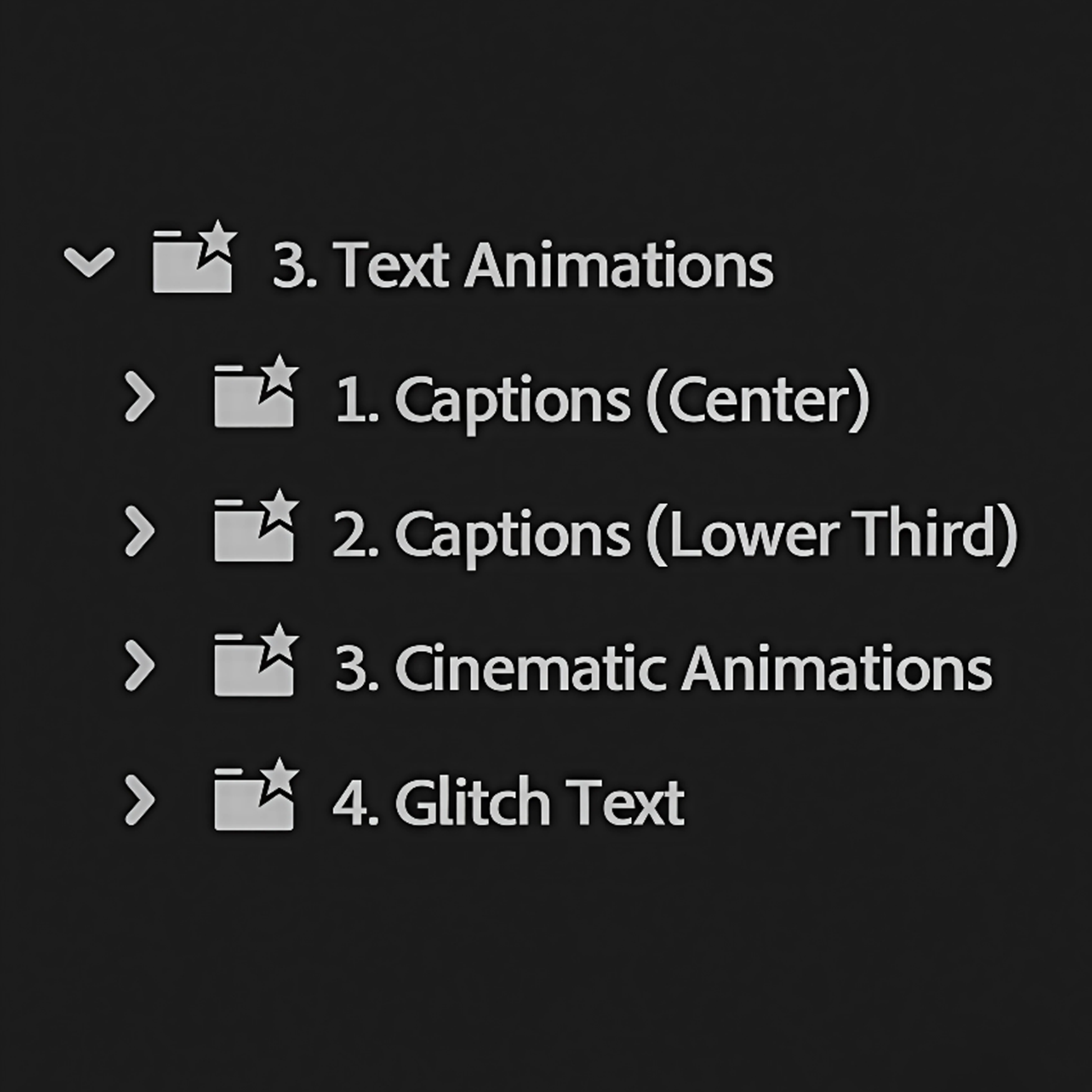
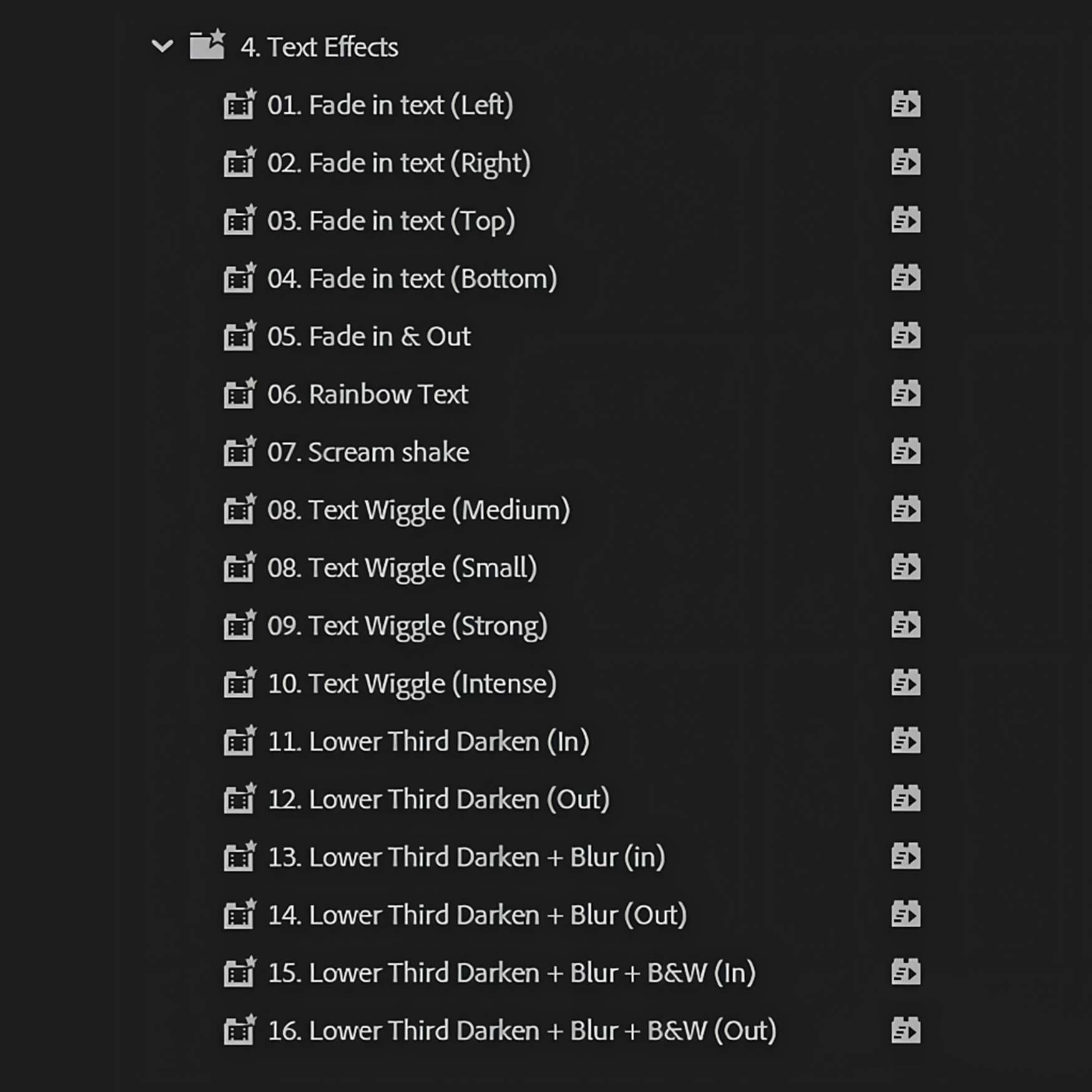
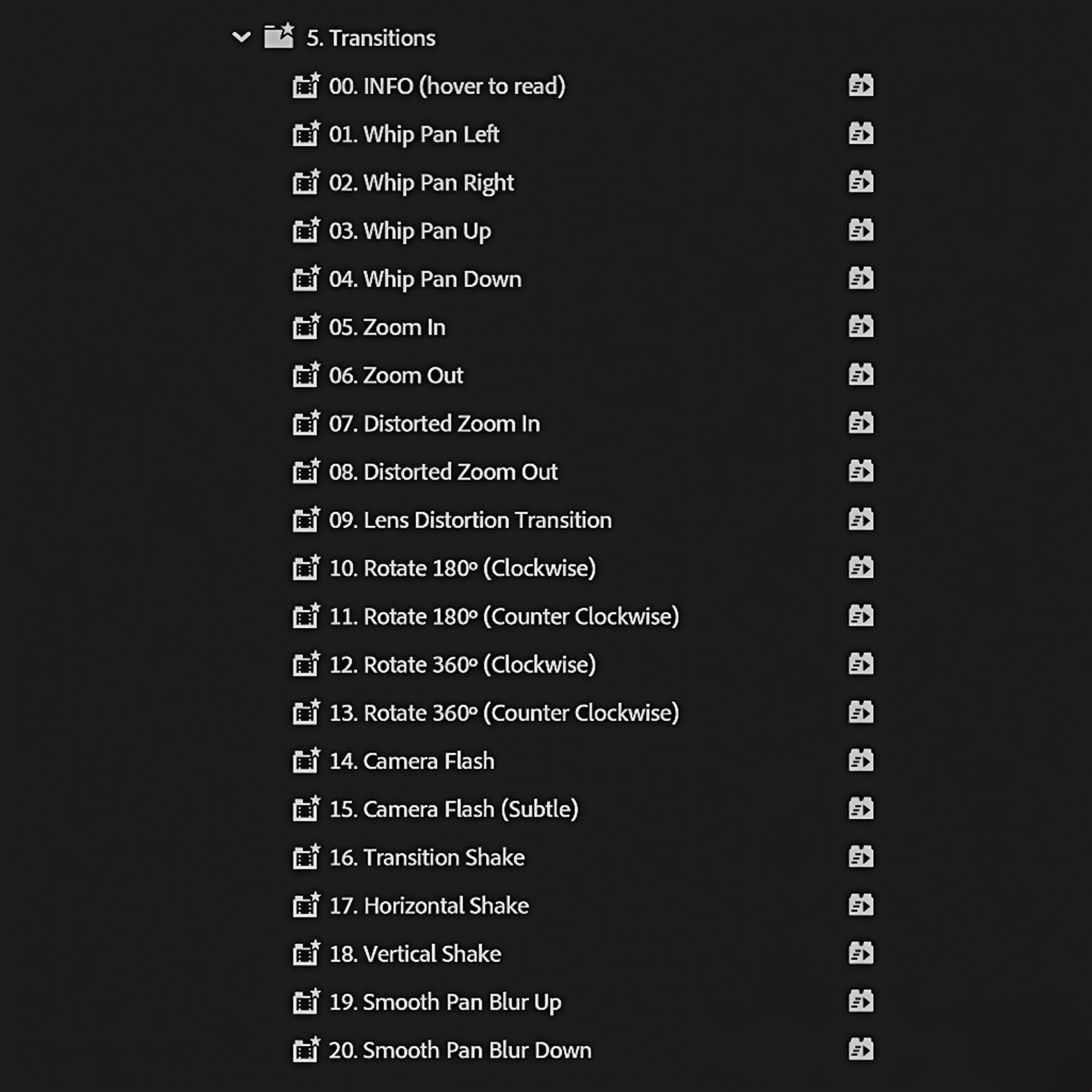
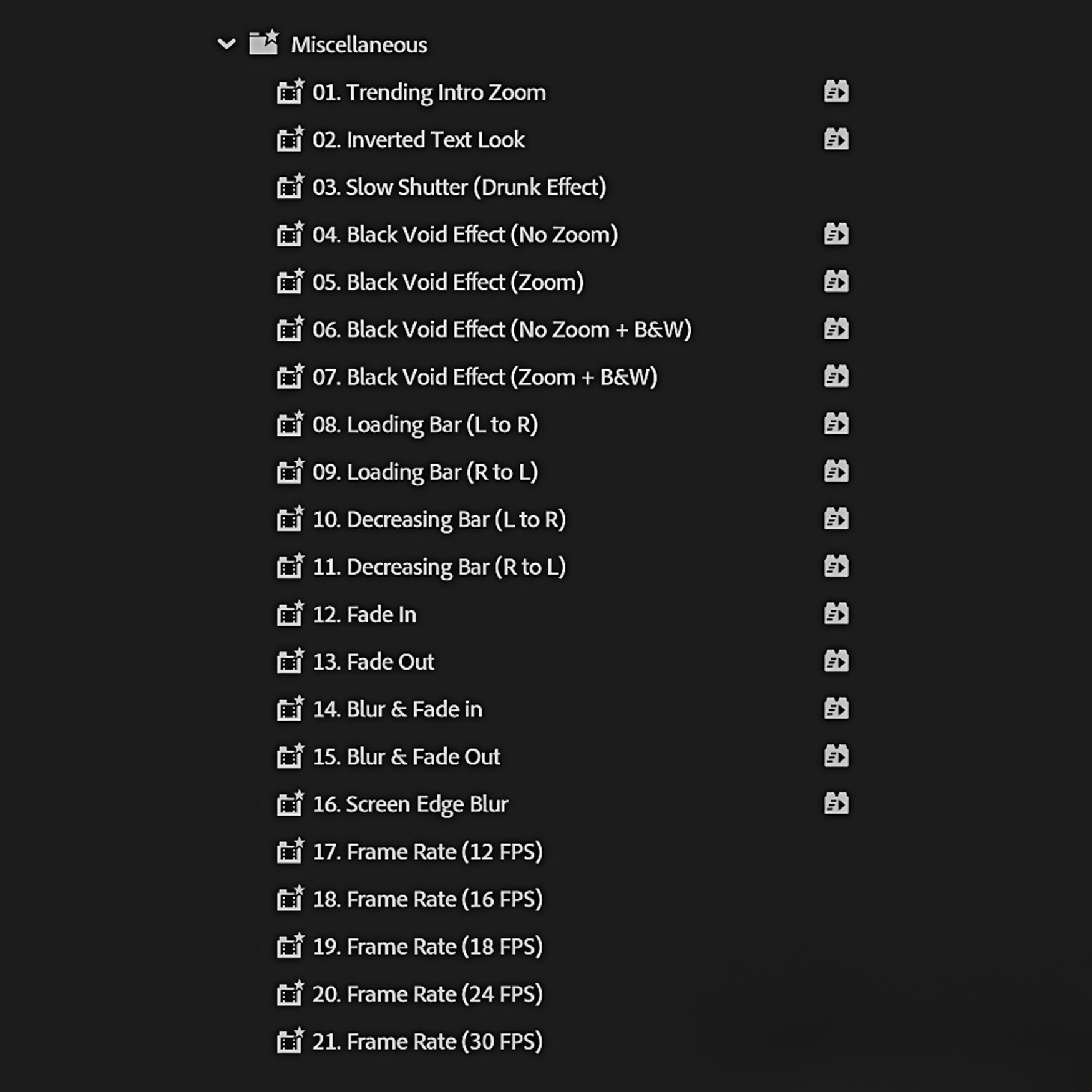
The preset folders in your Effects panel

Ultimate Preset Pack
Text animations, shakes and transitions.
You get the download link by email, so you can install it on your computer anytime. Rather buy there? We'll email you this page.
Professional motion for every edit, without setting a single keyframe. 517 presets in 10 folders, including 100 text animations, 21 shakes and 20 transitions. Drop one on a clip or a title and it moves, already eased.
 Premiere Pro 2019–2027
- Windows and Mac
- No plugins needed

On your phone? Get the link on your computer.
Ultimate Preset Pack
Made by the people who teach Premiere Pro.
700+ tutorials and thousands of comments showed us what slows editors down. So we built the tools we wanted as editors: simple and hassle-free.
Watch the tutorials- 200K+editors use our tools
- 30M+views on our YouTube tutorials
- 90K+followers across social media
- 37K+editors in our Discord community
Every edit covered.


102 zooms
Video effects
Text animations
Every move is built and eased for you.

Camera shakes
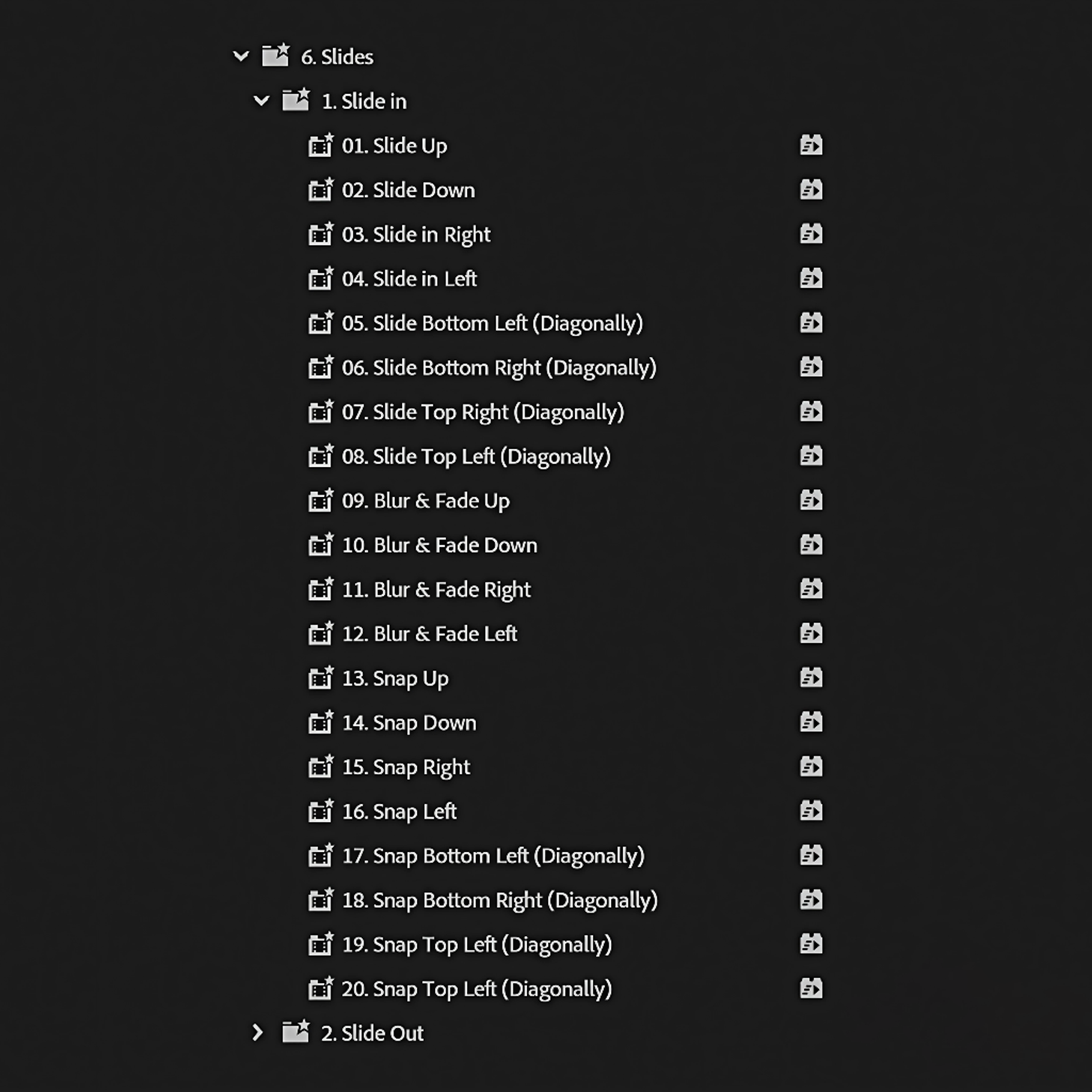
Slides
Drag, drop, done.
Drop a preset on any clip and it moves.
Transitions
Audio effects
Character animations
Plus rounded corners, 3D pans and more.

Premiere Pro 2019–2027
No plugins needed.
Watch what 517 presets can do.
See the presets move before you buy.
517 presets. 10 folders.
-

100 text animations. Captions for the center or the lower third, cinematic animations and glitch text. -

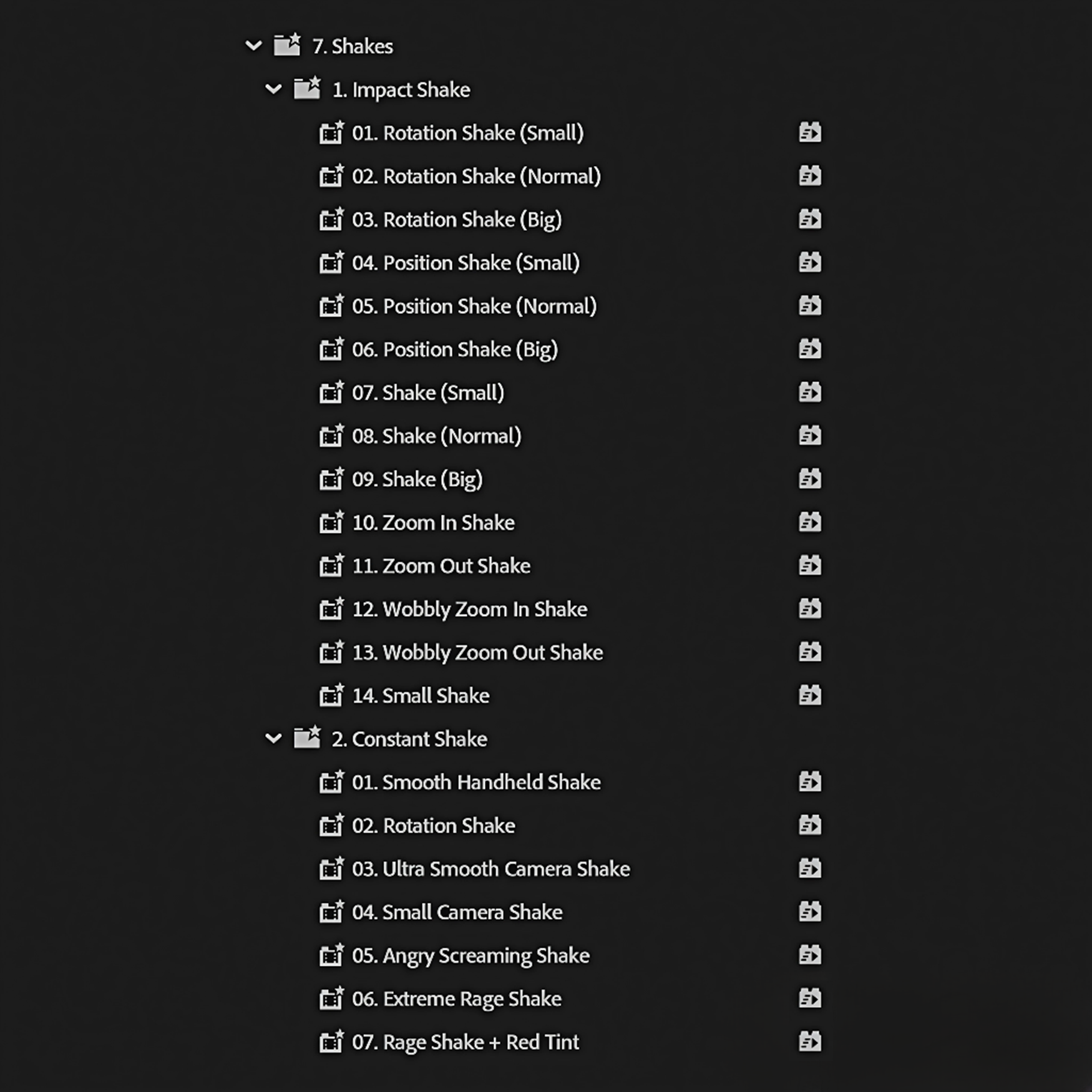
21 shakes. 14 impact shakes for a single hit and 7 constant shakes, from handheld to rage. -

20 transitions. Whip pans, zooms, spins, camera flashes and pan blurs. -

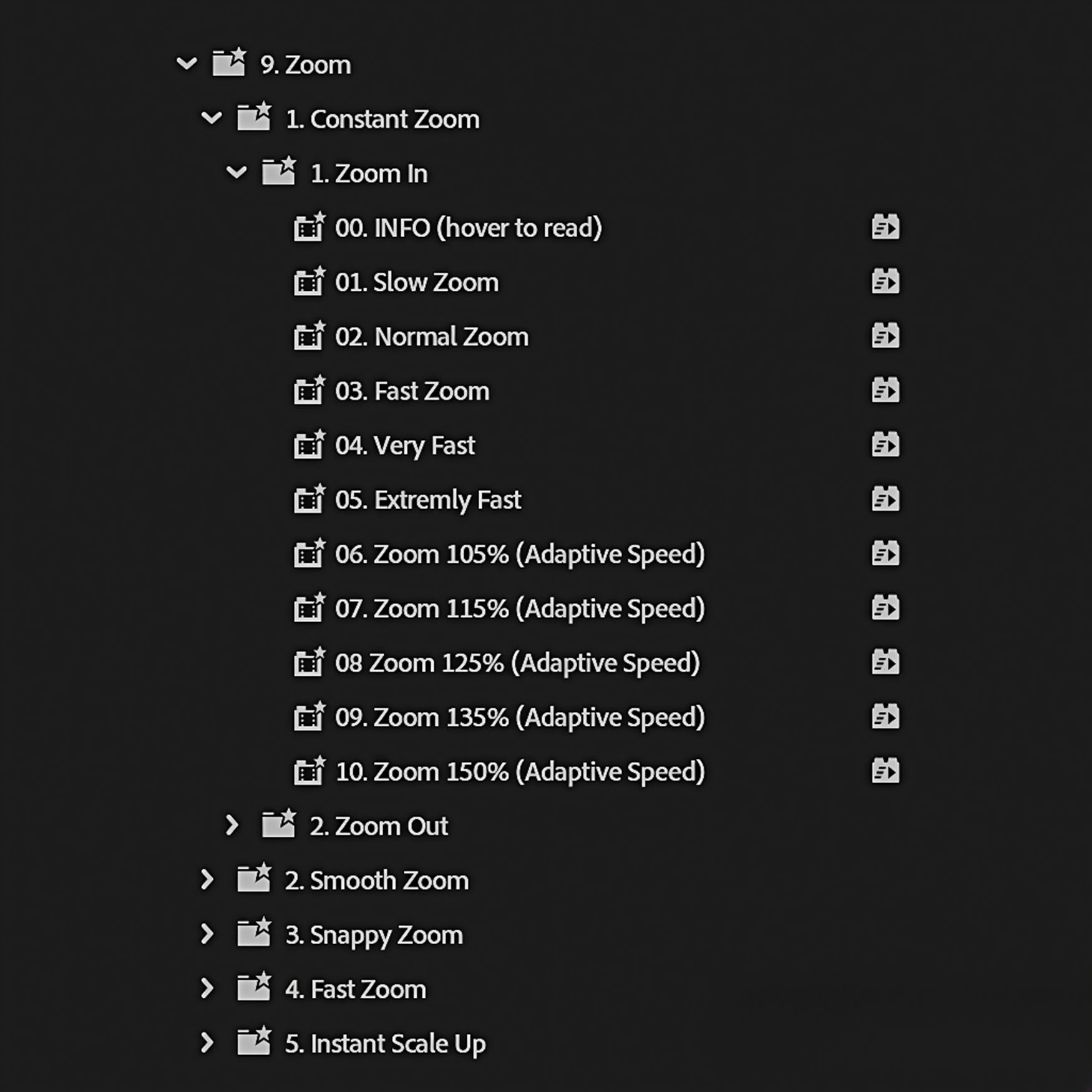
102 zooms. Constant, smooth, snappy and fast, in and out. -

40 slides. Slide, snap or blur a clip in and out, from any side. -

148 video effects. Blurs, borders, rounded corners, 3D pans and LUTs. -

16 text effects. Fades from every side, rainbow text and text wiggles. -

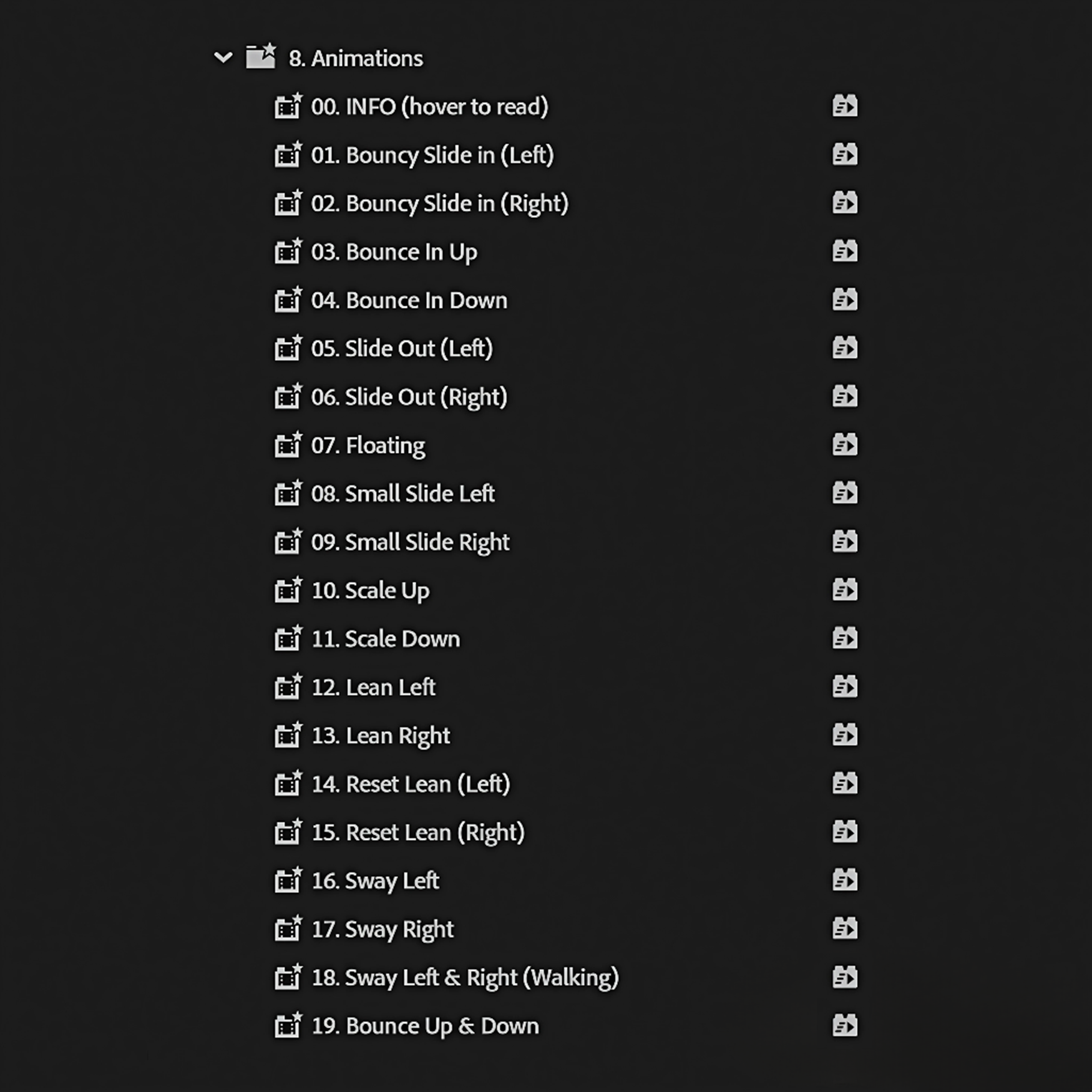
19 character animations. Bouncy slides, floats, leans and sways. -

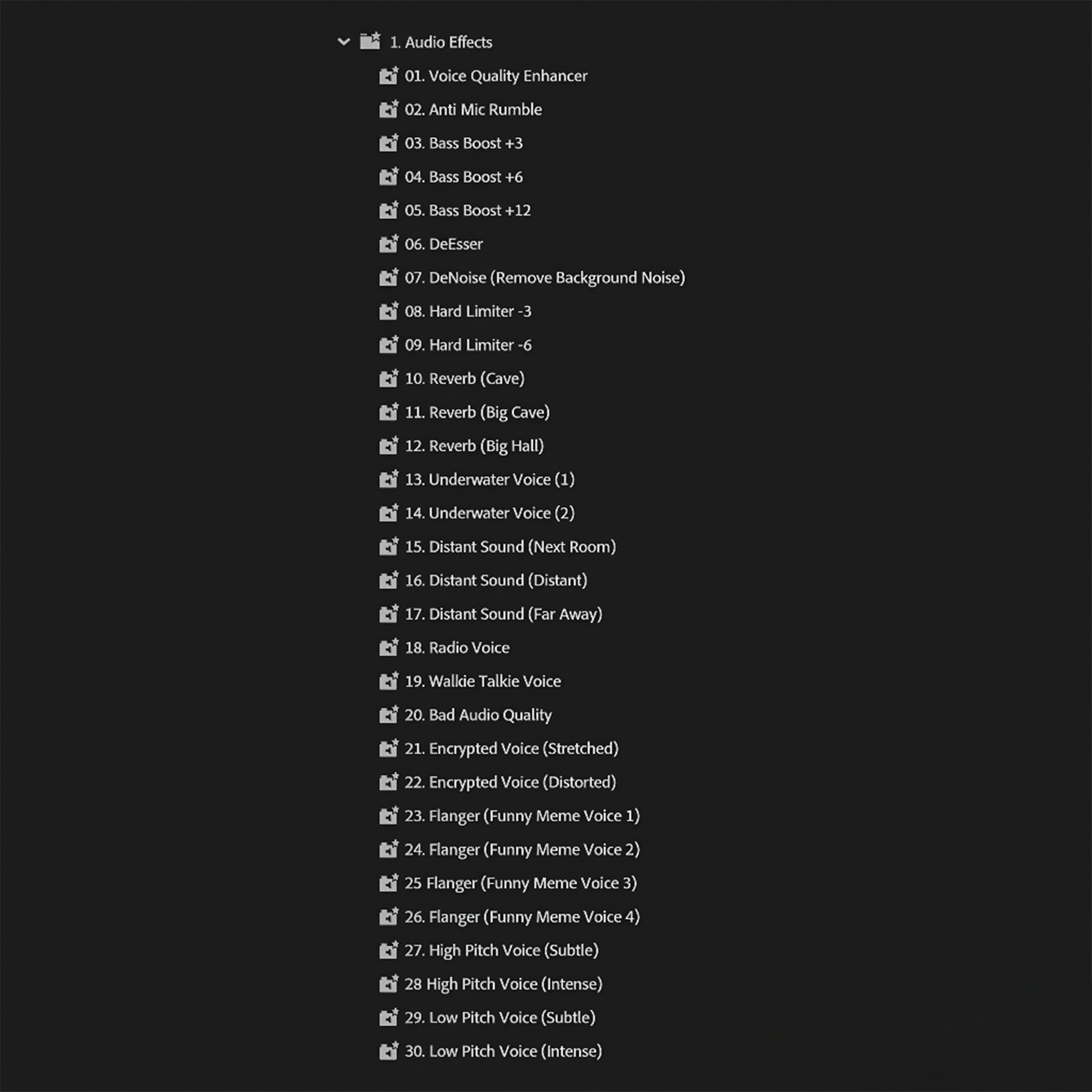
30 audio effects. Voice enhancer, bass boosts, a de-esser and voice styles. -

21 extras. Intro zoom, loading bars, black void looks and frame rates. In the download
-
Preset file
-
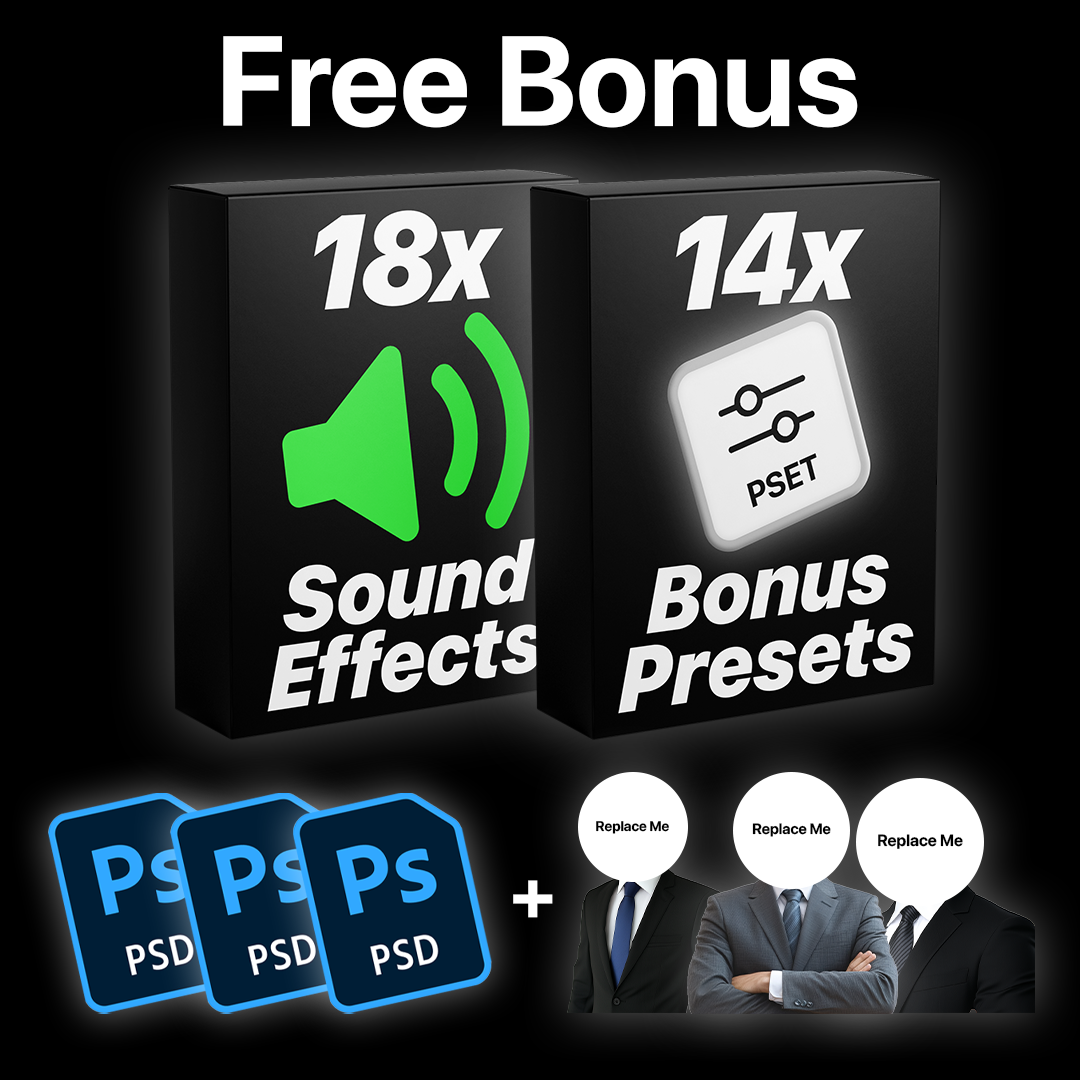
Free bonus folder
517 presets in one .prfpset file. Plus a free bonus: 14 presets, 18 sound effects and 3 characters with their PSD files.
-


Shakes
21 shakes. Impact or constant.
Impact shakes hit once, for a beat or a punch. Constant shakes keep the camera moving for the whole clip, from light handheld to rage.

- Impact shakes14, for a single hit.
- Constant shakes7, from handheld to rage.
- EditableChange the timing and values in Effect Controls.
Text animations
100 text animations. Plus text effects.
Drop a preset on a title and it animates in by itself. There are presets for titles, captions and glitch text.

- CaptionsFor the center or the lower third.
- Text effectsFades, rainbow text and more.
- Drag and dropDrop any preset onto a clip or a title.
Transitions
20 transitions. Whip pans to camera flashes.
Drop a transition on a clip and the cut becomes a whip pan or a camera flash, already eased.

- Already easedEvery move starts and stops smoothly.
- SortedNumbered folders inside your Presets folder.
- Free bonus14 presets, 18 sound effects and 3 characters.
In Premiere Pro
All 517 presets. In your Effects panel.

Specifications
- Works with
- Premiere Pro 2019–2027, Windows and Mac
- You get
- 517 presets (.prfpset) in 10 folders
- No need for
- Plugins or extra setup
- Works offline
- Updates
- Free, from your order page
- Payment
- One-time, no subscription
- Download
- Instant after checkout, 21.5 MB zip
Three steps. No installer.
Import the pack into Premiere Pro once. No plugins or extra setup.
1Download and unzip
Download it right after checkout, or later from the email we send you. Then unzip the folder.
2Import Presets
In Premiere Pro, open the Effects panel menu (≡) and choose Import Presets. Then pick the .prfpset file.
3Drag onto a clip
Open the Ultimate Preset Pack folder under Presets in the Effects panel and drag any preset onto a clip.

What the pack adds.
You can build every one of these by hand in Premiere Pro. The pack has them built, eased and ready to drop.


Questions? Answered.
Still stuck? Send us a message on the Contact us page and we’ll reply within 24 hours.
Visit the full FAQQuestions
8 items-
Will it work in my Premiere Pro?
Yes, if you use Premiere Pro 2019–2027 on Windows or Mac. No plugins needed. To check your version, open Help > About Premiere Pro. On a Mac, open Premiere Pro > About Premiere Pro. If it does not work in a listed version, contact us and we will help you fix it.
-
What is included?
517 presets in 10 folders. For text: 100 text animations and 16 text effects. For motion: 21 shakes, 20 transitions, 40 slides, 19 character animations and 102 zooms. Plus 148 video effects, 30 audio effects and 21 miscellaneous presets. The free bonus adds 14 presets, 18 sound effects and 3 characters with their PSD files.
-
Is it the same as the free Preset Pack?
No. The free Preset Pack is a small starter set. This pack has 517 presets, including 100 text animations, 21 shakes and 20 transitions.
-
Does it include your other packs?
No. Our text packs, the Advanced Color Pack and our templates are sold separately. This pack shares no presets with the Advanced Text Pack. The text packs go deeper into text animation.
-
How do I import the presets?
Unzip the download first. Open Window > Effects, open the Effects panel menu, and choose Import Presets. Select the .prfpset file from the unzipped folder. Always import it from inside Premiere Pro, not by double-clicking the file. The presets appear in the Presets folder, ready to drag onto your clips.
For a visual walkthrough, see our step-by-step import guide.
-
Can I change a preset after I apply it?
Yes. A preset adds normal effects and keyframes to your clip, so you can change the timing and the values in the Effect Controls panel.
-
How do I get my download and updates?
Your download is on the order confirmation page right after checkout. We also email you the link. If the email is not in your inbox, check your spam folder. Future updates are free, from your email or your order page.
-
What if a preset doesn’t work?
Contact us. We reply within 24 hours and help you fix it, for example with a replacement file or a workaround. Preset packs aren’t covered by our money-back guarantee, which is for our plugins and motion graphics templates. This doesn’t affect your rights under consumer law. Read the full Refund Policy.
Loved by editors who use it.
4.93 out of 5
See all reviews-
Was mostly looking for some better caption animations but there’s honestly way more in here than I expected. Been using the slides and little character movements a lot too.
Tobias LindVerified Buyer -
I use Premiere almost daily for client work, and this pack has pretty much everything I need. The transitions are smooth, nothing looks cheesy, and it’s super handy to have them all in one place.
Emma KarnVerified Buyer -
I was really skeptical before purchasing this, but honestly this gotta be the best pack, It has really everything you can think of and the presets actually feel premium
RafaelVerified Buyer -
this is my first time buying something for adobe premiere and it was 100% worth it.
Elijah NguyenVerified Buyer

Text animations, shakes and transitions. No keyframing needed.
517 presets. Pay once, keep them forever.
- Premiere Pro 2019–2027
- Windows and Mac