
 بقلم
A new design
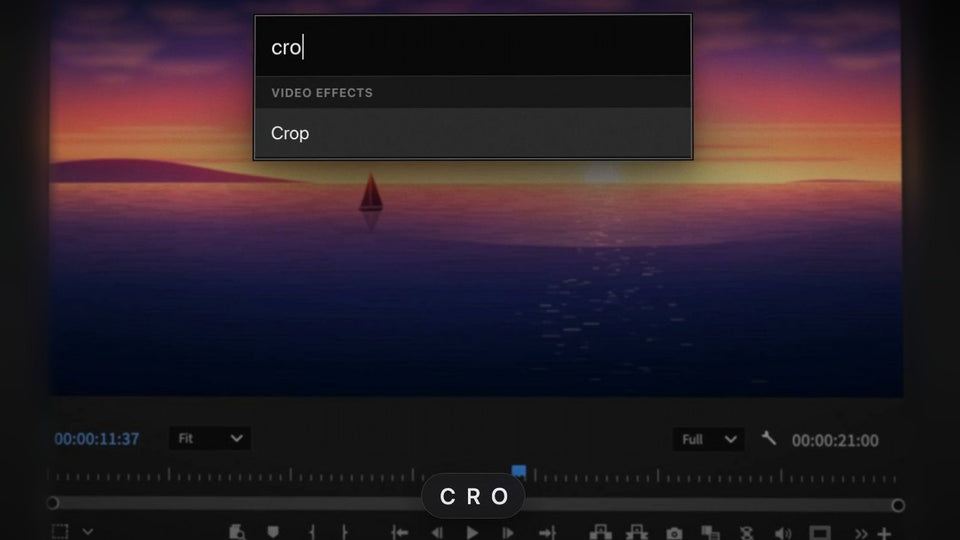
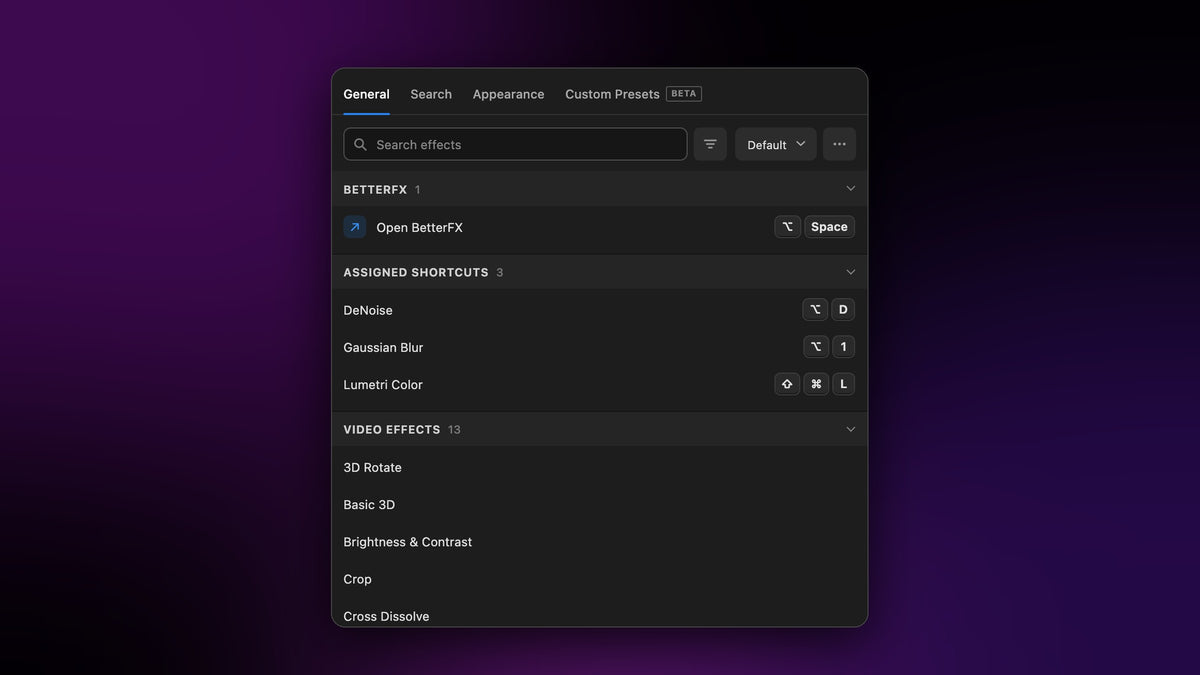
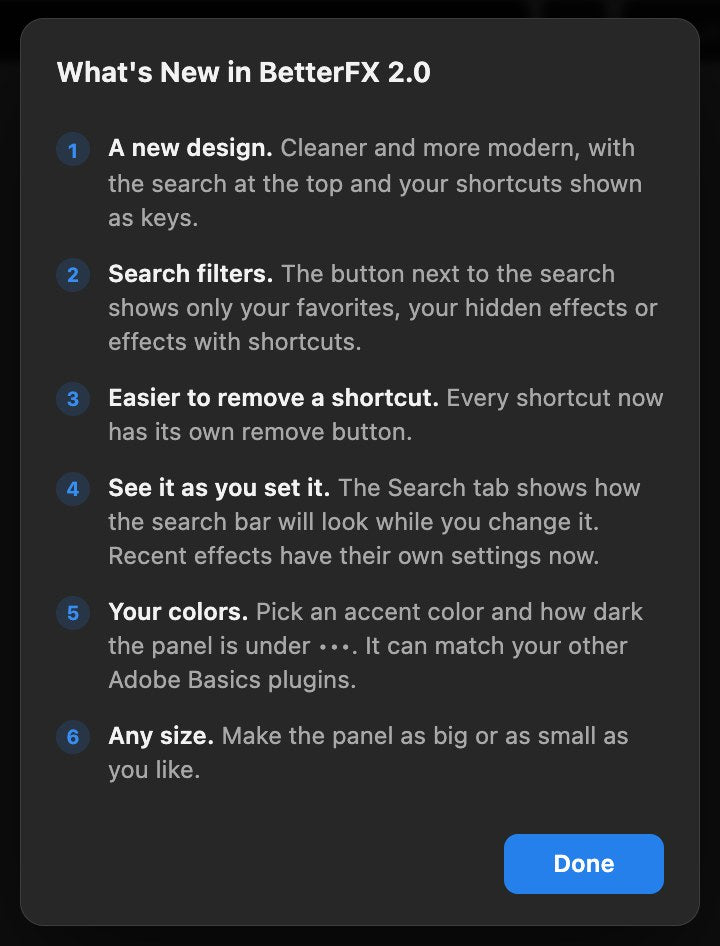
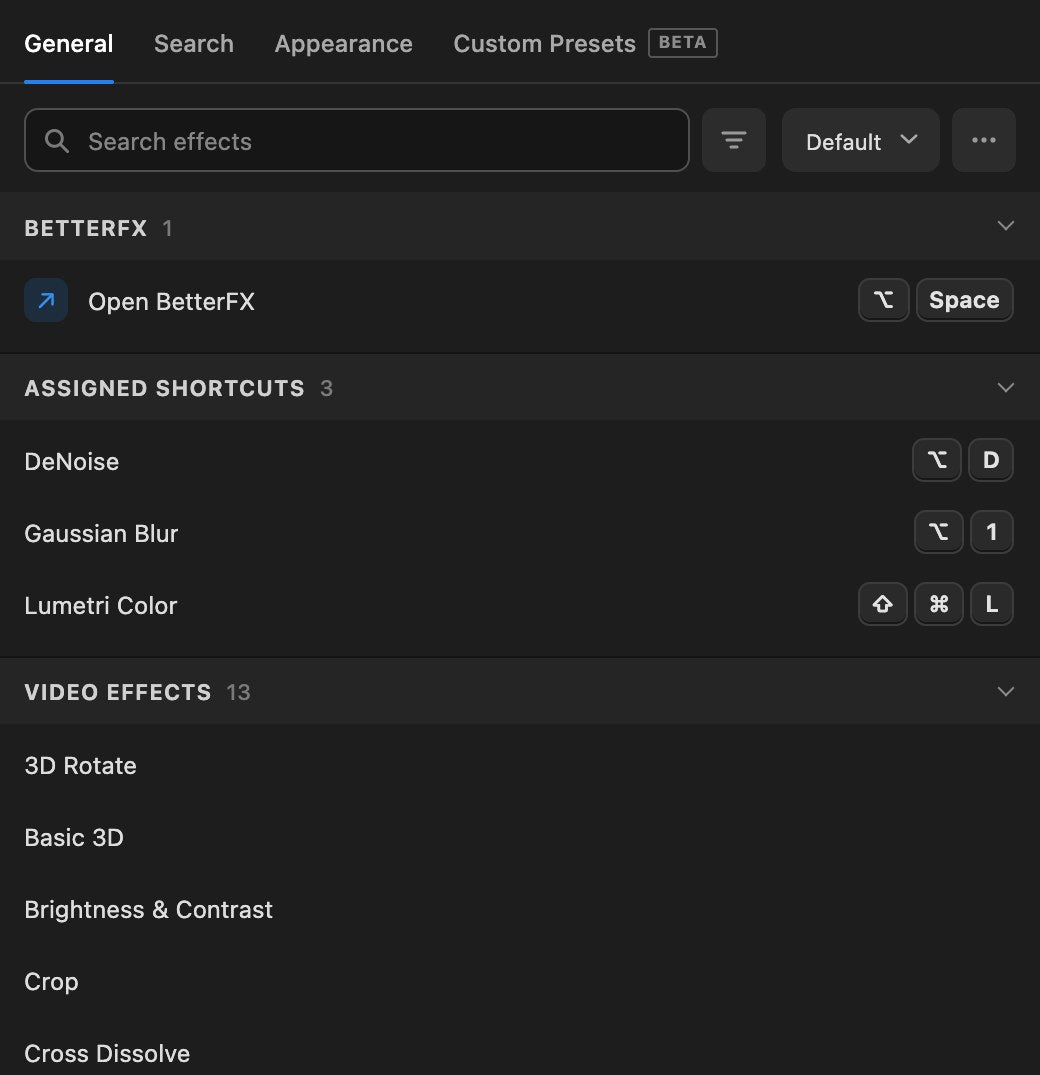
The panel is cleaner and more modern. The search sits at the top, your shortcuts show as keys like ⌥ Space, and every group of effects folds away with one click. Names get the full width of the panel, so long effect names are no longer cut off.
Search filters
The button next to the search shows only what you need: With Shortcuts, Favorites or Hidden. Favorites and hidden effects used to have their own tabs. Now they are one click away from the search. The Custom Presets tab has the same filter.
Easier to remove a shortcut
Every shortcut now has its own remove button, right next to its keys. Hover the effect and click the crossed circle to clear the shortcut.
See the search bar as you set it
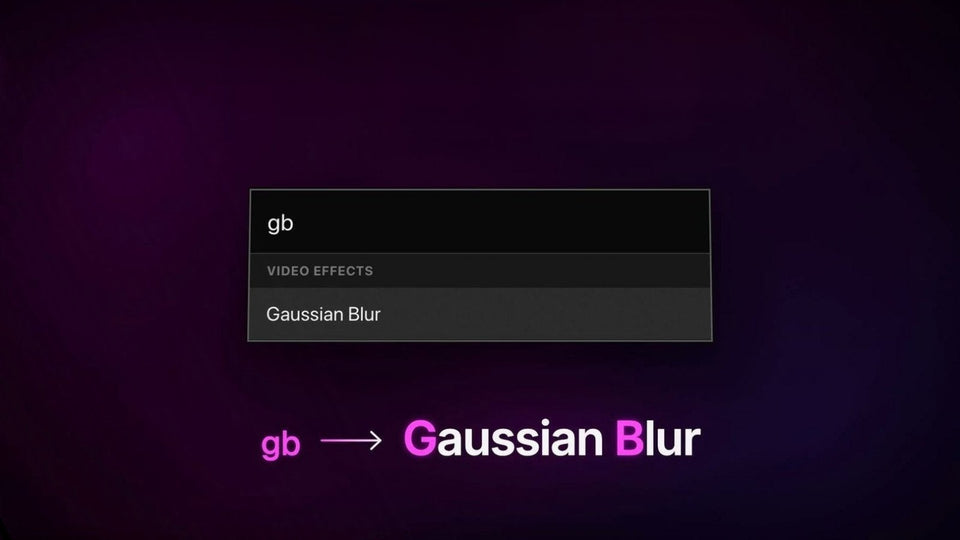
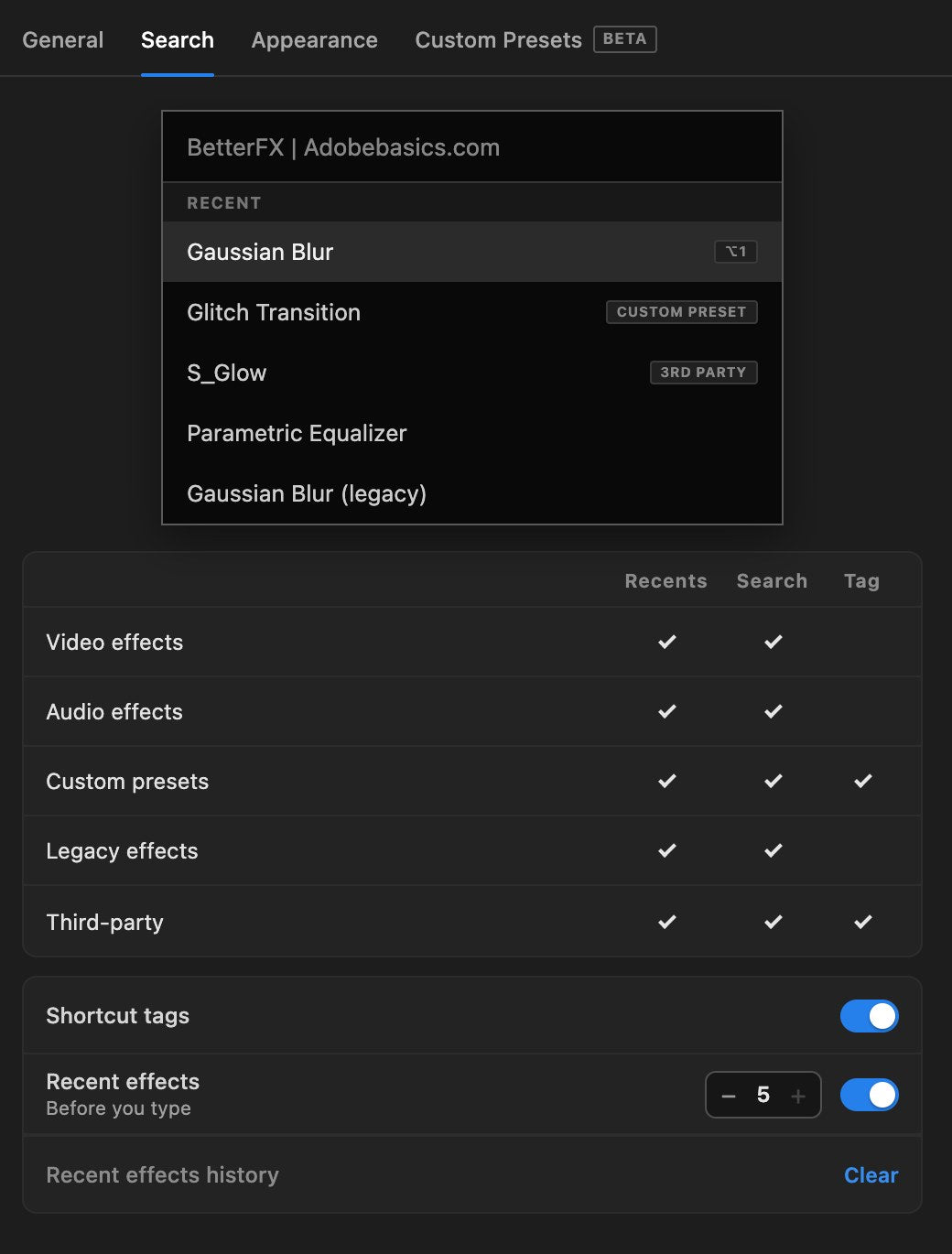
The Search tab shows a live preview of the BetterFX search bar. Tick what shows up in your recent effects, in search results and which tags appear, and the preview changes right away. Recent effects now have their own settings, so you can keep an effect out of search results and still see it in your recents.
Your colors
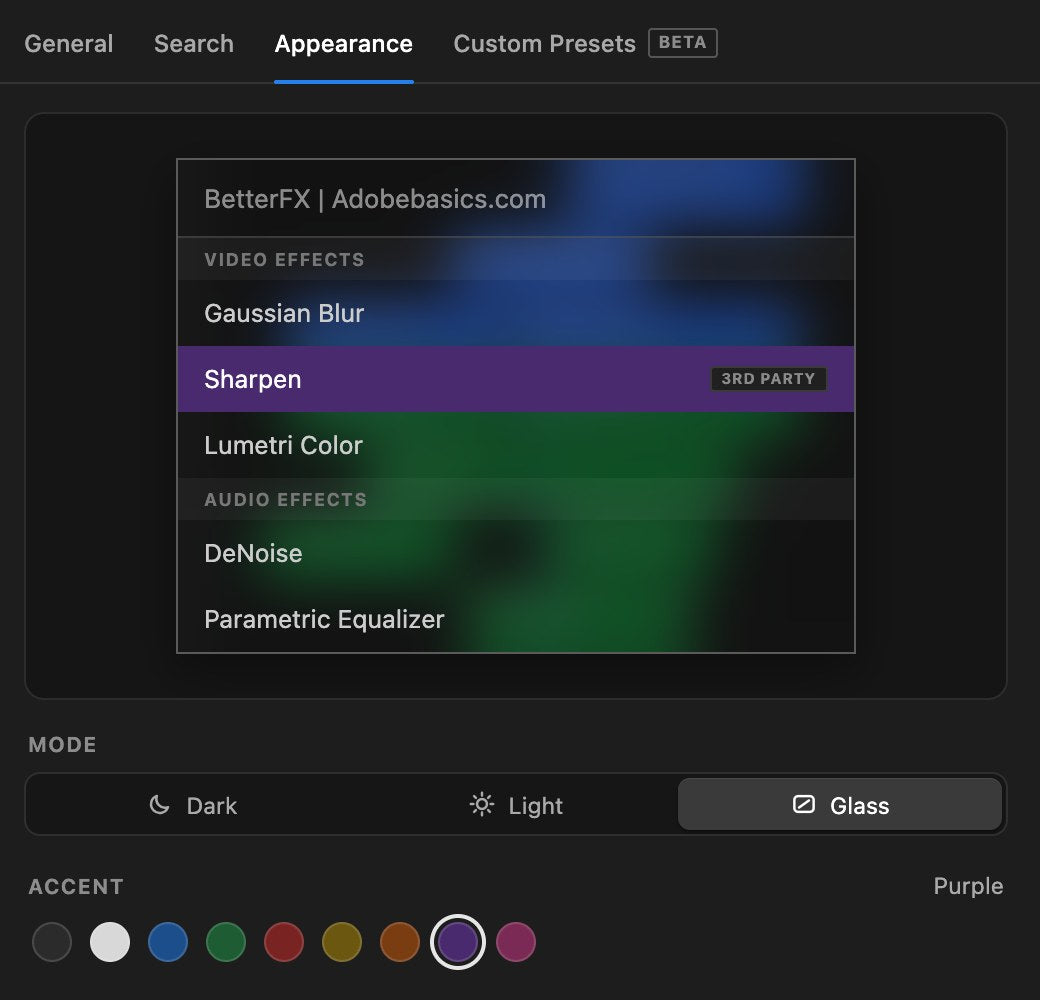
Choose the look of the search bar in the Appearance tab: Dark, Light or Glass, with nine accent colors. For the panel itself, open the ••• menu to pick an accent color and how dark the panel is. Turn on Match Adobe Basics Plugins and your other Adobe Basics plugins follow the same look.
Custom presets, cleaner
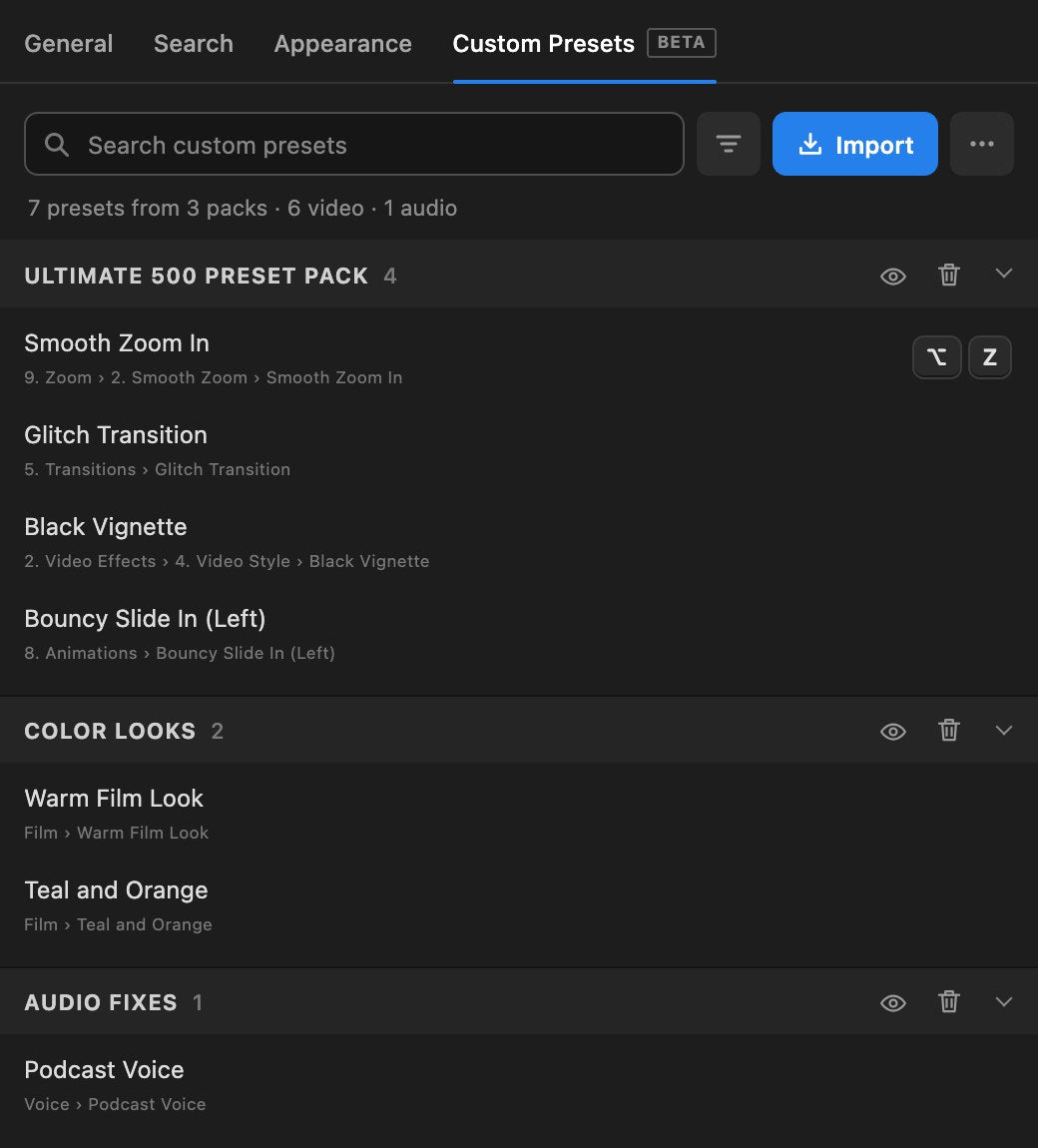
The Custom Presets tab (still in beta) uses the same clean list. Your presets are grouped by the pack they came from, with search, Import and their own filter at the top.
Any size
The panel used to have a fixed size. In 2.0 you can make it as big or as small as you like, and it rearranges itself to fit a narrow panel.
Bug fixes and improvements
- Type right away. The search bar takes your typing the moment it opens, also right after you applied an effect.
- Recent effects stay. Leaving a kind of effect out of search results no longer hides it from your recent effects.
- Full effect names. Long names like Gaussian Blur (Legacy) are no longer cut off in the list.
- Clearer shortcut errors. When a shortcut is already taken, the reason shows on its own line instead of covering the buttons.
- Search opens every group. While you search, all groups open so every match shows.
- Hidden is easy to see. A hidden effect or preset shows a crossed-out eye.
- Labels stay in view. Button labels always show on top, never behind the next row.
- Tidier lists. Custom presets have their own place in the Custom Presets tab instead of mixing into Assigned Shortcuts.
- Cleaner windows. The windows for saving profiles and deleting packs have the same rounded look as the rest of the panel.
How to update
BetterFX updates itself. Open the BetterFX app from the menu bar on a Mac or the system tray on Windows and choose Check for Updates, or just wait for the update to arrive. Then restart Premiere Pro. The first time you open the panel, a short What's New window shows the changes. You can open it again any time from the ••• menu.
FAQ
Is BetterFX 2.0 a free update?
Yes. Everyone with a BetterFX license gets 2.0 for free, on both Mac and Windows.
Where did the Favorites and Hidden tabs go?
They moved into the filter button next to the search on the General tab. Click it and choose Favorites or Hidden.
Why can't I resize the panel after updating?
Premiere Pro reads a panel's size when it starts. Save your project, quit Premiere Pro and open it again, and the panel resizes freely.
New to BetterFX? Get BetterFX and apply any effect in Premiere Pro with one shortcut.