by

What to look for
- It works on your own text. You should not have to rebuild your title inside a template. Select the clip, click, done.
- Letter, word and line. One animation should work three ways, so a hook, a caption and a lower third can share the same motion.
- Real springs. The smooth, bouncy motion of viral videos comes from overshoot and settle, not from a straight ease.
- Captions built in. Word-by-word highlights are now the default look for Reels, TikTok and Shorts.
- Speed. A text effect that renders on the graphics card keeps playback smooth on a busy timeline.
- No subscription. Pay once and keep it.
Our pick: Asteria
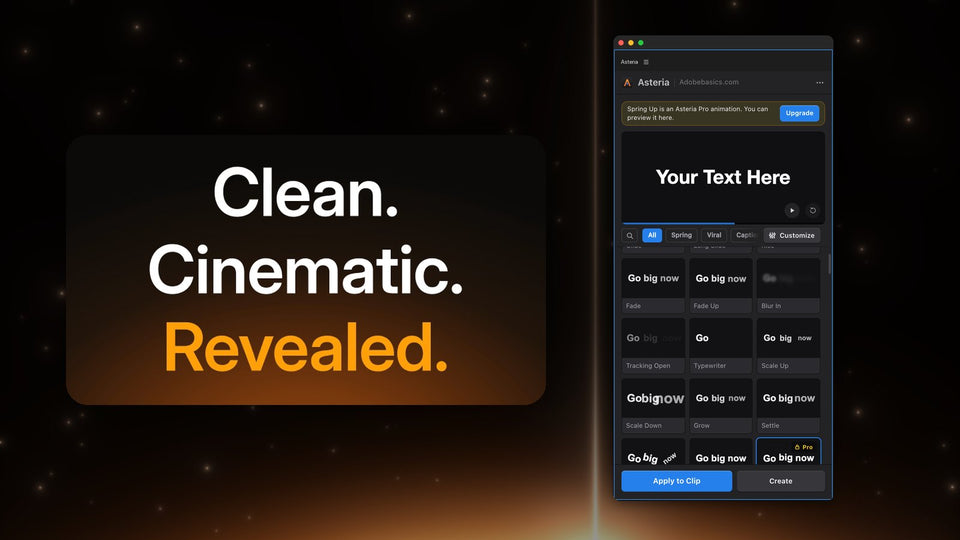
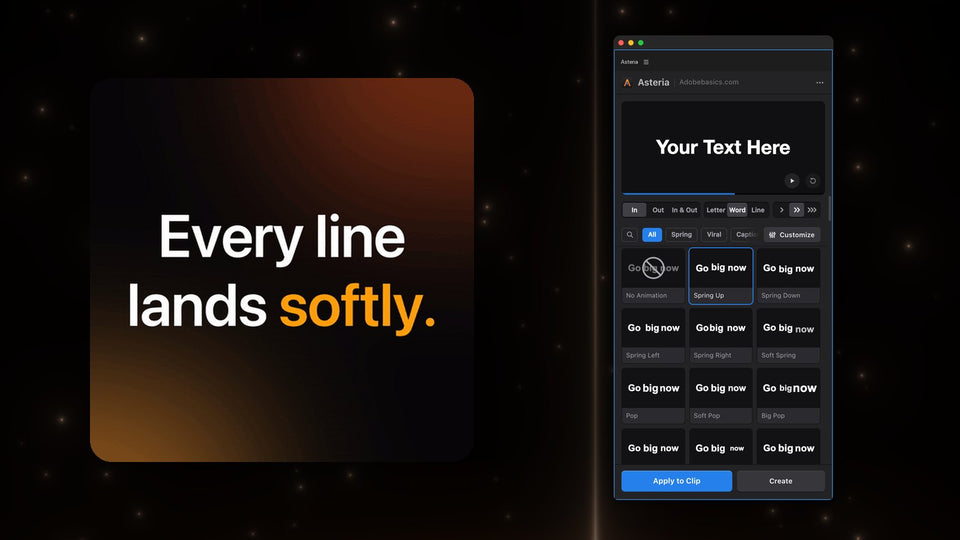
Asteria is a Premiere Pro plugin with up to 206 text animations. Select a text clip you made with the Type tool, click a tile in the Asteria panel and the animation lands on your clip, with your words, font, size and position kept.
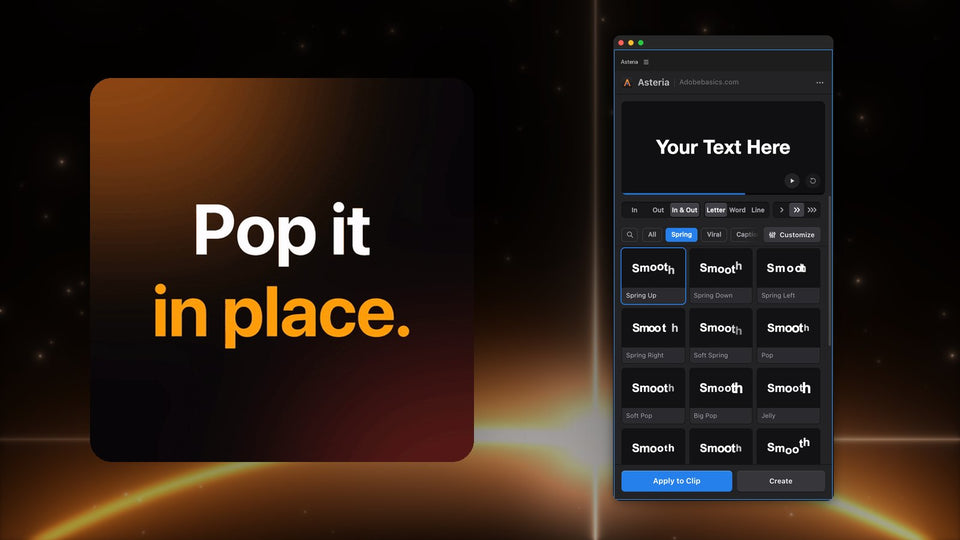
Every tile plays as you hover over it. Pick Letter, Word or Line, and In, Out or In & Out, then press Apply to Clip.

Springs, pops, reveals and captions
The library covers the looks editors reach for most: Spring Up, Soft Spring, Pop, Big Pop, Drop, Jelly and squash and stretch for hooks and punchlines, reveals for cinematic titles, typewriter, Decode and glitch hits, and, in Pro, word-by-word caption boxes like Karaoke Box and Box Pop.

Make it yours
In Pro, Customize opens the animation settings: the curve, Speed, Bounce, Stagger, Order and timing, with a live preview. Save the result as a custom animation and use the same look on every video.

Built for a real edit
Asteria is a native GPU effect, with Metal on Mac and CUDA or OpenCL on Windows, and finished frames are cached. It runs in Premiere Pro 2021 to 2027 on Windows and Mac, and a small menu-bar app keeps it up to date.
Price
Asteria Standard is $69.99 with 40 essential animations. Asteria Pro is $79.99 with all 206, animation settings and custom animations. You pay once, updates are free, and you can upgrade from Standard to Pro later for $15.
Want your titles to move in one click? Get Asteria for Premiere Pro.