by

Click once. Your text moves.
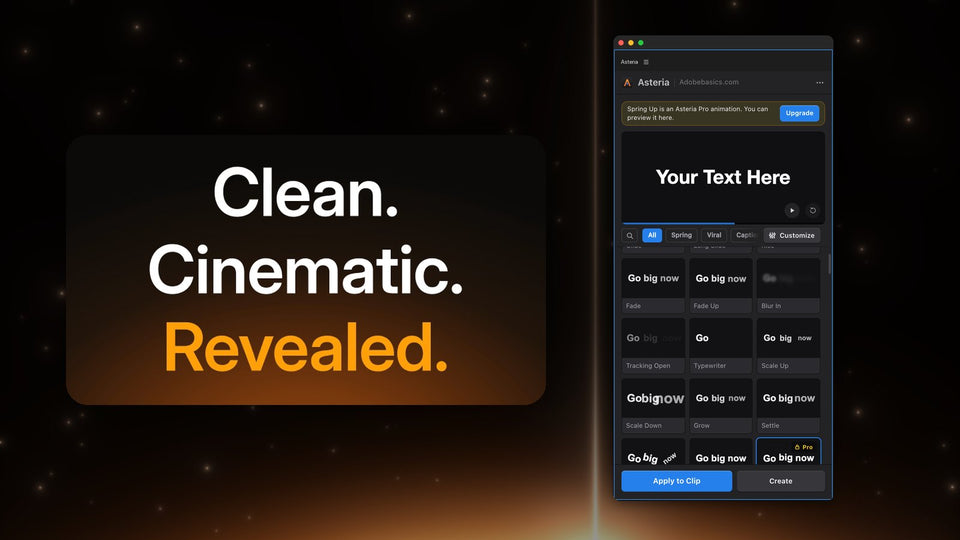
Make a title with Premiere's own Type tool, select the clip and click a tile in the Asteria panel. Asteria keeps your words, font, size and position, and animates them right on your timeline.
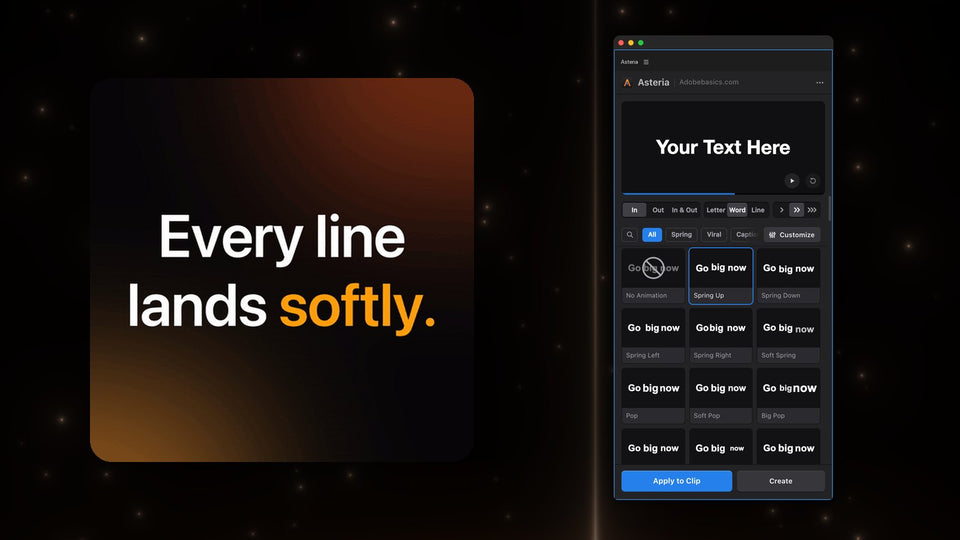
Every tile plays its animation as you hover over it, and the preview at the top of the panel shows it on your own text. Press Apply to Clip for the clip you selected, or Create to put a new animated title on a new track.

By letter, by word or by line
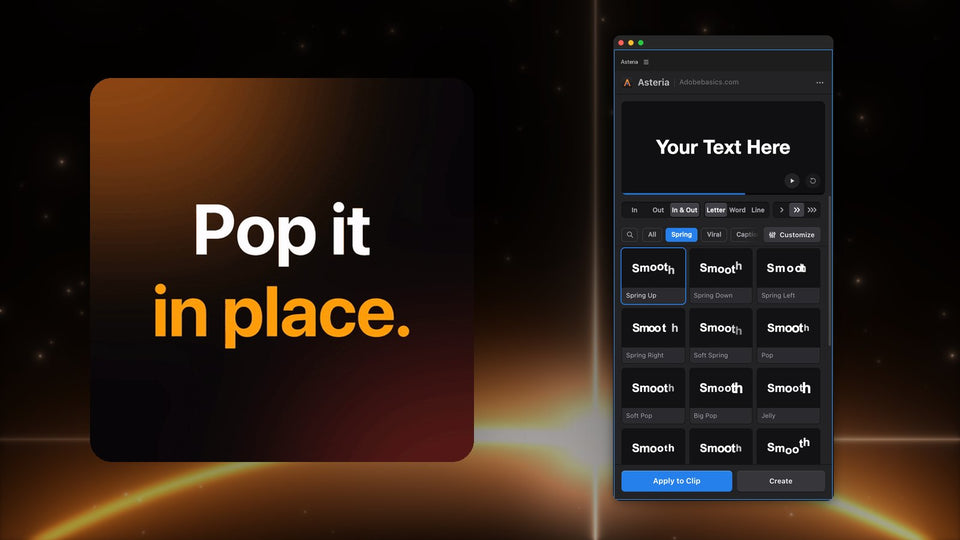
The same animation works three ways. Letter sends each character in a beat after the last, Word moves whole words, and Line glides full lines into place. Pick In, Out or In & Out to animate the entrance, the exit or both.

Motion that feels alive
Asteria's animations are built on springs, so words overshoot, bounce and settle like the titles on the big channels. Go from a soft glide to a big bounce: Spring Up, Soft Spring, Pop, Big Pop, Drop, Jelly, squash and stretch and many more.
Need something quieter? Reveals rise out of an invisible edge for cinematic titles, typewriter effects type your words out, and Decode and glitch hits scramble letters into place for tech, gaming and trailer edits.
Captions that keep people watching
The Captions group gives you the word-by-word highlights from Reels, TikTok and Shorts: Karaoke Box, Box Pop, Box Rise, Karaoke Color and more. Put stars around a word, like *this*, and Asteria colors it for you. The caption styles are part of Pro.

Make every animation yours
In Pro, open Customize and drag a value while the preview follows: the curve, Speed, Bounce, Stagger and Order (first, last, center, edges or random), plus the duration and start time.
Save your settings as a custom animation and it waits in your library for the next video. Star your favorites to keep them one click away, and search all 206 animations by name.

Fast on your timeline
Asteria is a native Premiere Pro effect that renders on your graphics card, with Metal on Mac and CUDA or OpenCL on Windows. Finished frames are cached, so playback stays smooth even with many animated titles.
Standard and Pro
Asteria Standard is $69.99 and has 40 essential animations, 25 In and 15 Out, used as they are. Asteria Pro is $79.99 and has all 206 animations, In & Out together, the caption styles, glitch and decode, animation settings, custom animations and every animation we add later.
Started with Standard? You can upgrade to Pro any time for $15. Both are one-time purchases, not subscriptions.
FAQ
Which Premiere Pro versions does Asteria support?
Premiere Pro 2021 to 2027, on Windows and Mac.
Do I need After Effects?
No. Asteria is a native Premiere Pro effect with its own panel, and everything happens inside Premiere Pro.
Can I use it in client work?
Yes. Use it in unlimited personal and commercial videos, for yourself or for clients, on two computers at a time. Updates are free.
Ready to make your titles move? Get Asteria for Premiere Pro.