by
by 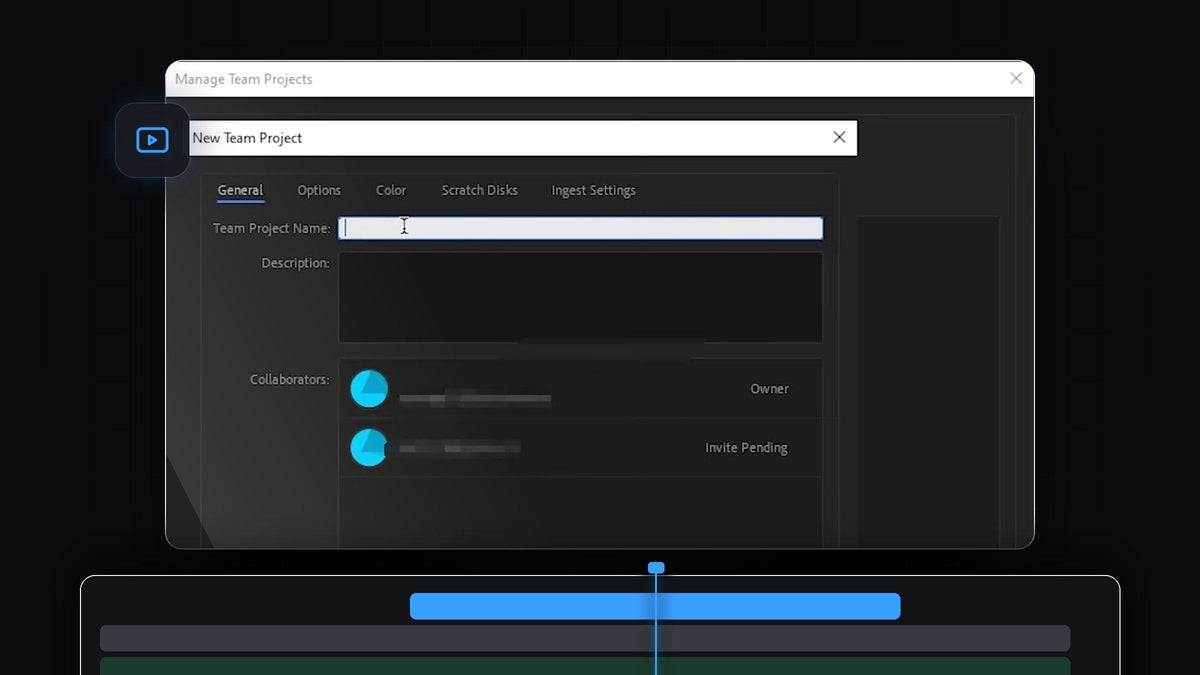
Watch the tutorial
Step 1: Start a new Team Project
If you are on the Premiere Pro start screen, click New Team Project in the left corner, just below Open Team Project. If you are not on the start screen, go to File > New > Team Project instead. Both routes open the same window.

Step 2: Open the New Team Project window
The Manage Team Projects window opens. Click New Team Project at the bottom of it. A second window appears with the General, Options, Color, Scratch Disks and Ingest Settings tabs. You are listed as the Owner under Collaborators.

Step 3: Invite your collaborator
Click Edit under Collaborators. In the Edit Collaborators window, type the email address of the person you want to work with into the Name or Email field and click Invite. They receive an email with an invite link that they have to click to join the Team Project. Until they accept, their name shows Invite Pending. When you are done, click Close.

Step 4: Name your Team Project
Back in the New Team Project window, click the Team Project Name field and enter a project name. You can add a short description too. You will see your collaborator in the list, marked Invite Pending until they accept. Click OK to create the project.

Step 5: Open your Team Project
After creating it, go back to the list, select your new project and click Open. Premiere Pro opens the Team Project and you can start adding footage and building sequences. Your collaborator opens it the same way once they have accepted the invite, using File > Open Team Project.
Tips
- Use the right email. The invite only works for the Adobe account tied to that email address, so ask your collaborator which one they use.
- Check your version. The video uses Premiere Pro 2024. If you do not see the Team Project commands in your version, look at the Production options in the same File > New menu.
- Keep your own projects organized. Read our guide on fixing offline media before sharing files between computers.
FAQ
Where is New Team Project in Premiere Pro?
Click New Team Project on the start screen, or go to File > New > Team Project.
How do I invite someone to a Team Project?
Click Edit next to Collaborators, enter their email in the Name or Email field and click Invite. They get an email with a link to accept.
How does my collaborator open the project?
After accepting the invite, they go to File > Open Team Project, pick the project and click Open.
Want your edits to look polished once the team is set up? Browse our Premiere Pro plugins.