

 by
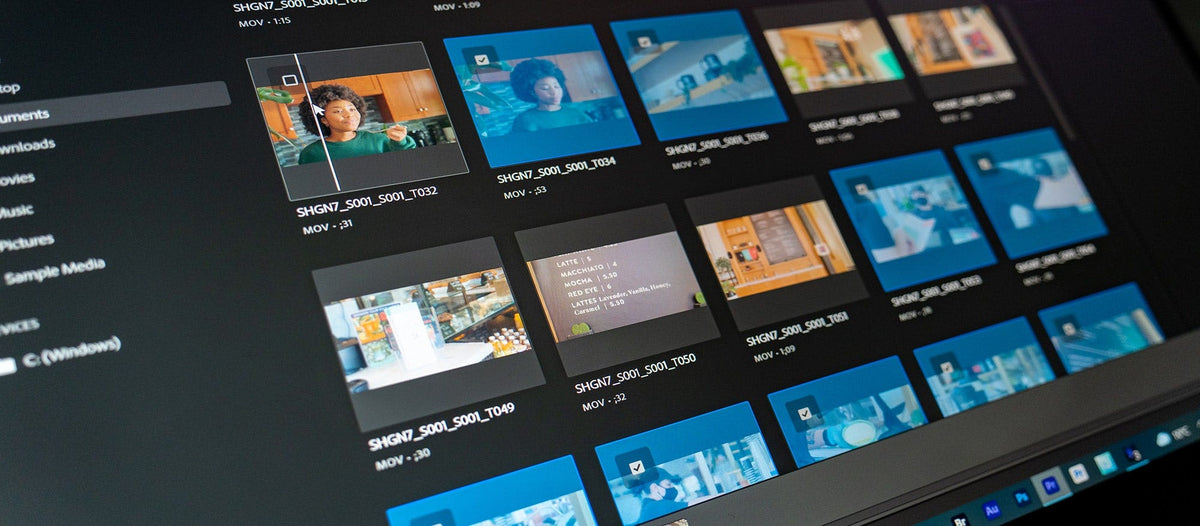
New Import mode
New projects no longer start with a settings window. Import mode shows your media instead. Pick clips and folders, they collect in a tray at the bottom, and Create puts them in a new sequence, ready to edit.
You can favorite the places you use most, scrub thumbnails by hovering, make bins, and copy camera cards with MD5 checksum verification while you start editing. If you prefer the old way, create an empty project and use File > Import or the Project panel.

New Export mode and a header bar
A new header bar puts Import, Edit and Export tabs at the top, with your workspaces in a menu on the right. Export mode lets you switch on several destinations, like a file on your drive, social platforms and FTP sites, and suggests settings for each. Click Export and Premiere renders every file and can post them for you, privately first if you want a review.
The new Preset Manager saves your favorite export settings, and it works in Quick Export too.
Auto Color
Auto Color uses Adobe Sensei to make a first color correction. Put the playhead in a clip and click Auto in the Lumetri Color panel. The changes show up in the Basic Correction sliders, and a new Intensity slider sets how strong they are. It works on log footage and clips with a LUT too. In the beta it was called Auto Tone.
Frame.io review in Premiere
Frame.io for Creative Cloud is now included with Premiere Pro. Open the Review workspace, sign in with your Adobe ID and share your work. Reviewers comment in a browser or the Frame.io app, and their notes appear in your timeline. Camera to Cloud, also included, sends files from the set straight to the cloud so editing can start during the shoot.

Also in this update
- Speech to Text in Cantonese. Language packs now cover 14 languages.
- Show or hide markers by color. Across the timeline, monitors and Effect Controls.
- Trim mode looping. Loop playback from the playhead instead of the nearest edit.
- Remix progress indicator. See when Remix is analyzing a song.
- Text panel text size. Make the text in the Text panel bigger or smaller.
- EDL clip names. Choose source clip names or timeline clip names in EDL exports.
- Sony VENICE 2. Support for this camera.
Adobe followed up with 22.3.1, which fixed playback or rendering stopping around 00:34:46:00 in the timeline.
See every feature of the year in What's New in Premiere Pro 2022.
FAQ
When did Premiere Pro 22.3 come out?
Adobe started a phased rollout on April 12, 2022, and the update reached all users over the following days.
Can I still import media the old way?
Yes. Create an empty project and use File > Import, the Project panel or the Media Browser, just like before.
Want to edit even faster after the new Import mode? Get QuickPaste for Premiere Pro.






