by
Filler word detection with bulk delete
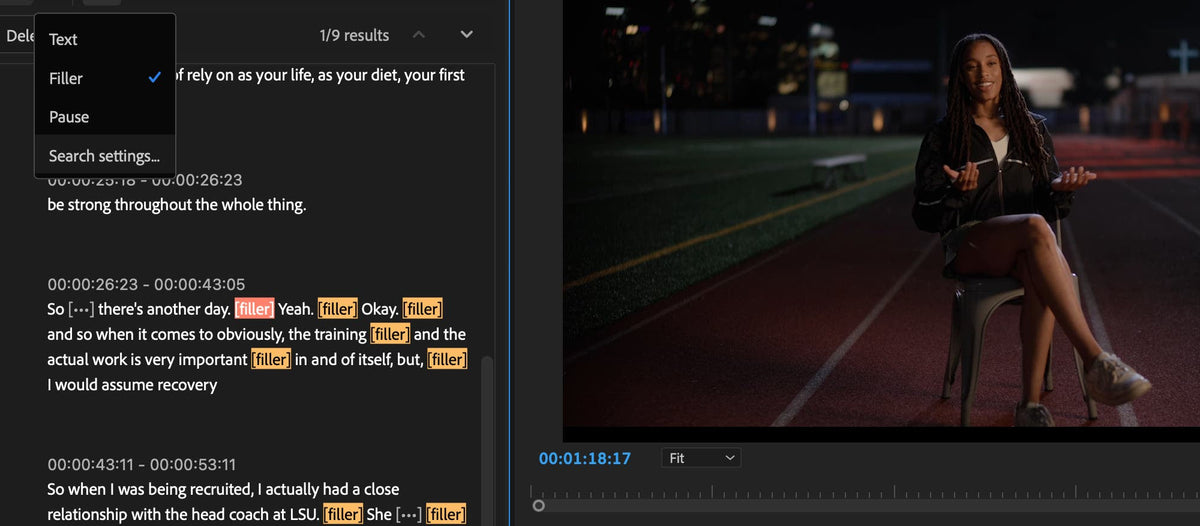
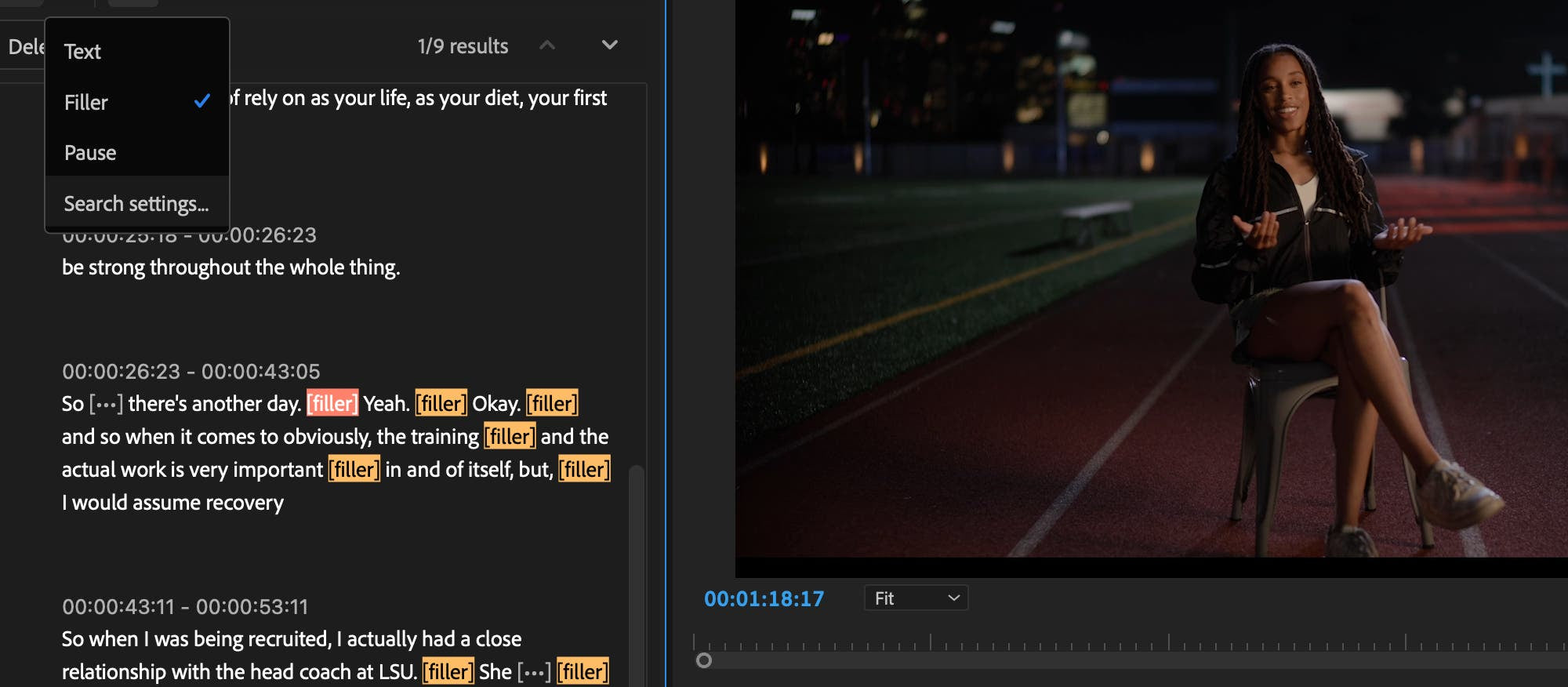
Text-Based Editing now spots filler words like "um" and "uh" in your transcript. You can delete them, along with pauses or any other words you don't want, in one step with bulk delete. It works in all 18 languages Speech to Text supports.
It's a quick way to tidy up a talking-head video, a podcast or an interview before you fine-tune the cut on the timeline.
New sequence presets
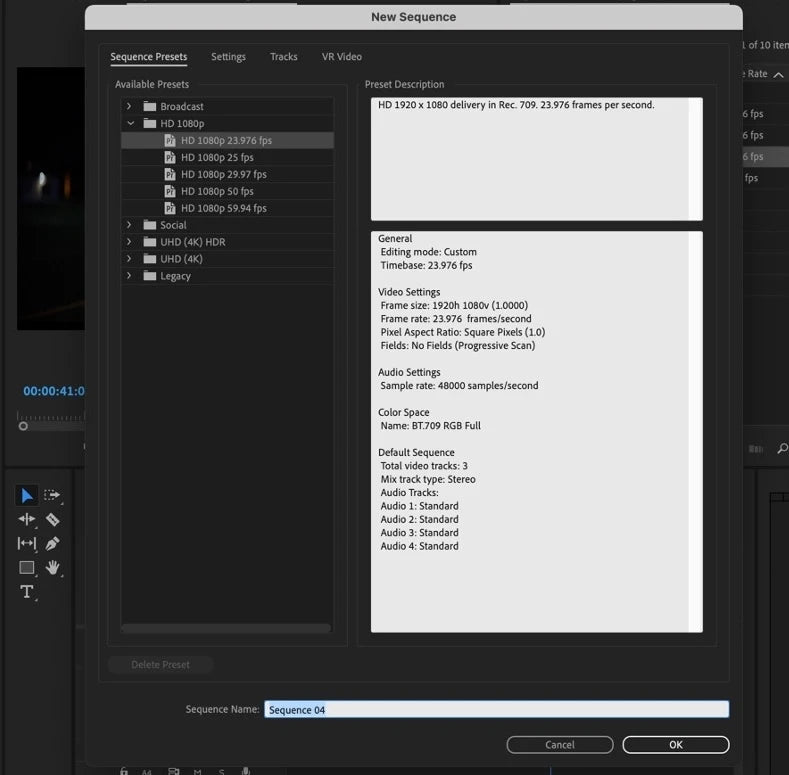
The New Sequence dialog has a much shorter list. You get HD 1080p, Social (4x5, 9x16 and 1x1), UHD 4K, UHD HDR and Broadcast, and the old presets now sit in a Legacy folder. You can still edit, delete or make your own. Find them under File > New > Sequence or the New Item button in the Project panel.
Easier Motion Graphics templates
Motion Graphics templates are easier to find and organize. Templates from different locations, including folders on your disk, now show up as rows with check marks, with a tree view of your locations and thumbnails of the templates below.
Also in this update
- Cloud locations in Import mode. Browse cloud folders like Dropbox and OneDrive just like a local disk.
- Team Projects. Version history and Auto Save history are one click away from the project name in the header bar.
- Trimming and multicam. Sequences made from multicam clips map audio more predictably, and a new ripple trim preference keeps both sides of a trim in sync.
- Export. 16-bit PNG export, and destination groups in Export mode can be collapsed.
- Sync Settings. Adobe announced that Sync Settings and Creative Cloud Synced files are being discontinued.
See everything else that came to this version line in What's New in Premiere Pro 2024.
FAQ
When did Premiere Pro 24.1 come out?
Adobe released Premiere Pro 24.1 in December 2023.
Which languages does filler word detection support?
All 18 languages that Speech to Text supports in Premiere Pro.
Want to speed up the rest of your edit too? See our Premiere Pro plugins.