by
Premiere Pro 2024 at a glance
- A faster timeline. Timeline drawing is up to five times faster, so scrolling and trimming feel smoother (24.0).
- Enhance Speech. One click to remove noise and make dialogue clearer (24.2).
- Filler word detection. Find every "um" and "uh" in a transcript and delete them all at once (24.1).
- A new audio workflow. Fade handles on clips, audio type badges and easier to read waveforms (24.4).
- Simpler color settings. Color options in one place, with better tone mapping (24.0).
- Safer editing. Recovery mode reopens your projects after a crash, and the Effects Manager finds plugins that cause trouble (24.0).
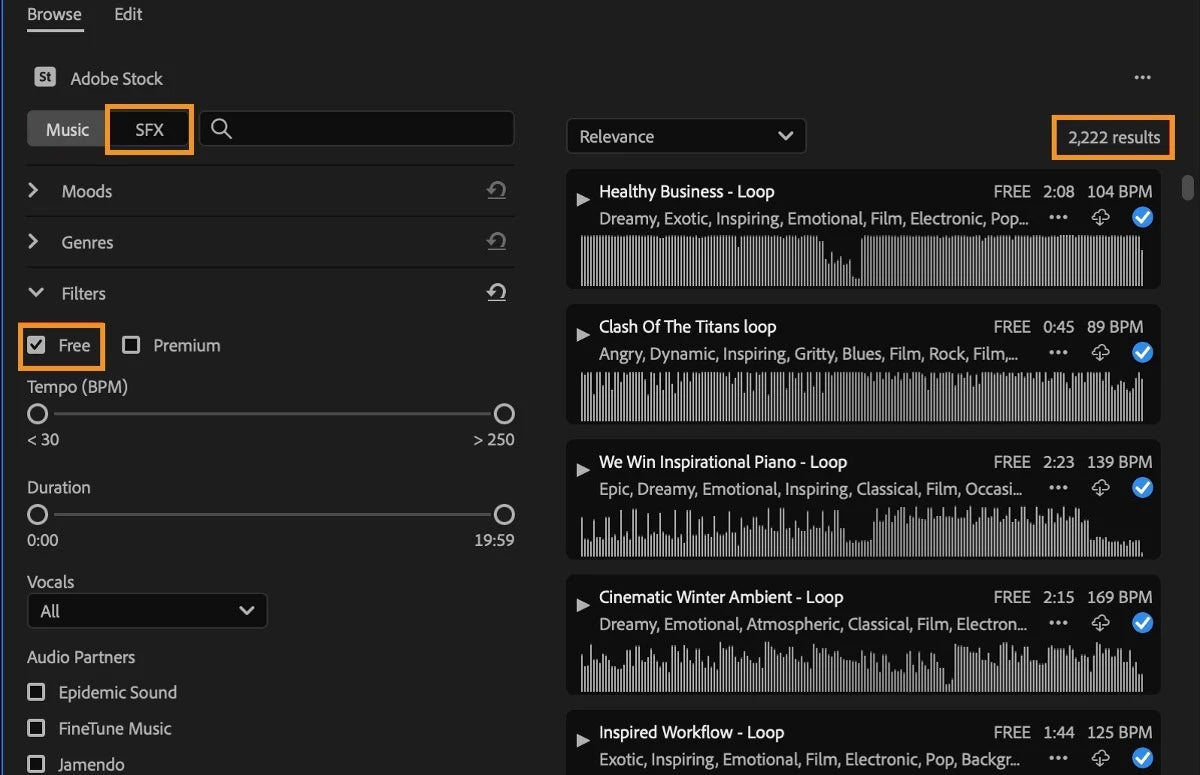
- Free stock audio. Search Adobe Stock music and sound effects inside the Essential Sound panel (24.6).
- Better proxies. Half or quarter size proxies in a few clicks, with optional watermarks (24.2 and 24.5).
A faster timeline
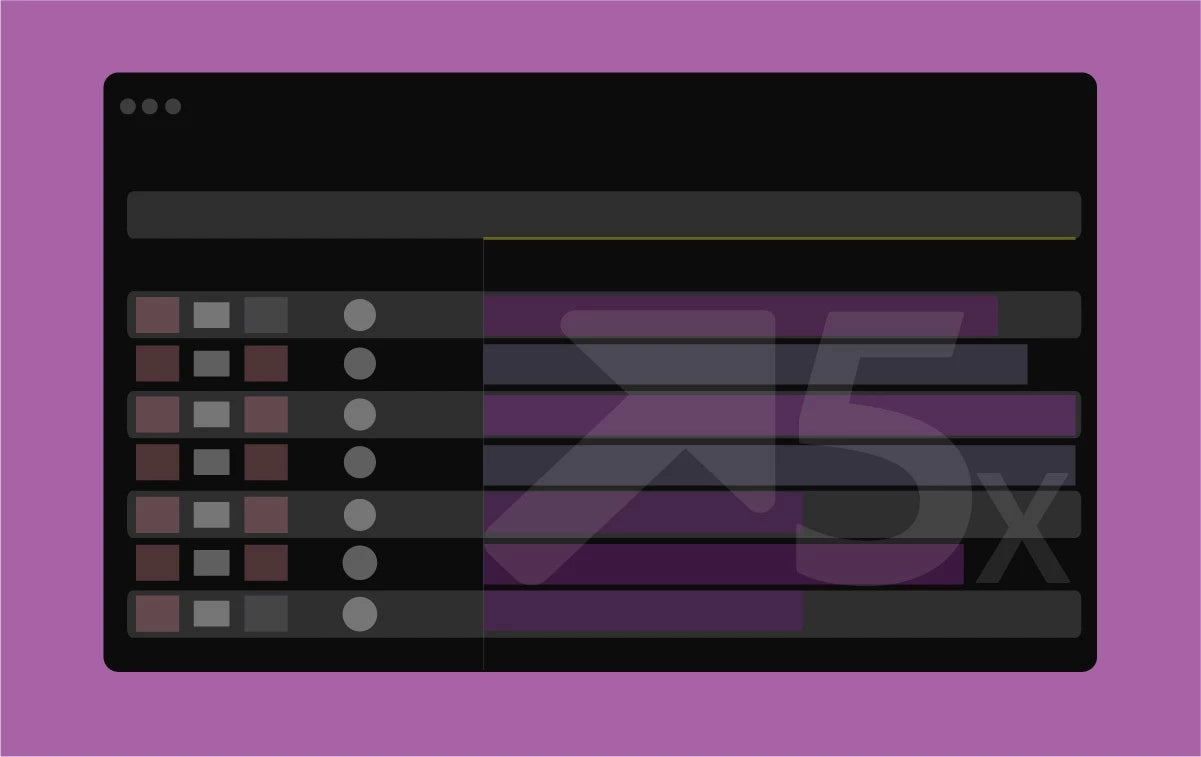
Premiere Pro 2024 redraws the timeline up to five times faster than version 23.4, according to Adobe's tests on Mac and Windows. You feel it when you scroll, zoom, trim and move clips, especially in long sequences with many tracks.
Later updates kept working on speed. Speech to Text is GPU-accelerated and over 15% faster in 24.3, Premiere loads faster on a Mac in 24.4 because plugins are cached after the first launch, and ProRes exports are up to three times faster in 24.5.
Text-Based Editing: cut pauses and filler words
Text-Based Editing came in 2023. In 2024 it got the cleanup tools editors asked for.
- Delete all pauses (24.0). Remove every pause in a transcript with one click.
- Multichannel audio (24.0). Transcribe a clip again using one audio channel, or a mix of all channels.
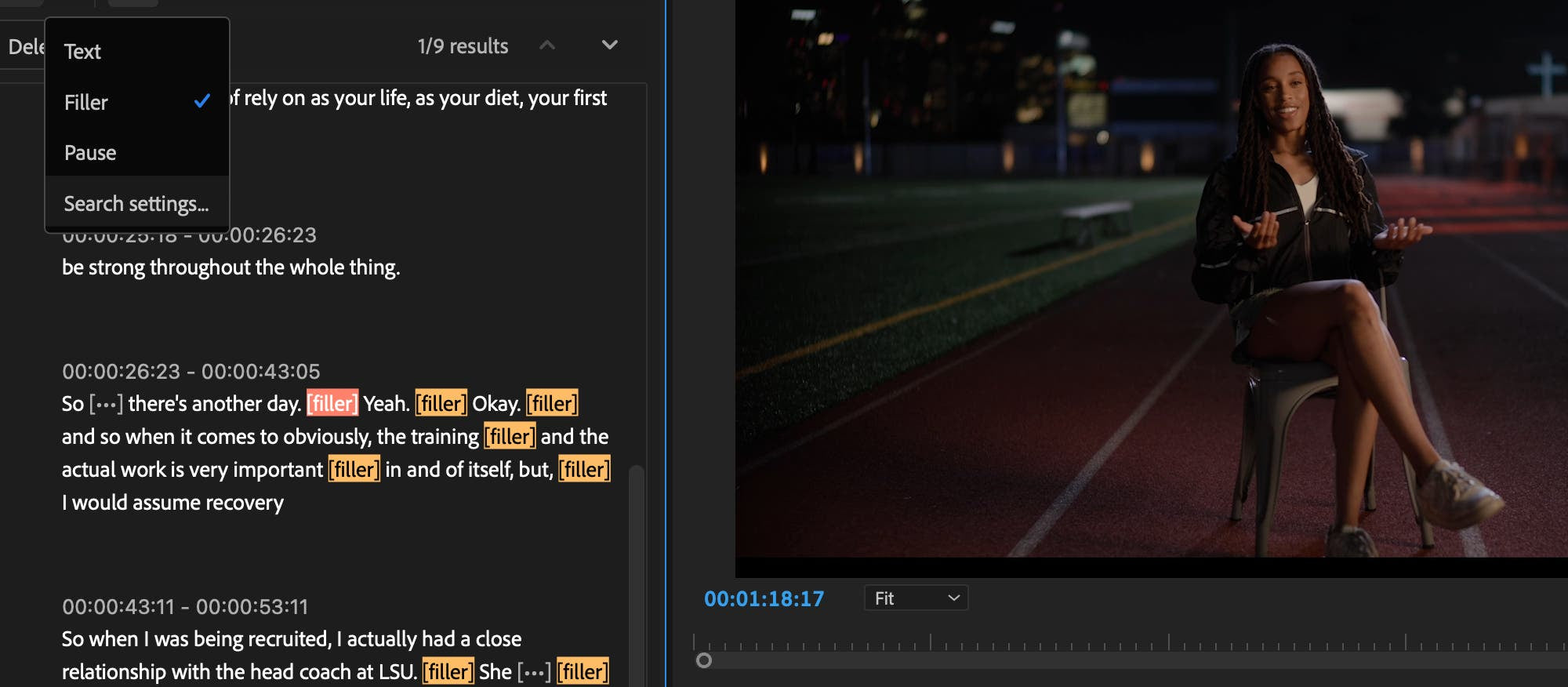
- Filler word detection (24.1). Premiere finds "ums" and "uhs" and lets you delete them, pauses and other unwanted words in one step. It works in all 18 Speech to Text languages.
- Faster, more accurate transcripts (24.3). Speech to Text runs on the GPU, and accuracy improved across all 18 languages.
- Remove a speaker (24.4). Select everything one person says, like an interviewer, and delete it from the sequence in one go.
- Markers in the Text panel (24.4). Leave notes and colored markers right in the transcript. They show up in the sequence too.
Enhance Speech: clearer dialogue in one click
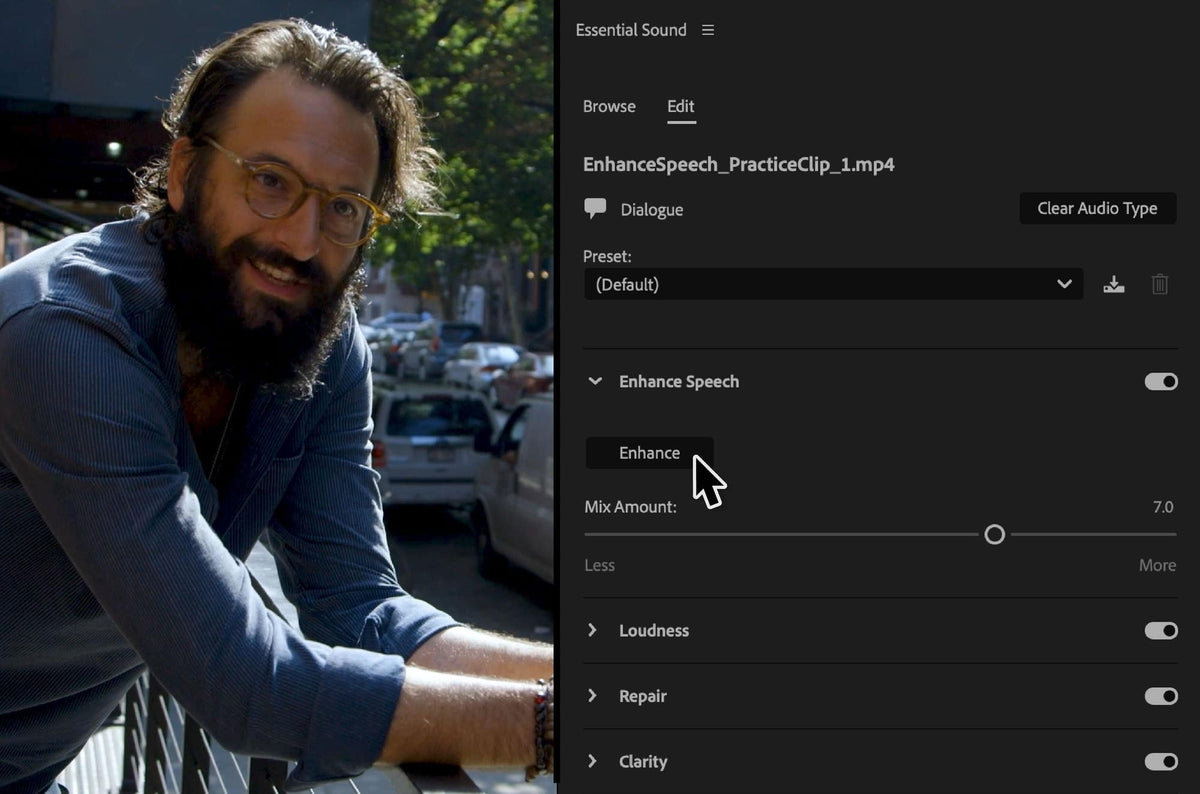
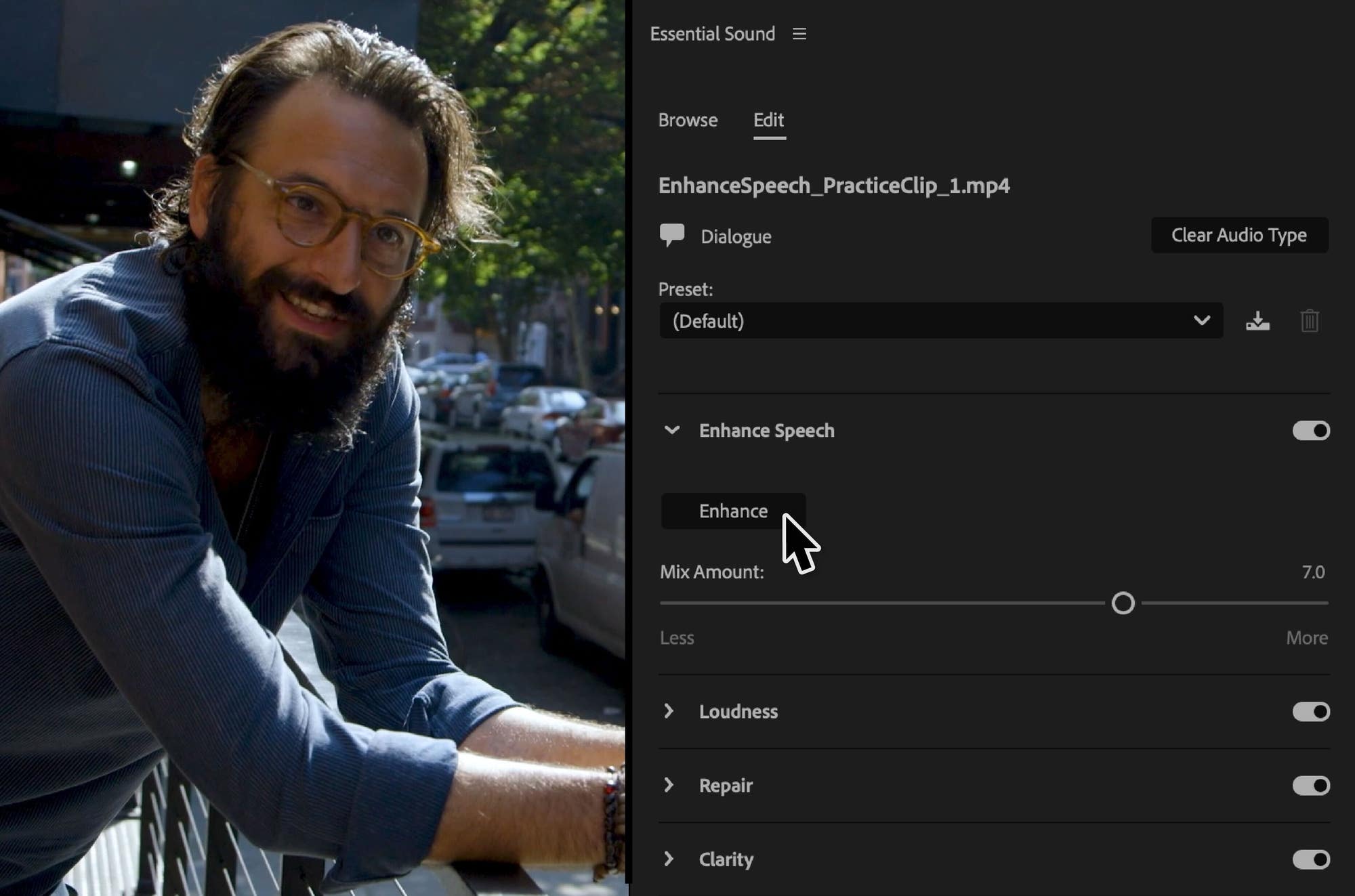
Enhance Speech arrived in Premiere Pro 24.2 in February 2024. Select a dialogue clip, open the Essential Sound panel and click Enhance. Premiere removes background noise and improves the voice so it sounds like it was recorded in a studio. It runs in the background, so you can keep editing while it works, and a Mix Amount slider lets you bring some of the room back if the result sounds too clean.
In 24.5, Enhance Speech also levels out quiet recordings, so soft voices come out at a better volume.
A new audio workflow on the timeline
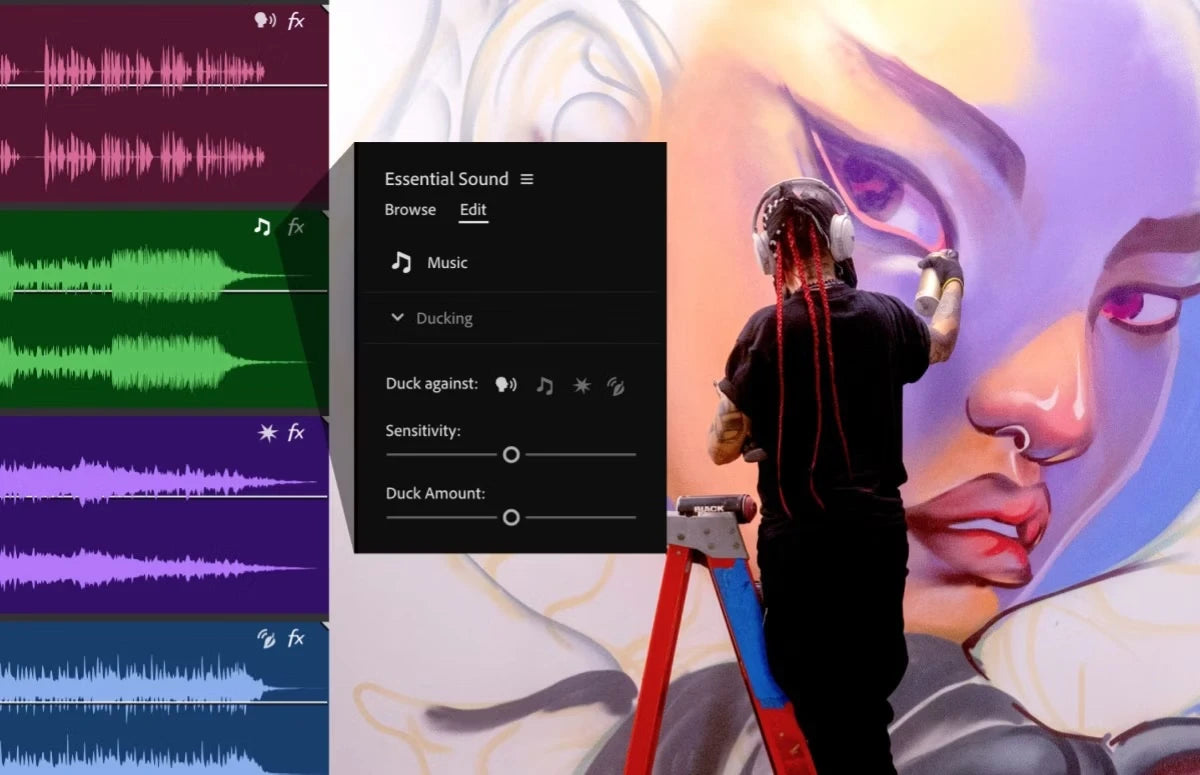
Premiere Pro 24.0 started tagging audio clips as Dialogue, Music, SFX or Ambience, so the Essential Sound panel shows the right tools for each clip. In 24.4 (May 2024), Adobe rebuilt how audio looks and works on the timeline:
- Interactive fade handles. Drag the small squares in the corners of an audio clip to make a fade in, fade out or crossfade. Drag up or down to change the curve.
- Audio type badges. Each clip gets a badge for its audio type. Click it to jump straight to the matching tools in Essential Sound.
- Redesigned fx badges. See at a glance which clips have effects. Right-click the badge to add an effect, or click it to open Effect Controls.
- New clip colors and waveforms. Waveforms resize with the track height, and new colors make audio easier to read.
Color made simpler
Premiere Pro 24.0 moved many color choices into one Settings tab in the Lumetri Color panel, with settings for the project, the source clip and the sequence in one list. Tone mapping got better too, so you get more consistent color without extra steps.
In 24.4, Premiere added support for Apple Log footage from the iPhone 15 Pro and Pro Max. Turn on automatic log detection, drop the clip into a Rec. 709 sequence, and Premiere tone maps it for you. You can also override the default media color space for any format except raw.
Fewer crashes, easier recovery
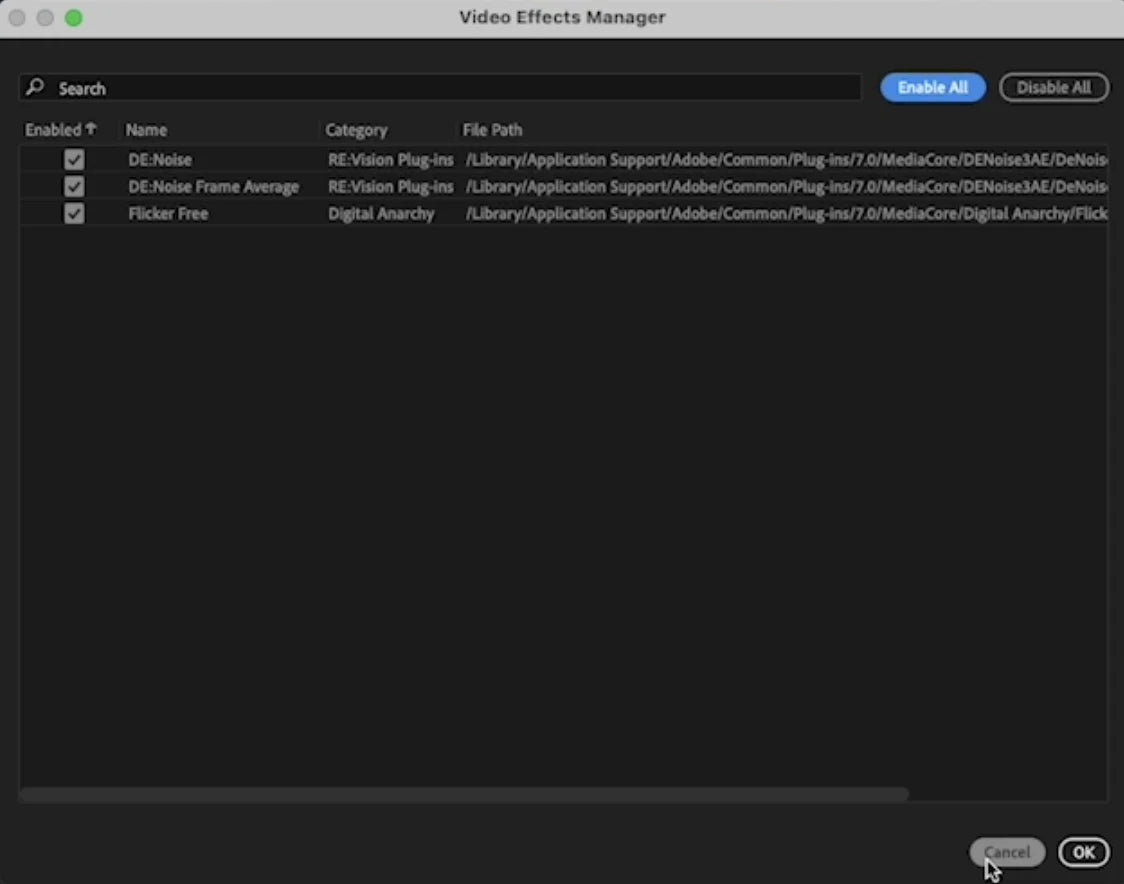
Two tools in 24.0 help when something goes wrong. The Video Effects Manager lists all your third-party video plugins in one place, so you can find and turn off one that causes problems. And Recovery mode lets you restore the last saved state of your open projects if Premiere quits unexpectedly.
Proxies, presets and templates
- Project templates (24.0). Save a project as a template, with bins and sequences already set up, and start new projects from it.
- New sequence presets (24.1). A shorter list with HD 1080p, Social (4x5, 9x16 and 1x1), UHD 4K, UHD HDR and a Legacy folder for the old presets.
- Easier Motion Graphics templates (24.1). Find and organize templates from several locations, including folders on your disk.
- Simpler proxies (24.2). Make proxies at exactly half or a quarter of the original frame size, with new presets for H.264, ProRes, Cineform and DNxHR.
- Visual styles (24.3). See a thumbnail of a text style before you apply it, and reuse styles across projects with the new style browser.
- Proxy watermarks (24.5). Add your own or a default watermark while you create proxies.
Free stock audio and timecode sync
Premiere Pro 24.6 (August 2024) lets you search music and sound effects from Adobe Stock in the Essential Sound panel, including thousands of free files. Filter by Free or Premium, and use Timeline Sync to play a track along with your edit before you pick it.
The same update reads Linear Timecode (LTC) from an audio track, so you can sync cameras and recorders that store timecode as sound, or build multicam sequences from them.
Sharing, export and cameras
- Custom export destinations (24.0). Export mode keeps your own list of destinations for every project.
- Export to TikTok (24.2). Post to TikTok, or save a draft there, straight from Export mode, with captions and hashtags.
- Color fonts and emojis (24.2). Use color fonts in your titles, and on a Mac insert emojis from the Edit menu.
- H.264 in MOV (24.2) and 16-bit PNG (24.1). More export options.
- New cameras. Sony BURANO (24.2), Canon EOS C400 and RED V-RAPTOR [X] (24.5), Canon EOS R5 Mark II and EOS R1 (24.6).
- More hardware acceleration. HEVC and H.264 on Intel discrete graphics cards (24.0), and AVC and HEVC in MXF files from Sony, Canon and Panasonic cameras (24.4).
Added during the year
- Premiere Pro 24.1 (December 2023): filler word detection, new sequence presets and cloud locations in Import mode.
- Premiere Pro 24.2 (February 2024): Enhance Speech, export to TikTok, simpler proxies and color fonts.
- Premiere Pro 24.3 (March 2024): faster Speech to Text, marker filters and label color presets.
- Premiere Pro 24.4 (May 2024): fade handles, audio badges and new waveforms.
- Premiere Pro 24.5 (June 2024): proxy watermarks, faster ProRes export and better Enhance Speech.
- Premiere Pro 24.6 (August 2024): free stock audio, LTC timecode and new Canon cameras.
Premiere Pro 2024 system requirements
| Computer | Premiere Pro 2024 |
|---|---|
| Mac with Apple silicon | M1 or newer with macOS 12 Monterey or later |
| Intel Mac | Intel 6th generation or newer with AVX2, macOS 12 Monterey or later. Not Mac Pro 2013 or older |
| Windows | Windows 10 (64-bit) version 22H2 or later, or Windows 11 |
| Windows processor | Intel 6th generation or AMD Ryzen 1000 series or newer, with AVX2 |
| Memory | 8 GB minimum, 16 GB for HD, 32 GB or more for 4K |
| GPU memory | 2 GB minimum, 4 GB for HD and some 4K, 6 GB or more for 4K |
| macOS 11 Big Sur | Not supported |
Premiere Pro 2024 no longer runs through Rosetta on Apple silicon Macs. It runs natively instead.
Our plugins and templates work in Premiere Pro 2024
EaseFlow, BetterFX, QuickPaste and Mako all work in Premiere Pro 2024. Our plugins and Motion Graphics templates work in Premiere Pro 2021 to 2027, and our presets in 2019 to 2027, on Windows and Mac, so you can stay on 2024 or update later without losing your tools.
FAQ
When did Premiere Pro 2024 come out?
Adobe released Premiere Pro 2024 (version 24.0) on October 10, 2023, at Adobe MAX.
What was the last feature update of Premiere Pro 2024?
Version 24.6, released in August 2024. It added free stock audio in the Essential Sound panel, LTC timecode support and new Canon camera support.
Which version of Premiere Pro 2024 added Enhance Speech?
Enhance Speech came out of beta in Premiere Pro 24.2 in February 2024. Version 24.5 improved it for quiet recordings.
Does Premiere Pro 2024 run on an Intel Mac?
Yes. It needs an Intel 6th generation processor or newer with macOS 12 Monterey or later. It doesn't install on a Mac Pro from 2013 or older.
Want to edit even faster in Premiere Pro 2024? See our Premiere Pro plugins.