by
Enhance Speech
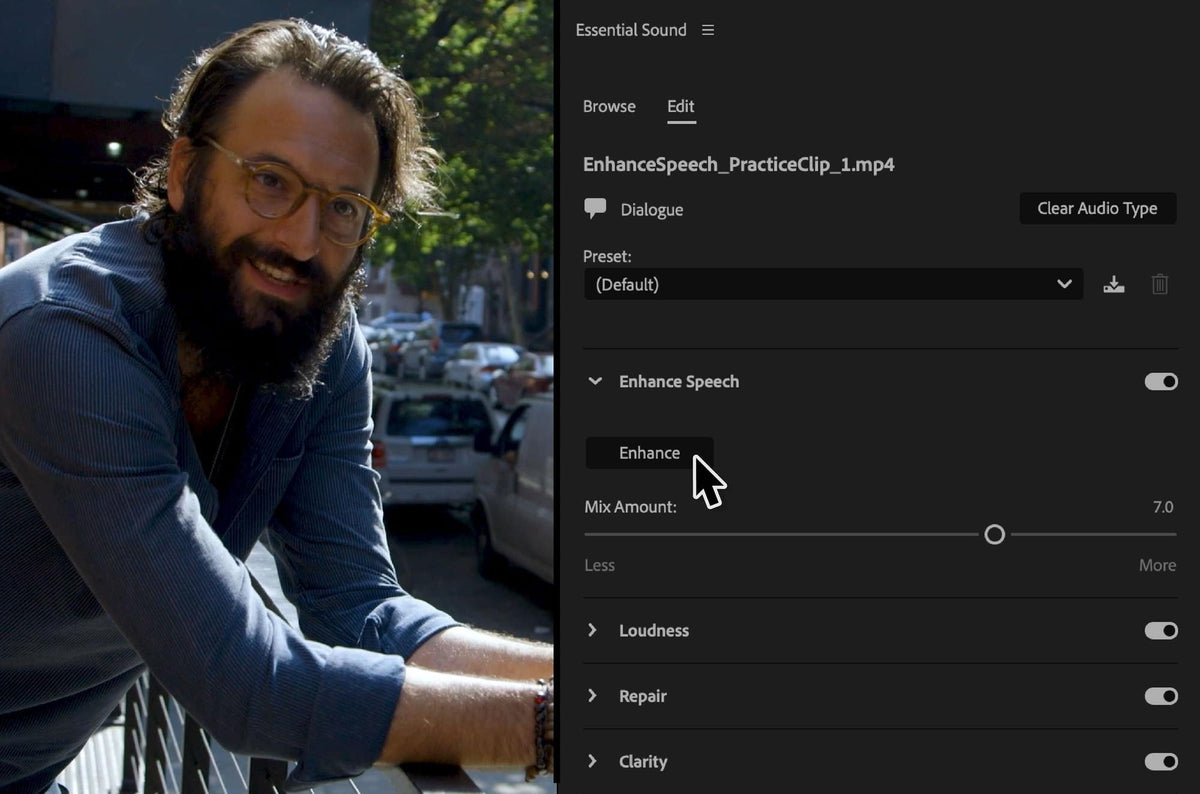
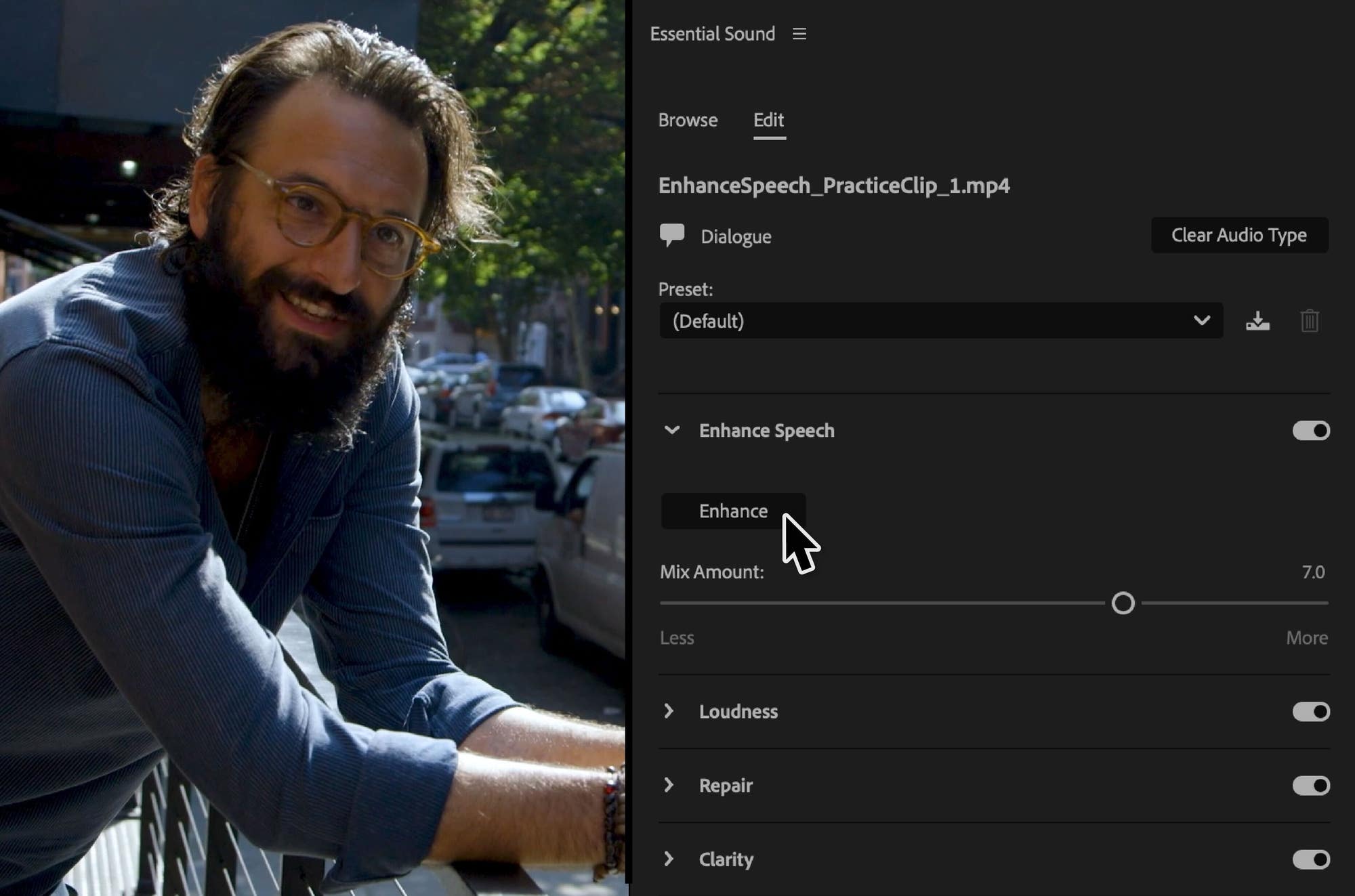
Select a dialogue clip, open the Essential Sound panel and click Enhance. Premiere uses AI to remove background noise and improve the voice, so it sounds like it was recorded in a studio. A progress bar shows how long it will take, and it runs in the background so you can keep editing. Use the Mix Amount slider to bring back a little of the room if you want a more natural sound.
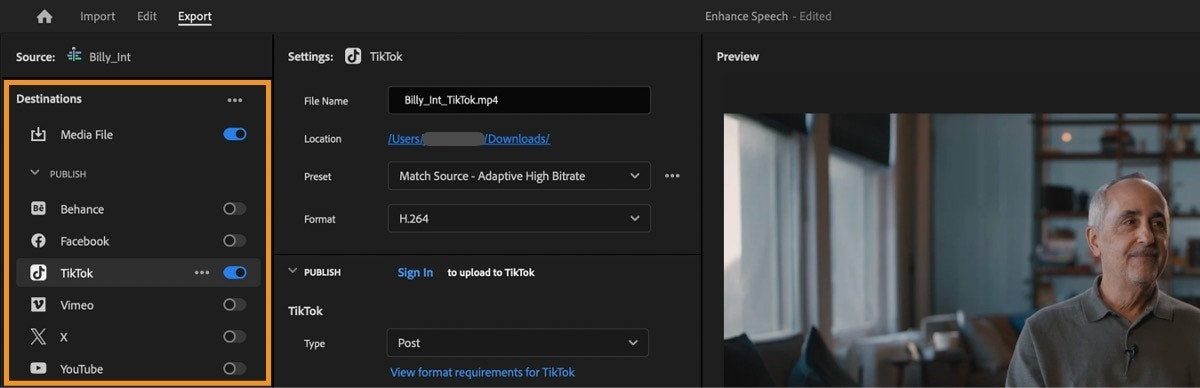
Export directly to TikTok
TikTok is now a publish destination in Export mode. Sign in, add captions, hashtags and keywords, then post the video or save it as a draft in TikTok, without leaving Premiere. New templates and sequence presets help you set up projects in the right size for TikTok and other social platforms.
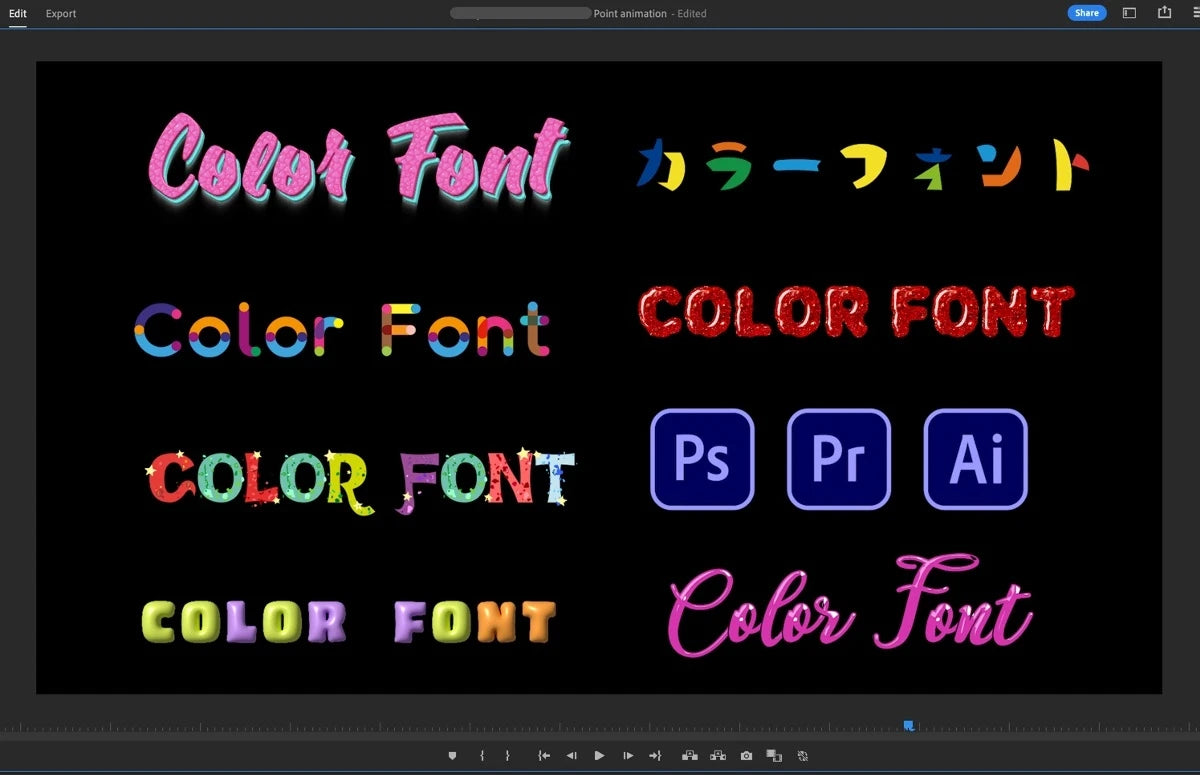
Color fonts and emojis
Titles can now use color fonts from Adobe Fonts or other font sites, with colors and textures built into each letter. On a Mac, you can also insert emojis into text layers with the new Emojis & Symbols picker in the Edit menu.
Also in this update
- Simpler proxies. Make proxies at exactly half or a quarter of the original frame size, with presets for H.264, ProRes, Cineform and DNxHR.
- Sony BURANO support. Import X-OCN and XAVC-H files from the camera.
- Text boxes. An indicator shows when text doesn't fit in a paragraph text box, and you can convert point text to paragraph text.
- H.264 in MOV. Export H.264 in a MOV container.
- Faster effects. Warp Stabilizer analysis is faster, and the Noise effect is GPU-accelerated.
See everything else that came to this version line in What's New in Premiere Pro 2024.
FAQ
Is Enhance Speech free in Premiere Pro?
Yes. It's included in Premiere Pro from version 24.2, so you don't pay anything extra for it.
What is the difference between Premiere Pro 24.2 and 24.2.1?
Both belong to the same February 2024 release and have the same new features. Adobe's community announcement for the release names version 24.2.1, so install that one or anything newer.
Cleaning up dialogue is just the start. See our Premiere Pro plugins.