by
Interactive fade handles
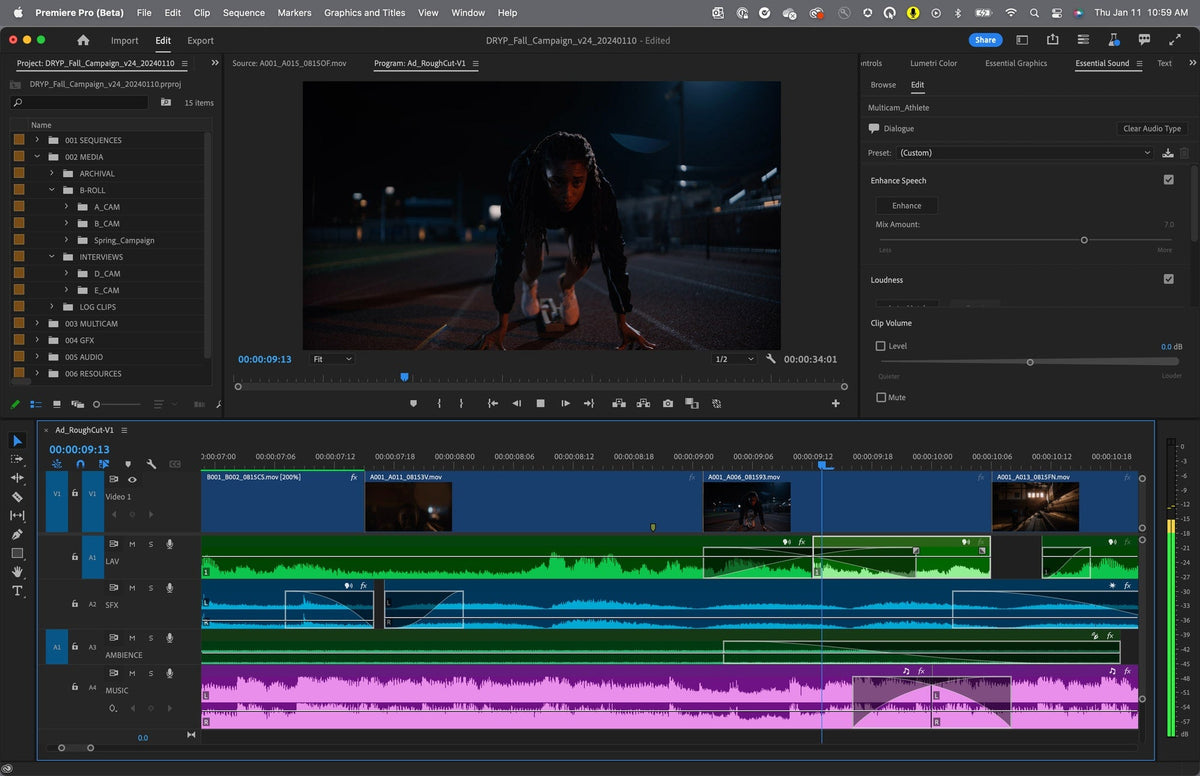
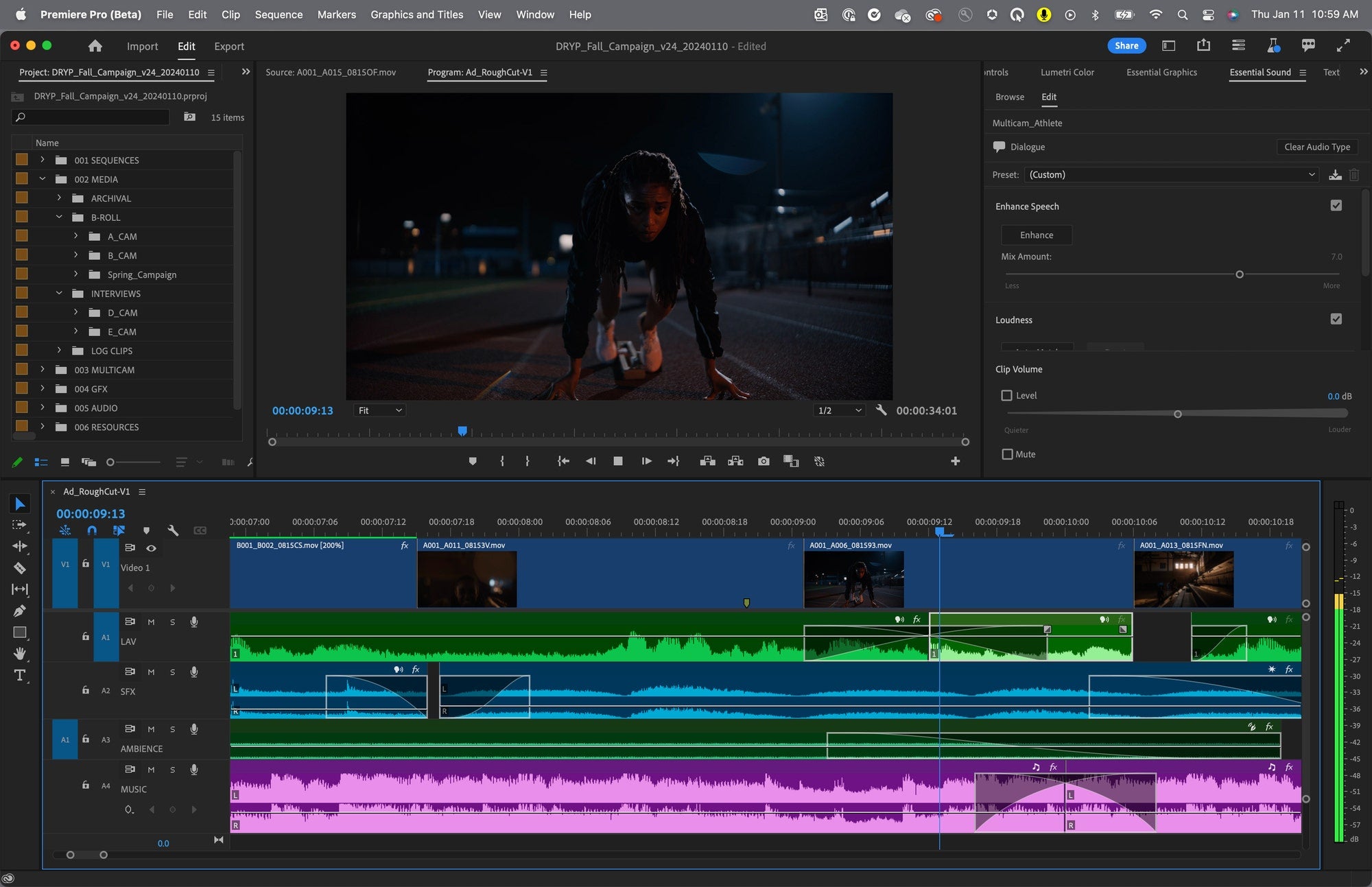
Hover over an audio clip and small squares appear in its corners. Drag one to make a fade in or fade out, or drag across two clips for a crossfade. Move up or down while you drag to change the slope of the fade. Hold Alt (Option on a Mac) to change only the length or only the curve, and Shift to change one side of a crossfade.

Audio type badges
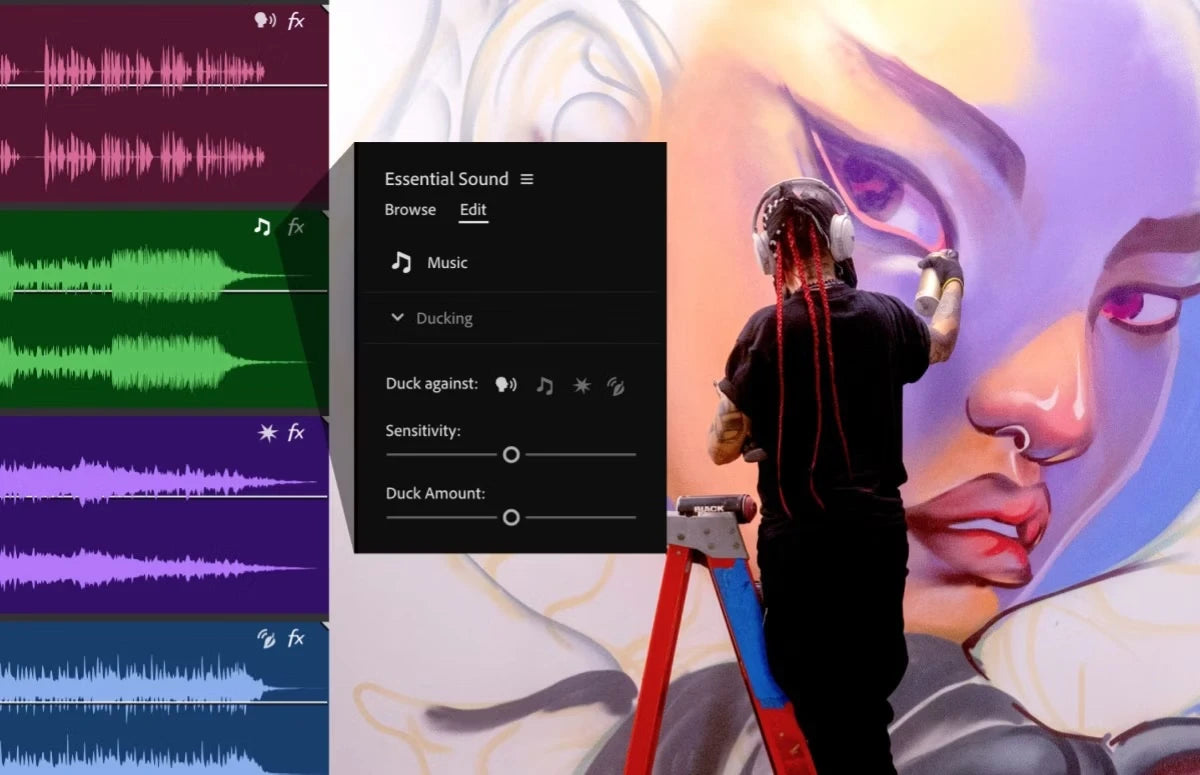
Premiere recognizes if a clip is dialogue, music, sound effects or ambience and gives it a badge on the timeline. Click the badge to open the right tools for that audio type in the Essential Sound panel.
New fx badges, clip colors and waveforms
The fx badge on each clip now shows at a glance if effects are applied. Right-click it to add an effect, or click it to open Effect Controls. Waveforms resize when you change the track height, and new clip colors make audio easier to read.
Also in this update
- Remove a speaker. In Text-Based Editing, select everything one person says and delete it from the video in one go.
- Markers in the Text panel. Add notes and colored markers in the transcript. They also show in the sequence.
- Faster launch on Mac. Plugins are cached after the first launch, so Premiere opens faster.
- Apple Log. Support for ProRes Log footage from the iPhone 15 Pro and Pro Max, with automatic tone mapping.
- Hardware acceleration. AVC and HEVC in MXF files from Sony, Canon and Panasonic cameras play back with GPU acceleration.
- Monitor zoom. Zoom the Program Monitor with your scroll wheel and pan with the middle mouse button.
- More. Embedded captions work with proxies, you can view each color channel in the Program Monitor, and project templates come in more languages.
See everything else that came to this version line in What's New in Premiere Pro 2024.
FAQ
Why is it called Premiere Pro 24.4.1?
Adobe stopped the 24.4 rollout after it saw more crashes than usual, fixed the cause and released the update again as 24.4.1 with the same new features.
Do I still need to add audio transitions from the Effects panel?
No. You can still use them, or just drag the fade handles on the clip.
Make your video animations as smooth as your new audio fades. Get EaseFlow for Premiere Pro.