by

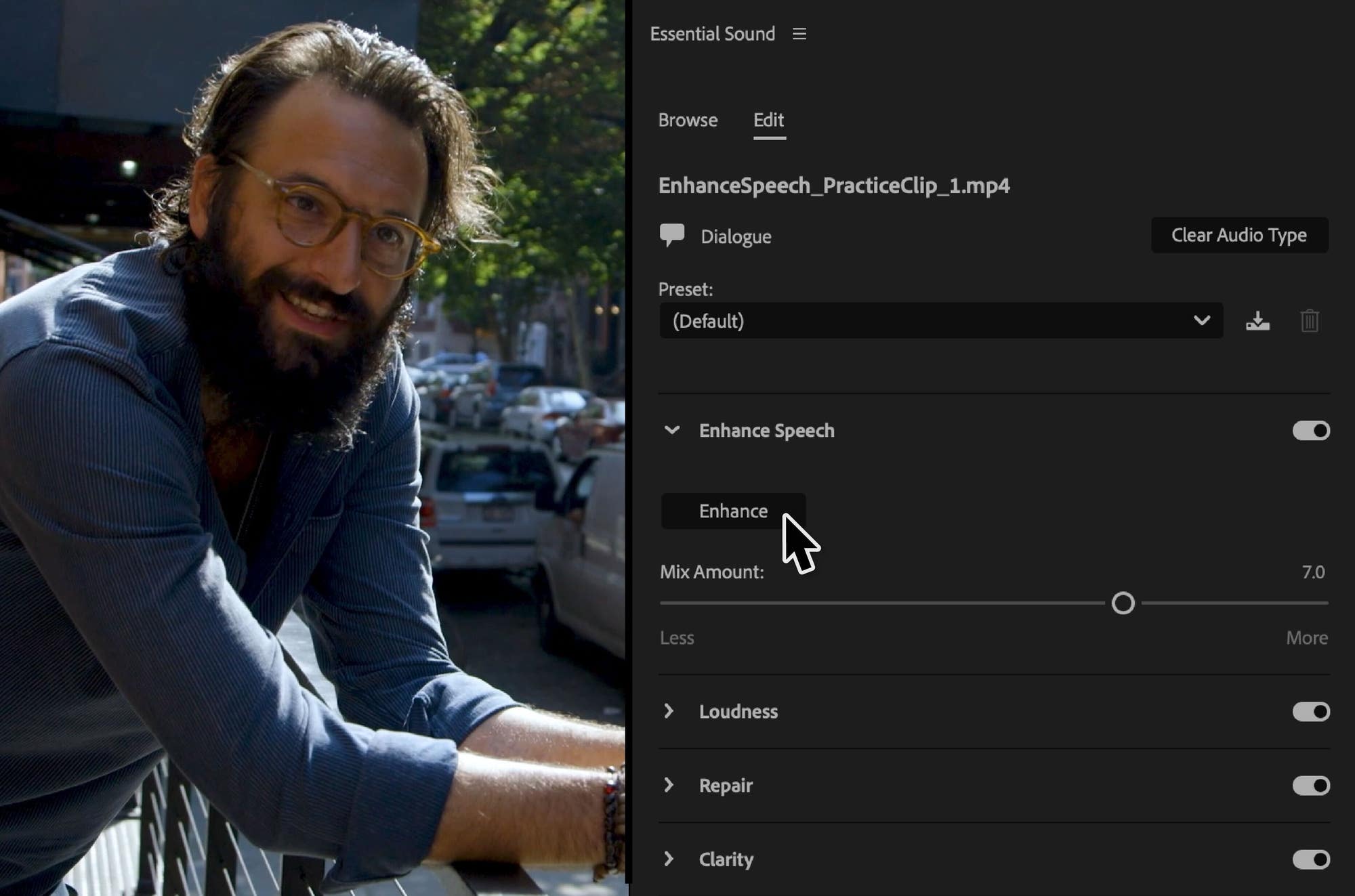
1. Enhance Speech
Bad audio used to mean a trip to another app, or living with the noise. Enhance Speech removes background noise and makes a voice sound like it was recorded in a studio, with one click in the Essential Sound panel.
It's great for interviews shot in noisy places, phone recordings and old archive clips. It runs in the background while you keep editing, and the Mix Amount slider lets you keep a bit of the room so it still sounds natural. It arrived in version 24.2, and 24.5 made it better at quiet recordings.
2. Filler word detection
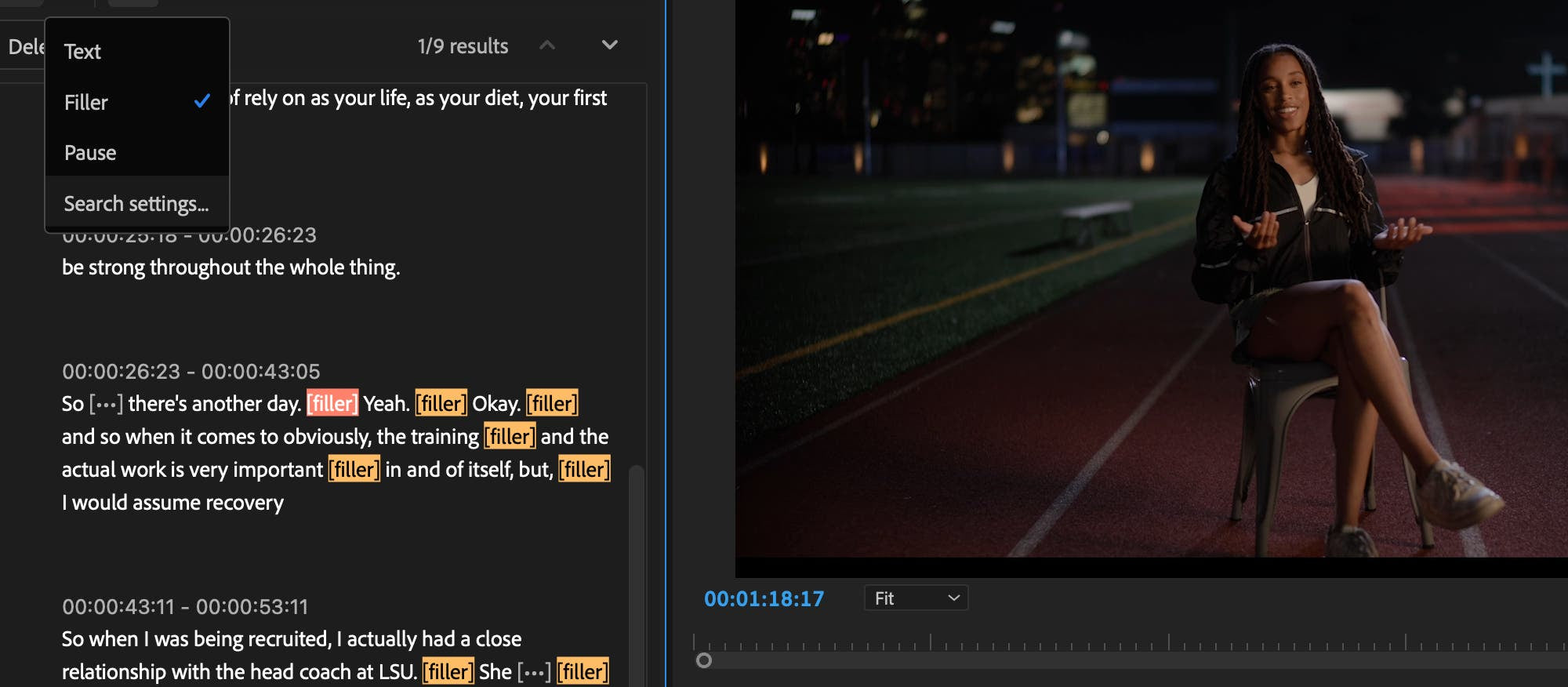
Cleaning "ums" and "uhs" out of an interview by hand takes ages. In version 24.1, Text-Based Editing finds filler words for you and deletes them, along with pauses, in one step. It works in all 18 Speech to Text languages.
Use it for a first tidy pass on talking-head videos, podcasts and vlogs, then fine-tune the cut on the timeline. Version 24.0 had already added a one-click way to delete every pause in a transcript.
3. A faster timeline
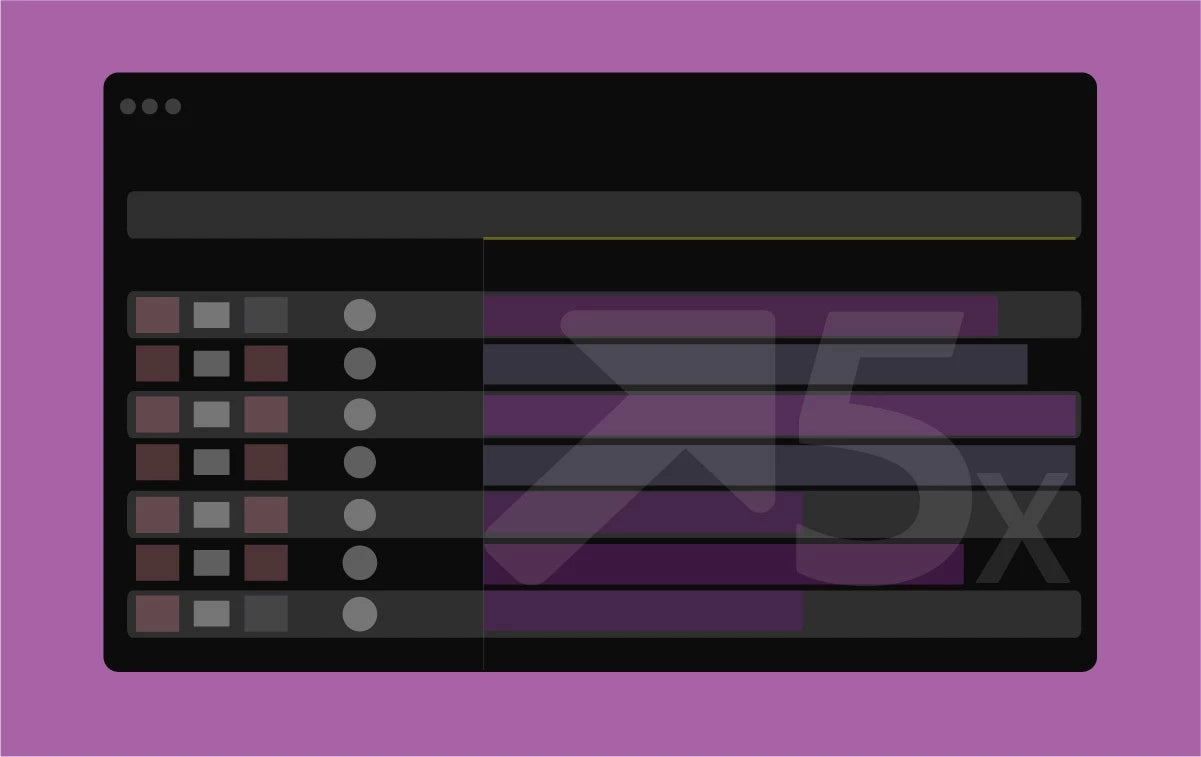
Version 24.0 draws the timeline up to five times faster than version 23.4, according to Adobe's tests. You don't have to switch anything on. Scrolling, zooming and trimming just feel smoother, and long sequences with many tracks benefit the most.
4. Fade handles and the new audio timeline
Version 24.4 changed how audio works on the timeline. Drag the small squares in the corners of an audio clip to make a fade in, fade out or crossfade, and drag up or down to shape the curve. No more hunting for transitions in the Effects panel.
Each audio clip also gets a badge that shows if it's dialogue, music, sound effects or ambience. Click it to open the right tools in Essential Sound. Waveforms resize with the track height and have new colors, so your mix is easier to read.

5. Free stock audio in Premiere
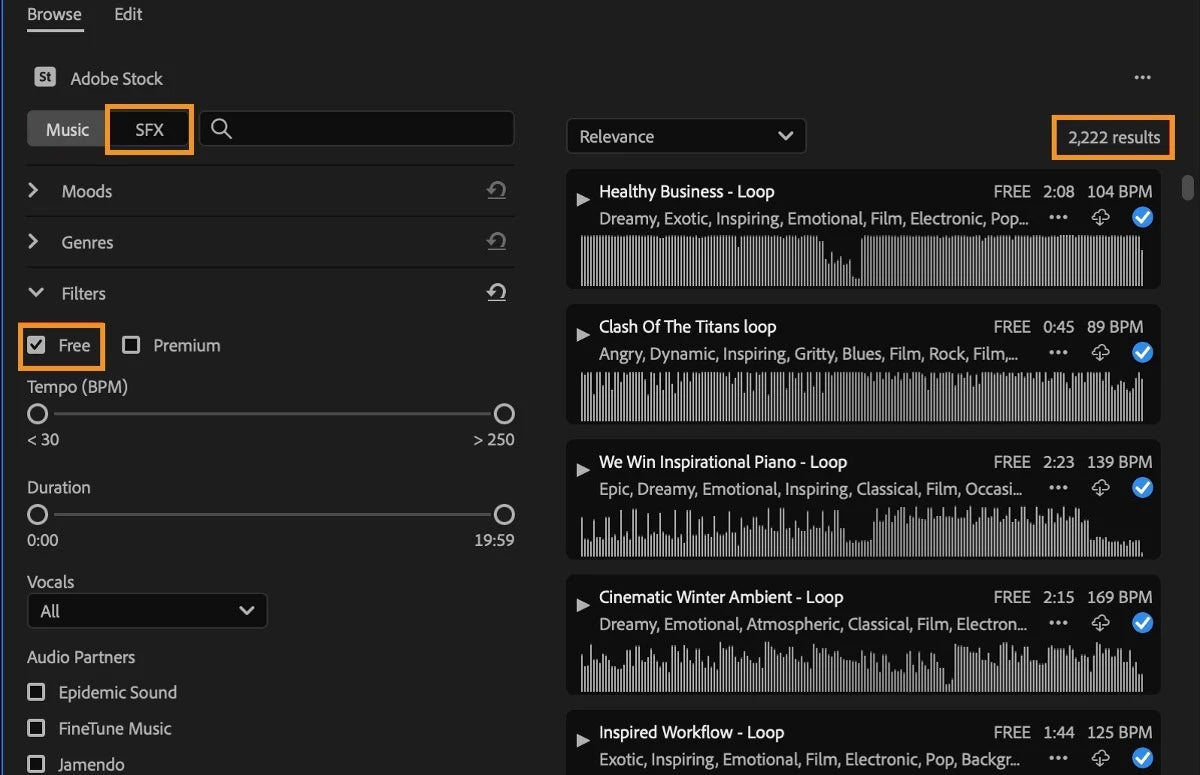
Version 24.6 puts Adobe Stock music and sound effects right in the Essential Sound panel, including thousands of free files. Filter by Free or Premium, and use Timeline Sync to hear a track play along with your edit before you choose it.
It's handy when you need a quick whoosh, a room tone or a music bed for a rough cut, without leaving Premiere.
6. Simpler proxies
Proxies keep big camera files smooth on a laptop. Version 24.2 made them easier: pick exactly half or a quarter of the original frame size, and choose from simpler presets for H.264, ProRes, Cineform and DNxHR.
Version 24.5 added watermarks for proxies, so you can mark proxy files and avoid sharing the wrong version by mistake.

7. Faster transcripts
Every Text-Based Editing and captions job starts with a transcript. In version 24.3, Speech to Text runs on the GPU and is over 15% faster, with better accuracy across all 18 languages.
Version 24.4 then let you select everything one speaker says and delete it in one go. Useful for removing the interviewer's questions from an unscripted interview.
Also new in Premiere Pro 2024
- Recovery mode (24.0). Restore your open projects after Premiere quits unexpectedly.
- Video Effects Manager (24.0). Find and turn off third-party plugins that cause trouble.
- Color Settings (24.0). Color options in one tab, with better tone mapping.
- Project templates (24.0). Start new projects with bins and sequences already set up.
- New sequence presets (24.1). A short list with HD, Social and UHD presets.
- Export to TikTok (24.2). Post or save a draft straight from Export mode.
- Marker filters and label color presets (24.3). Show only the markers you need, and share label colors with your team.
- Faster ProRes export (24.5). Up to three times faster, according to Adobe.
- LTC timecode (24.6). Sync cameras and recorders that store timecode in an audio track.
Thinking about installing it? Our guide on whether to update to Premiere Pro 2024 covers system requirements and how to update safely, and the full list of new features covers everything else.
FAQ
What is the best new feature in Premiere Pro 2024?
For most editors it's Enhance Speech. It turns noisy dialogue into clean, clear speech with one click, right in the Essential Sound panel.
Do I need the latest 24.x version to get all these features?
Yes. Each feature came in a different update, so install Premiere Pro 24.6 to get all of them. Free stock audio, for example, only arrived in 24.6.
Do BetterFX and EaseFlow work in Premiere Pro 2024?
Yes. All our plugins work in Premiere Pro 2021 to 2027.
Want any effect in one keystroke? Get BetterFX for Premiere Pro.