by
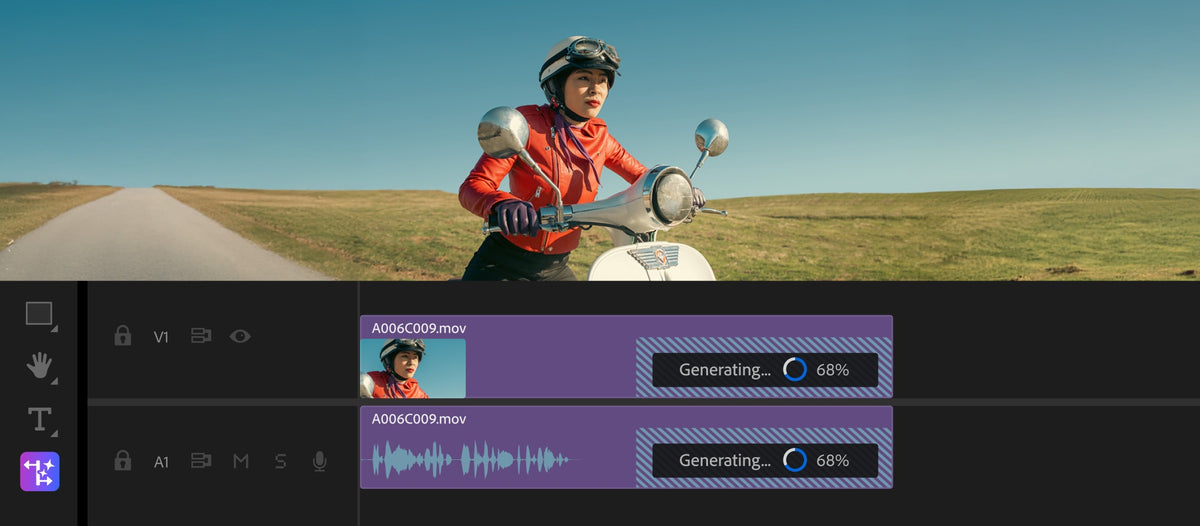
1. The Properties panel
Added in 25.0, the Properties panel puts the controls for whatever you select in one place. Pick a video clip, a title, an audio clip or a caption, and you get the settings that fit, along with Quick Actions.
The big win is editing several clips at once. Select a group of titles and change the font in one go, or scale a row of clips together. It's also the easiest way for new editors to find their way around Premiere.
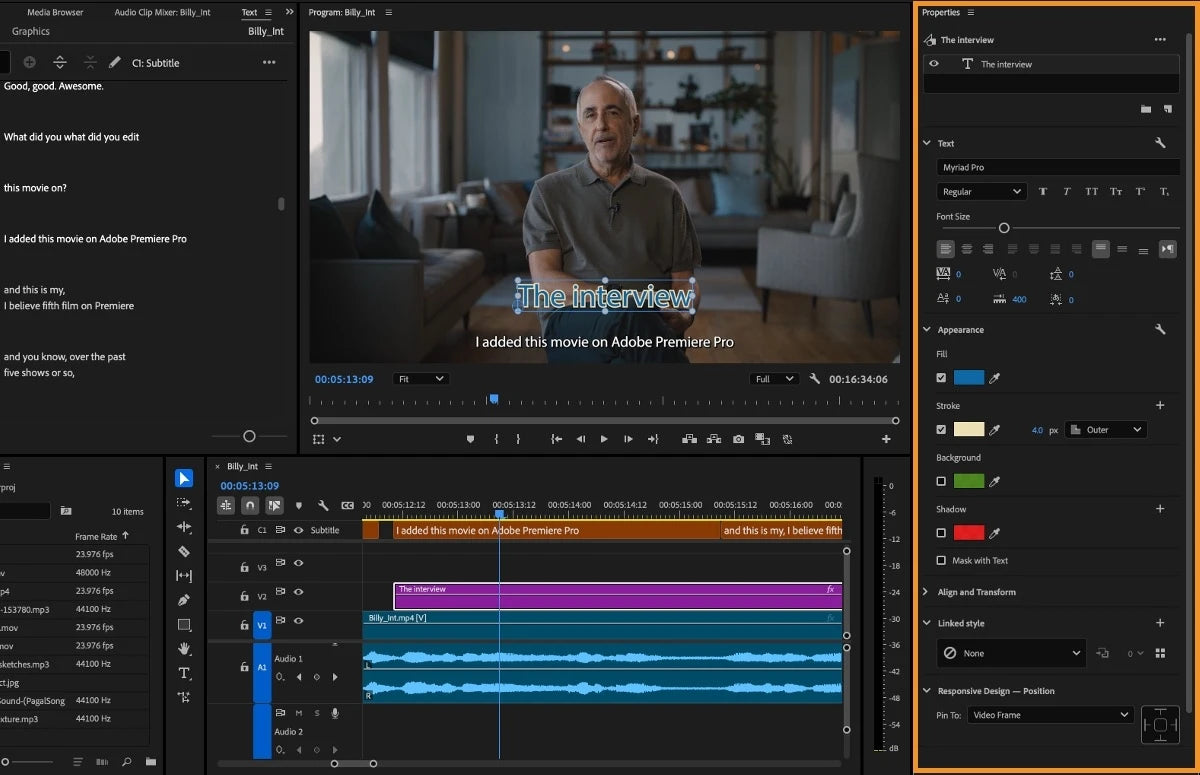
2. Generative Extend
The camera started too late, or the shot ends one beat too soon. Generative Extend, added in 25.2, fixes that: drag the start or end of a clip, and Premiere uses Adobe Firefly to add a few new frames in up to 4K. It can also add missing room tone under a cut.
Use it to cover a transition, hold on a reaction or land a cut on the beat. It runs in the background, and after a free launch period it uses generative credits.
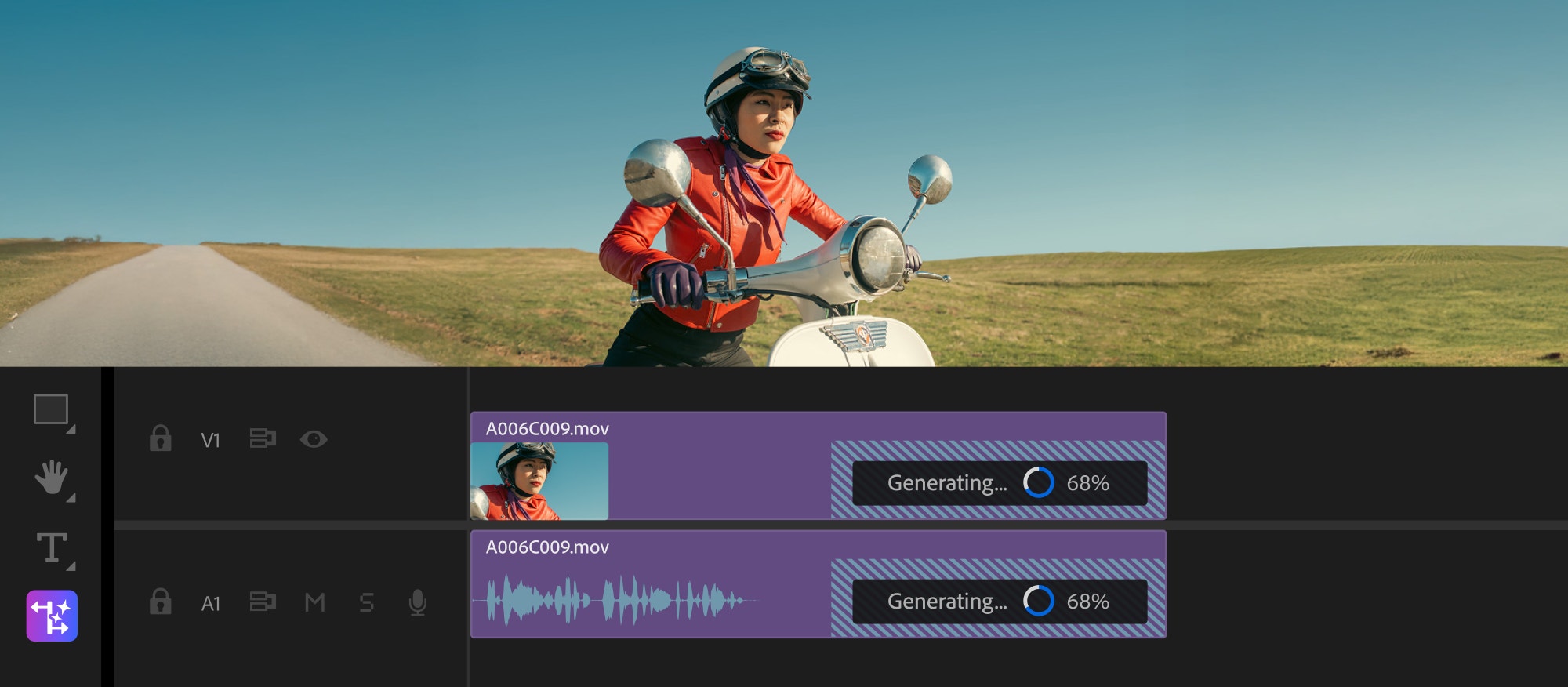
3. Search your footage by describing it
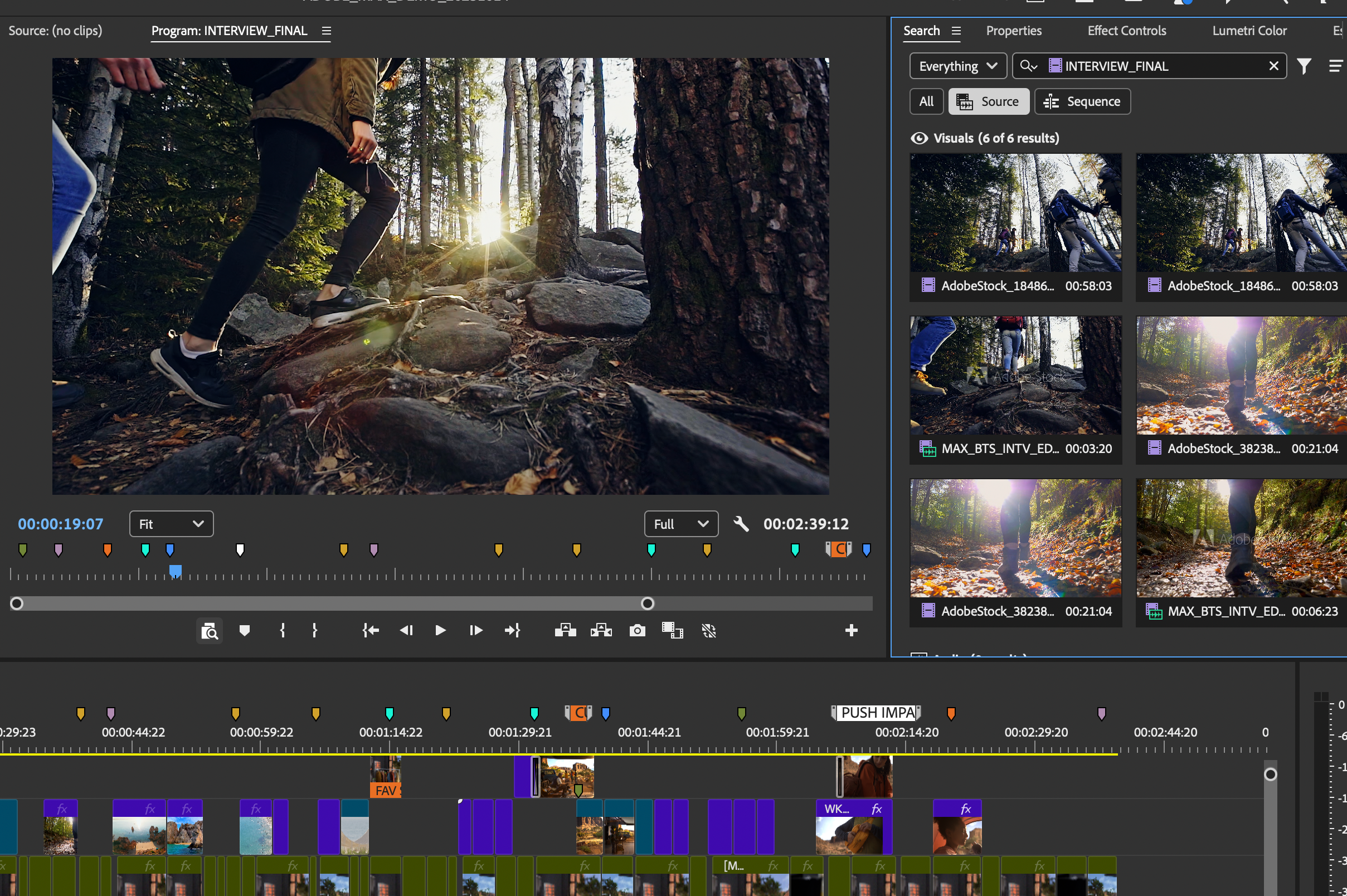
Media Intelligence and the new Search panel arrived in 25.2. Premiere recognizes what's in your clips, so you can type something like "overhead shots of plates of food" and get the matching moments, along with spoken words from transcripts and metadata like the camera type.
It keeps getting better: 25.3 added filters, and 25.6 added Audio Search for sounds and Find Similar for shots that look alike. The analysis runs on your own computer, so it works without an internet connection.
4. Color management for log and raw
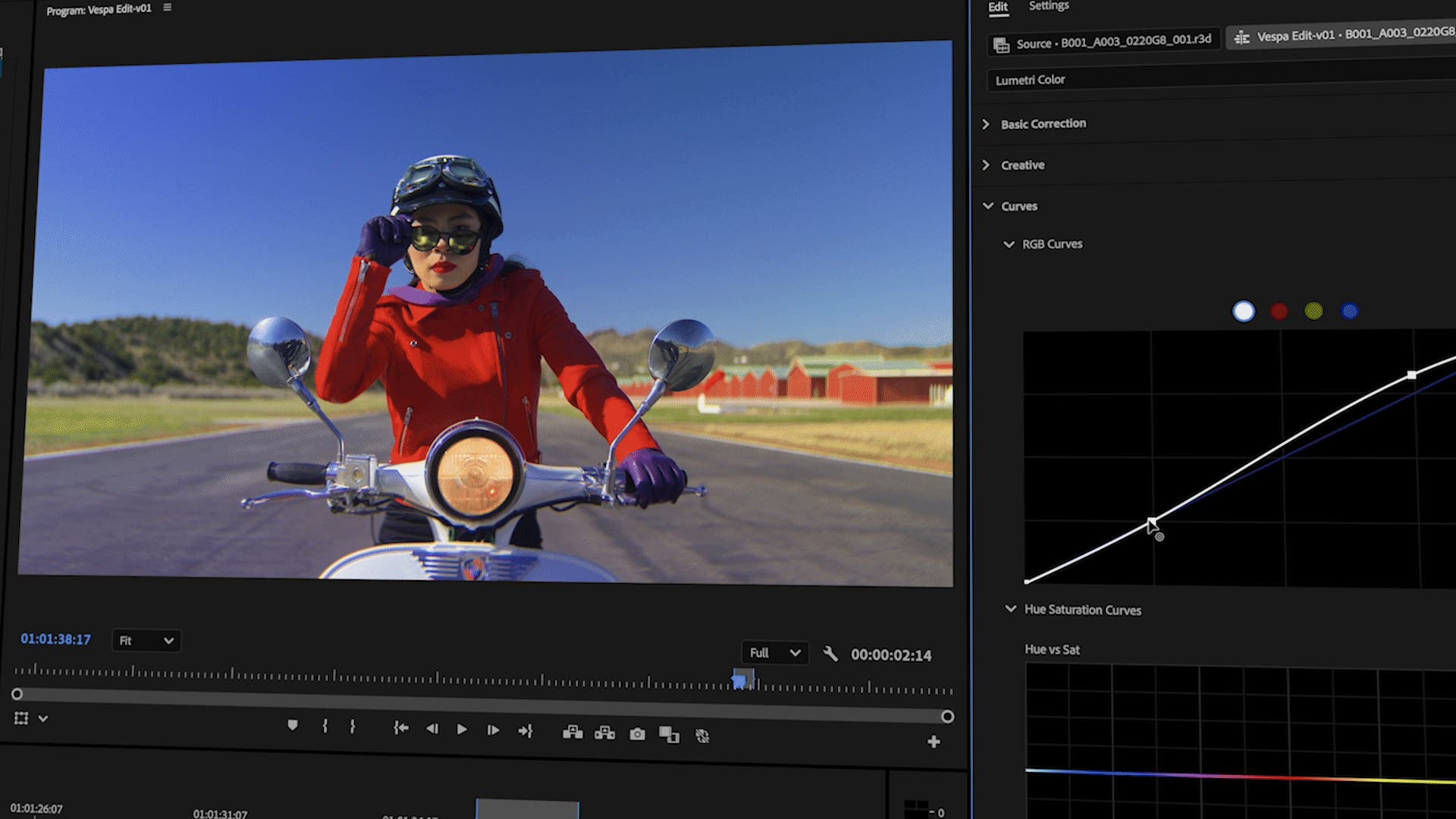
Since 25.2, log and raw footage from most cameras looks right as soon as you drop it on the Timeline, without a LUT. That saves a step on every shoot.
Pick one of six presets in your sequence or Lumetri settings. Direct Rec.709 keeps the old behavior for older projects, and the Wide Gamut presets give Lumetri more of the camera's color data for grading and matching cameras.
5. Caption translation
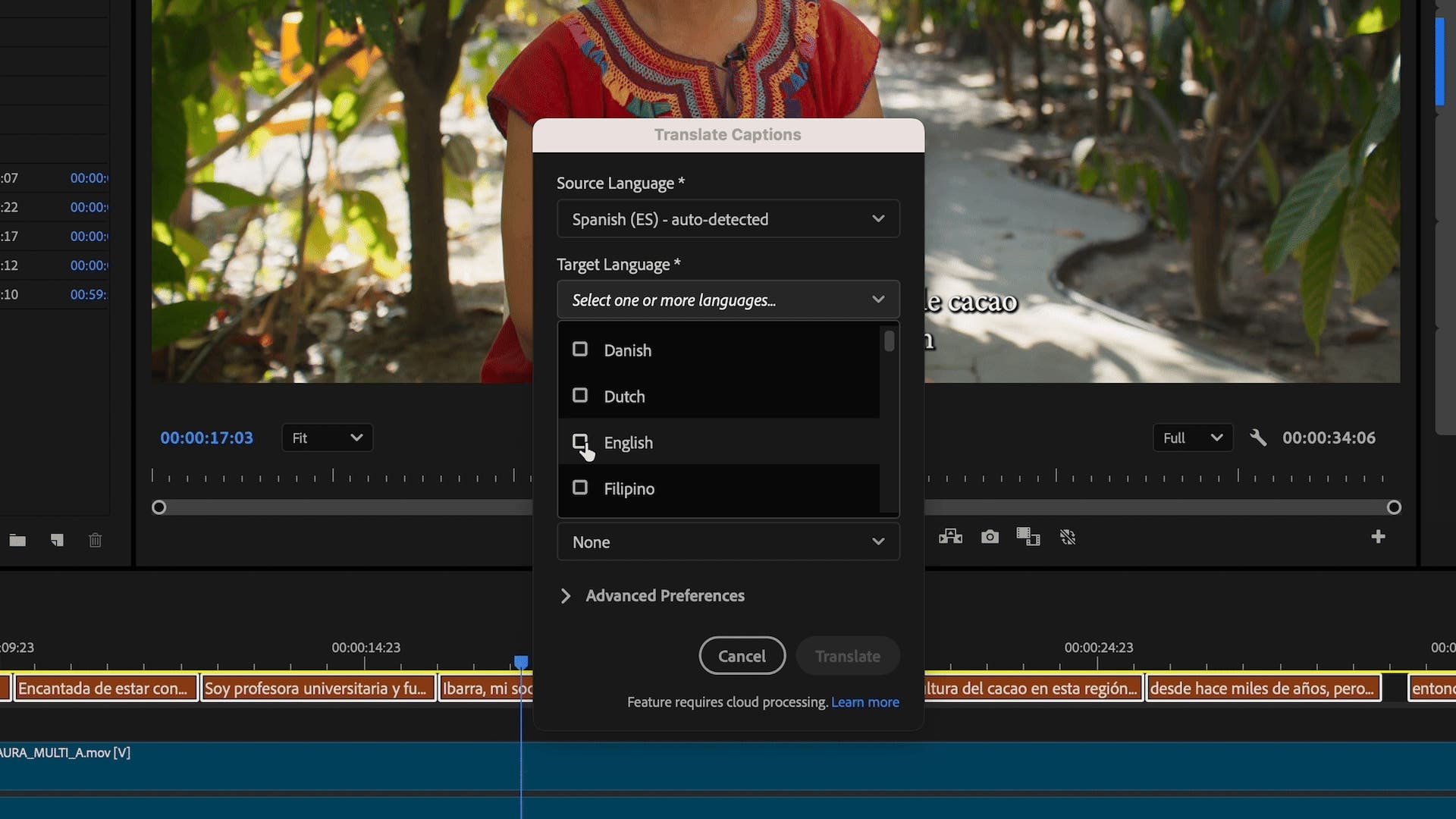
Also new in 25.2: translate your captions into 27 languages right inside Premiere. It's a quick way to reach viewers in other countries with the same video, and you can show several caption tracks at once to compare them.
6. More than 90 effects, transitions and animations
Version 25.5 added more than 90 effects, transitions and animations, built on Film Impact and included in your plan. They're GPU accelerated, so they play in real time as soon as you drop them on a clip.
You get smooth dissolves and wipes, glitch and VHS looks, 3D transitions, glows, camera shake and text animations. The Surprise Me button shows a new variation with each click, which is great when you need ideas fast.

7. Multi transitions and live waveforms
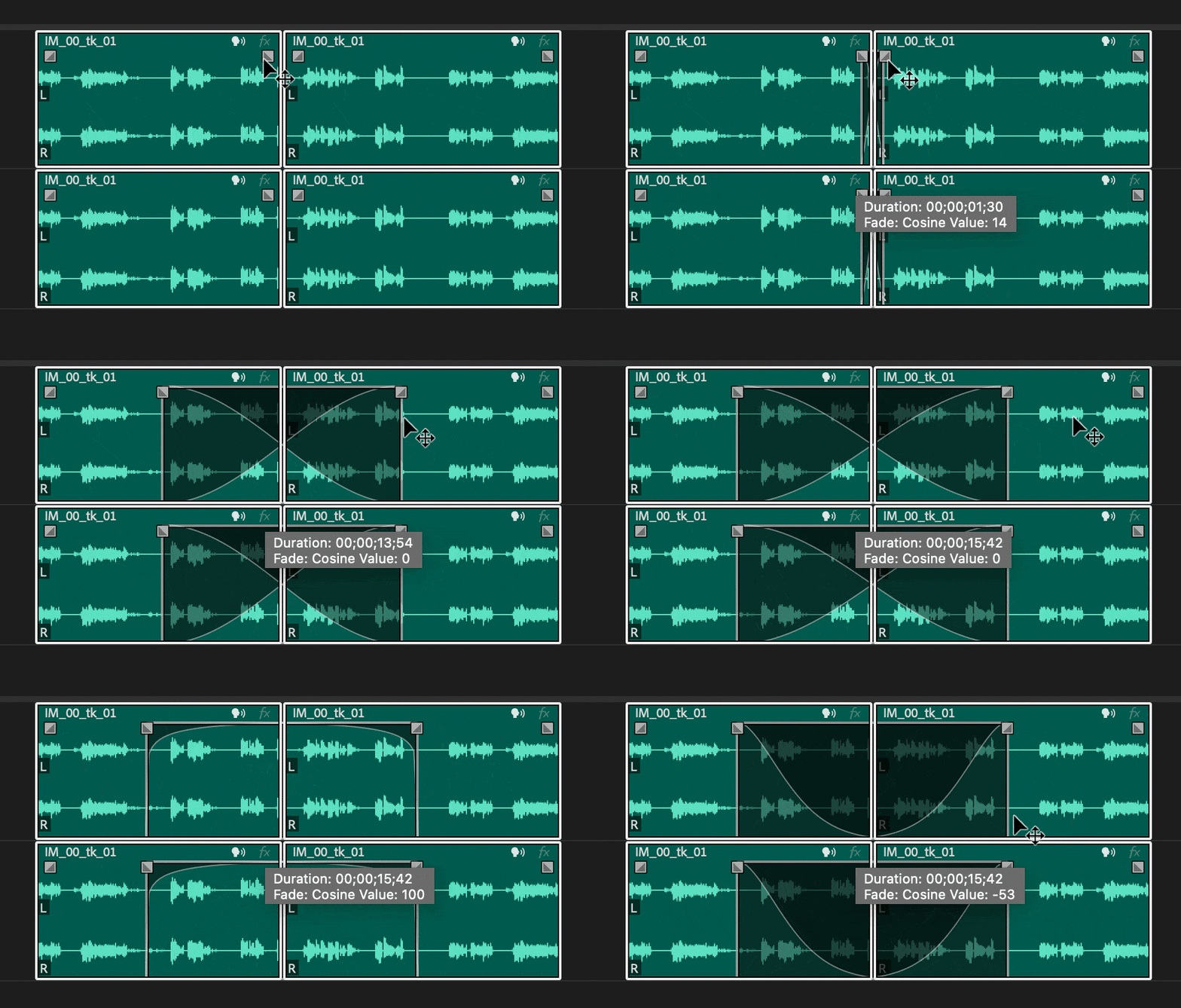
Two small changes in 25.4 that save clicks every day. Select a group of clips and add, change or remove fades and transitions on all of them at once. And waveforms now stay visible while you drag a clip or make a ripple or roll edit, so you can see exactly where the audio lands.
Also new in Premiere Pro 2025
- A new look. Two dark modes, a light mode and a high-contrast mode (25.0).
- New Project dialog. Name, location, template and settings in one place (25.0).
- Rounded Timeline clips. A cleaner Timeline that's easier to read (25.1).
- Faster H.264. Rewritten support for H.264 in MP4 and MOV (25.1).
- Sequence label colors. Color your sequence tabs to stay organized (25.3).
- Bulk bleep or mute. Clean up flagged words across the whole project in one pass (25.6).
- Frame.io V4 and Adobe Stock panels. Review, import and license without leaving Premiere (25.6).
- New formats. MKV, ARRIRAW HDE, 16-bit PNG and Nikon N-RAW.
Thinking about updating? Our guide on whether to update to Premiere Pro 2025 covers the system requirements and how to update safely, and the full list of new features covers everything else.
FAQ
What is the best new feature in Premiere Pro 2025?
For most editors it's the Properties panel, because you use it all day. If you shoot log or raw, the new color management is a close second.
Do the AI features in Premiere Pro 2025 cost extra?
Generative Extend uses Adobe's generative credits after its free launch period. Media Intelligence search runs on your own computer.
Do BetterFX and EaseFlow work in Premiere Pro 2025?
Yes. All our plugins work in Premiere Pro 2021 to 2027.
Want any of those 90 new effects in one keystroke? Get BetterFX for Premiere Pro.