by

Premiere Pro 2025 at a glance
- Properties panel (25.0). The controls you need for the selected clip, in one panel.
- A new look (25.0). Two dark modes, a light mode and a high-contrast mode.
- Rounded Timeline clips and faster H.264 (25.1). Clips that are easier to read, and smoother H.264 playback.
- Generative Extend (25.2). Adds a few extra frames to the start or end of a clip.
- Media Intelligence search (25.2). Find clips by describing what's in them.
- Color management (25.2). Log and raw footage looks right as soon as you import it.
- Caption translation (25.2). Translate captions into 27 languages.
- Live waveforms and multiple fades (25.4). See the audio while you drag, and fade many clips at once.
- More than 90 effects, transitions and animations (25.5). All included in your plan.
- Audio Search, Find Similar and bulk bleeping (25.6). Find sounds and shots faster, and clean up words in one pass.
The Properties panel: the controls you need, in one place
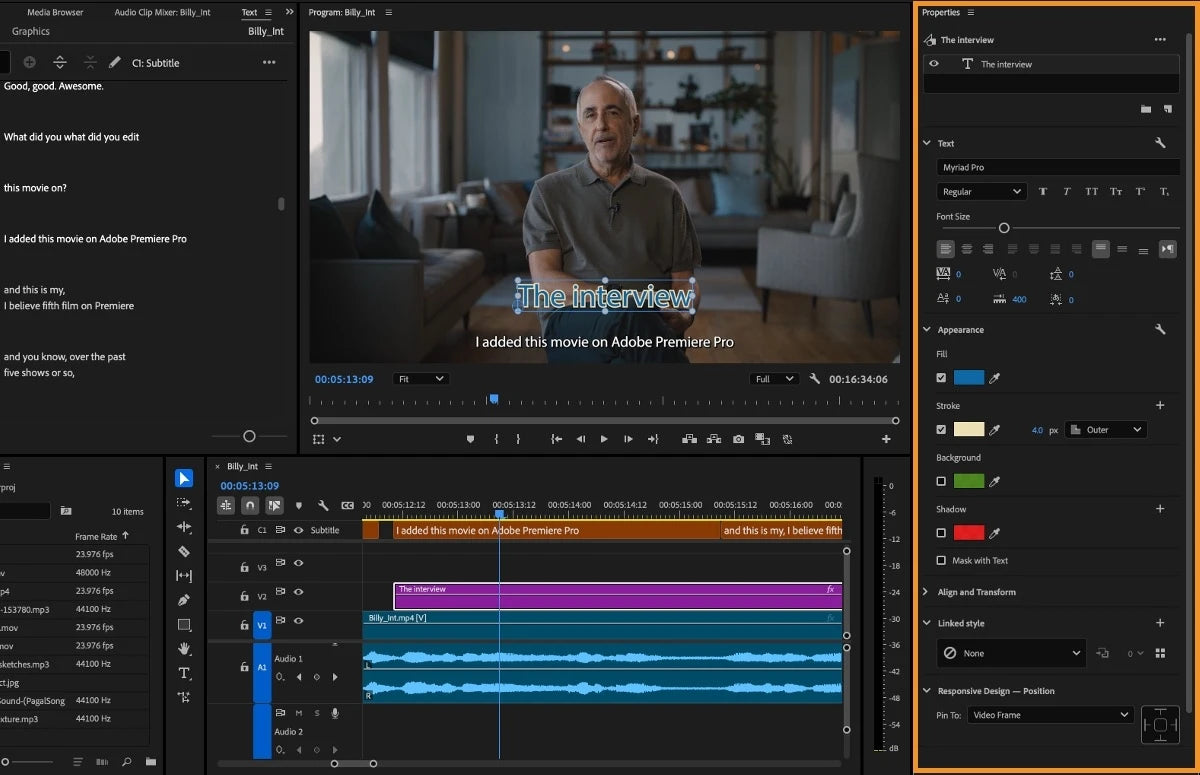
The Properties panel is the headline of Premiere Pro 25.0. Select a clip, and it shows the controls that fit it: video, audio, text, graphics or captions. It comes with Quick Actions, and one click opens the full tools when you need more.
For the first time in Premiere Pro, you can change the properties of several clips at the same time. Select five titles and change the font once, or adjust the scale of a whole row of clips together.
A fresh look and a faster start
Premiere Pro 25.0 also brought a new design, with cleaner fonts and a look that matches other Creative Cloud apps. You can pick between two dark modes, a light mode and a high-contrast mode in Preferences > Appearance.
The new New Project dialog asks for a name, a location, a template and project settings in one place. Turn on Skip import mode to go straight to an empty project. Version 25.0 also opens Canon EOS C80 files natively, with no transcoding.
Rounded Timeline clips and faster H.264 (25.1)
In December 2024, version 25.1 gave Timeline clips a new rounded design. The edges between clips are easier to see, and the Timeline is easier to look at all day.

The same update rewrote H.264 support in MP4 and MOV files. Adobe says it's up to 4x faster on Apple silicon and up to 2x faster on Windows.
Generative Extend: a few more frames when you need them (25.2)
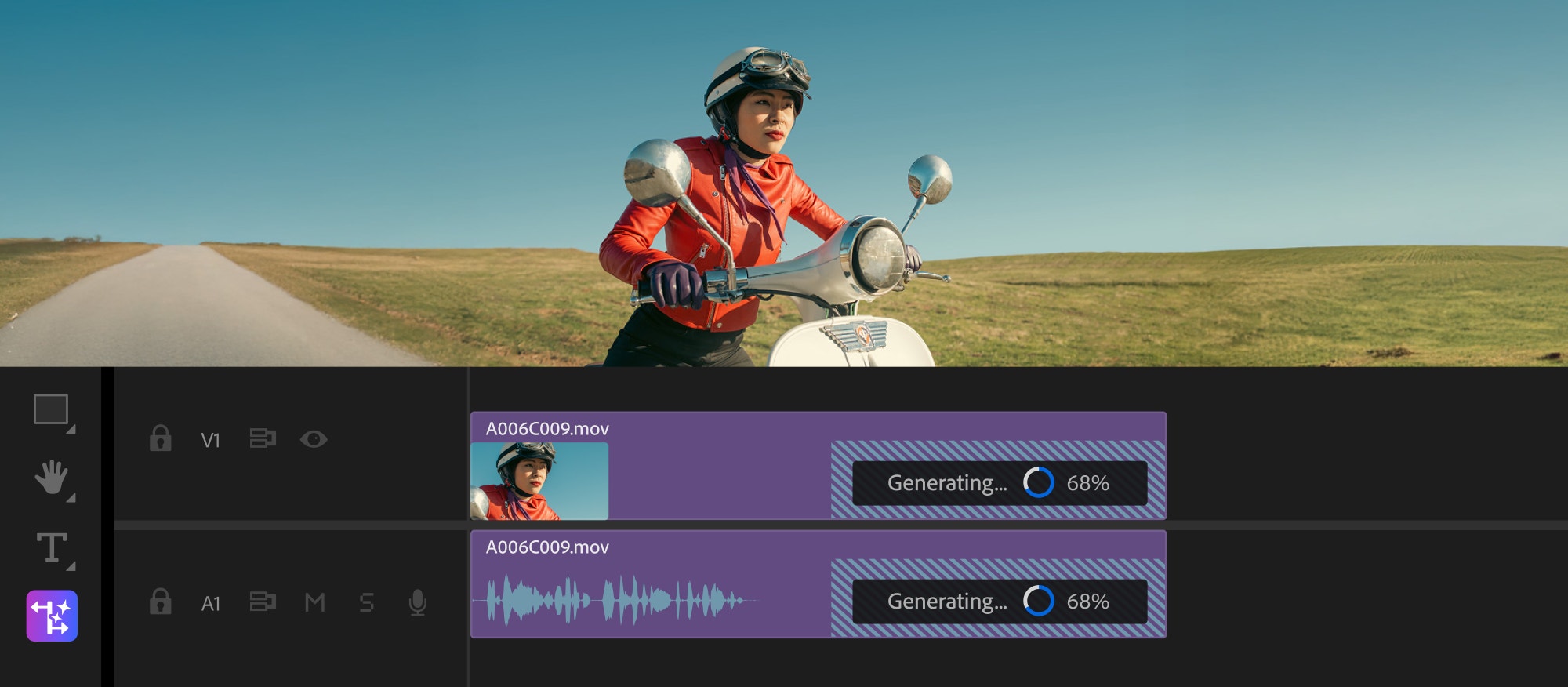
Generative Extend first appeared in the Premiere Pro beta at MAX in October 2024, and became part of the full app in 25.2 in April 2025, now in 4K. Drag the start or end of a clip with the Generative Extend tool, and Premiere uses Adobe Firefly to add new frames. Use them to cover a transition, hold on a reaction a beat longer or add missing room tone.
It works in the background while you keep editing, and the new frames are marked with Content Credentials. Adobe offered it at no cost for a limited time at launch. After that, it uses generative credits, with a price that depends on the format, frame rate and resolution.
Find any clip by describing it (25.2 to 25.6)
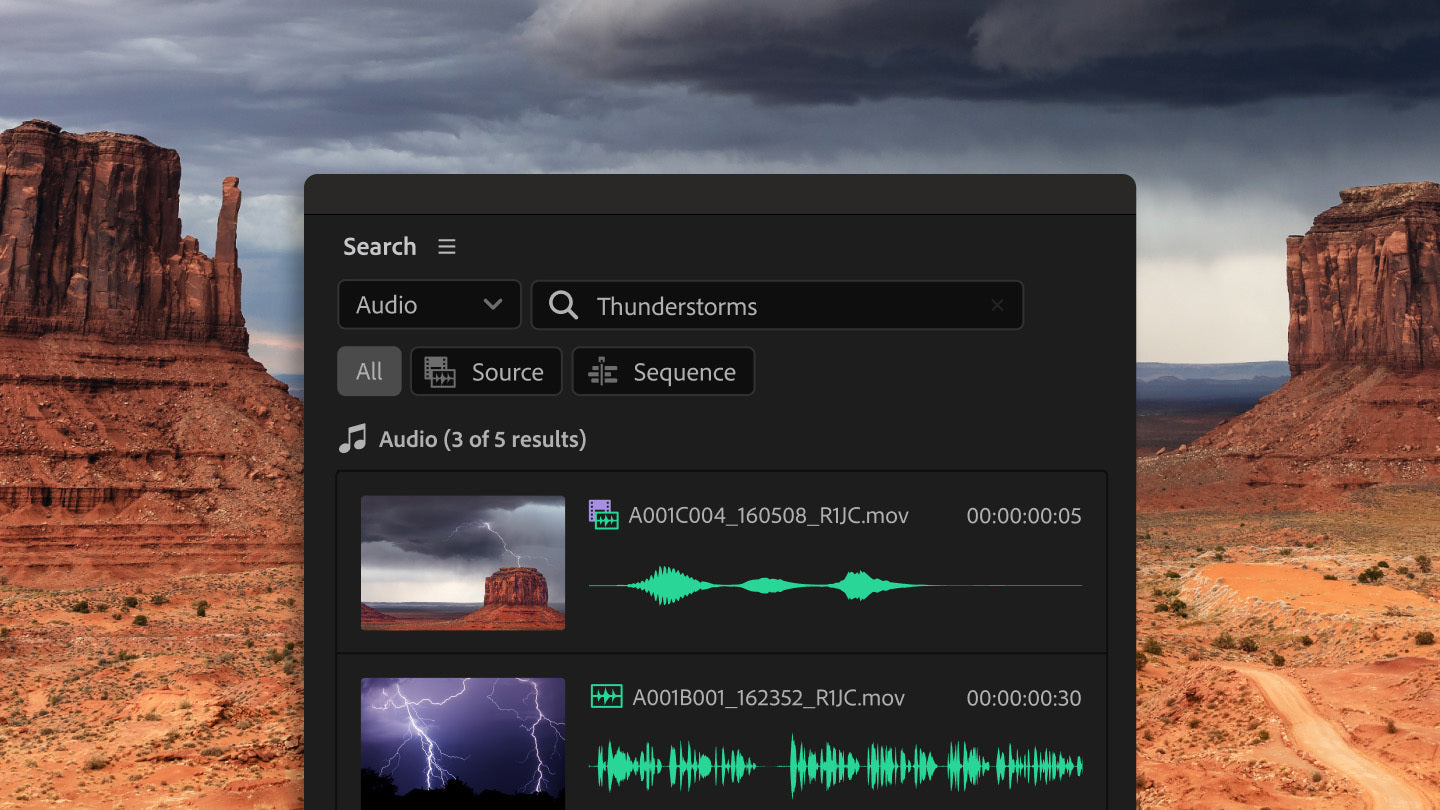
Version 25.2 added Media Intelligence and a new Search panel. Premiere recognizes what's in your clips, like objects, locations and camera angles, so you can type "close-ups of hands in a kitchen" and get the matching moments. The same search also finds spoken words in transcripts and metadata like shoot date or camera type. The analysis runs on your own computer, so it works offline, and your footage is never used to train AI models.
Version 25.3 added filters based on metadata, and 25.6 added Audio Search to find sounds by describing them, plus Find Similar to bring up shots that look like the one you picked.
Color management that works on import (25.2)
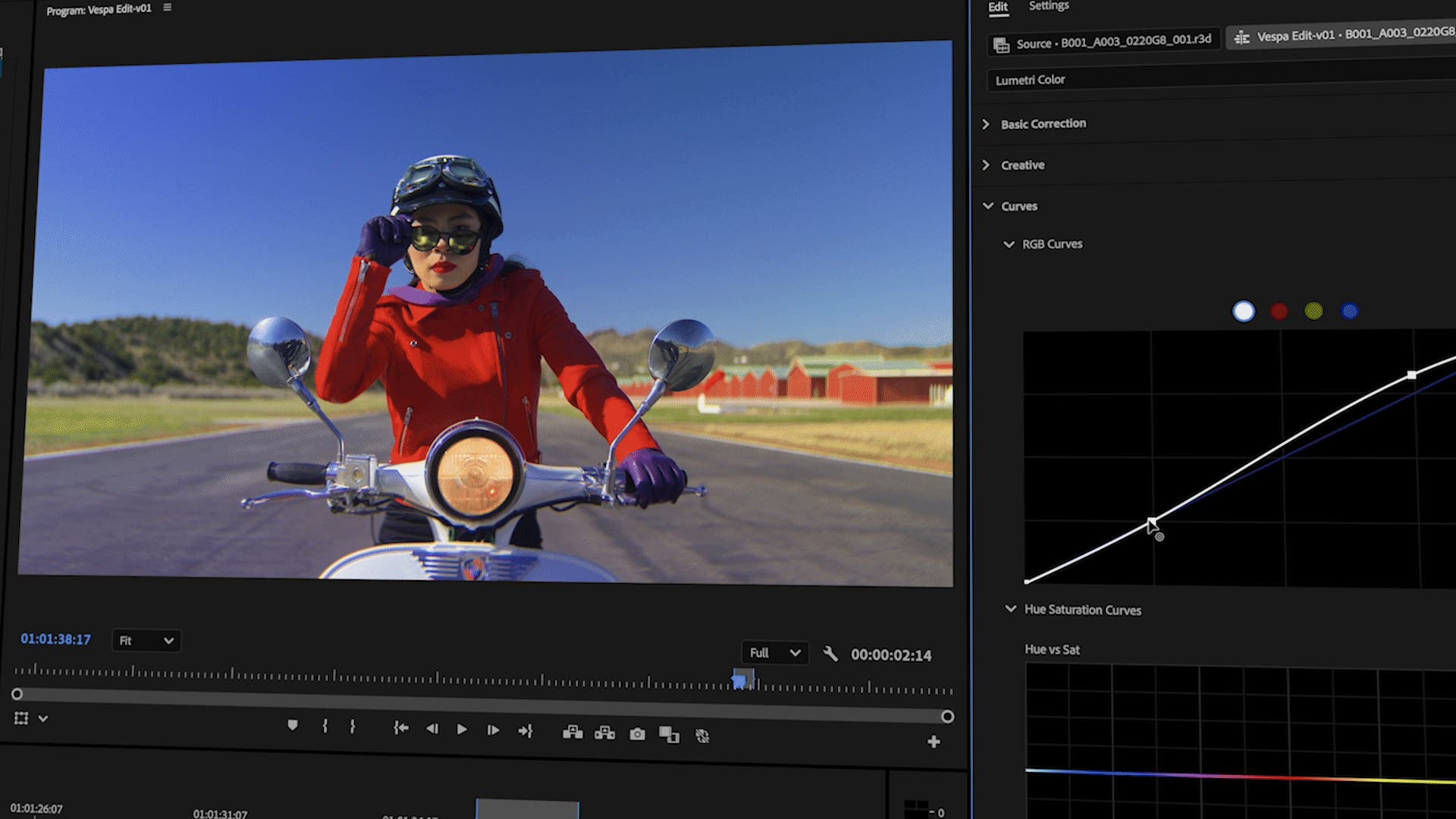
Log and raw footage no longer looks flat and grey on the Timeline. Premiere now turns log and raw camera files into SDR or HDR as soon as you import them, without LUTs, and it does this automatically for most cameras. For proxies or log clips from stock sites, you can set the color space for a batch of clips right from the bin.
There are six color management presets for sequences and the Lumetri settings. The default, Direct Rec.709, works like older versions, so your old projects look as they did. The Wide Gamut presets use ACEScct as the working space and give Lumetri more of the camera's color data to work with.
Captions in 27 languages (25.2)
Premiere can now translate your captions into 27 languages. You can also show several caption tracks at once, for example to check two languages side by side.
Smoother editing in 25.4
- Live waveform editing. Waveforms stay visible while you drag a clip or make ripple, roll and rate stretch edits, with keyframes and markers shown too.
- Multi transitions. Add, change or remove transitions and fades on many clips at once.
- Snappier Timeline. Steadier thumbnails, zooming with the scroll bars and three thumbnail modes.
- Default fonts. Pick the default font for text, subtitles and closed captions in the preferences.
More than 90 effects, transitions and animations (25.5)
In September 2025, version 25.5 added more than 90 effects, transitions and animations, built on Film Impact, a company Adobe bought. They're part of your plan, with no extra plugin to buy. All of them are GPU accelerated and play back in real time.
You get new dissolves, blurs and wipes, glitch, VHS and kaleidoscope transitions, 3D transitions, glows, halation, camera shake and text animations. Every one has a Surprise Me button that shows a new variation with one click.

Bleep words, send from Firefly and more (25.6)
- Bulk bleep or mute. Flag words in the transcript, and Premiere bleeps, mutes or covers every instance in one pass.
- Firefly to Premiere. Send video you made on the Firefly website straight into Premiere.
- Frame.io V4 panel. Browse, view and import Frame.io media, and see comments, inside Premiere.
- Adobe Stock built in. Search, preview and license Stock assets without leaving Premiere.
- Premiere on iPhone. Start an edit on your phone and send the project to Premiere on desktop.
- Firefly Boards. Open Firefly Boards from the File menu for moodboards and storyboards.
More formats and faster playback
- 25.2. Rewritten MKV support (H.264/AAC), and hardware acceleration for Canon Cinema RAW Light on Apple silicon.
- 25.3. Hardware acceleration for 10-bit 4:2:2 video on NVIDIA Blackwell GPUs, and better data range handling for DNxHR, DNxHD and PNG.
- 25.4. ARRIRAW HDE playback and 16-bit PNG import.
- 25.6. Native Nikon N-RAW support.
Added during the year
- 25.0 (October 2024). Properties panel, new design, New Project dialog, Canon EOS C80 support.
- 25.1 (December 2024). Rounded Timeline clips and faster H.264. What's new in 25.1.
- 25.2 (April 2025). Generative Extend in 4K, Media Intelligence, color management, caption translation. What's new in 25.2.
- 25.3 (June 2025). Search filters, sequence label colors, NVIDIA Blackwell support. What's new in 25.3.
- 25.4 (August 2025). Live waveform editing, multi transitions, a snappier Timeline. What's new in 25.4.
- 25.5 (September 2025). More than 90 effects, transitions and animations. What's new in 25.5.
- 25.6 (November 2025). Audio Search, Find Similar, bulk bleeping, Firefly and Frame.io panels. What's new in 25.6.
Premiere Pro 2025 system requirements
| Computer | Premiere Pro 2025 |
|---|---|
| Mac | macOS Ventura (version 13) or later, Apple silicon or an Intel CPU with AVX2 |
| Windows | Windows 10 (64-bit) version 22H2 or later, or Windows 11 |
| Windows processor | Intel 6th Gen or AMD Ryzen 1000 series or newer, with AVX2 |
| Windows on ARM | Windows 11 build 26100.2033 with Qualcomm Adreno GPU driver 31.0.96.0 |
| Memory | 8 GB minimum, 16 GB for HD and 32 GB or more for 4K recommended |
| GPU | 2 GB of GPU memory minimum, 8 GB recommended |
Premiere Pro 2025 needs a newer macOS than Premiere Pro 2024, which still ran on macOS Monterey. On Windows, version 25.6 drops support for OpenCL 1.2 and older. Projects saved in Premiere Pro 2025 don't open in older versions, so keep a copy if you share projects.
Our plugins and templates work in Premiere Pro 2025
EaseFlow, BetterFX, QuickPaste and Mako all work in Premiere Pro 2025. Our plugins and Motion Graphics templates work in Premiere Pro 2021 to 2027, and our presets in 2019 to 2027, on Windows and Mac, so you can update without losing your tools.
FAQ
When did Premiere Pro 2025 come out?
Adobe released Premiere Pro 25.0, the version known as Premiere Pro 2025, on October 14, 2024, at Adobe MAX. The last feature update for this version was 25.6, in November 2025.
Is Generative Extend free in Premiere Pro 2025?
It was free for a limited time when 25.2 came out. After that, it uses Adobe's generative credits, and the cost depends on the format, frame rate and resolution of your clip.
Does Premiere Pro 2025 run on Windows 10?
Yes. Premiere Pro 2025 runs on Windows 10 (64-bit) version 22H2 or later, and on Windows 11.
Which version of Premiere Pro 2025 should I install?
The latest one, 25.6.2 or later. Adobe recommends it because it fixes a bug where projects saved in 25.6.0 wouldn't open in other 25.x versions.
Ready to edit faster in Premiere Pro 2025? See our Premiere Pro plugins.