

 by
by 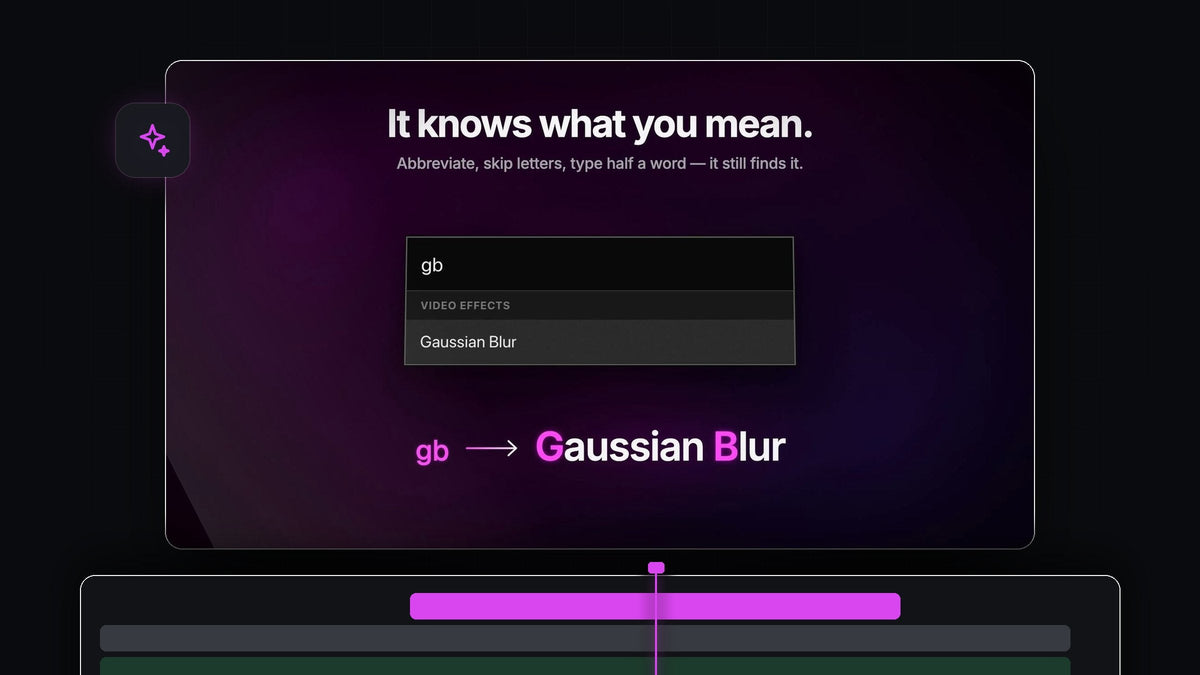
The quick answer
Looking for a Dagger alternative for Premiere Pro? BetterFX finds any effect from a few letters and applies it with one shortcut, on Mac and Windows, for $29.99 one-time.
Press Option + Space on a Mac or Alt + Space on Windows, type a shorthand like bw and press Enter. Black & White is on your clip before you could have opened a folder in the Effects panel.
Watch the intro
Why a smart search changes your day
You already know the effect you want. The slow part is getting to it: open the panel, expand a folder, scroll, drag. BetterFX turns all of that into a few keystrokes, and it's built to understand the way editors actually type.
- Abbreviations work. gb finds Gaussian Blur, bw finds Black & White.
- Skipped letters work. Type wrp stb and Warp Stabilizer comes right up.
- Half a word works. fla is enough for Lens Flare.
- One bar for everything. Video and audio effects, your own presets and third-party effects from plugins like Sapphire and Boris FX.
- It learns you. Your recent, favorite and most-used effects rise to the top.
- Your own keys. Give any effect, preset or plugin its own shortcut, right inside BetterFX.
Step 1: Install BetterFX in one go
Your download is ready the moment you check out, and the link also arrives by email. Run the guided installer for your Mac or Windows computer and it sets up both the BetterFX app and the Premiere Pro plugin.
There is nothing else to add. BetterFX works with Premiere Pro 2021 to 2026, and updates install automatically.
Step 2: Type the shorthand you already think in
Select a clip, press your shortcut and type. You don't need the full name or the right spelling. Abbreviate, skip letters or type half a word, and BetterFX brings the most useful match forward.
Want a quick monochrome look? Type bw and press Enter. If you're grading the look by hand afterwards, our guide to a black and white video in Premiere Pro covers the finishing touches.

Step 3: Find long effect names in a few keys
Long names are where a smart search pays off most. wrp stb lands on Warp Stabilizer, and the result is applied the moment you press Enter, right there in Effect Controls.

The bar floats over your timeline and monitor, so your eyes never leave the shot. Results are grouped as Video Effects and Audio Effects, which makes it easy to pick the right one when a few letters match both.

Step 4: Let it learn your habits
The more you edit, the faster it gets. BetterFX learns which effects, presets and plugins you reach for and puts them first. Open the bar with an empty search and your last five effects are waiting, newest first.
Star the effects you use constantly to pin them as favorites. Then click the eye next to anything you never touch and it's gone from your results, along with Premiere's legacy copies if you flip one switch.
Step 5: Skip the search for your staples
For the handful of effects you apply all day, go one step further. In the BetterFX panel, click the shortcut field next to an effect and press something like Option + Shift + B. BetterFX warns you about clashes, and from then on you select clips, press the keys and it's done.
Shortcuts show as small tags in search, and they travel with your profile to any computer you edit on.
Why editors choose BetterFX
- It feels immediate. Shortcut, a few letters, Enter. Your pointer never leaves the timeline.
- It works the way Premiere works. Effects land in Effect Controls like they always have.
- It handles many clips. Select a row of clips and apply the effect to all of them at once.
- It stays fast. It's optimized for large, effect-heavy projects.
- You own it. $29.99 one-time, lifetime updates and a commercial license.
Our complete BetterFX guide walks through every setting. For another take on fast effect workflows, see our guide to applying effects by keyboard.
FAQ
What is the best Dagger alternative for Premiere Pro?
BetterFX. One shortcut searches built-in effects, your presets and third-party plugins, understands abbreviations, and applies the result to every selected clip.
Do I have to type the full effect name?
No. Abbreviations, skipped letters and half words all work. gb finds Gaussian Blur and wrp stb finds Warp Stabilizer.
Can I assign a keyboard shortcut to a single effect?
Yes. Give any effect, preset or third-party plugin its own keys in the BetterFX panel. Press them with clips selected and the effect is applied, no search needed.
Which Premiere Pro versions does BetterFX support?
Premiere Pro 2021 to 2026, on both macOS and Windows.
Do I need any other plugin to use it?
No. The installer includes the BetterFX app and the Premiere Pro plugin, so everything you need is in one download.
Name the effect, and it's on your clip. Get BetterFX for Premiere Pro.





