

 by
by 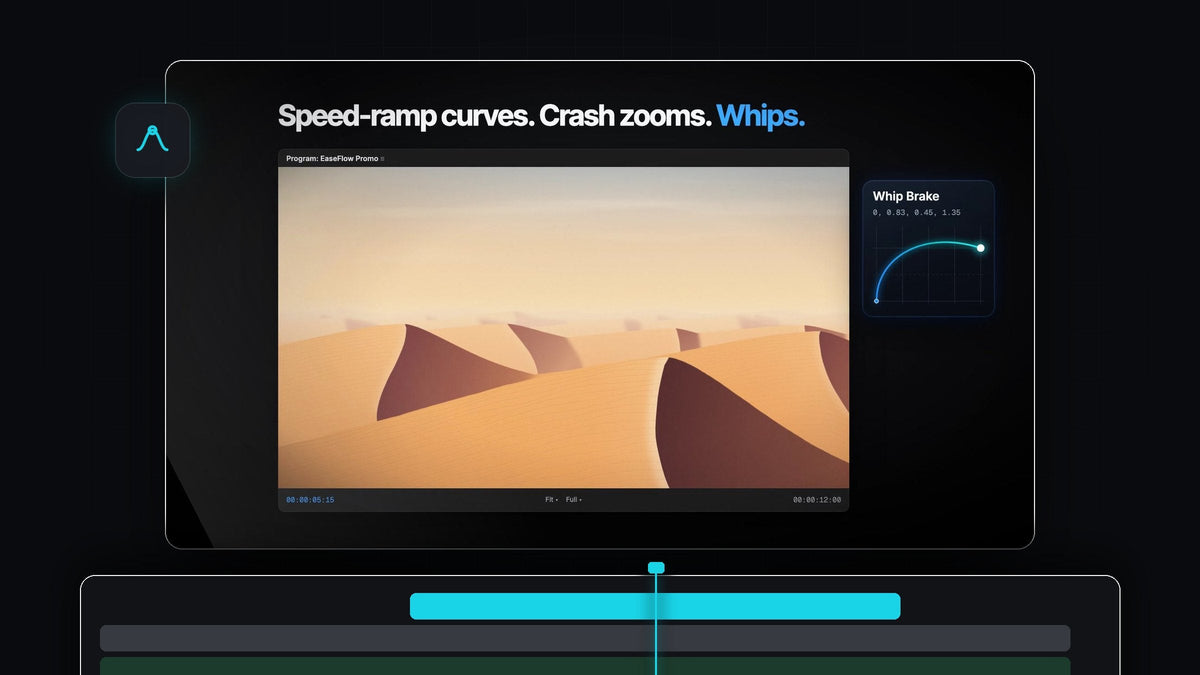
Every curve a motion editor reaches for
Looking for an Easify alternative for Premiere Pro? EaseFlow gives you a complete easing toolkit in one panel: 72 ready-made curves in EaseFlow Pro, a real graph editor and one-click Apply, on Mac and Windows.
Pick a curve, press Apply, and every frame between your two keyframes follows it. It is a one-time purchase: $24.99 for Standard or $34.99 for Pro, with free updates for life and a commercial license.
Watch the intro
Four libraries, 72 curves
Most easing jobs come down to choosing the right feel. EaseFlow keeps four libraries of presets in tabs at the bottom of the panel, each one click away.
- Default (25 curves). The classics: Sine, Quad, Cubic, Expo, Circ, Back and more, each as In, Out and In Out.
- Essentials (10 curves, Pro). The go-to curves for zooms, whip pans, titles and lower thirds.
- Apple (12 curves, Pro). Bouncy, natural springs from a soft settle to a full Boing, made for pop-ins, titles and stickers.
- Creator Pro (25 curves, Pro). Creator easings for punchy edits, speed-ramp curves included.

EaseFlow Pro also includes every easing pack we add in the future, so your library keeps growing without another purchase.
Creator curves for punchy edits
The Creator Pro pack is built for the edits that need energy: a crash zoom on the drop, a whip that brakes into the next shot, a title that slams in on the beat. Each curve is a named preset, so the move you liked last week is the same click today.

Pair them with a zoom keyframed on Scale, like the one in our smooth zoom tutorial, and the move lands with real weight instead of a flat glide.
Step 1: Install EaseFlow Pro
Choose Pro on the EaseFlow page to get all four libraries. Your license key and download links arrive by email right after checkout.
Run the guided installer for Mac or Windows. It sets up the EaseFlow app and the Premiere Pro plugin, and a small menu bar app keeps everything up to date. EaseFlow works with Premiere Pro 2021 to 2026.
Step 2: Pick a library and a curve
Open the EaseFlow panel in Premiere Pro and dock it next to Effect Controls. Click the Creator Pro tab and choose a curve. The graph above the presets shows its shape, and the preview plays the motion live.
Use Out, In & Out or In to decide which end of the move is eased, and the property chips (Position, Scale, Rotation, Opacity) to leave any property out.
Step 3: Apply it to every selected clip
Put the playhead on your keyframes and press Apply. EaseFlow eases the keyframes at or nearest the playhead on every selected clip at once, so a stack of titles or a row of shots takes one click.

Curved motion paths stay curved, because Position follows the path Premiere draws between your keyframes. It works on Anchor Point and effect parameters too, on video and audio clips.
Step 4: Make the curve your own
Want a little more snap? Drag the handles in the graph editor. Hold Shift to snap and Alt to mirror, and pull a handle past the edge for overshoot. Press + to save it to your own library and star it as a favorite.
Give the curves you use most their own keyboard shortcut and you can ease without touching the panel at all. Our complete EaseFlow guide walks through every setting.
Why editors pick EaseFlow
- It works the way Premiere works. Keyframe as usual, then ease. No new timeline to learn.
- Clean timelines. EaseFlow adds only the keyframes a curve needs and never moves yours.
- Safe to try. One press of Cmd+Z (Ctrl+Z on Windows) takes the easing back off.
- Auto Mode. Turn it on and every new pair of keyframes is eased the moment the second one lands.
- Pay once. A lifetime license with free updates, on Mac and Windows.
FAQ
What is the best Easify alternative for Premiere Pro?
EaseFlow. It brings 72 easing curves, a graph editor with snapping, Auto Mode and one-step undo to Premiere Pro, for a one-time price on Mac and Windows.
How many easing presets does EaseFlow have?
EaseFlow Pro has 72 curves in four libraries: Default (25), Essentials (10), Apple (12) and Creator Pro (25). Standard comes with the Default pack of 25 curves.
What is the difference between Standard and Pro?
Standard ($24.99) is the full plugin with every core feature and the Default pack. Pro ($34.99) adds 47 extra presets, bouncy curves and every easing pack added in the future.
Can I upgrade from Standard to Pro later?
Yes. Choose Upgrade to Pro on the product page any time to unlock everything in Pro.
Get every curve in one panel, for one price. Get EaseFlow Pro for Premiere Pro.



