

 by
by 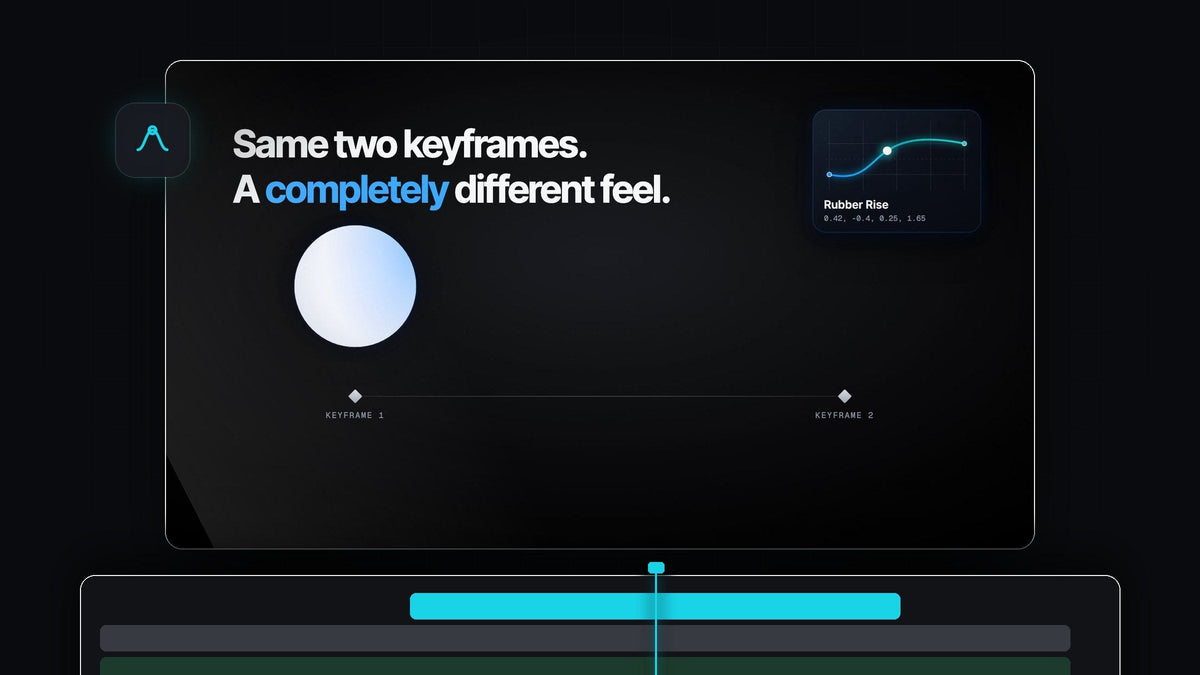
Motion with bounce and character
Looking for a PremierCurve alternative for Premiere Pro? EaseFlow gives your keyframes real curves in one click, including bouncy Apple-style springs that overshoot and settle right on your keyframe.
EaseFlow works on Mac and Windows in Premiere Pro 2021 to 2026. The bouncy curves come with EaseFlow Pro, $34.99 one-time with free updates for life, and Standard starts at $24.99.
Watch the intro
Same two keyframes, a whole new feel
The curve decides how a move feels. The same two keyframes can glide, snap, or spring into place, and EaseFlow lets you switch between them with one click.

Every frame between your keyframes follows the curve you pick, so a pop-in really pops and a logo really lands.
Springs that feel alive
The Apple library in EaseFlow Pro holds 12 bouncy curves, from a soft settle to a full Boing. They are made for the moves that need personality.

- Pop-ins. Icons, emojis and stickers that scale up and wobble into place.
- Titles and lower thirds. Text that slides in, overshoots a touch and settles.
- Logos. A reveal that lands with a little weight at the end.
- Every bounce lands on your keyframe. However much it springs, the move finishes exactly where you set it.
Pro also adds the Essentials curves for zooms and titles and the Creator Pro pack for punchy edits, 72 curves in all.
Overshoot, drawn by hand
Want a custom bounce? In the graph editor, pull a handle past the top of the box. The move goes slightly too far and settles back, and the preview shows it live. Pull the handle up further for more bounce.

You can also paste a spring as spring(damping, frequency), or a cubic-bezier from the web, and save it to your own library with +.
Step 1: Get EaseFlow Pro
Choose Pro on the EaseFlow page. Your license key and download links arrive by email right after checkout, and the guided installer sets up the app and the Premiere Pro plugin for you.
Step 2: Keyframe a pop-in
Select your title or graphic, add a Scale keyframe at 0, move the playhead a few frames ahead and set Scale to 100. Our bouncy text tutorial shows the full setup for text.
Step 3: Pick a spring and press Apply
Open the Apple tab in the EaseFlow panel and click a curve: Snappy for a quick settle, Bouncy for a friendly spring, Boing for a big, playful one. Put the playhead on the keyframes and press Apply.
EaseFlow eases the keyframes at or nearest the playhead on every selected clip at once. Your two keyframes never move, and one press of Cmd+Z (Ctrl+Z on Windows) takes the easing back off.
Step 4: Make it a one-key move
Right-click your favorite spring and choose Set Shortcut, then press a key such as F5. From then on, pop-ins take one keystroke. It is perfect for repeated elements like the alerts in our iPhone notification animation.
Turn on Auto Mode and every new pair of keyframes gets your spring automatically. Our EaseFlow guide covers every option in the panel.
Why EaseFlow feels at home in Premiere
EaseFlow lives in a panel that works like part of Premiere Pro. You keyframe the way you always have, then ease with one click or one key.
- Clean timelines. Only the keyframes a curve needs are added, and your own keyframes never move.
- Curved paths stay curved. Position follows the motion path Premiere draws between your keyframes.
- Any property. Scale, Position, Rotation, Opacity, Anchor Point and effect parameters, on video and audio.
FAQ
What is the best PremierCurve alternative for Premiere Pro?
EaseFlow. It applies real easing curves in one click, and EaseFlow Pro adds 12 Apple-style springs that bounce and settle right on your keyframe.
How do I make a bounce animation in Premiere Pro?
Set two keyframes, for example on Scale, then pick a spring such as Bouncy in EaseFlow and press Apply. Every frame between the keyframes follows the bounce.
Which EaseFlow version has the bouncy curves?
EaseFlow Pro ($34.99). It includes the Apple pack, the Essentials and Creator Pro packs and every pack added in the future. Standard owners can upgrade to Pro at any time.
Does EaseFlow work on Windows?
Yes. EaseFlow works with Premiere Pro 2021 to 2026 on both Windows and macOS.
Can I control how much it bounces?
Yes. Shape every bounce with two handles in the graph editor, or paste your own spring(damping, frequency) values.
Give your titles and graphics motion with character. Get EaseFlow Pro for Premiere Pro.



