

 by
by 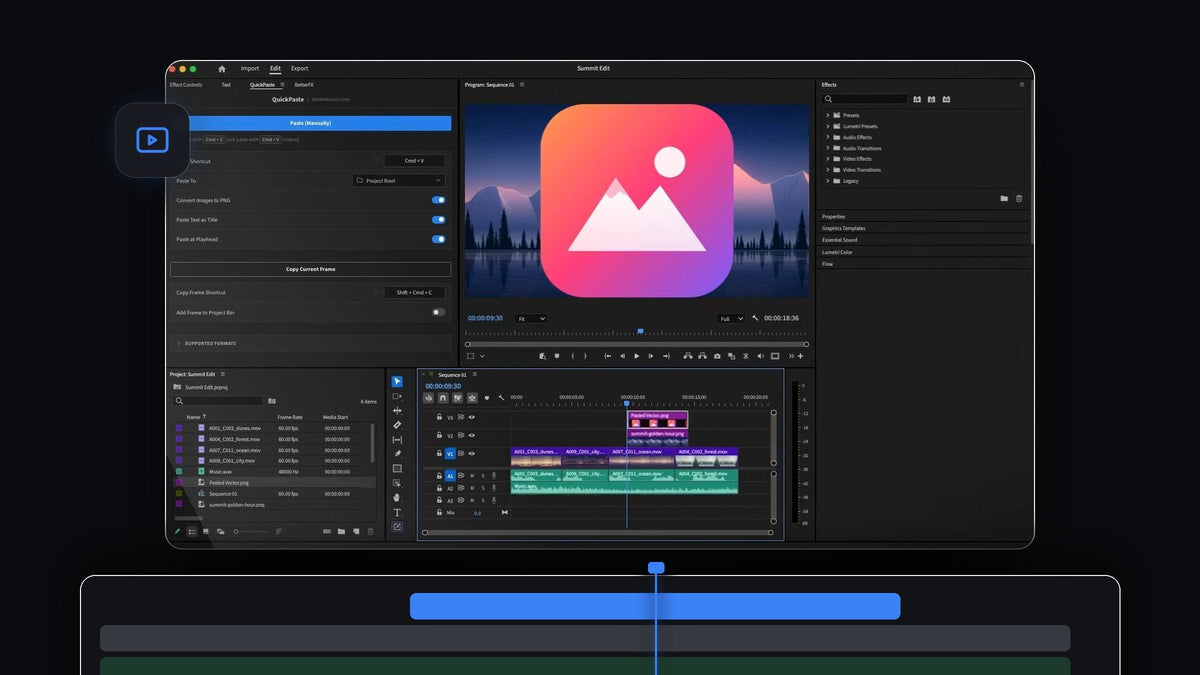
The best paste plugin for Premiere Pro 2023
For editors making Reels, TikToks and Shorts in Premiere Pro 2023, the best paste plugin is QuickPaste. Copy an iPhone photo, a WebP image from a store page or a brand's SVG logo, press Cmd + V, and it arrives as a clean PNG, ready for your vertical edit.
QuickPaste works in Premiere Pro 2023 (version 23) on Mac and Windows. It is a one-time $24.99 (regular price $34.99), with lifetime access, free updates and a commercial license for client and brand work.
Social edits are built from whatever the client sends: HEIC photos straight off a phone, AVIF and WebP images from the web, logos as vectors. Those formats usually mean a detour through a converter. QuickPaste does the conversion as you paste.
Watch the intro
Made for fast social edits
A reel has to be out today, not after a file-conversion session. QuickPaste removes every step between finding an image and seeing it in your 9:16 sequence.
- Any image in, a clean PNG out. WebP, HEIC, AVIF, JPEG, GIF, TIFF, BMP and RAW all become PNG before they reach Premiere Pro. No converting by hand.
- Phone photos welcome. AirDrop a HEIC photo to your Mac, copy it and paste. It lands as a PNG.
- Straight from the web. Copy an image on a webpage and paste. QuickPaste saves it for you, and even a copied image link works.
- Vectors too. SVG, PDF and EPS artwork pastes right in, so the brand logo comes straight from the design file.
- Paste from anywhere in Premiere. No need to open the QuickPaste panel first. Just press paste.
- Your normal shortcut. Cmd + V on Mac, Ctrl + V on Windows.
- Lands where you want it. Pick the bin for pasted files, and turn on Paste at Playhead to drop them right onto the timeline.
Phone footage often comes in HDR, and Premiere Pro 23.2 added automatic tone mapping for HDR media. Pair that with QuickPaste for the stills, and a phone-first reel comes together quickly.
Step 1: Install QuickPaste
After checkout, download QuickPaste from the order page or the email link and run the guided installer. It sets up the QuickPaste app and the Premiere Pro plugin for you. Then open Premiere Pro 2023 and your vertical sequence.
In the QuickPaste panel, keep Convert Images to PNG switched on. That is the setting that turns every copied image into a PNG.
Step 2: Copy your images and logo
Say you are cutting a product reel. Copy the HEIC photo the client sent, the AVIF product shot from their store page, or a RAW photo from the shoot. Each one can be pasted as it is.

For the logo, open the brand file in your design app, right-click the logo and copy it as SVG.

Step 3: Paste and build the reel
In Premiere Pro, press Cmd + V or Ctrl + V. Each image arrives as a PNG in your bin, and with Paste at Playhead on it lands on the timeline at the playhead. The SVG logo comes in ready to scale and place.

Now add the motion. Our guide on how to make a TikTok edit in Premiere Pro covers the fast cutting style, and how to make viral TikTok text handles the captions on top.
More reels, fewer detours
When you post several times a week, small delays pile up. Removing the convert, save and import routine means you spend that time on hooks, pacing and captions instead.
For every format QuickPaste supports, read the full QuickPaste guide. Working on longer projects too? See the best paste plugin for Premiere Pro 2022.
FAQ
Does QuickPaste work with Premiere Pro 2023?
Yes. QuickPaste works with Premiere Pro 2023 (version 23) on Mac and Windows. It supports every version from Premiere Pro 2021 to 2026.
Can I paste HEIC photos from my iPhone into Premiere Pro?
Yes. Copy the HEIC photo and press Cmd + V in Premiere Pro. QuickPaste converts it to a PNG automatically before it reaches your project.
Can I paste WebP and AVIF images from a website?
Yes. Right-click the image, choose Copy Image and paste. QuickPaste saves it for you and turns it into a PNG, with nothing to download first.
Can I paste an SVG logo into Premiere Pro?
Yes. SVG, PDF and EPS artwork pastes right in. Copy the logo as SVG from your design app and press paste in Premiere Pro.
Turn every phone photo and web image into reel-ready PNGs. Get QuickPaste for Premiere Pro 2023.



