

 by
by 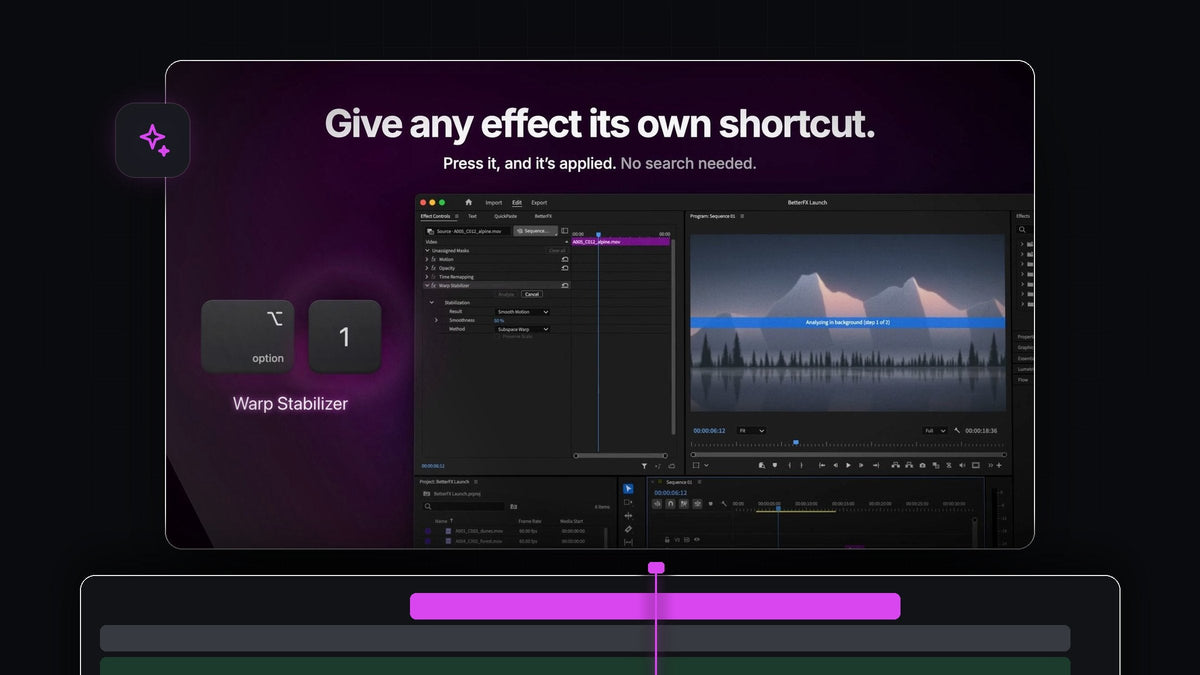
The answer up front
Want a HyperShift alternative for Premiere Pro? BetterFX is a keyboard-first way to apply effects: one shortcut, a few letters, Enter, on both Mac and Windows.
It costs $29.99 one-time with lifetime updates, and it supports Premiere Pro 2021 to 2026.
Watch the intro
Built for editors who live on the keyboard
Every trip to the mouse costs a little focus. BetterFX keeps the whole effect workflow on the keyboard, from opening the search to applying the result, and it fits the shortcuts you already use in Premiere Pro.
- One shortcut to open it. Option + Space on a Mac, Alt + Space on Windows.
- Type, then Enter. No scrolling and no dragging. The effect lands on the selected clips.
- Keys for your favorites. Give any effect, preset or third-party plugin its own shortcut and skip the search entirely.
- Same setup on every machine. Export your shortcuts and settings as a profile and import it on your other computer.
- Mac and Windows. One app, both platforms, with an installer for each.
Step 1: Learn the one shortcut that matters
Install BetterFX with the guided installer and it sets up the app and the Premiere Pro plugin for you. From then on, everything starts with one key combination.

Select a clip in the timeline and press it. The search bar opens on top of your edit, and your cursor is already in the field.
Step 2: Type a few letters and press Enter
Type the start of the effect, like cro for Crop, and press Enter. The effect is applied and waiting in Effect Controls, so you can set the values right away.

Abbreviations work too, so gb is enough for Gaussian Blur. Select several clips first and the effect goes on all of them in one step.
Step 3: Give your go-to effects their own keys
Some effects you apply many times a day. Open the BetterFX panel, click the shortcut field next to one and press your combination, such as Option + 1 for Warp Stabilizer. BetterFX warns you if the keys clash with something else.

Now you select a clip, press the keys and the stabilizer starts. For the settings that follow, see how to stabilize video in Premiere Pro.
Step 4: Take your shortcuts to every computer
Save your setup as a profile with Save As. It holds your shortcuts, favorites, hidden effects, search settings and look. Click Export to get one small file, then Import it on your other computer.
Same keys, same favorites, same look. You can also keep a profile per client or type of edit and switch whenever you like.
Add free one-click timeline tools
For jobs like adjustment layers, color mattes, freeze frames and nesting, dock the free Mako panel next to BetterFX. It gives every button its own shortcut too, so the whole edit stays on the keyboard. Here's more on the adjustment layer shortcut in Premiere Pro.
Why BetterFX fits a keyboard workflow
It does one job and does it instantly. The bar is a focused overlay that never interrupts your edit, it ranks the effects you use most at the top, and it stays fast even in large, effect-heavy projects.
You pay once and updates install automatically. Read the full BetterFX guide for every option, or go straight to BetterFX.
FAQ
What can I use instead of HyperShift in Premiere Pro?
BetterFX. Press one shortcut, type a few letters and press Enter to apply any effect, preset or third-party plugin, on Mac and Windows.
What is the default BetterFX shortcut?
Option + Space on macOS and Alt + Space on Windows.
Can I apply an effect without searching at all?
Yes. Assign the effect its own shortcut in the BetterFX panel. Select clips, press the keys, and it's applied.
Can I use my BetterFX setup on two computers?
Yes. Export your profile as one small file and import it on the other computer to get the same shortcuts, favorites and look.
Is BetterFX a subscription?
No. It's $29.99 one-time, with lifetime access, free updates and a commercial license.
Every effect, one shortcut away, on Mac and Windows. Get BetterFX.



