

 by
by 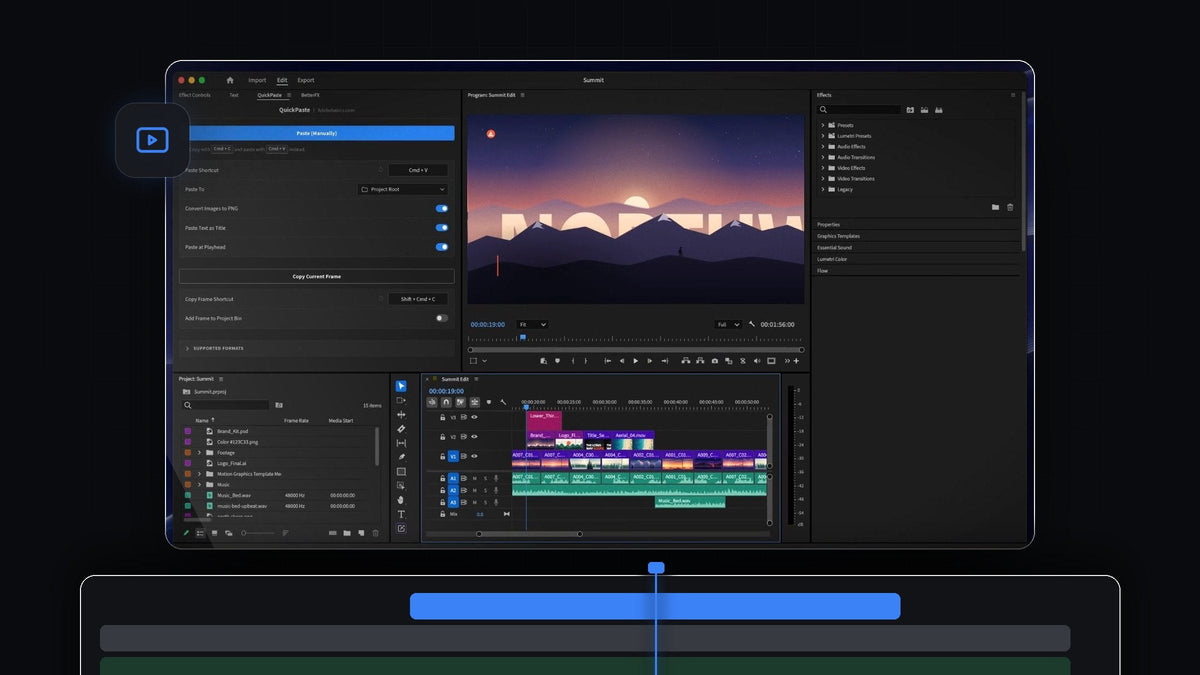
The short answer
Want the Overlord feel inside Premiere Pro? QuickPaste brings Illustrator, Photoshop and After Effects files into your edit with one paste, on Mac and Windows.
Copy the artwork, press Cmd + V (Ctrl + V on Windows) in Premiere Pro, and it is in your project. Layered files come in as the real file, so the work your designer built stays exactly as they built it.
Watch the intro
From the design team to your timeline
Most projects have a moment where design hands over to editing. A brand kit in Photoshop, a logo in Illustrator, an animated title from After Effects and a lower third as a MOGRT. Each one is a file, and each one needs to be in the sequence.
QuickPaste turns that handoff into the move you already make a hundred times a day. There is no exporting, no Import dialog and no dragging between windows. You copy, you paste, and you keep cutting.
- Adobe files stay real. Photoshop, Illustrator, After Effects and MOGRT files arrive untouched, not as flattened pictures.
- Vectors paste right in. SVG, PDF and EPS artwork works with the same shortcut.
- Media too. Clips, music and sound effects from the same folder come along. If Premiere Pro imports it, QuickPaste pastes it.
- Your normal shortcut. Cmd + V or Ctrl + V, from anywhere in Premiere Pro.
Step 1: Install QuickPaste
Your download appears right after checkout and also arrives by email. Run the guided installer for Mac or Windows and it sets up the QuickPaste app and the Premiere Pro plugin for you.
QuickPaste works with Premiere Pro 2021 to 2026, and updates install automatically from then on.
Step 2: Copy the artwork files
Open the folder your designer shared in Finder or File Explorer. Select the files you need, such as the brand kit PSD, the final logo AI, the title AEP and the lower third MOGRT, and press Cmd + C.
You can copy one file or a whole selection. A mixed set of Adobe files, footage and audio is fine.

Step 3: Paste them into your sequence
Click anywhere in Premiere Pro and press Cmd + V. You don't need to open the QuickPaste panel first. The files land in your project, and with Paste at Playhead on they go straight onto the timeline at the playhead, laid end to end in order.
Because the PSD, AI and AEP come in as the real file, you can keep working with them the way Premiere Pro always lets you. If you want to keep tweaking an animated title in After Effects, our guide to Dynamic Link between Premiere Pro and After Effects shows the round trip.

MOGRT files paste the same way. If you are new to them, here is how MOGRT files work in Premiere Pro.
Step 4: Bring in decks and vector art
Designers don't only send layered files. Pitch decks, style frames and logo sheets often arrive as PDF, SVG or EPS. Copy them and paste. QuickPaste converts the pages into clean PNGs as they come in, ready for the Program Monitor.

Keep the handoff tidy
Open the QuickPaste panel once to set things up, then forget it. Point Paste To at its own bin, a bin you pick, or the project root, so every delivery from the design team lands in one place.
Switch Paste at Playhead on when you are building a sequence, and off when you only want files in the bin. You can also record your own paste shortcut and reset it to the default in one click.
Why editors working with designers pick QuickPaste
- Nothing new to learn. It is the copy and paste you already use, with no extra button to press.
- Layered work survives. Adobe files come in as they are, and images become PNGs automatically.
- Works the way Premiere works. Pasted files sit in your bins like anything else you imported.
- Mac and Windows. The same paste on both, so a mixed team works the same way.
- Yours for good. $24.99 one-time, with lifetime access, free updates and a commercial license.
For every setting and format, read our complete QuickPaste guide.
FAQ
What is the best Overlord alternative for Premiere Pro?
QuickPaste. Copy Illustrator, Photoshop, After Effects and MOGRT files and press Cmd + V or Ctrl + V in Premiere Pro, and they arrive as the real file.
Can I paste a Photoshop or Illustrator file into Premiere Pro?
Yes. Copy the PSD or AI file and paste it anywhere in Premiere Pro. QuickPaste imports it for you, untouched, into the bin you choose.
Can I paste several design files at once?
Yes. Select them all, copy and paste once. With Paste at Playhead on, they are laid end to end on your timeline in order.
What happens to PDF and SVG artwork?
SVG, PDF and EPS artwork pastes right in and is converted to clean PNGs as you paste.
Does QuickPaste work on Windows?
Yes. It works the same on macOS and Windows with Premiere Pro 2021 to 2026.
From the design folder to your timeline in one paste. Get QuickPaste for Premiere Pro.



