

 by
by 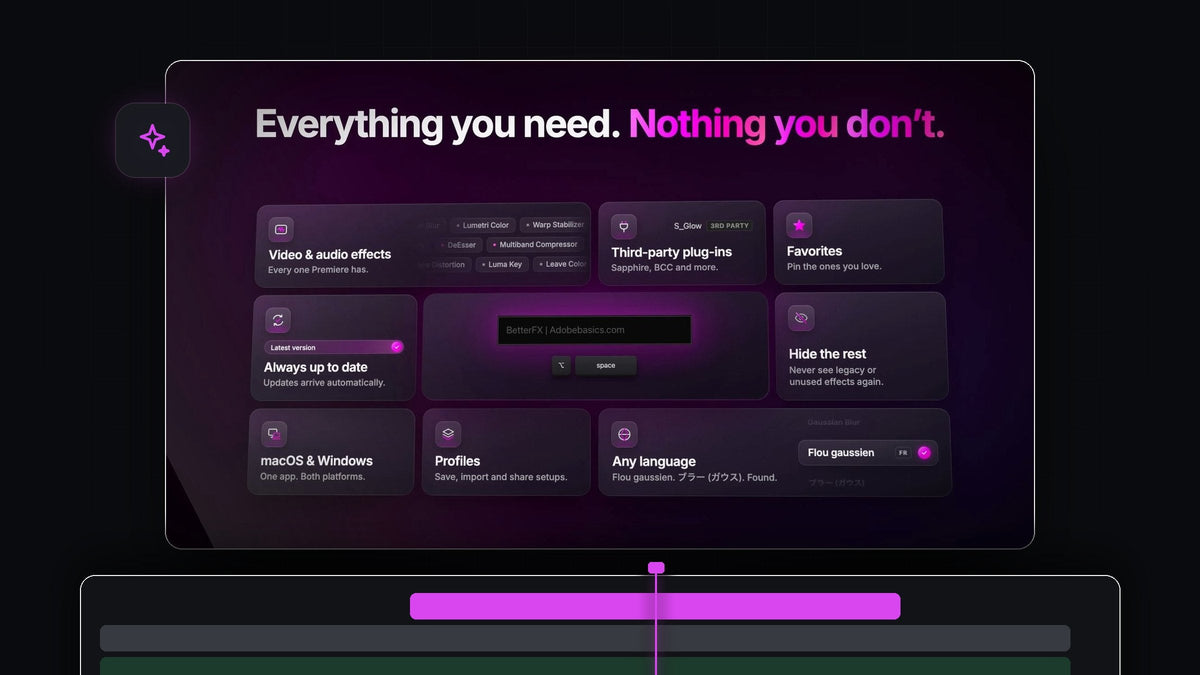
In one sentence
If you're searching for an FX Launcher alternative for Premiere Pro, BetterFX gives you one search bar for every video effect, audio effect, custom preset and third-party plugin, opened with a single shortcut on Mac and Windows.
Press Option + Space on a Mac or Alt + Space on Windows, type a few letters and press Enter. It costs $29.99 one-time, with lifetime updates.
Watch the intro
Everything you apply, in one place
An edit pulls from everywhere: a grade from the video effects, a cleanup from the audio effects, a look you saved last month, a glow from a plugin. BetterFX puts all of it behind the same shortcut, so you never stop to think about where something lives.
- Every video and audio effect. Every one Premiere has, grouped clearly in the results.
- Your custom presets. Saved looks and moves, keyframes included, applied as fast as any built-in effect.
- Third-party plugins. Effects from Sapphire, Boris FX and more sit in the same results with a small tag.
- Smart ranking. Your recent, favorite and most-used effects rise to the top.
- Batch apply. Select several clips and apply once.
- Custom shortcuts. Give any effect, preset or plugin its own keys.
Step 1: Install and press your shortcut
Your download appears right after checkout and is emailed to you too. One guided installer sets up the BetterFX app and the Premiere Pro plugin on macOS or Windows, for Premiere Pro 2021 to 2026.
Open Premiere Pro, select a clip and press Option + Space or Alt + Space. The bar opens over your timeline, ready to type.
Step 2: Reach audio effects as fast as video effects
Audio cleanup usually means a trip to a different folder. In BetterFX it's the same move as everything else. Select the dialogue clip, type dnoise and press Enter to apply DeNoise.

Need to dial in the cleanup after that? Our guide on how to remove background noise in Premiere Pro shows which settings matter.
Step 3: Bring your own presets into the bar
Import your .prfpset files and BetterFX lists them under Custom Presets, each with a small tag. A color grade, a punch-in zoom or a glitch hit becomes a few letters and Enter, keyframes included.

If you haven't built your own presets yet, start with how to create a preset in Premiere Pro. Five minutes there saves you hours later.
Step 4: Search your third-party plugins too
Installed effects from plugins like Sapphire or Boris FX show up right alongside Premiere's own. A 3RD PARTY tag tells you at a glance where each result comes from, so S_Glow is as easy to reach as Sharpen.

Step 5: Decide what the bar shows
Open the Search tab in the BetterFX panel to shape your results. Each group has its own switches:
- Custom presets. Show them in search results, with or without the custom preset tag.
- Legacy effects. Keep Premiere's old (Legacy) copies out of search and out of your recent effects.
- Third-party effects. Include them in search and choose whether to show the tag.
Hide any single effect you never use with one click, and bring it back any time from the Hidden tab.
Why BetterFX is the one to pick
It's simple from the first minute. One installer, one shortcut, and the effect lands in Effect Controls exactly the way Premiere already works. It runs on Mac and Windows, stays fast in big effect-heavy projects, and you pay once.
Every setting is covered in our BetterFX guide for Premiere Pro.
FAQ
Is BetterFX a good FX Launcher alternative for Premiere Pro?
Yes. BetterFX opens one search bar with a shortcut and applies video effects, audio effects, your custom presets and third-party plugins to the selected clips.
Can BetterFX apply audio effects?
Yes. Audio effects appear in the same results under their own heading. Type a few letters, such as dnoise for DeNoise, and press Enter.
Do my own presets keep their keyframes?
Yes. Save your own presets with keyframes included and apply them as fast as any built-in effect.
Does BetterFX find Sapphire and Boris FX effects?
Yes. Third-party effects show up in search with a small tag, and you can switch them or the tag off in the Search settings.
One bar for every effect you own. Get BetterFX for Premiere Pro.



