

 by
by 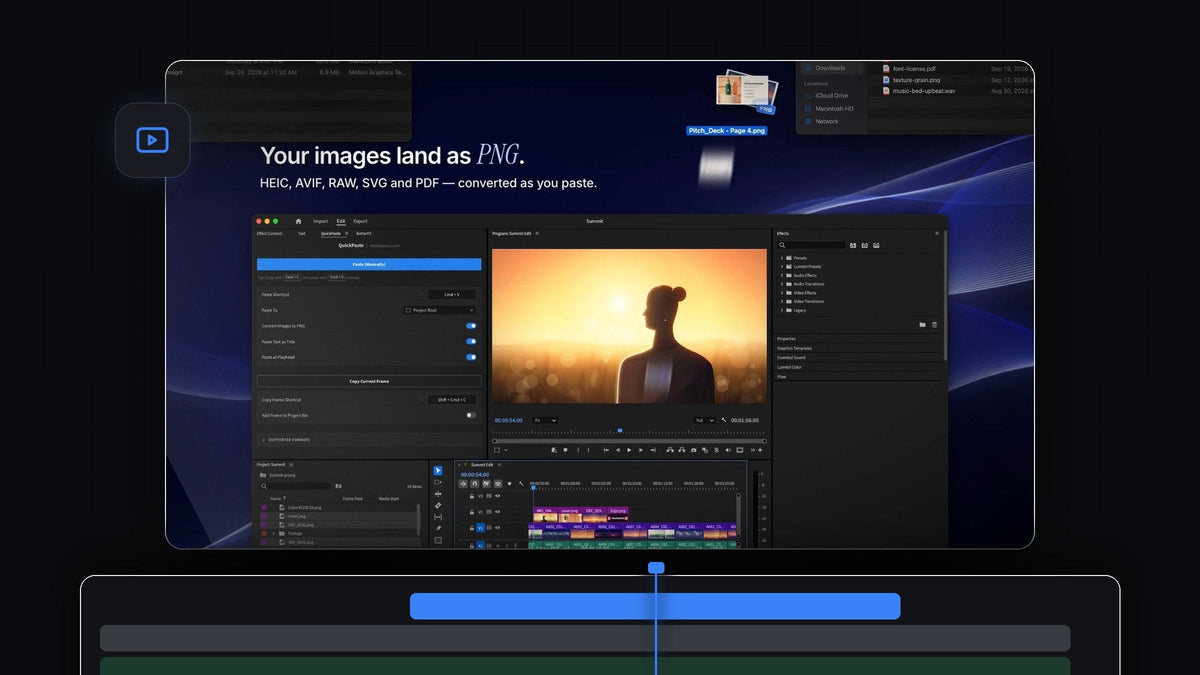
The short answer
Looking for an AnyPaste alternative for Premiere Pro? QuickPaste pastes images in any format, vectors, Adobe files, video, audio, colors and text with your normal Cmd + V (Ctrl + V on Windows), on Mac and Windows.
It is one paste for every kind of file. You copy, you press the shortcut your hands already know, and QuickPaste handles the import for you.
Watch the intro
One paste for every kind of file
Editing pulls material from everywhere: a phone photo, a logo from the client, a stock clip, a color from the brand guide, a line from the script. QuickPaste gives all of it the same path into your project.
Images are turned into clean PNGs on the way in. Layered Adobe files and media come in untouched, as the real file. Everything lands in the bin you choose, and on your timeline too if you like.
Step 1: Install QuickPaste
Download it right after checkout, or from the link in your email. The guided installer for Mac or Windows sets up the QuickPaste app and the Premiere Pro plugin for you. It works with Premiere Pro 2021 to 2026.
Step 2: Copy photos in any format
Copy a photo file in Finder or File Explorer, or copy an image from any app. HEIC photos from an iPhone, AVIF and WebP images from the web, and RAW files from a camera all work.

Press Cmd + V in Premiere Pro. Every image becomes a PNG before it reaches your project, so there is nothing to convert by hand. With Paste at Playhead on, each one also drops onto your timeline, which is perfect for image overlays.
Step 3: Paste a link and get the image
Found the right picture on a website? Copy the image itself, or just copy its link. Paste in Premiere Pro and QuickPaste saves the image for you and brings it in as a PNG.

There is nothing to download first. Copy, paste, and the image is in your bin.
Step 4: Paste vectors, Adobe files, video and audio
SVG, PDF and EPS artwork pastes right in. Photoshop, Illustrator, After Effects and MOGRT files come in as the real file, so layered work stays the way you built it.
Clips, music and sound effects paste the same way. The rule is simple: if Premiere Pro imports it, QuickPaste pastes it.
Step 5: Paste colors, gradients and text
Copy a color from a brand guide, a stylesheet or a design tool. HEX, RGB, HSL, CMYK and OKLCH all work, and so do CSS linear and radial gradients. Paste and it lands in your edit, ready to use as a background or accent. Our gradient background tutorial shows what to do with it next.
Text works too. Copy a line from your notes or script and paste it, and it becomes a title, ready to style.

The full format list
- Images. PNG, JPEG, GIF, WebP, HEIC, AVIF, TIFF, BMP and RAW.
- Vectors. SVG, PDF and EPS.
- Adobe. Photoshop, Illustrator, After Effects and MOGRT.
- Video and audio. Any file Premiere Pro imports.
- Web. Copied images and image links.
- Colors. HEX, RGB, HSL, CMYK and OKLCH, plus CSS linear and radial gradients.
- Text. Pasted as a title.
Why QuickPaste is the best choice
- Nothing new to learn. Cmd + V on a Mac, Ctrl + V on Windows, from anywhere in Premiere Pro. No extra button.
- It handles the rest. Images become PNGs, Adobe files stay as they are, and everything lands in your bin.
- Your setup. Pick the bin, record your own paste shortcut and switch PNG conversion, text as title and paste at playhead on or off.
- Frames go out too. Copy Current Frame copies the frame under the playhead as a full-resolution PNG.
- Yours for good. $24.99 one-time, with lifetime access and every future update.
Want the full walkthrough? Read our complete QuickPaste guide.
FAQ
What is the best AnyPaste alternative for Premiere Pro?
QuickPaste. One normal paste brings in images in any format, vectors, Adobe files, video, audio, colors, gradients and text, on Mac and Windows.
Can I paste HEIC, AVIF or RAW photos into Premiere Pro?
Yes, with QuickPaste. Copy them and paste, and each one is converted to a PNG before it reaches your project.
Can I paste an image straight from a website?
Yes. Copy the image or its link and paste in Premiere Pro. QuickPaste saves the image for you, so there is nothing to download first.
Do Photoshop and After Effects files stay editable?
Yes. Photoshop, Illustrator, After Effects and MOGRT files come in as the real file, not as a flattened image.
Which Premiere Pro versions are supported?
Premiere Pro 2021 to 2026, on macOS and Windows.
Every file, one paste. Get QuickPaste for Premiere Pro.



